Start with Examples(从示例开始(Start with Examples))
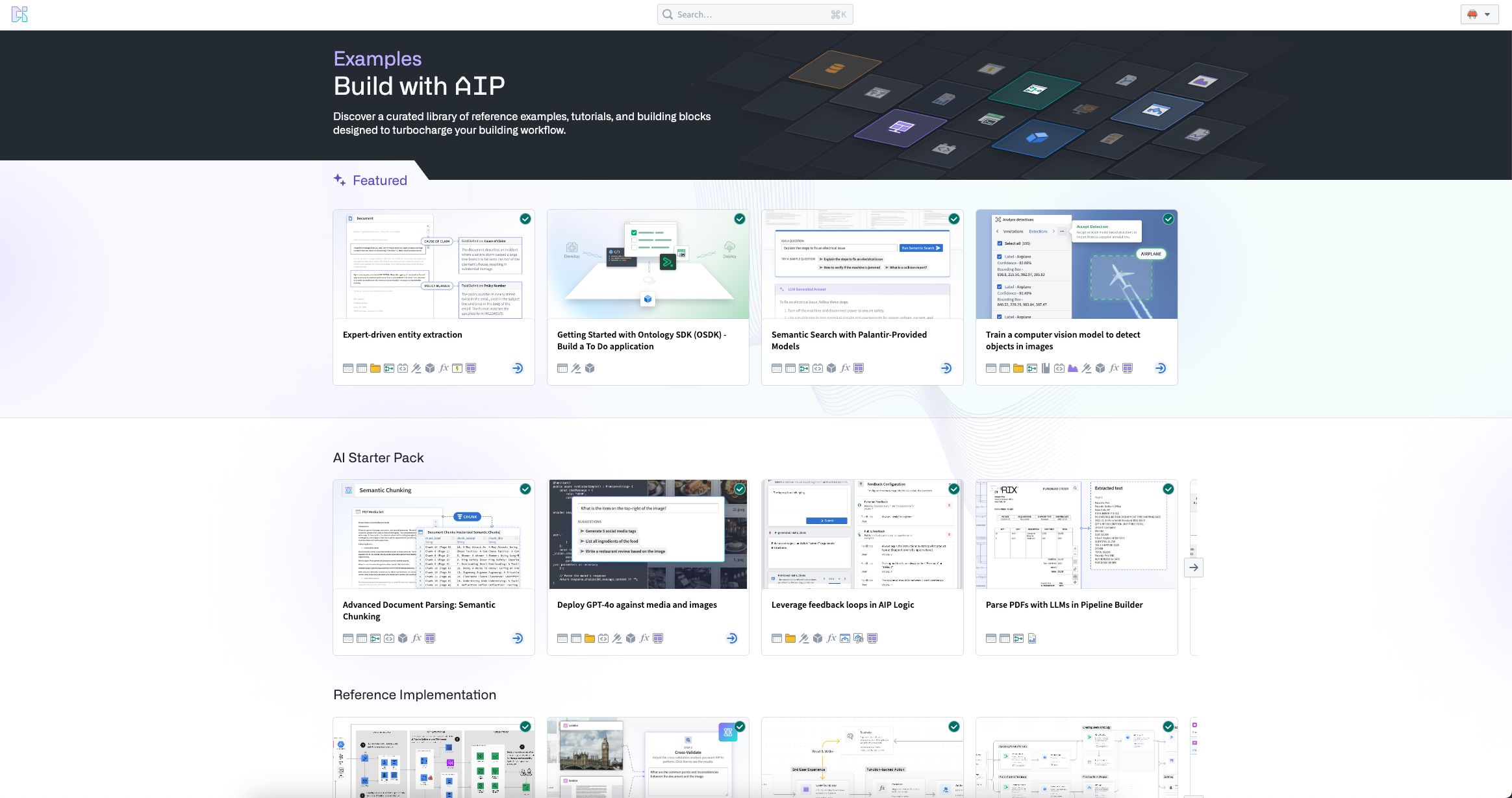
To get started on the Palantir platform, you can use Examples, an in-platform component of Build with AIP. Examples is a comprehensive library designed to facilitate learning and effective platform usage. Examples provides application builders and developers with reference examples, tutorials, and starter kits for quickly developing new applications.
Key features
Examples is built with two features to support user learning:
-
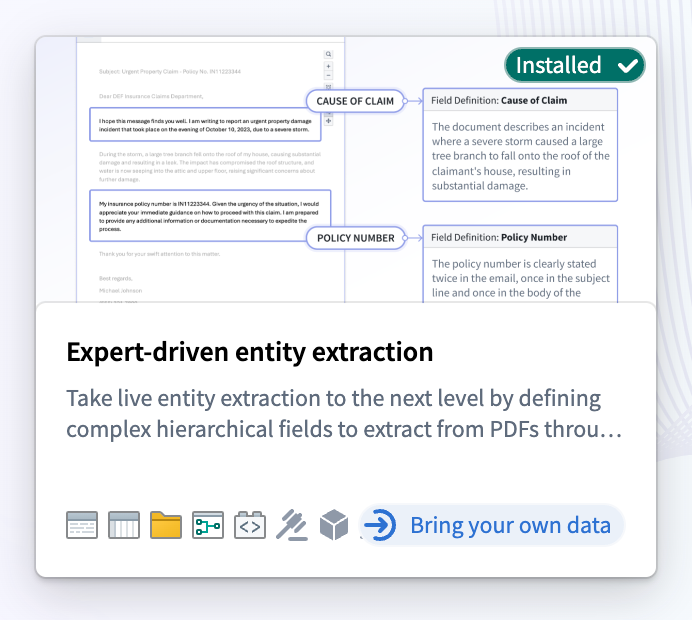
Bring your own data: Examples tagged with "Bring your own data" allows you to easily install complex workflows using your own data. Find the Using your own data section and select Install, then drag and drop from your desktop (or upload an existing resource in Foundry).
-
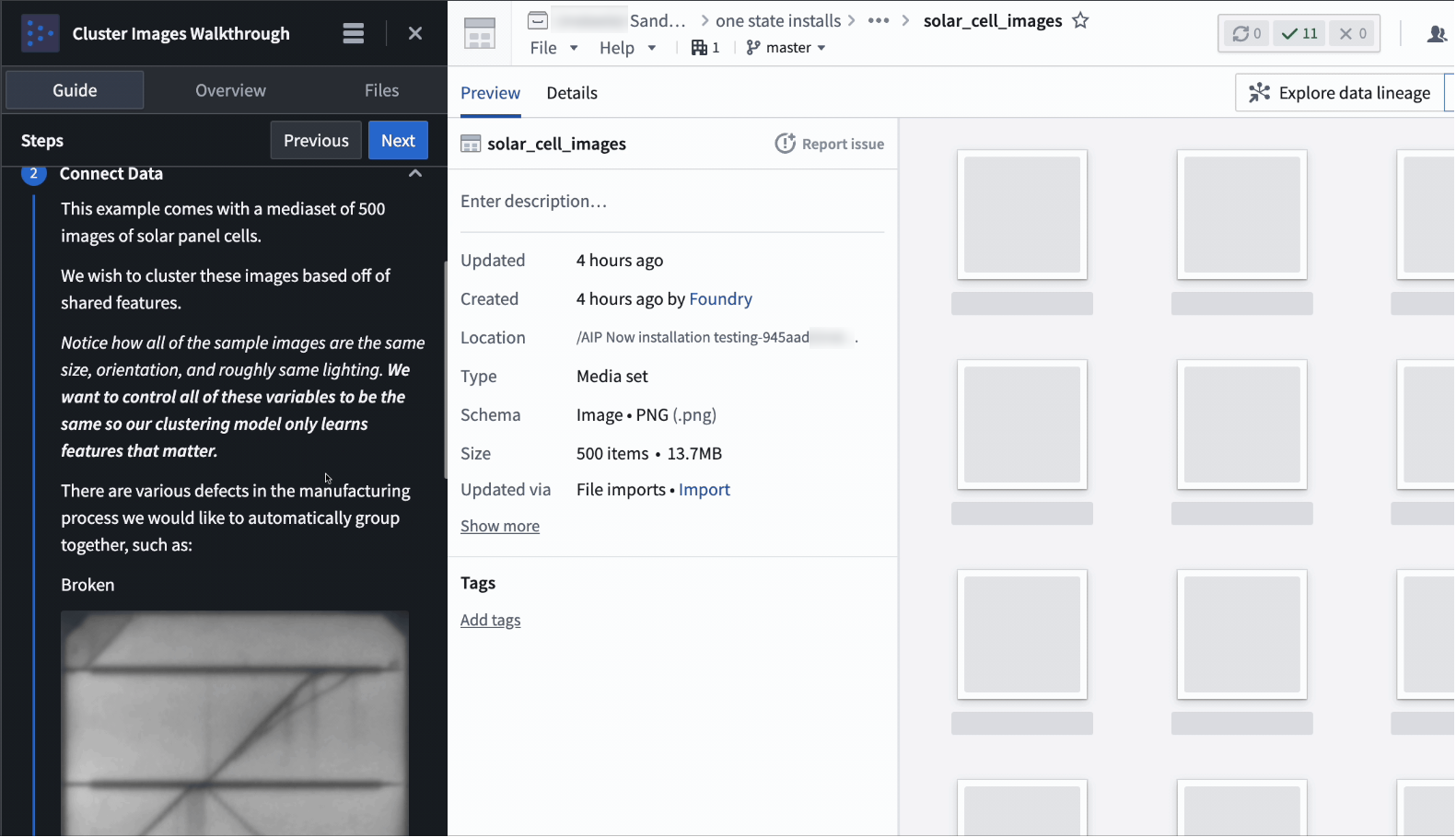
Walkthroughs: Get a step-by-step walkthrough of how the specific workflow was made with AIP Assist.
Access Examples
You can access Examples from the Workspace navigation bar on the left, then Support > Explore Examples. Additionally, you can explore application-specific examples directly from application splash pages.
中文翻译
从示例开始(Start with Examples)
要开始使用Palantir平台,您可以通过Examples(Build with AIP的组件之一)快速上手。Examples是一个综合性库,旨在帮助用户学习和高效使用平台。它为应用构建者(Application Builders)和开发者(Developers)提供了参考示例、教程和快速开发新应用的入门套件(Starter Kits)。
主要功能(Key Features)
Examples内置了两项功能来支持用户学习:
-
自带数据(Bring your own data): 标记有"Bring your own data"的示例允许您使用自己的数据轻松安装复杂工作流。找到Using your own data部分,选择Install,然后从桌面拖放(或上传Foundry中的现有资源)。
-
分步指南(Walkthroughs): 获取关于如何使用AIP Assist创建特定工作流的逐步指导。
访问示例(Access Examples)
您可以通过左侧的工作区(Workspace)导航栏访问Examples,路径为Support > Explore Examples。此外,您还可以直接从应用启动页面(Application Splash Pages)浏览特定于应用的示例。