Migrate an existing Project(迁移现有项目(Project))
Along with creating a new use case Project, the Use Cases application allows you to migrate an existing Foundry Project to become a use case backing Project.
Follow the steps below to migrate an existing Project to a use case.
-
First, navigate to the Foundry Project you want to migrate to a use case. From the Foundry navigation sidebar, select Projects & files > Projects to view Projects available to you. Find the Project containing the resources needed for your use case, and open the folder.
-
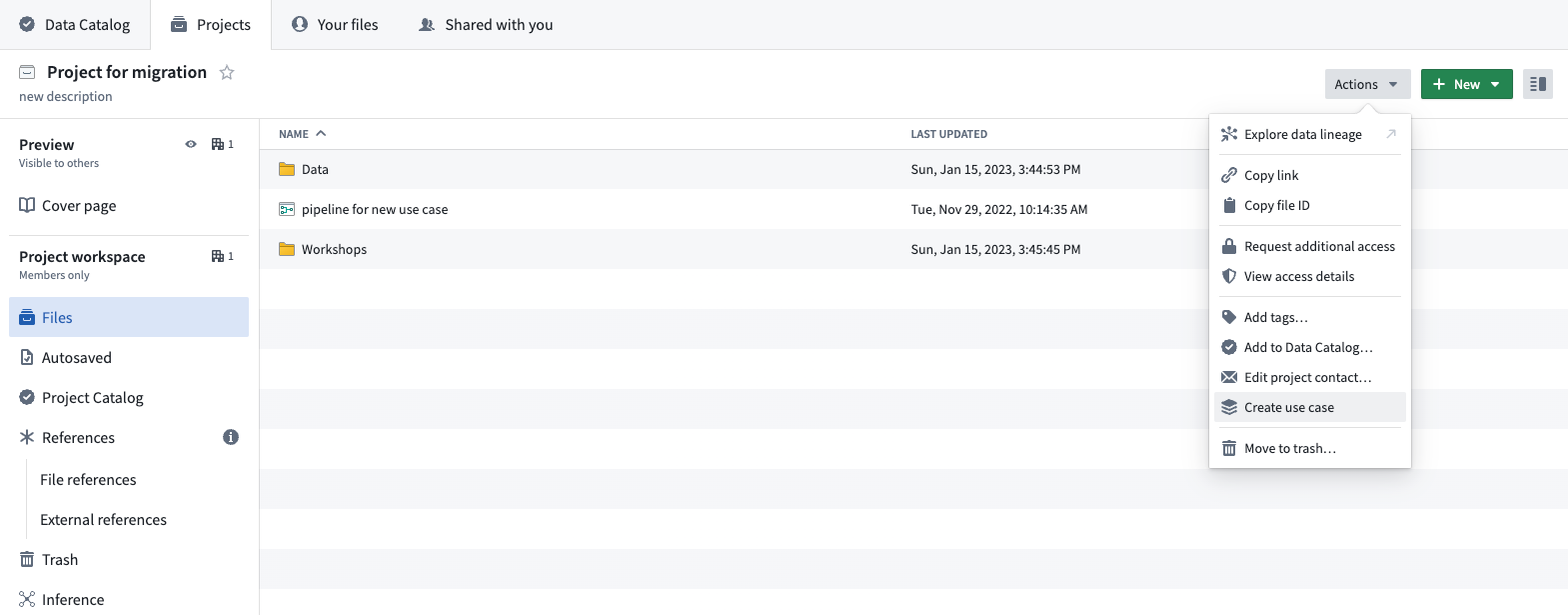
From the Project overview page, select Actions > Create use case. This will prompt the start of the migration of the existing Project to a new use case.
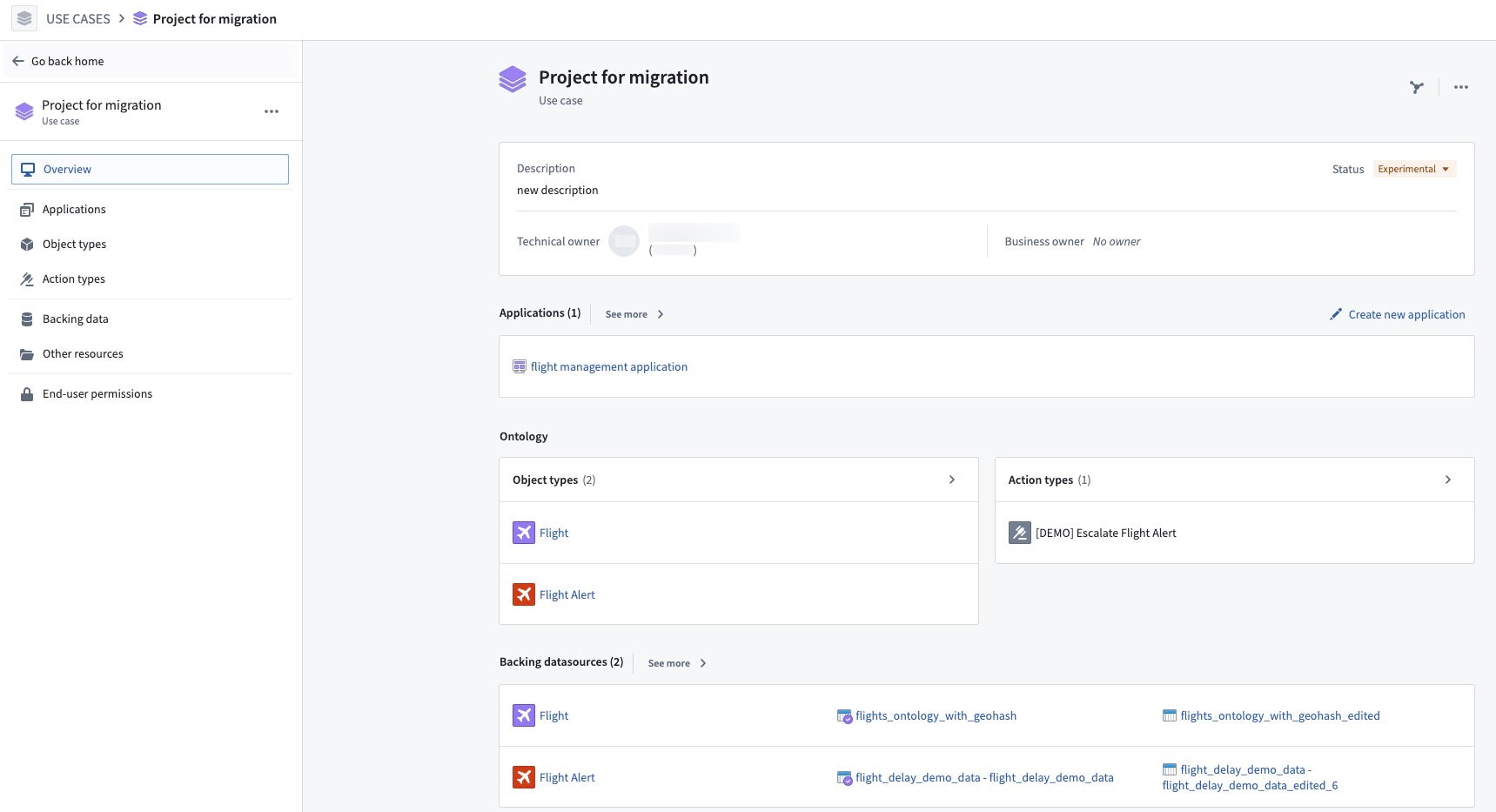
- Once the migration completes, a new page will open showing the overview of your new use case and all resources contained in the Project.
Now that you have created a new use case from an existing Project, learn how to add application resources or edit use case metadata.
中文翻译
迁移现有项目(Project)
除了创建新的用例项目(Use Case Project)外,用例(Use Cases)应用程序还允许您将现有的 Foundry 项目迁移为用例支持项目。
请按照以下步骤将现有项目迁移为用例:
-
首先,导航至您要迁移为用例的 Foundry 项目。从 Foundry 导航侧边栏中选择 项目与文件(Projects & files)> 项目(Projects),查看您可访问的项目。找到包含用例所需资源的项目,并打开该文件夹。
-
在项目概览页面中,选择 操作(Actions)> 创建用例(Create use case)。这将启动将现有项目迁移至新用例的流程。
- 迁移完成后,将打开一个新页面,显示新用例的概览以及项目中包含的所有资源。