Help and support(帮助与支持)
If you encounter any issues while using the Palantir platform, you can review guidance on how to investigate, diagnose, and find a suitable resolution below.
1. Investigate the issue
Before submitting a support request, follow the steps below to address a potential issue. By collecting the information outlined below, the investigation process can be expedited and help us to provide an optimal resolution.
- Start by reviewing error messages from the platform and compile them into a document.
- If an error is not clear or does not provide actionable next steps, use Chrome™ Developer tools to gather more information on the issue.
- Consider whether any changes were made since the platform was last behaving as expected. Try reverting these changes and test if the issue is resolved.
- Check status emails, alerts, and announcements for known issues or planned maintenance that might affect your work.
- Search the platform documentation to see if there are useful suggestions.
- Copy the errorID/errorInstanceID and share it with support.
- Use Data Lineage to investigate issues with your pipeline (for example, permissions, build status, build schedules, etc.)
- Selecting different node coloring options (For example,
Time last builtorPermissions) allows you to highlight different characteristics of the resources in a pipeline.
2. Search the Issues application and the Developer Community
With the additional information you have obtained from investigating on your own, you can visit:
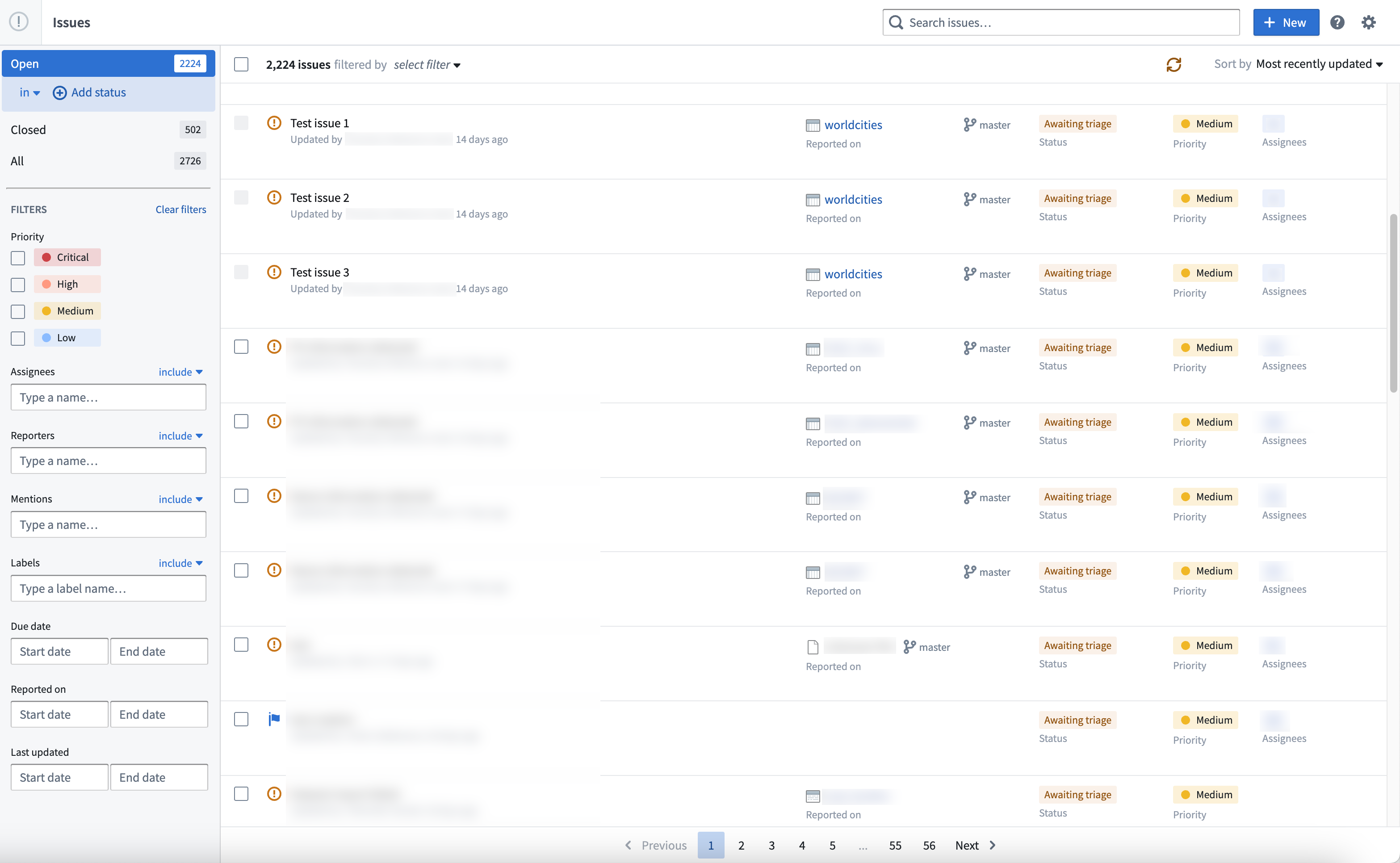
- The Issues application to see issues reported by other users which may help resolve or provide insight into your issue. This application provides transparency into questions in the platform by tracking past questions, providing previous engagement from Palantir Support, and a timeline on issue resolution.
- The Palantir Developer Community ↗ to ask and answer questions from your fellow users. Here, you will find questions asked by other Palantir users and get help on the issue you are facing.
Further assistance
In cases where you are not able to find a solution either from resources above or our platform documentation, learn how to prepare and file a support ticket which details how to collect debugging information and create a similar example so that Palantir Support is armed to provide a quick resolution to your issue.
Chrome™ is a trademark of Google Inc.
中文翻译
帮助与支持
在使用 Palantir 平台时若遇到任何问题,可参考以下指南来调查、诊断并找到合适的解决方案。
1. 调查问题
在提交支持请求之前,请按照以下步骤处理潜在问题。通过收集下文所述的信息,可以加快调查进程,并帮助我们提供最佳解决方案。
- 首先,查看平台上的错误消息,并将其整理到文档中。
- 如果错误信息不明确或未提供可操作的下步步骤,请使用 Chrome™ 开发者工具 收集更多关于该问题的信息。
- 考虑自平台上次正常运行以来是否进行了任何更改。尝试撤销这些更改,并测试问题是否已解决。
- 查看状态邮件、警报和公告,了解可能影响您工作的已知问题或计划维护。
- 搜索 平台文档,查看是否有有用的建议。
- 复制错误 ID/错误实例 ID (errorID/errorInstanceID),并与支持团队分享。
- 使用数据沿袭 (Data Lineage) 调查您的管道问题(例如,权限、构建状态、构建计划等)。
- 选择不同的节点着色选项(例如,
上次构建时间或权限)可以突出显示管道中资源的不同特征。
2. 搜索 Issues 应用程序和开发者社区
利用自行调查获得的额外信息,您可以访问:
- Issues 应用程序,查看其他用户报告的问题,这可能有助于解决或为您的问题提供线索。该应用程序通过跟踪过往问题、提供 Palantir 支持团队的先前参与记录以及问题解决时间线,使平台上的问题更加透明。
- Palantir 开发者社区 ↗,向同行用户提问并解答问题。在这里,您可以找到其他 Palantir 用户提出的问题,并就您遇到的问题获得帮助。
进一步协助
如果您无法通过上述资源或我们的 平台文档 找到解决方案,请了解如何 准备并提交支持工单,其中详细说明了如何收集调试信息并创建类似的示例,以便 Palantir 支持团队能够快速解决您的问题。
Chrome™ 是 Google Inc. 的商标。