Create a recipe(创建配方(recipe))
There are many ways to create a recipe in Foundry. Use this guide to learn how to create a recipe from the Recipes application, Dataset Preview, and Quiver.
From the Recipes application
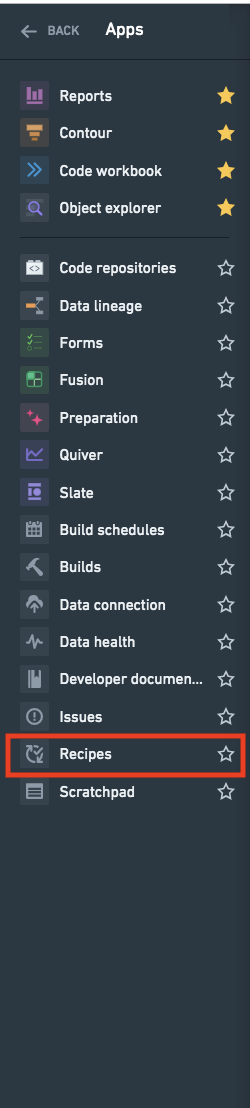
Open the Recipes application from the navigation sidebar.
Click New Recipe in the top right of the interface.
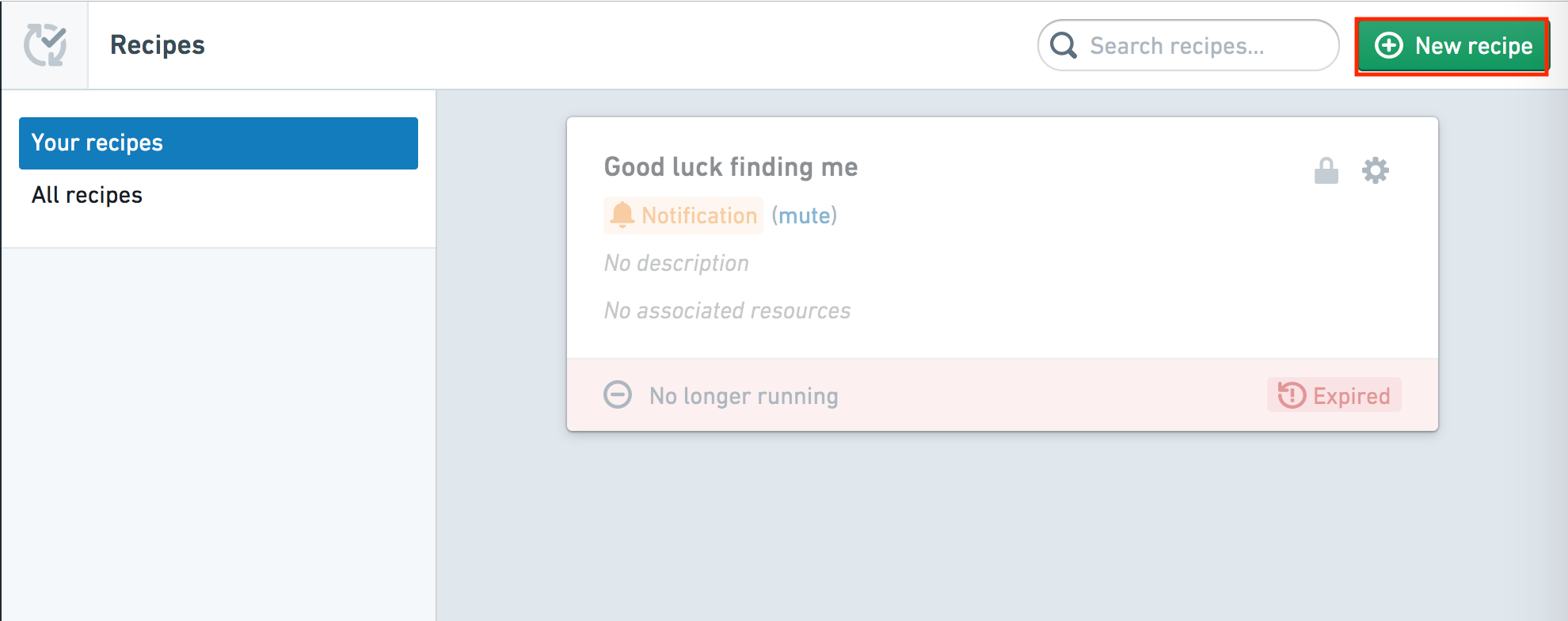
You will then be directed to choose a resource to monitor through the recipe.
From Dataset Preview
To create a new recipe from the Dataset Preview application, select Create a recipe in the Actions menu.
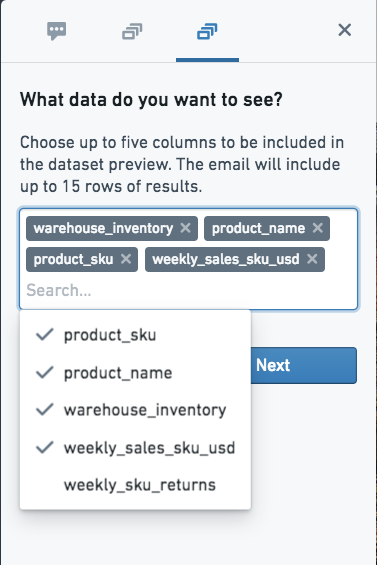
Recipes allow you to send a preview of the dataset by defining the following:
- Columns of interest
- A message to send with the preview
- The recipients
- The conditions under which the preview will be sent
- The type of message (email or notification)
:::callout{theme="neutral"} A maximum of five columns can be sent in a preview. :::
From Reports
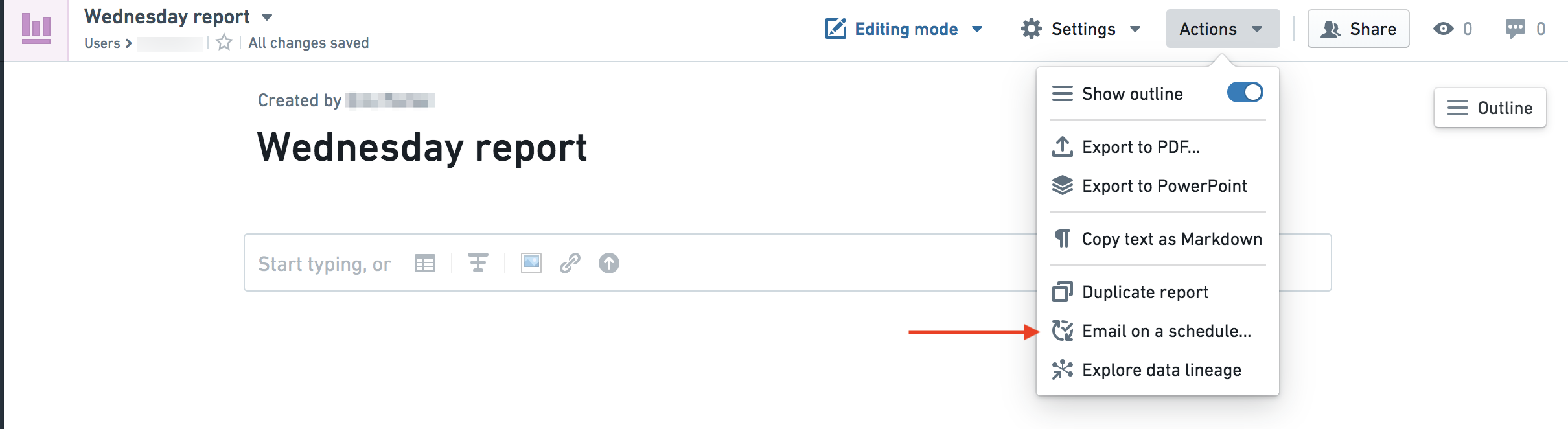
A report can be automated to send out on a schedule to specified recipients as either an attached PDF or an in-email image.
From the Reports Actions menu, select Email on a schedule.
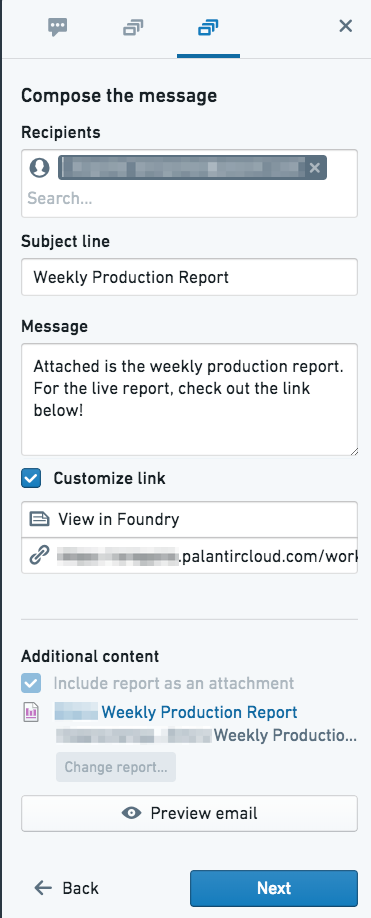
Then, compose a message to send with the preview.
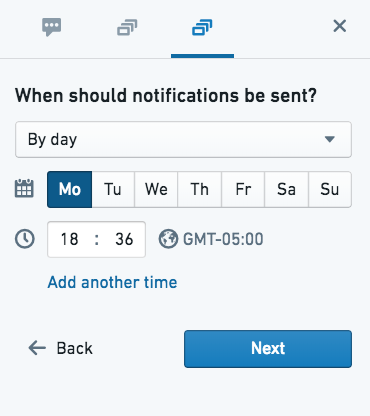
Finally, schedule the email. Select the days on which the report will send. Note that the time zone will default to the recipe creator's local system time zone.
中文翻译
创建配方(recipe)
在 Foundry 中创建配方有多种方式。通过本指南,您将学习如何从配方应用程序(Recipes application)、数据集预览(Dataset Preview)以及 Quiver 中创建配方。
从配方应用程序创建
从导航侧边栏打开配方应用程序。
点击界面右上角的 新建配方(New Recipe)。
随后,您将被引导选择要通过配方监控的资源。
从数据集预览创建
要从数据集预览(Dataset Preview)应用程序创建新配方,请在 操作(Actions) 菜单中选择 创建配方(Create a recipe)。
配方允许您通过定义以下内容来发送数据集预览:
- 关注的列(Columns of interest)
- 随预览发送的消息
- 收件人(Recipients)
- 发送预览的条件
- 消息类型(电子邮件或通知)
:::callout{theme="neutral"} 预览中最多可发送五列数据。 :::
从报告(Reports)创建
报告可以设置为按计划自动发送给指定收件人,形式可以是附带的 PDF 文件或内嵌于电子邮件中的图片。
从报告的 操作(Actions) 菜单中选择 按计划发送电子邮件(Email on a schedule)。
然后,编写随预览一起发送的消息。
最后,安排电子邮件发送时间。选择报告发送的日期。请注意,时区将默认为配方创建者的本地系统时区。