Event processing with HTTPS listeners(使用HTTPS监听器进行事件处理)
HTTPS listeners write events to a stream. You can locate this stream by navigating to your listener's Overview page in Data Connection. Once your data resides in a stream, several processing options are available.
Stream processing with Automate
Streams can be directly processed in Automate, enabling you to execute an action or function for each inbound event. You can create objects in your ontology, run AIP logic, or use sources in functions to interact with external systems, such as writing data back to the system that sent the event.
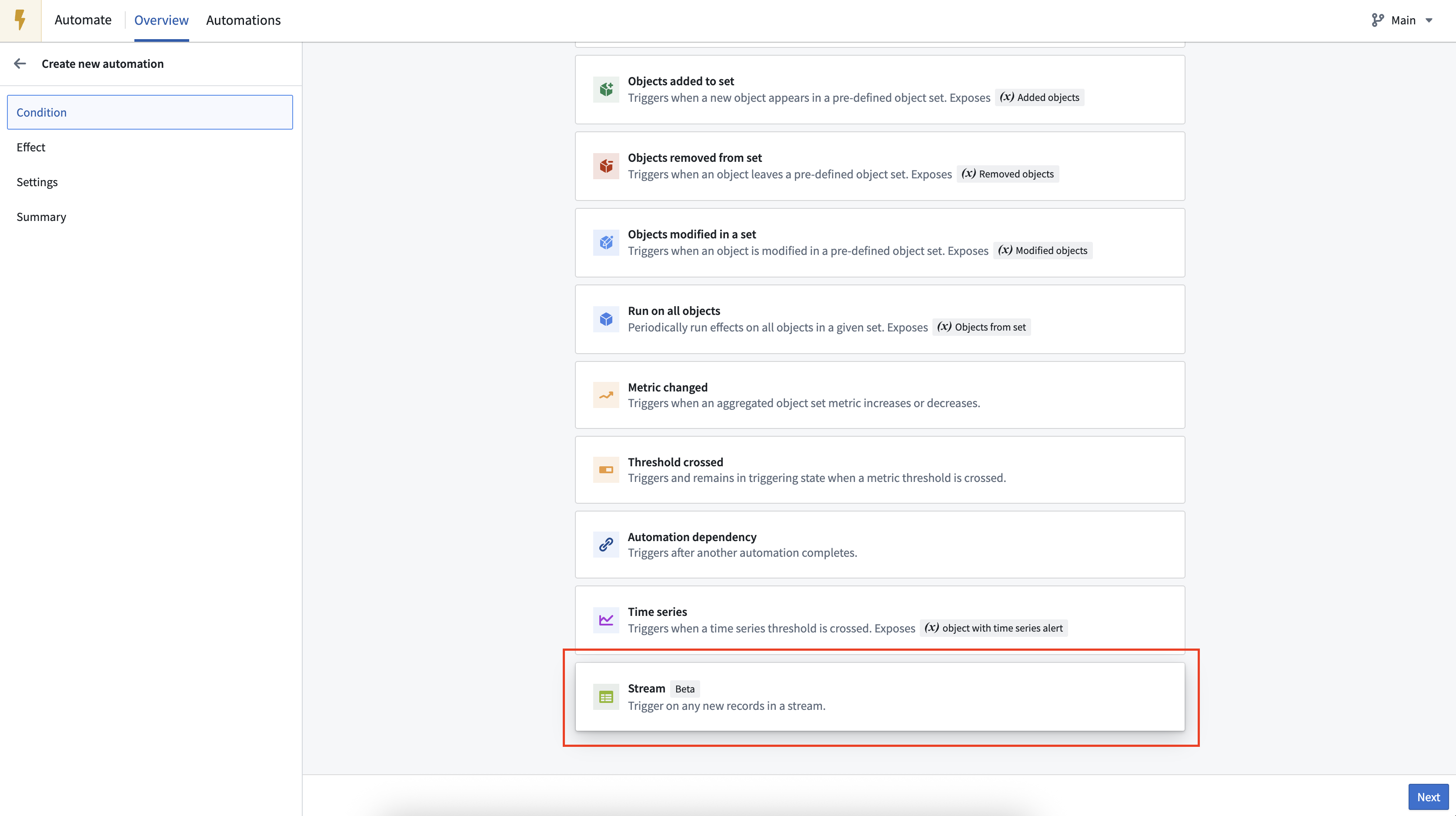
Processing streaming events with Automate is appropriate when:
- The event stream is not high throughput
- Your event processing is stateless
- Latency of a few seconds is acceptable
- At-least-once processing is sufficient
This approach is suitable for most listener integrations, providing low-cost, low-maintenance event processing workflows.
You can learn more about processing listener events with Automate in the guide to creating an AI-powered chatbot with listeners.
Streaming pipelines
Listener event streams can be processed with streaming pipelines as a lower-latency alternative. These pipelines support high-throughput streams, stateful event processing, and (optionally) exactly-once event processing. Streaming pipelines can additionally leverage UDFs to build powerful real-time event-processing workflows.
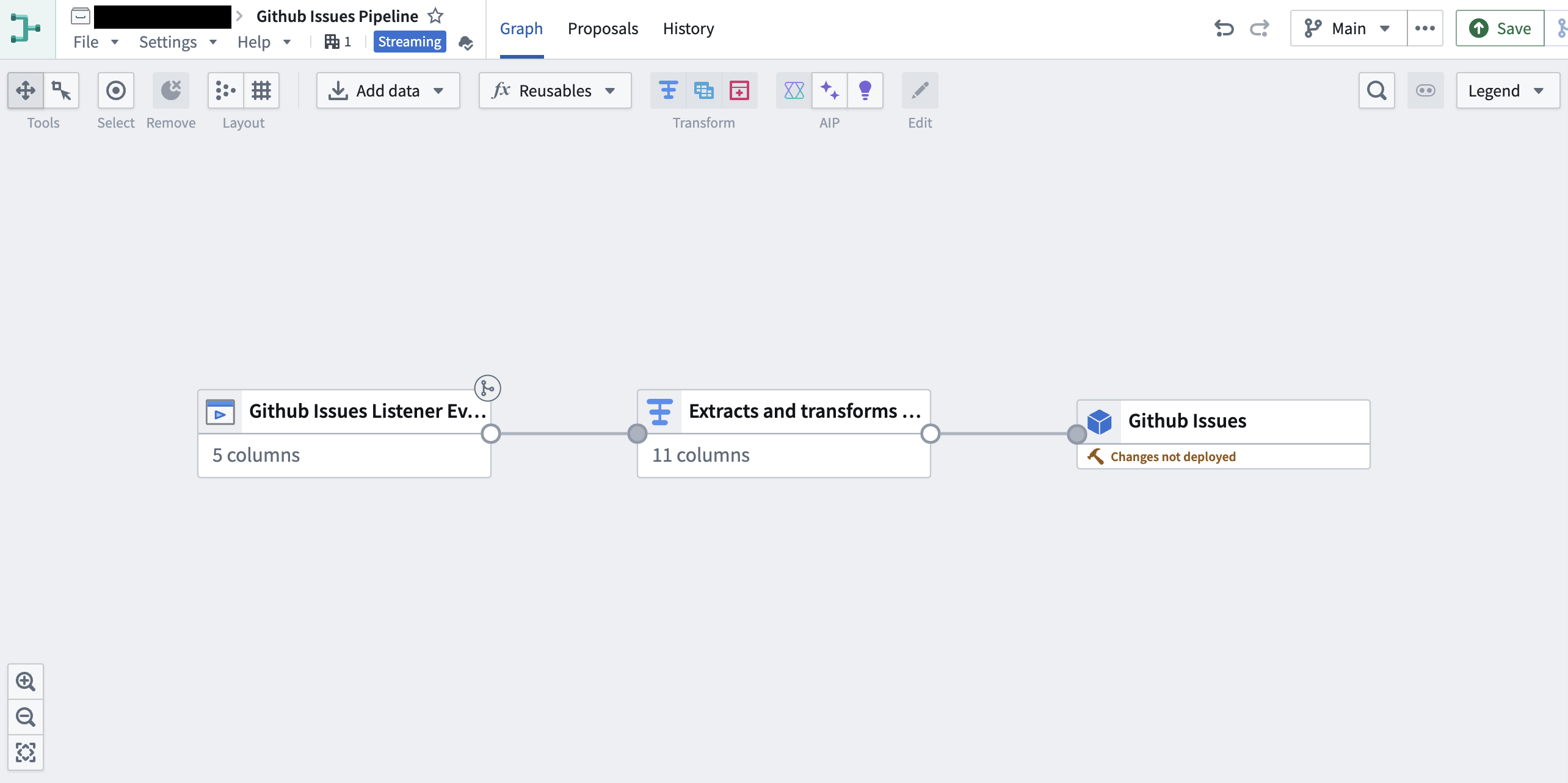
Batch pipelines
Every few minutes, the listener event stream will archive into a backing dataset. This dataset can be used like any other dataset in the platform, allowing you to build data pipelines and back your ontology.
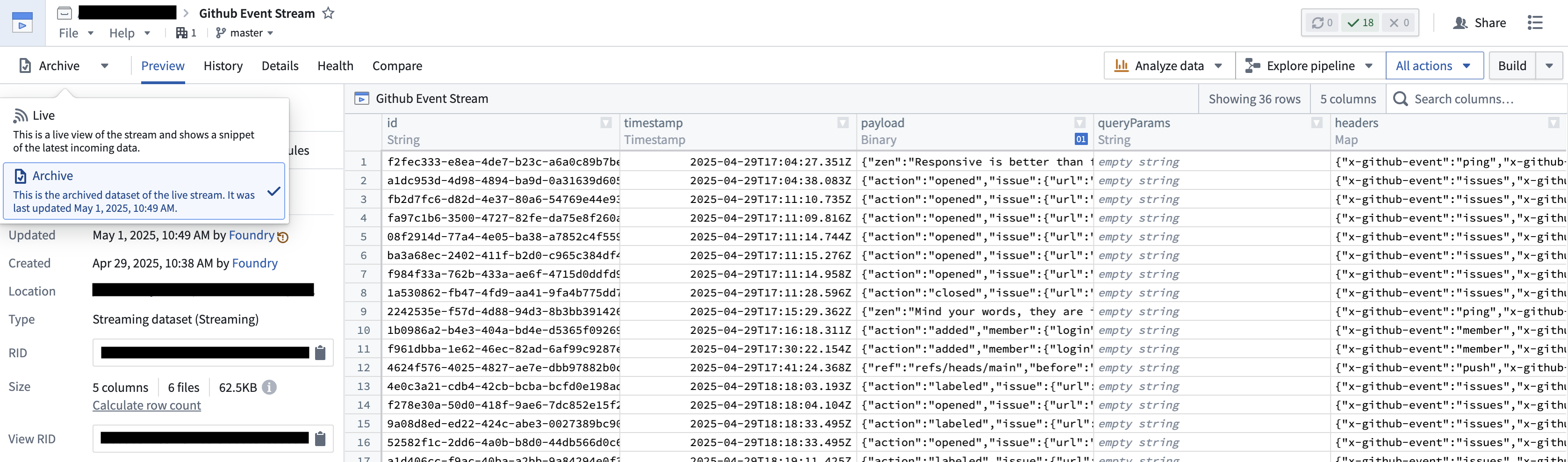
For use cases that require historical analysis or that are not real-time, batch pipelines should be used.
中文翻译
使用HTTPS监听器进行事件处理
HTTPS监听器将事件写入流(Stream)。您可以通过在Data Connection中导航至监听器的概览(Overview)页面来定位该流。数据进入流后,即可使用多种处理方案。
使用Automate进行流处理
流可以直接在Automate中处理,使您能够针对每个入站事件执行操作或函数。您可以创建本体论(Ontology)中的对象、运行AIP逻辑,或使用函数中的数据源(Sources)与外部系统交互,例如将数据写回发送事件的系统。
使用Automate处理流式事件适用于以下场景:
- 事件流吞吐量不高
- 事件处理为无状态(Stateless)
- 可接受数秒延迟
- 至少一次(At-least-once)处理即可满足需求
该方法适用于大多数监听器集成场景,可提供低成本、低维护的事件处理工作流。
您可以在使用监听器创建AI聊天机器人指南中了解更多关于使用Automate处理监听器事件的内容。
流式管道(Streaming Pipelines)
监听器事件流可通过流式管道进行处理,作为低延迟替代方案。这些管道支持高吞吐量流、有状态事件处理(Stateful event processing),并可(可选)实现精确一次(Exactly-once)事件处理。流式管道还可利用UDF构建强大的实时事件处理工作流。
批处理管道(Batch Pipelines)
监听器事件流每隔几分钟会归档到后备数据集(Backing dataset)。该数据集可像平台中其他数据集一样使用,使您能够构建数据管道(Data pipelines)和支撑本体论。
对于需要历史分析或非实时的用例,应使用批处理管道。