Listeners(监听器(Listeners))
Listeners enable the Palantir platform to receive events from other systems that do not support OAuth 2.0 authentication directly or cannot provide a configurable payload compatible with standard Foundry API endpoints.
To accept inbound connections from these systems, data connection listeners provision a URL endpoint, implement the specific message signing or other verification schemes for specific external systems, and allow a simple and low-latency mechanism to receive data feeds into Foundry.
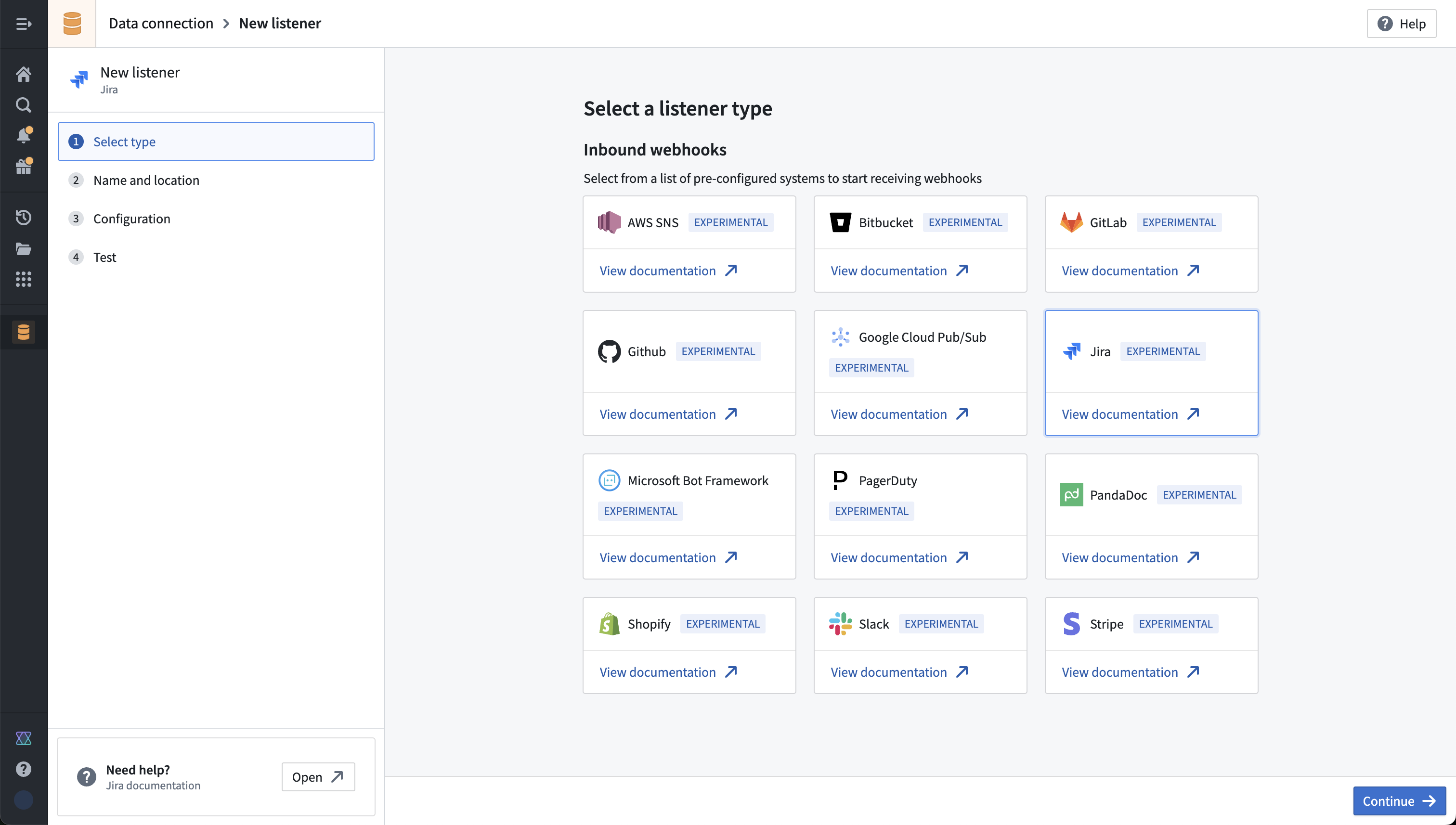
Types of listeners
Foundry supports three types of listeners, each designed for different integration scenarios and processing approaches:
| Listener type | Status | Connection type | Output destination |
|---|---|---|---|
| HTTPS listeners | GA | Request-response | Streams |
| WebSocket listeners | Experimental | Persistent bidirectional | Compute modules |
| Email listeners | Beta | Inbound email | Media sets |
HTTPS listeners
HTTPS listeners receive webhook requests from external systems through HTTPS endpoints. Events are written to a stream, enabling processing through Automate, streaming pipelines, or batch processing using the stream's backing dataset.
Learn more about HTTPS listeners.
WebSocket listeners [Experimental]
:::callout{theme="warning" title="Experimental"} WebSocket listeners are an experimental capability that may not be available in your enrollment. To enable this capability, contact Palantir Support. :::
WebSocket listeners are primarily designed for real-time audio and telephony workflows, enabling bidirectional communication between Foundry and external services such as Twilio, Genesys, and Azure Communication Services. Inbound WebSocket connections are processed directly by a compute module where you can host a custom WebSocket server.
Learn more about WebSocket listeners.
Email listeners
:::callout{theme="neutral" title="Beta"} Email listeners are in the beta phase of development and may not be available on your enrollment. Functionality may change during active development. Contact Palantir Support to request access to email listeners. :::
Email listeners allow Foundry to receive inbound emails at dedicated email addresses for downstream processing. Each listener has a unique email address scoped to your enrollment, and applies sender allowlisting, email authentication, and attachment validation before forwarding content.
Learn more about email listeners.
When to use listeners
Listeners are one of many options to ingest data into the Palantir platform. Before setting up a listener, evaluate whether your use case meets the criteria below for inbound connections or for external systems that cannot be customized.
For inbound connections
Listeners can be used solely for inbound connections when an external system establishes the connection into Foundry. To make requests from Foundry to external systems, use sources. No-code capabilities are also available, such as syncs and outbound webhooks. Custom code-based data connections are also available with external transforms, functions, compute modules, and more.
When the external system cannot be customized
Listeners should only be used when the external system cannot be customized to connect to Foundry. For example, many webhook and WebSocket providers have bespoke payload shapes and cannot properly authenticate with Foundry, instead relying on other authentication and verification protocols.
For cases where you can customize the external system, such as when the system allows you to write custom integration code, use the public API instead. With the public API, you can push to streams, upload to datasets, or directly interact with your ontology.
All product names, logos, and brands mentioned are trademarks of their respective owners. All company, product, and service names used in this document are for identification purposes only.
中文翻译
监听器(Listeners)
监听器(Listeners)使 Palantir 平台能够接收来自其他系统的消息,这些系统要么不直接支持 OAuth 2.0 认证,要么无法提供与标准 Foundry API 端点兼容的可配置负载。
为了接受来自这些系统的入站连接,数据连接监听器(Data Connection Listeners)会预置一个 URL 端点,实现针对特定外部系统的消息签名或其他验证方案,并提供一种简单且低延迟的机制,将数据源接入 Foundry。
监听器类型
Foundry 支持三种类型的监听器,每种类型针对不同的集成场景和处理方式而设计:
| 监听器类型 | 状态 | 连接类型 | 输出目标 |
|---|---|---|---|
| HTTPS 监听器 | 正式发布(GA) | 请求-响应 | 流(Streams) |
| WebSocket 监听器 | 实验性(Experimental) | 持久化双向 | 计算模块(Compute Modules) |
| 电子邮件监听器 | 测试版(Beta) | 入站电子邮件 | 媒体集(Media Sets) |
HTTPS 监听器
HTTPS 监听器通过 HTTPS 端点接收来自外部系统的 Webhook 请求。事件会被写入流(Stream),从而支持通过自动化(Automate)、流式管道(Streaming Pipelines)进行处理,或利用流所支持的数据集进行批处理。
WebSocket 监听器 [实验性]
:::callout{theme="warning" title="实验性"} WebSocket 监听器是一项实验性功能,可能不适用于您的注册环境。如需启用此功能,请联系 Palantir 支持团队。 :::
WebSocket 监听器主要针对实时音频和电话工作流而设计,支持 Foundry 与 Twilio、Genesys 和 Azure Communication Services 等外部服务之间的双向通信。入站 WebSocket 连接由计算模块(Compute Module)直接处理,您可以在其中托管自定义 WebSocket 服务器。
电子邮件监听器
:::callout{theme="neutral" title="测试版"} 电子邮件监听器处于测试版(Beta)开发阶段,可能不适用于您的注册环境。在活跃开发期间,功能可能会发生变化。请联系 Palantir 支持团队申请访问电子邮件监听器。 :::
电子邮件监听器允许 Foundry 在专用电子邮件地址接收入站邮件,以供下游处理。每个监听器都有一个绑定到您注册环境的唯一电子邮件地址,并在转发内容之前应用发件人白名单、电子邮件认证和附件验证。
何时使用监听器
监听器是将数据接入 Palantir 平台的多种选项之一。在设置监听器之前,请评估您的用例是否满足以下关于入站连接或无法自定义的外部系统的标准。
针对入站连接
当外部系统主动建立与 Foundry 的连接时,监听器可专门用于入站连接。如需从 Foundry 向外部系统发起请求,请使用数据源(Sources)。此外,还提供无代码功能,例如同步(Syncs)和出站 Webhook(Outbound Webhooks)。基于自定义代码的数据连接也可通过外部转换(External Transforms)、函数(Functions)、计算模块(Compute Modules)等方式实现。
当外部系统无法自定义时
仅当外部系统无法自定义以连接到 Foundry 时,才应使用监听器。例如,许多 Webhook 和 WebSocket 提供商具有特定的负载格式,无法与 Foundry 进行正常认证,而是依赖其他认证和验证协议。
对于您可以自定义外部系统的情况(例如系统允许您编写自定义集成代码),请改用公共 API(Public API)。通过公共 API,您可以向流推送数据、上传数据集,或直接与本体(Ontology)进行交互。
本文提及的所有产品名称、标识和品牌均为其各自所有者的商标。本文档中使用的所有公司、产品和服务名称仅用于标识目的。