Add sync or export to a Marketplace product(向 Marketplace 产品添加同步或导出)
Use Foundry DevOps to include your Data Connection syncs and exports in Marketplace products for other users to install and reuse. Learn how to create your first product.
Supported features
Both standard syncs and streaming syncs can be included in Marketplace products. Additionally, Data Connection exports can be packaged alongside syncs in Marketplace products.
Adding Data Connection syncs and exports to products
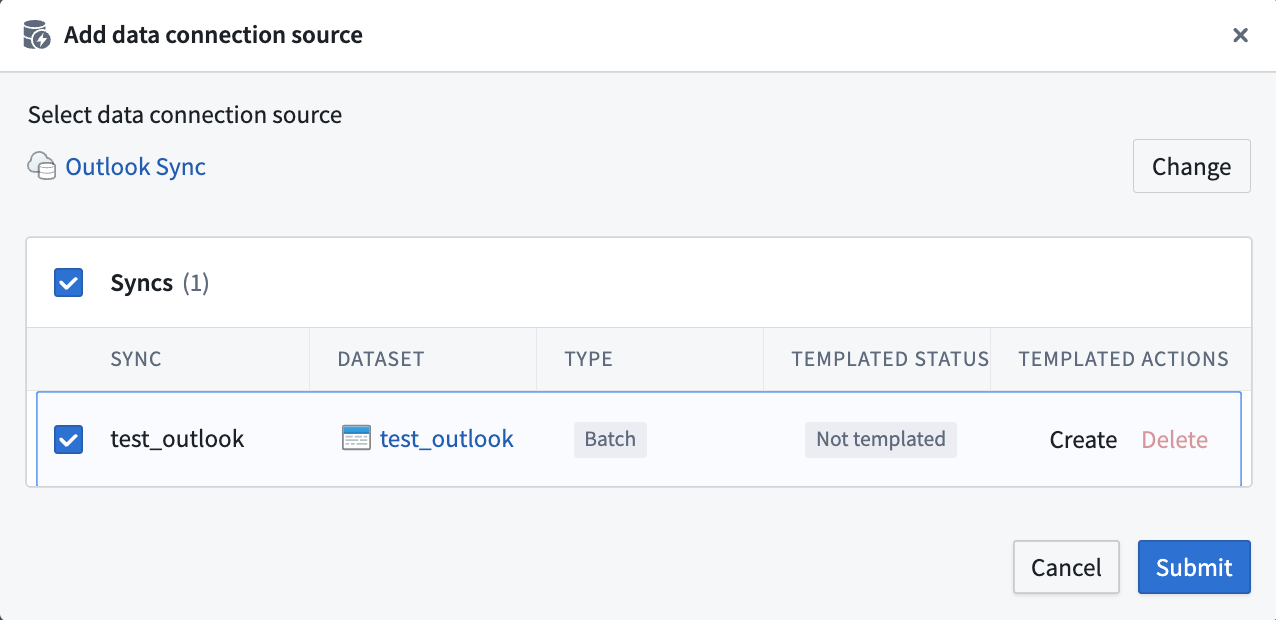
To add a Data Connection sync or export to a product, first create a product. Select Add output, then select a Data Connection source. The dialog will walk you through the process and allow you to include both syncs and exports in your Marketplace product.
中文翻译
向 Marketplace 产品添加同步或导出
使用 Foundry DevOps 将您的 Data Connection 同步和导出纳入 Marketplace 产品中,供其他用户安装和复用。了解如何创建您的第一个产品。
支持的功能
标准的同步(syncs)和流式同步(streaming syncs)均可纳入 Marketplace 产品。此外,Data Connection 的导出(exports)也可以与同步一起打包在 Marketplace 产品中。
向产品添加 Data Connection 同步和导出
要向产品添加 Data Connection 同步或导出,首先创建一个产品。选择添加输出(Add output),然后选择一个 Data Connection 数据源。该对话框将引导您完成整个过程,并允许您在 Marketplace 产品中同时包含同步和导出。