Create an incremental pipeline with Pipeline Builder(使用 Pipeline Builder 创建增量管道)
In this tutorial, we will use Pipeline Builder to create a simple incremental pipeline with an output of a single dataset.
The datasets used below are hypothetical examples to illustrate how incremental computation would be applicable.
:::callout{theme="neutral"} For incremental pipelines, you have the option to force incremental behavior for outputs and fail the build if it cannot run incrementally. :::
Part 1: Problem statement
Suppose we have an input dataset of flights that appends new data every week. We want to filter down to only the flights departing JFK airport, then append only those flights to the output filtered_flights.
Let’s say that the flights dataset is 20 million rows, but only 1 million rows are added each week. With incremental computation, the pipeline only needs to consider the latest unprocessed transactions in flights instead of all rows as in snapshot computation.
:::callout{theme="success"} If a pipeline runs regularly, incremental processing can significantly reduce the data scale of each run, saving time and resources. :::
Now, let’s walk through how to set up an incremental pipeline.
Part 2: Validate incremental requirements
:::callout{theme="warning"}
A pipeline will only run with incremental computation if all the considerations in this section are satisfied. For example, your input must update through APPEND or UPDATE transactions that do not modify existing files. Otherwise, marking your input as incremental will have no effect.
:::
First, check that all incremental constraints are satisfied:
- The input
flightsis updating throughAPPENDtransactions orUPDATEtransactions that do not modify existing files. - The logic for computing
filtered_flightsfromflightsdoes not require changing any previously written data infiltered_flightsduring later builds. - If you wish to change your pipeline logic (for example, to also include flights departing
LGAairport), you can update the pipeline. If you want to apply that logic to previously-processed flights, you may want to replay your pipeline. - If the pipeline includes window functions, aggregations, or pivots, ensure that these are meant to operate on the current transaction only.
For a full list of considerations, reference these important restrictions for incremental computation in Pipeline Builder.
Part 3: Create your pipeline
Now, we can initialize a new pipeline (for a step-by-step walkthrough, reference creating a batch pipeline in Pipeline Builder). Assume that we have imported flights as an input dataset.
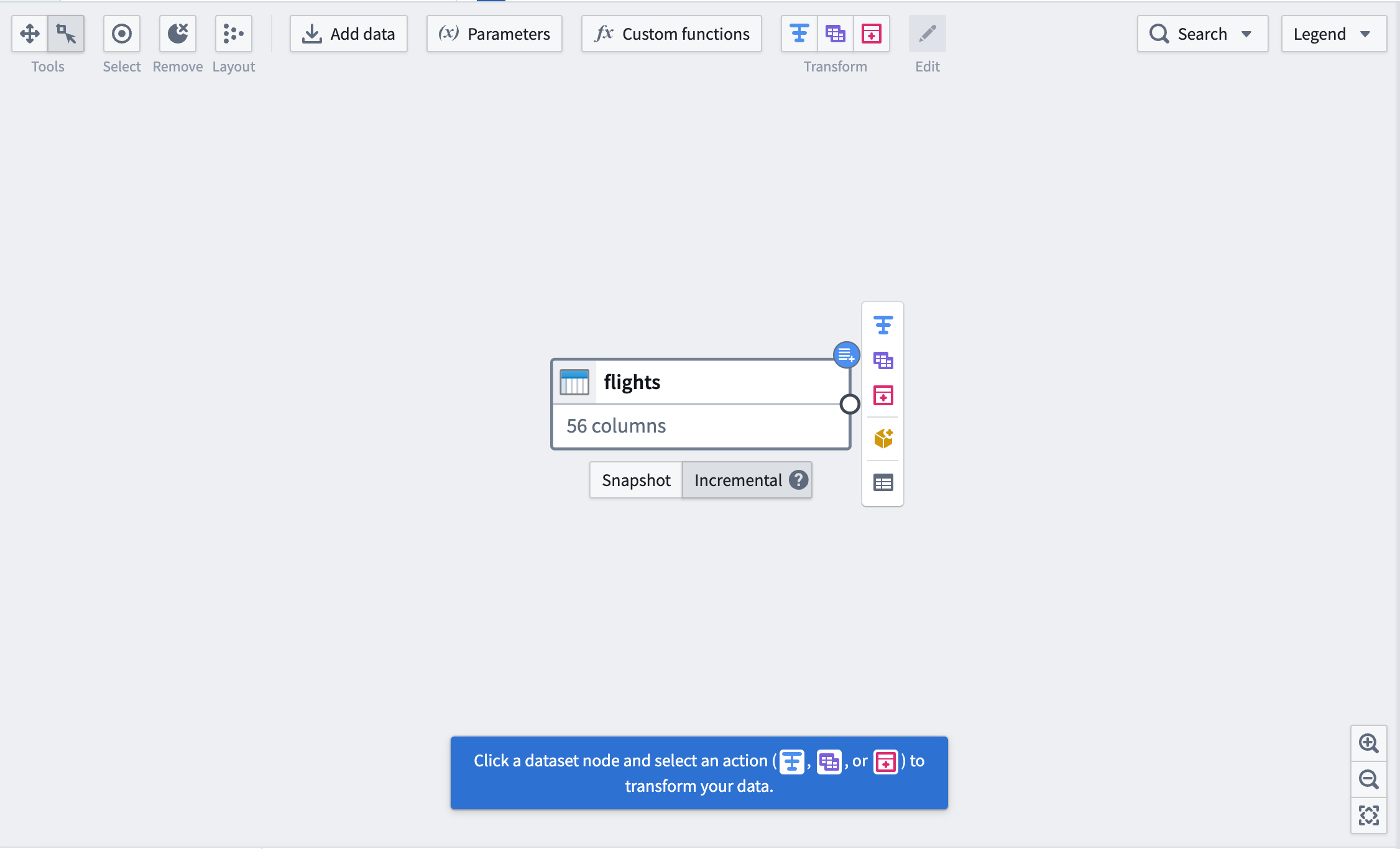
First, mark your input dataset as Incremental using the buttons below the dataset. You will see a blue badge appear in the top right corner to indicate the change.
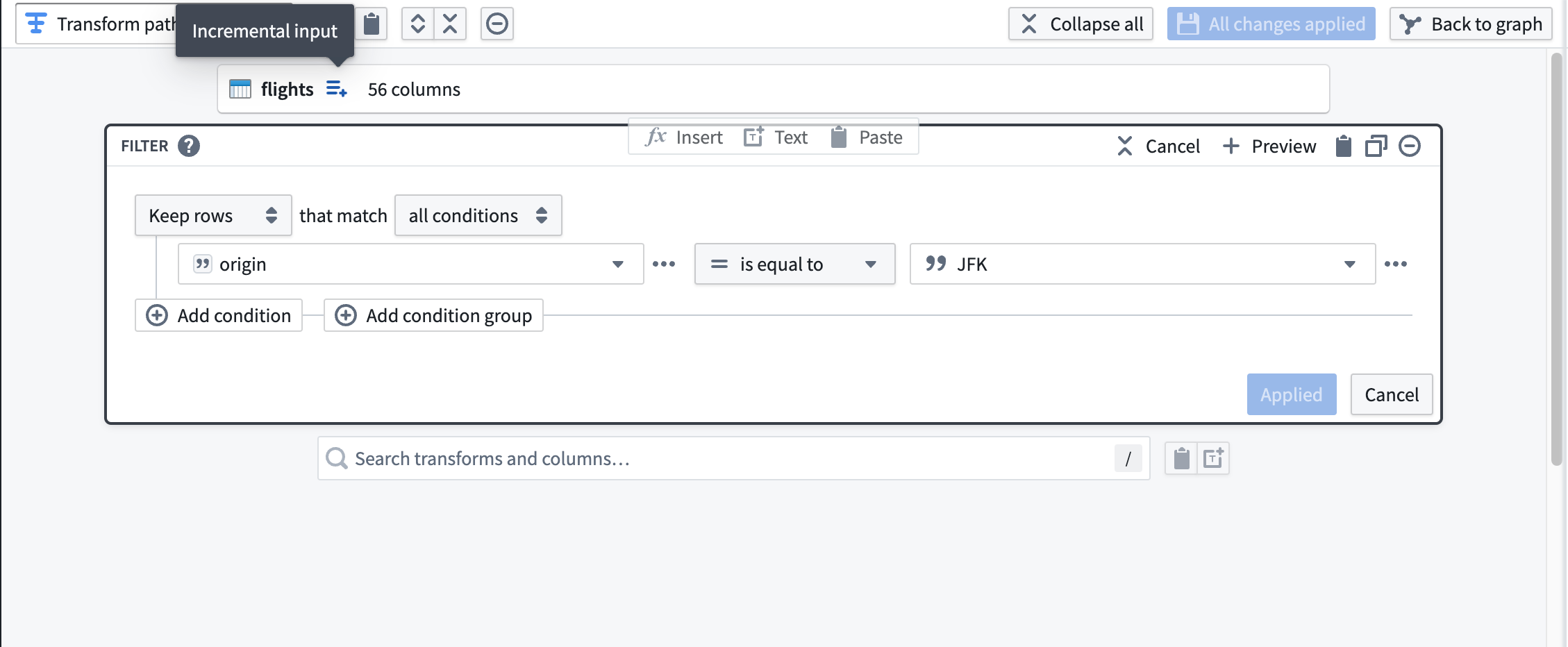
Next, add a transform to filter flights to those departing JFK airport. Notice the icon to the right of the dataset input labeled with the tooltip Incremental input. Downstream transformations will have this icon to indicate that they are being processed incrementally.
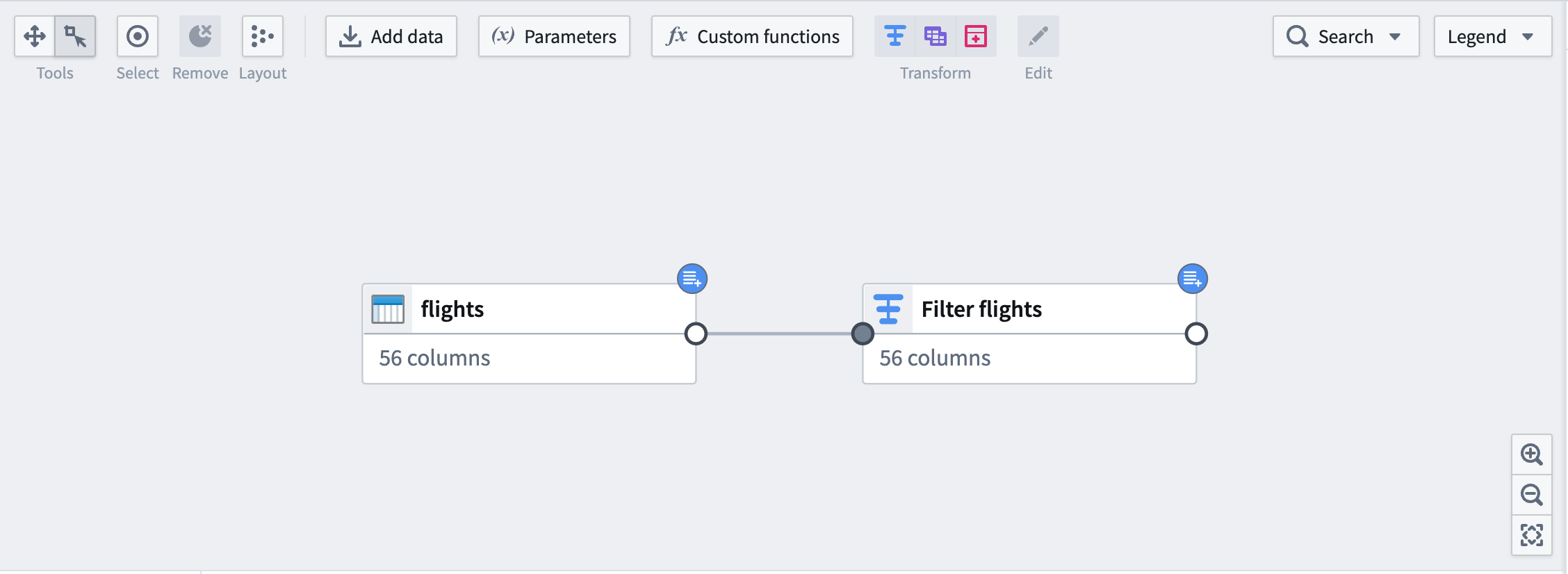
On the graph, downstream nodes will be marked with the same blue badge as the input.
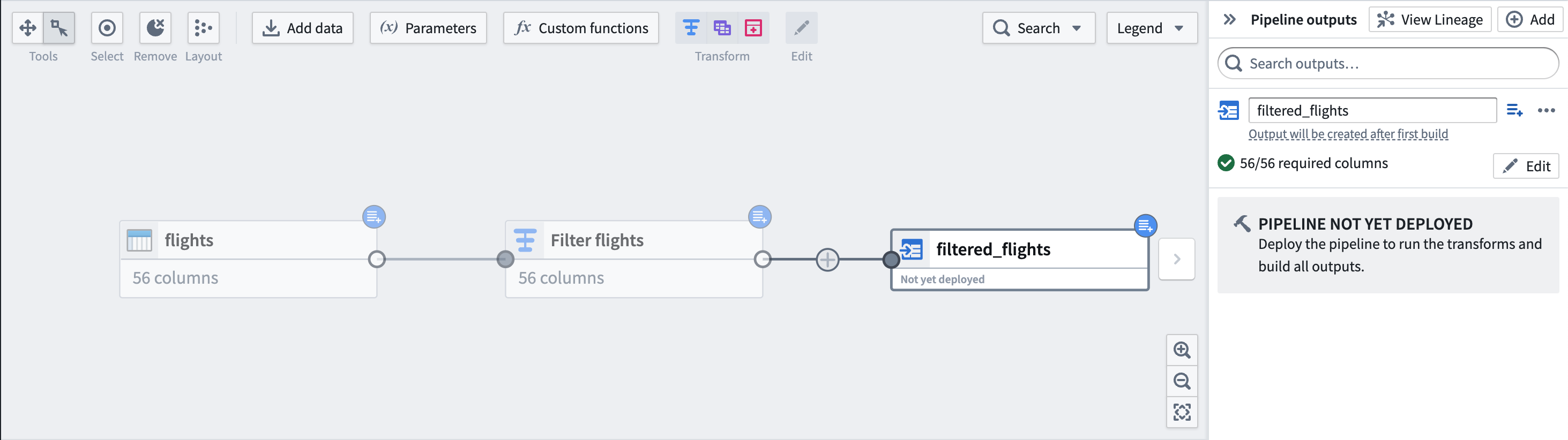
Finally, add an output dataset filtered_flights.
Part 4: Deploy output dataset
You are now ready to deploy your pipeline.
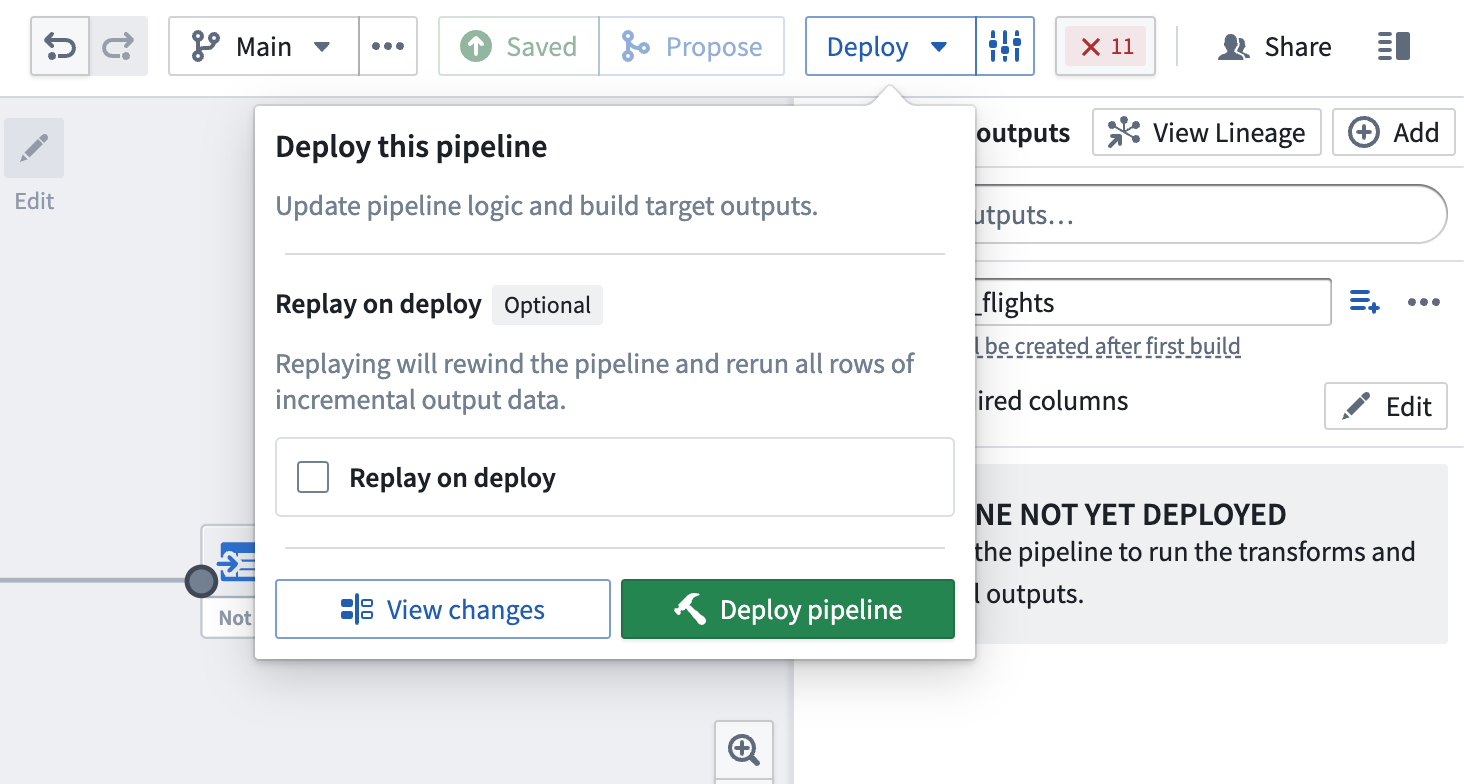
Replay on deploy
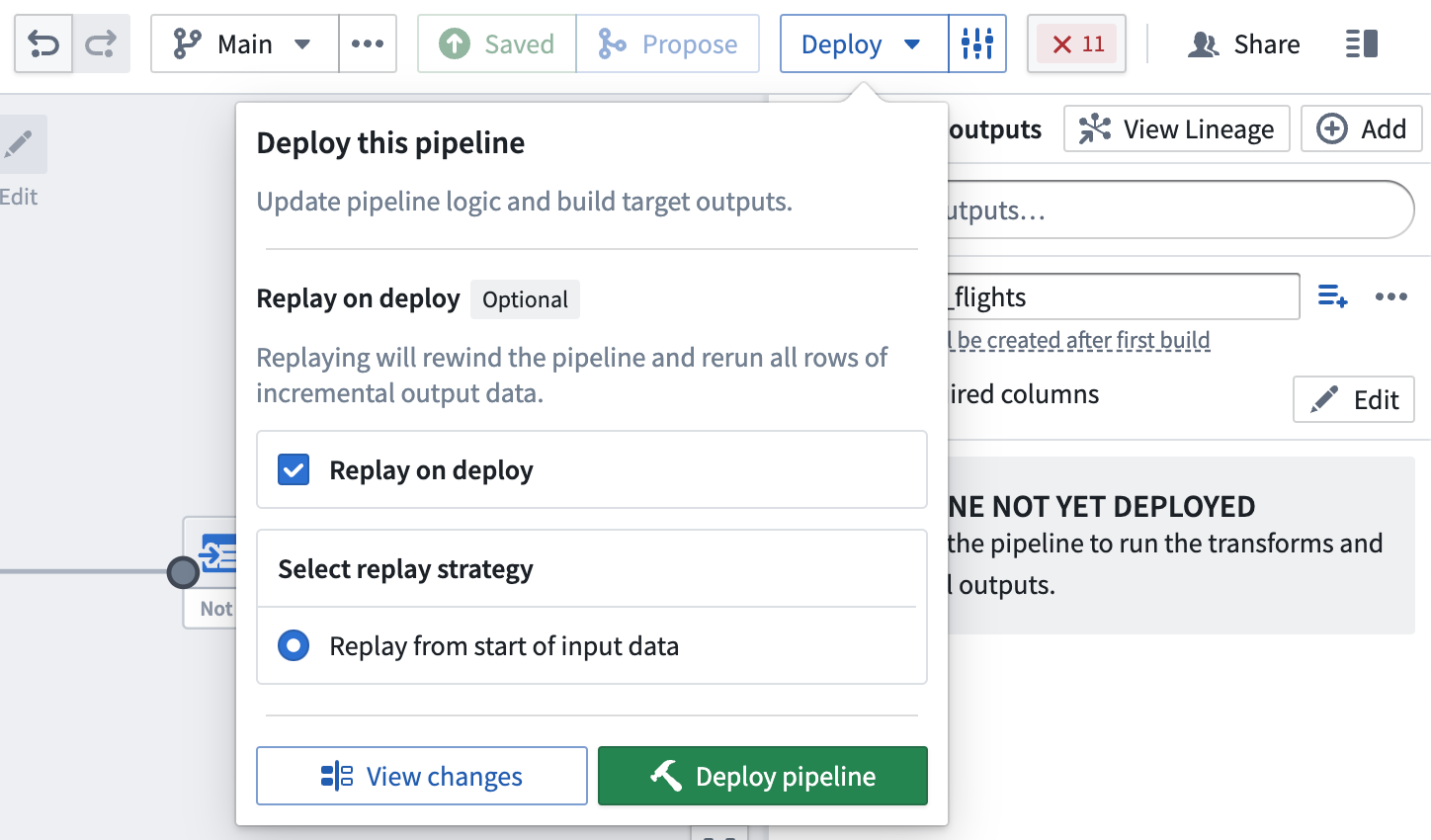
Sometimes, it may be necessary to reprocess previous input transactions (for example, if the logic changed and the previous version of your output data is now outdated). In these instances, you can select Replay on deploy to run the entire input through the pipeline logic. After replaying, your pipeline should continue with incremental computation as new append transactions are added to the input.
:::callout{theme="warning"}
Replaying on deploy will produce a SNAPSHOT transaction on the output dataset.
:::
中文翻译
使用 Pipeline Builder 创建增量管道
在本教程中,我们将使用 Pipeline Builder 创建一个简单的增量管道,其输出为单个数据集。
下面使用的数据集是假设示例,用于说明增量计算的应用场景。
:::callout{theme="neutral"} 对于增量管道,您可以选择强制输出采用增量行为,并在无法以增量方式运行时使构建失败。 :::
第一部分:问题描述
假设我们有一个 flights 输入数据集,每周都会追加新数据。我们希望筛选出仅从 JFK 机场出发的航班,然后将这些航班仅追加到输出数据集 filtered_flights 中。
假设 flights 数据集有 2000 万行,但每周仅增加 100 万行。使用增量计算,管道只需考虑 flights 中最新未处理的事务,而无需像快照计算那样处理所有行。
:::callout{theme="success"} 如果管道定期运行,增量处理可以显著减少每次运行的数据规模,从而节省时间和资源。 :::
现在,让我们逐步了解如何设置增量管道。
第二部分:验证增量要求
:::callout{theme="warning"}
只有当本节中的所有条件都满足时,管道才会以增量计算方式运行。例如,您的输入必须通过不修改现有文件的 APPEND 或 UPDATE 事务进行更新。否则,将输入标记为增量将不会产生任何效果。
:::
首先,检查是否满足所有增量约束条件:
- 输入数据集
flights通过不修改现有文件的APPEND事务或UPDATE事务进行更新。 - 从
flights计算filtered_flights的逻辑不需要在后续构建中更改filtered_flights中任何先前写入的数据。 - 如果您希望更改管道逻辑(例如,也包含从
LGA机场出发的航班),您可以更新管道。如果您希望将该逻辑应用于先前处理过的航班,您可能需要重放管道。 - 如果管道包含窗口函数、聚合或数据透视操作,请确保这些操作仅针对当前事务执行。
有关完整的要求列表,请参考 Pipeline Builder 中增量计算的这些重要限制。
第三部分:创建管道
现在,我们可以初始化一个新管道(有关逐步操作指南,请参考在 Pipeline Builder 中创建批处理管道)。假设我们已经导入了 flights 作为输入数据集。
首先,使用数据集下方的按钮将输入数据集标记为增量(Incremental)。您将在右上角看到一个蓝色徽章,表示已更改。
接下来,添加一个转换,将 flights 筛选为仅从 JFK 机场出发的航班。请注意数据集输入右侧带有工具提示增量输入(Incremental input)的图标。下游转换将显示此图标,表示它们正在以增量方式处理。
在图表上,下游节点将标记与输入相同的蓝色徽章。
最后,添加一个输出数据集 filtered_flights。
第四部分:部署输出数据集
现在,您可以部署管道了。
部署时重放
有时,可能需要重新处理之前的输入事务(例如,如果逻辑发生变化,且输出数据的先前版本现已过时)。在这些情况下,您可以选择部署时重放(Replay on deploy),将整个输入通过管道逻辑运行。重放后,随着新的追加事务添加到输入中,您的管道应继续以增量计算方式运行。
:::callout{theme="warning"}
部署时重放将在输出数据集上生成一个 SNAPSHOT 事务。
:::