Fallback branches(回退分支(Fallback branches))
Pipeline Builder allows you to build datasets on any branch and view the effect your logic has on the data. If an input dataset to your pipeline has not been built on the current branch, Pipeline Builder makes an attempt to locate a built version from a list of fallback branches instead. The default branch will automatically be set as the fallback branch unless configured otherwise. You can set different fallback branches to each branch and have more than one fallback if needed.
Configure fallback branches in Pipeline Builder
To configure fallback branches, follow the steps below:
- Select Settings > Manage branches.

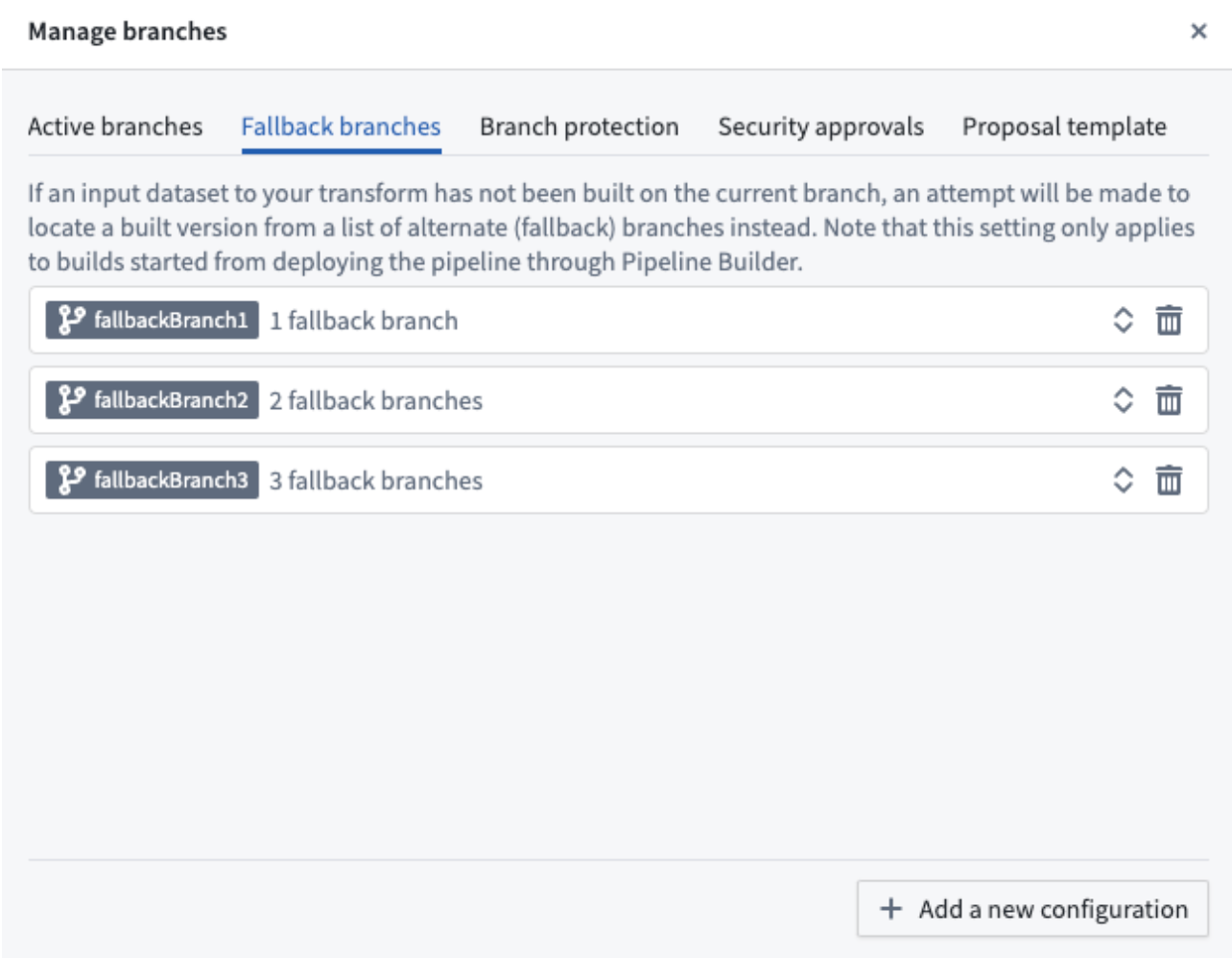
- Select the Fallback branches tab and expand your branch using the double arrow icon on the right. To change the fallback branch configuration, search under the Check the following branches in order field by either typing the branch directly into the text box or dragging to reorder the fallback branch order in the Drag to reorder section below.
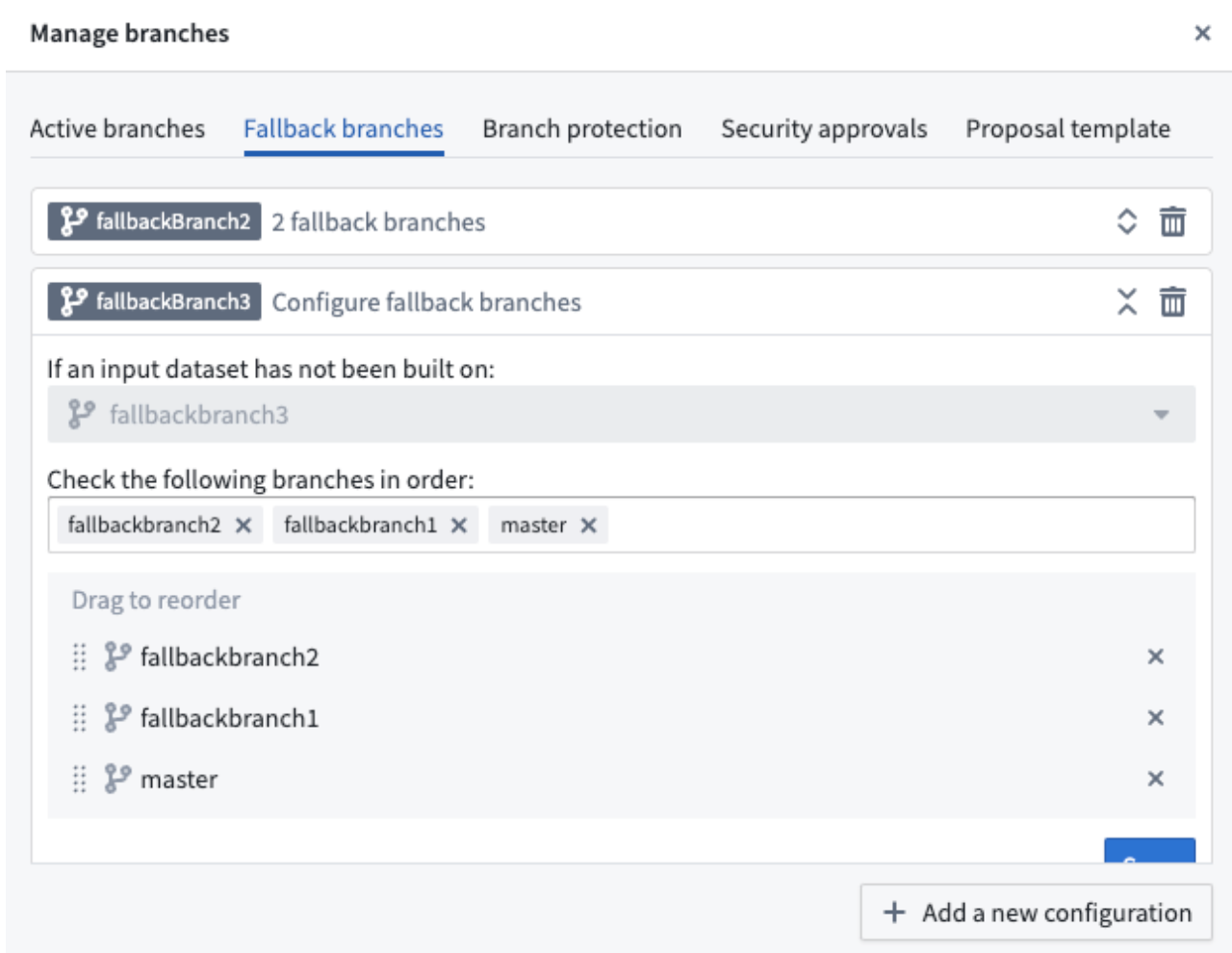
- Select Save after completing branch fallback configurations.
If your branch is not listed under the Fallback branches tab, use Add a new configuration on the bottom right of the pop-up window. To delete a branch’s fallback configuration, select the trash can icon on the right side of the branch.
中文翻译
回退分支(Fallback branches)
Pipeline Builder 支持你在任意分支(branch)上构建数据集(dataset),并查看逻辑对数据产生的影响。如果你的流水线(pipeline)的输入数据集未在当前分支完成构建,Pipeline Builder 会尝试从回退分支列表中查找已构建的版本。除非另行配置,否则系统会自动将默认分支(default branch)设为回退分支。你可以为每个分支设置不同的回退分支,如有需要也可配置多个回退分支。
在 Pipeline Builder 中配置回退分支
如需配置回退分支,请按照以下步骤操作:
- 选择 设置 > 管理分支。
- 选择 回退分支 标签页,点击右侧的双箭头图标展开你要配置的分支。如需修改回退分支配置,你可以直接在「按顺序检查以下分支」输入框中输入分支名称搜索,也可以在下方「拖拽重排序」区域拖拽调整回退分支的优先级顺序。
- 完成回退分支配置后,选择 保存。