Propose a change(提议变更(Propose a change))
Once you create a branch to collaborate within a workflow, you can make edits and propose a change to the Main branch.
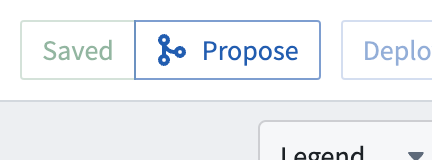
To propose a change, click Save to save your edits, then select Propose in the top toolbar.
In the Proposal view, name your proposal and include any relevant details to explain your proposal to approvers. In the example below, we are proposing a change to add a Rename column transform to clean raw data from the Facility dataset.
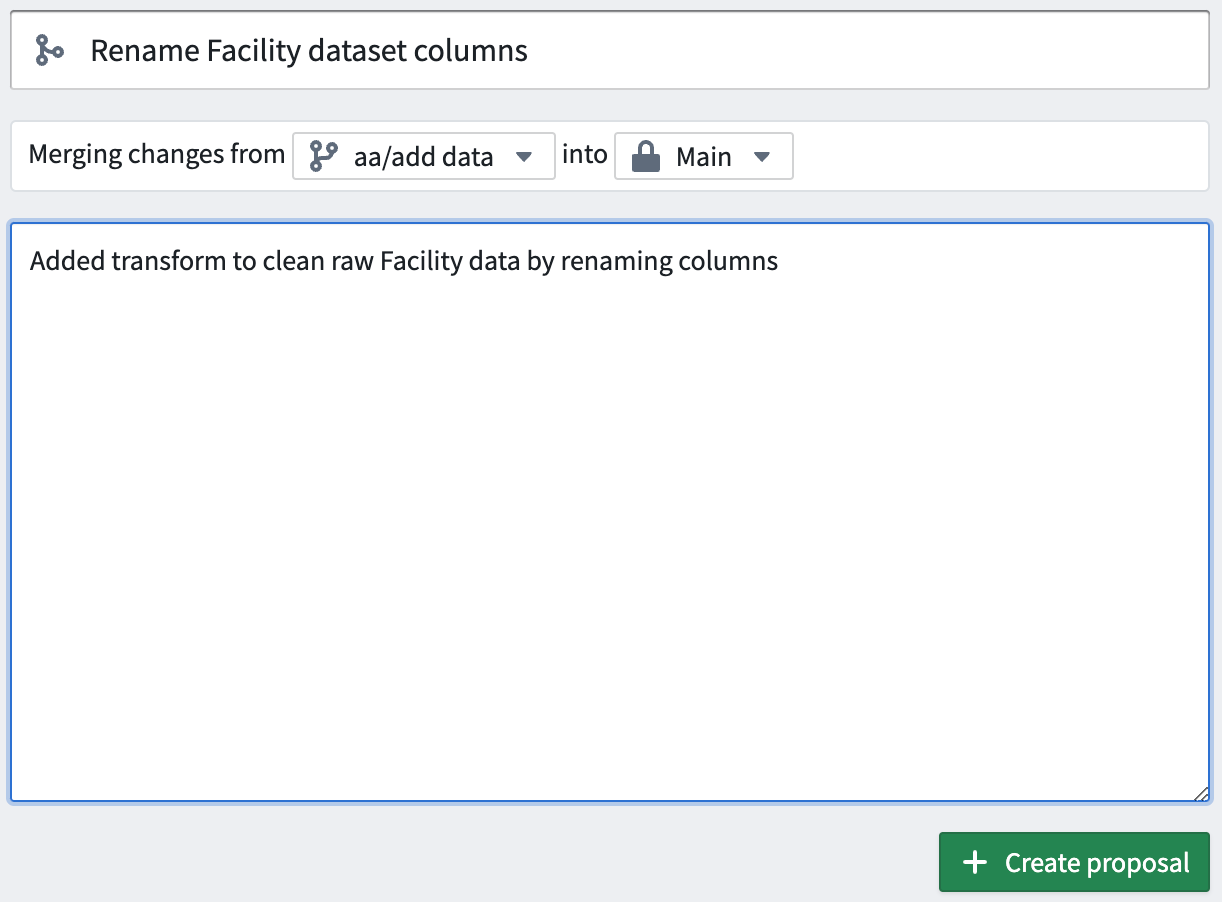
Select Create proposal to initiate a request to the Main branch approvers.
Resolve changes
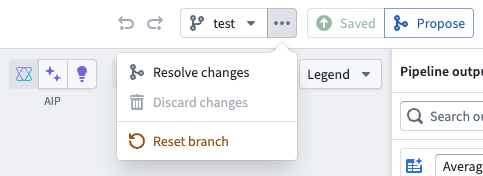
To minimize merge conflicts, you can merge the target branch into your current branch before completing the final merge. To do this, select Resolve changes next to your branch.
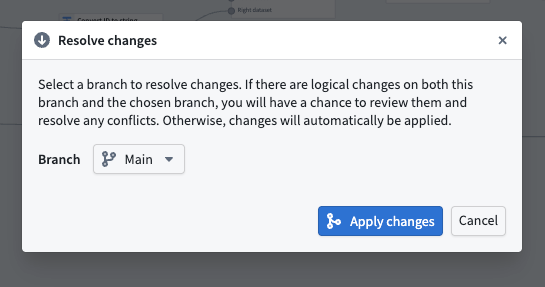
This will open a window where you can select the desired branch to merge into your pipeline. Once you have chosen a branch, select Apply changes.
Reset branch
You can also reset your branch to match another branch. To do this, select Reset branch from the dropdown menu to the left of your branch name. Then, choose the branch you want to reset to and confirm by selecting Reset branch.
Note that if both branches have the same version, the button will be disabled.
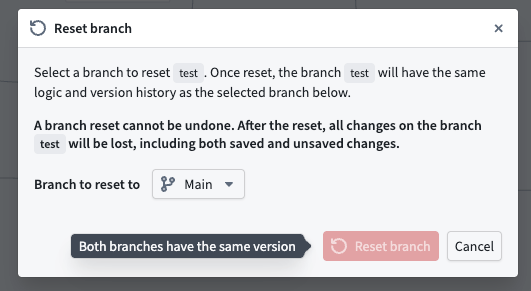
:::callout{theme="warning"} Branch resets cannot be undone. After resetting, all changes on you original branch will be lost, including saved and unsaved changes. :::
After resetting, your current branch will have the same logic and version history as the selected branch.
中文翻译
提议变更(Propose a change)
一旦你创建分支(Branch)在工作流(Workflow)中开展协作后,即可进行编辑,并向主(Main)分支提交变更提议。
要提交变更提议,请先点击保存(Save)保存你的编辑内容,随后选择顶部工具栏中的提议(Propose)按钮。
在提议(Proposal)视图中,为你的提议命名,并补充所有相关细节,向审批人(Approver)解释本次提议的内容。在下方示例中,我们提议添加一个Rename column转换,用于清理Facility dataset的原始数据。
选择创建提议(Create proposal)即可向主(Main)分支的审批人发起合并请求。
解决变更(Resolve changes)
为最大程度降低合并冲突(Merge conflict)的出现概率,你可以在完成最终合并(Merge)前,将目标分支合并到你当前的分支中。操作时,请选择你的分支旁的解决变更(Resolve changes)选项。
操作后将打开一个窗口,你可以在窗口中选择要合并到当前管道(Pipeline)的目标分支。选好分支后,选择应用变更(Apply changes)即可。
重置分支(Reset branch)
你也可以重置你的分支,使其内容与另一个分支保持一致。操作时,请在分支名称左侧的下拉菜单中选择重置分支(Reset branch),随后选择你要重置到的目标分支,再点击重置分支(Reset branch)确认操作。
请注意,如果两个分支的版本相同,该按钮将处于禁用状态。
:::callout{theme="warning"} 分支重置操作不可撤销。重置后,原分支上的所有变更都将丢失,包括已保存和未保存的变更。 :::