Pipeline Builder
Pipeline Builder is Foundry's primary application for data integration. You can use Pipeline Builder to build data integration pipelines that transform raw data sources into clean outputs ready for further analysis.
With Pipeline Builder and a robust backend model, users who code and users who do not code can collaborate jointly on a pipeline workflow. Pipeline Builder leverages both Spark and Flink as part of its architecture while incorporating a variety of advanced features supported by Palantir-developed custom libraries and services. Instead of writing code that requires lengthy health checks, Pipeline Builder integrates various programming languages beneath a streamlined builder point-and-click interface through which users apply data transforms without the need for specialized programming language knowledge.
Pipeline Builder uses a next-generation data transformation backend specifically designed to act as an intermediary between logic creation and execution. As users describe the pipeline they want to build, the backend writes transform code and performs checks on pipeline integrity, identifying refactoring errors and offering solutions to ensure a healthy build. With the backend acting as a middle layer between logic creation and execution, builders can solve schema problems before a pipeline is built and save time previously spent on computation and code checks.
Features
Pipeline Builder includes features focusing on comprehensive pipeline creation, maintenance, and control.
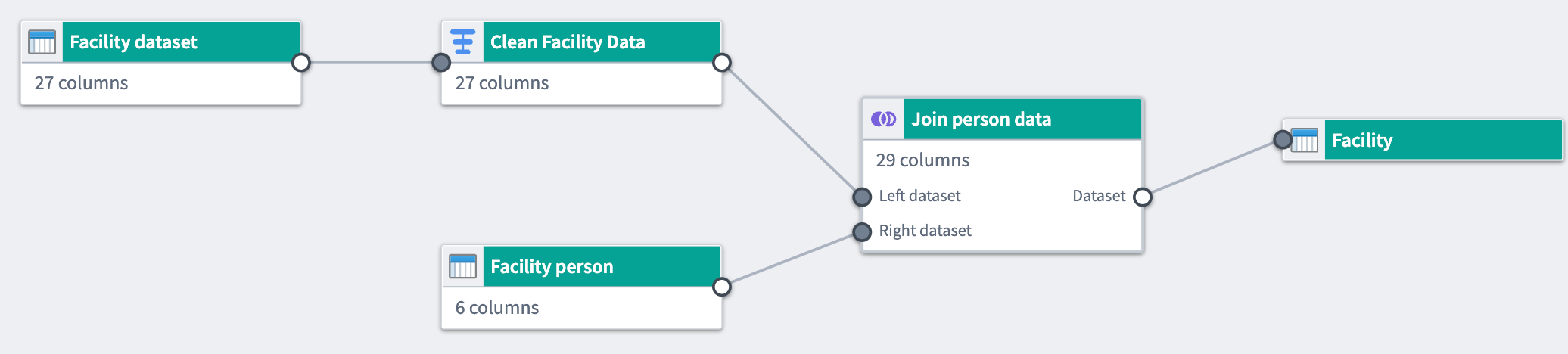
- Intuitive user interface: Users write pipelines using graph and form-based interfaces that provide feedback, including join keys and column casting suggestions.
- Type-safe functions: Functions are strongly typed and can flag errors immediately instead of at build time.
- Strict output checks: If the expected output checks are not met, builds are prevented to avoid unintentional downstream breaks.
- Automatic build path pruning: Pipeline Builder will prune transform paths that are not connected to outputs to avoid unnecessary computation in builds.
- Abstract implementation details: Users focus on describing their end-to-end pipeline and desired outputs. Builds, syncs, and other orchestrations are handled automatically by the Pipeline Builder backend.
- Independent pipeline logic: Pipeline Builder can connect to different logic execution engines, including Spark, Flink, Azure instances, and more.
- Reusability: Pipeline logic can be easily extracted and reused for different pipelines.
- Full version control: Users can draft a pipeline separately, collaborate on one pipeline, or revert to previous versions.
- Media processing transformations: Users can pass media sets as transform inputs within their pipeline.
- Large Language Models (LLMs): Leverage the power of LLMs and AIP to transform your data.
- Trained models: Import machine learning models to generate predictions within your pipeline.
- Geospatial transformations: Use Pipeline Builder to load, transform, and yield different forms of geospatial data.
- Streaming capability: Pipeline Builder offers the ability to write pipelines that execute with real-time latencies. This feature is not available on all Foundry environments. Contact your Palantir representative if your workflow requires the availability of streaming pipelines.
Workflow
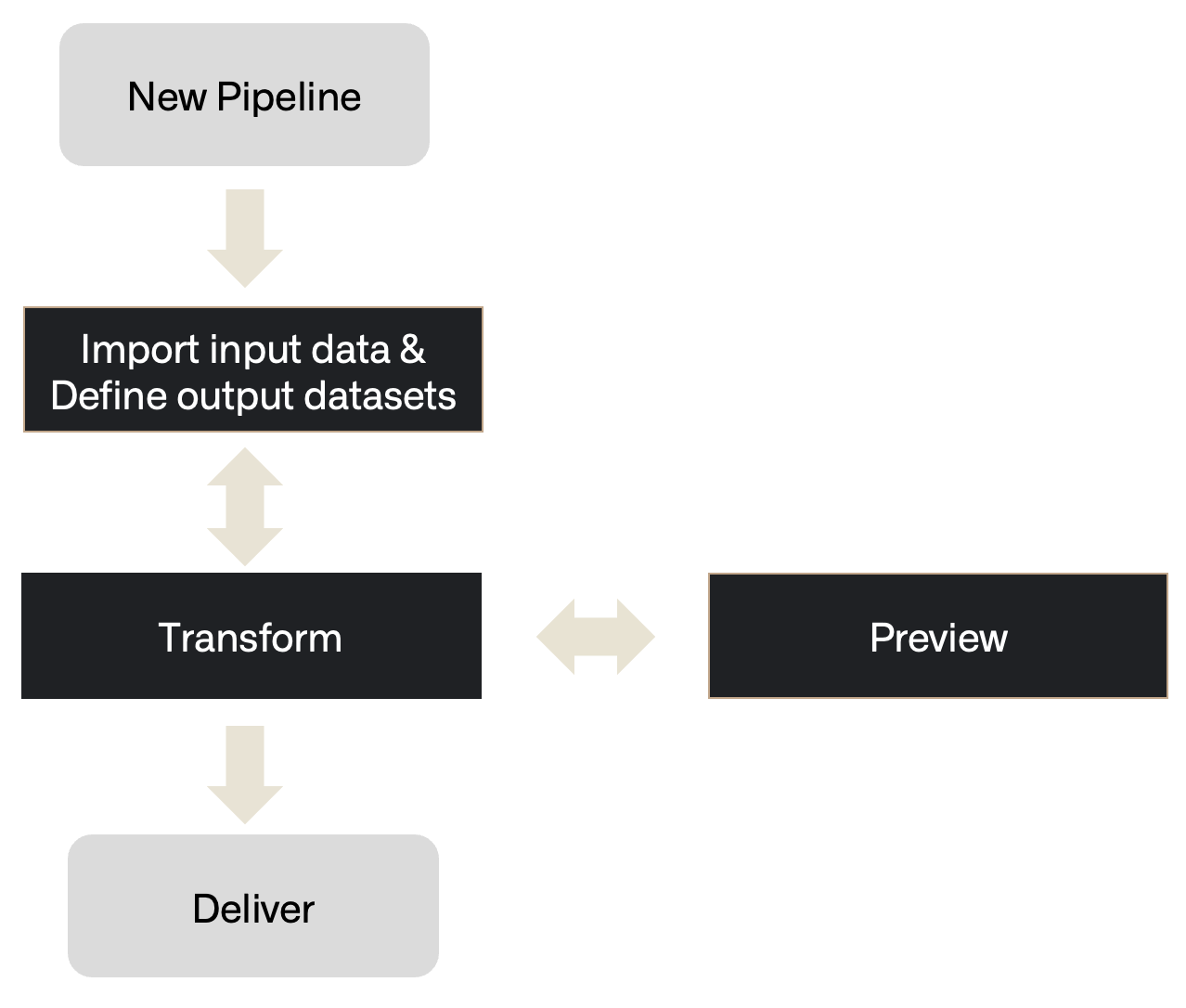
Pipeline Builder follows a workflow comprising the following steps from importing data to delivering a healthy build.
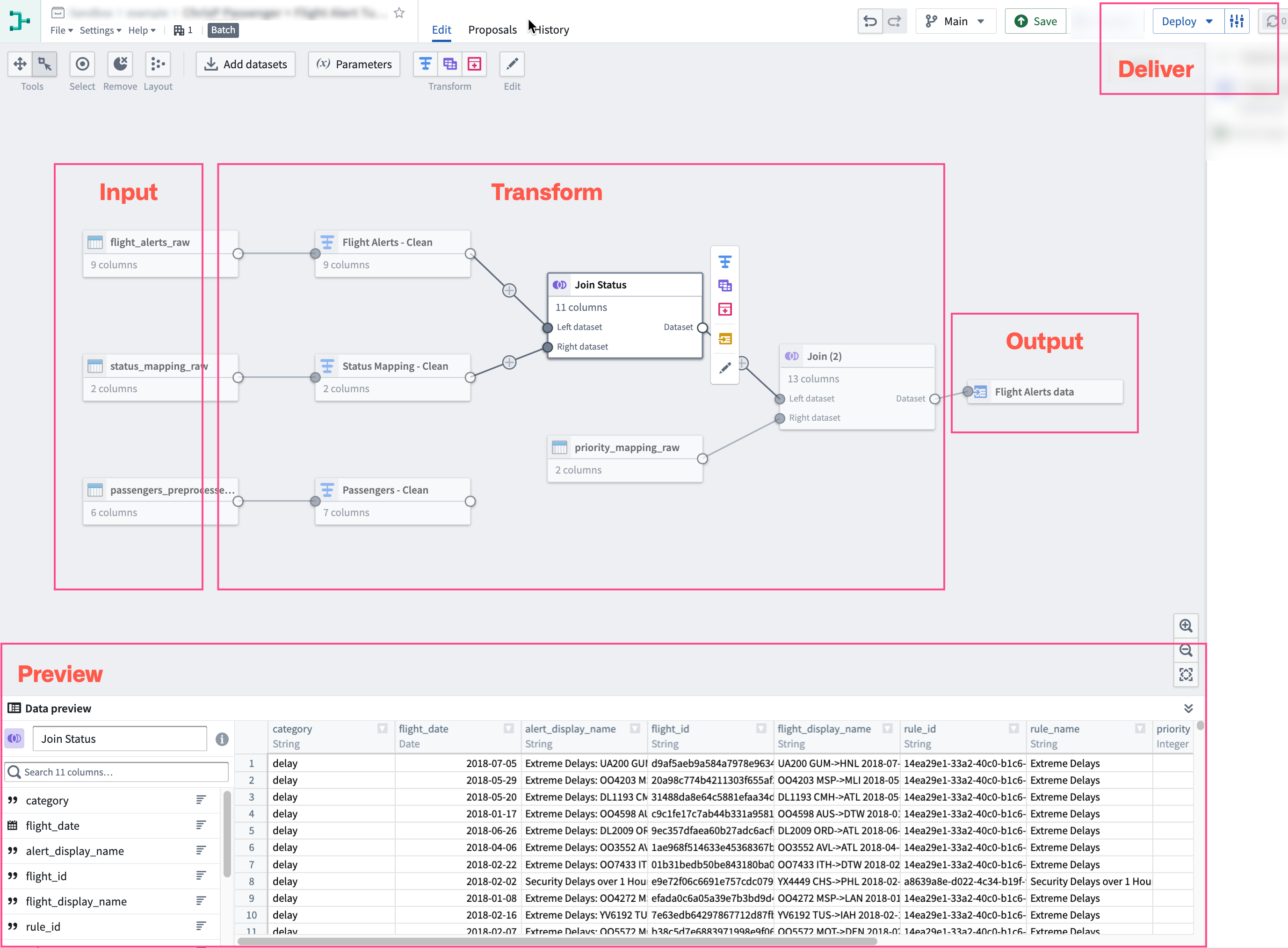
- Inputs: Add a new data source or add additional datasets.
- Transform: Transform, join, or union data towards the desired output.
- Preview: After applying transformations, preview the output.
- Deliver: Once the pipeline is complete, build the pipeline outputs.
- Outputs: Add an object type, link type, or dataset output for your pipeline.
When visualized on a Pipeline Builder graph, this is how the steps might be demonstrated:
Learn how to create a simple batch pipeline, or learn more about the core concepts of building and managing pipelines in Pipeline Builder.
:::callout{theme="success" title="Palantir Learning portal"} Try to build out your first pipeline in a course on learn.palantir.com ↗. :::
中文翻译
Pipeline Builder
Pipeline Builder 是 Foundry 用于数据集成的主要应用程序。您可以使用 Pipeline Builder 构建数据集成管道(Pipeline),将原始数据源转换为可供进一步分析的干净输出。
借助 Pipeline Builder 和强大的后端模型,会编码和不会编码的用户可以在管道工作流上进行协作。Pipeline Builder 在其架构中同时利用 Spark 和 Flink,并整合了由 Palantir 开发的自定义库和服务支持的多种高级功能。用户无需编写需要长时间健康检查的代码,Pipeline Builder 将多种编程语言集成在一个简化的构建器点选界面之下,用户通过该界面应用数据转换,无需具备专门的编程语言知识。
Pipeline Builder 使用专为在逻辑创建和执行之间充当中间层而设计的下一代数据转换后端。当用户描述他们想要构建的管道时,后端会编写转换代码并对管道完整性进行检查,识别重构错误并提供解决方案以确保构建健康。由于后端充当逻辑创建和执行之间的中间层,构建者可以在管道构建之前解决模式(Schema)问题,从而节省之前用于计算和代码检查的时间。
功能特性
Pipeline Builder 包含专注于全面管道创建、维护和控制的功能。
- 直观的用户界面: 用户使用图形和基于表单的界面编写管道,这些界面提供反馈,包括连接键(Join Keys)和列类型建议(Column Casting Suggestions)。
- 类型安全函数: 函数是强类型的,可以在构建时立即标记错误,而不是等到构建时才发现。
- 严格的输出检查: 如果未满足预期的输出检查,将阻止构建,以避免意外的下游中断。
- 自动构建路径修剪: Pipeline Builder 将修剪未连接到输出的转换路径,以避免构建中的不必要计算。
- 抽象实现细节: 用户专注于描述其端到端管道和期望的输出。构建、同步和其他编排操作由 Pipeline Builder 后端自动处理。
- 独立的管道逻辑: Pipeline Builder 可以连接到不同的逻辑执行引擎,包括 Spark、Flink、Azure 实例等。
- 可重用性: 管道逻辑可以轻松提取并用于不同的管道。
- 完整的版本控制: 用户可以单独起草管道,在同一个管道上协作,或回退到以前的版本。
- 媒体处理转换: 用户可以在其管道中将媒体集(Media Sets)作为转换输入传递。
- 大语言模型(LLMs): 利用 LLM 和 AIP 的强大功能来转换您的数据。
- 训练模型: 导入机器学习模型以在管道内生成预测。
- 地理空间转换: 使用 Pipeline Builder 加载、转换和生成不同形式的地理空间数据。
- 流式处理能力: Pipeline Builder 提供编写具有实时延迟执行的管道的能力。此功能并非在所有 Foundry 环境中都可用。如果您的工作流需要流式管道,请联系您的 Palantir 代表。
工作流
Pipeline Builder 遵循一个工作流,包括从导入数据到交付健康构建的以下步骤。
- 输入(Inputs): 添加新的数据源或添加额外的数据集。
- 转换(Transform): 对数据进行转换、连接或合并,以达到期望的输出。
- 预览(Preview): 应用转换后,预览输出。
- 交付(Deliver): 管道完成后,构建管道输出。
- 输出(Outputs): 为您的管道添加对象类型、链接类型或数据集输出。
当在 Pipeline Builder 图形上可视化时,这些步骤可能如下所示:
了解如何创建简单的批处理管道,或了解有关在 Pipeline Builder 中构建和管理管道的核心概念的更多信息。
:::callout{theme="success" title="Palantir 学习门户"} 尝试在 learn.palantir.com ↗ 上的课程中构建您的第一个管道。 :::