Application reference(应用参考)
This page provides a reference to the Foundry applications you may encounter while performing data integration workflows.
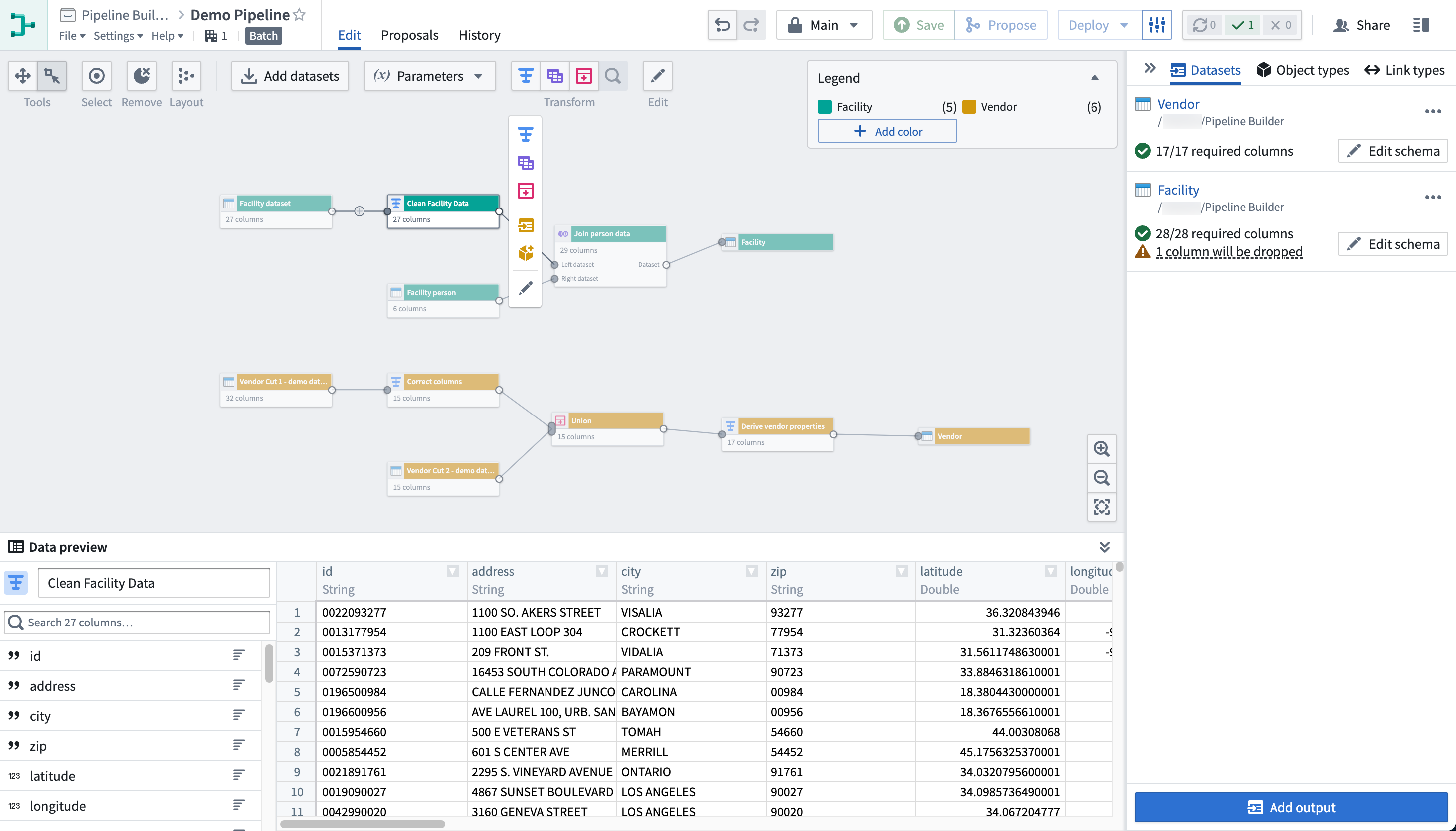
Pipeline Builder
Pipeline Builder is Foundry's primary application for data integration. With Pipeline Builder, you can create end-to-end pipeline workflows, from data sources to final outputs. Users of Pipeline Builder can describe their workflow, transform data, edit schemas, and build outputs in a single easy-to-use application.
Pipeline Builder features an intuitive point-and-click interface and robust backend model that allows technical and less-technical users to define and deploy pipelines faster than in code-heavy applications. The streamlined builder interface allows users to apply data transforms alongside schema checks, saving time and costs typically spent on computation and checks at build time. Additional features like full version control and extensibility make Pipeline Builder an ideal application for safe collaboration.
Code Repositories
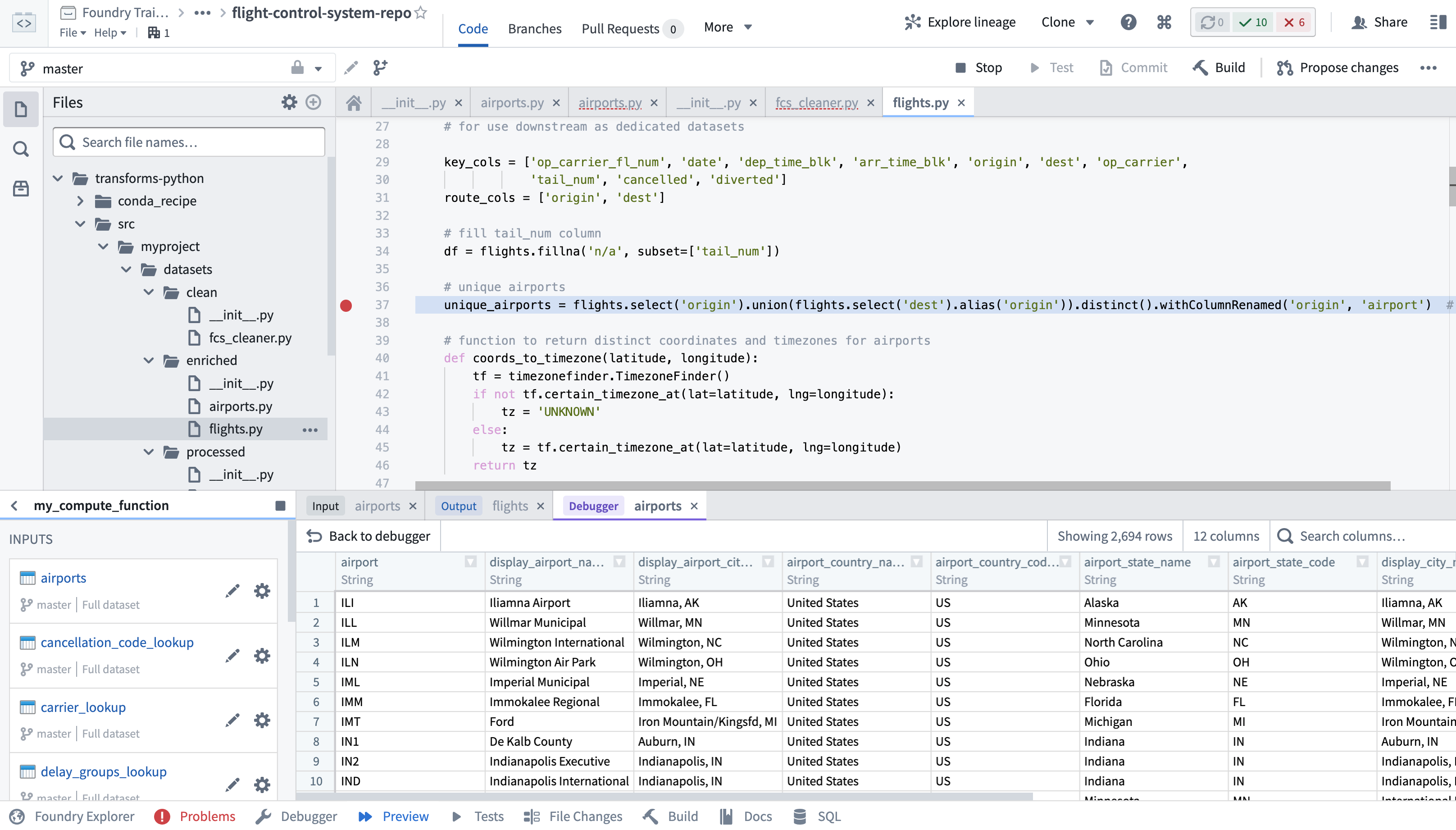
Code Repositories is Foundry's primary interface for authoring code, most commonly used for creating data pipelines in Python, Java, and SQL. Code Repositories provides an integrated development environment (IDE) on top of a git server, enabling collaboration and governance of pipeline logic, as well as native support for writing, testing, and previewing data transformation logic. Code Repositories can also be used for authoring machine learning models and Ontology Functions.
If you are interested in data science and code-based analysis, Code Workbook may be a better fit for your use case. Learn more about the differences between Code Workbook, Code Workspaces, and Code Repositories.
Data Lineage
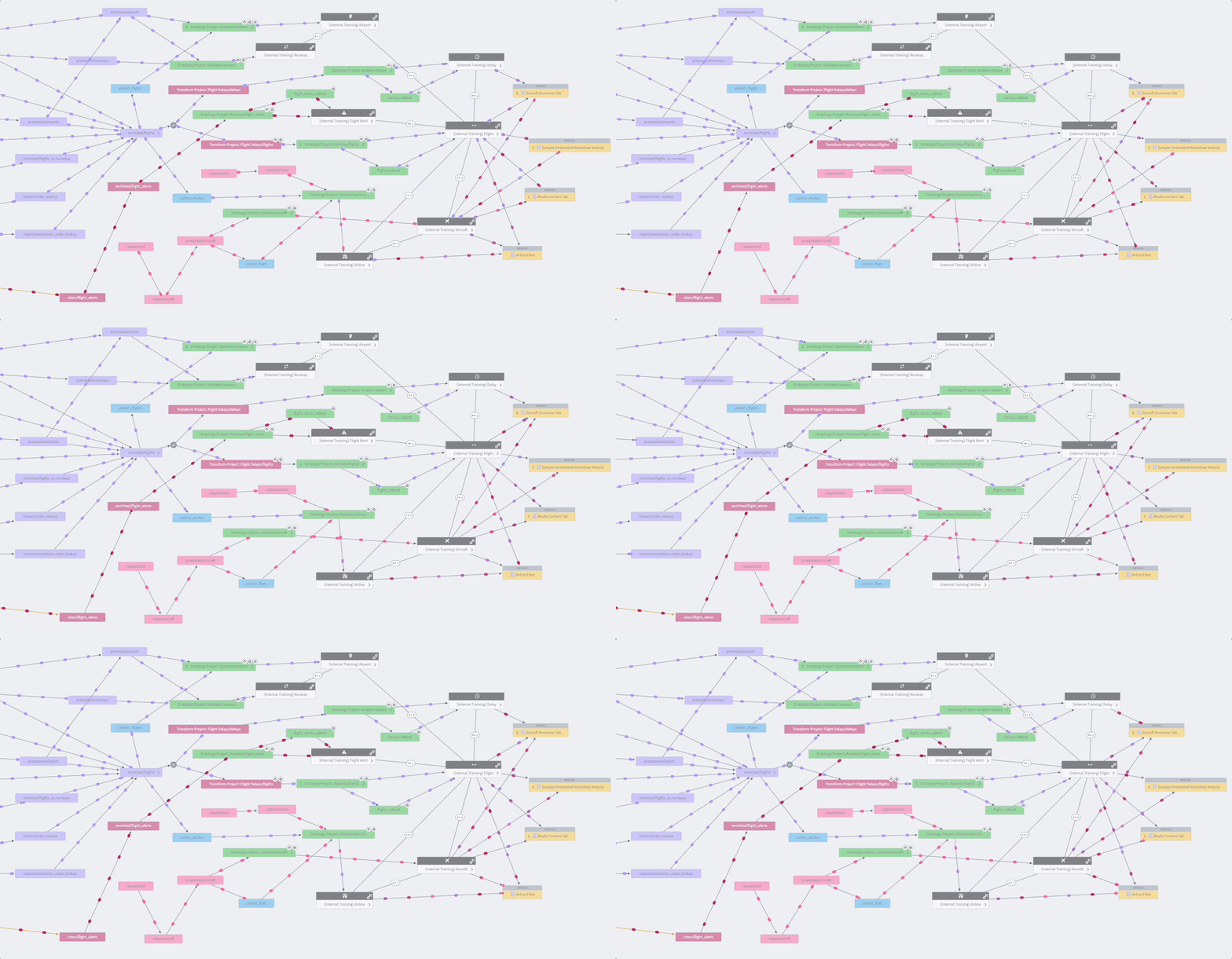
Data Lineage is an application that shows how data flows through Foundry. You can use it to explore how any resource in Foundry is connected to other resources, across the boundaries of individual Projects or use cases. This includes support for data sources, datasets, analyses, Ontology object and link types, and user-facing applications. In addition to exploring connections, you can use Data Lineage to view previews of data, see the logic used to derive any piece of data, and manage scheduled pipelines.
Data Connection
Data Connection is the application used to sync data into Foundry and manage associated resources including source credentials. After initial setup, Data Connection makes it simple to explore data sources and sync new data for use case development, while complying with the full range of governance controls required for managing source systems and use cases at scale.
Dataset Preview
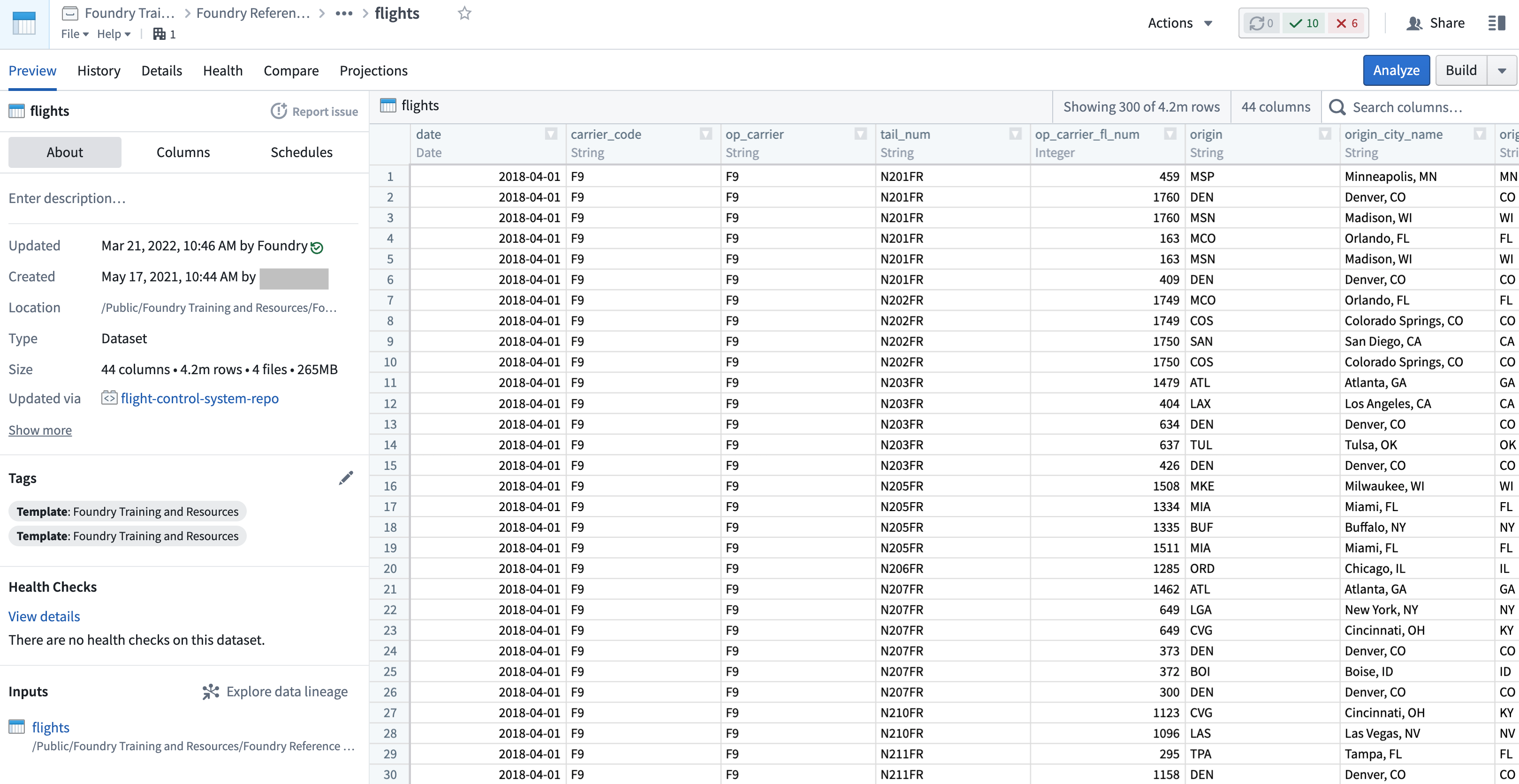
Dataset Preview is an application used to view and understand datasets. Opening a dataset from any other application shows you the contents of the dataset, along with a range of contextual information. This includes information about dataset ownership, how the dataset has changed over time, any applicable health checks, and further details.
Data Health
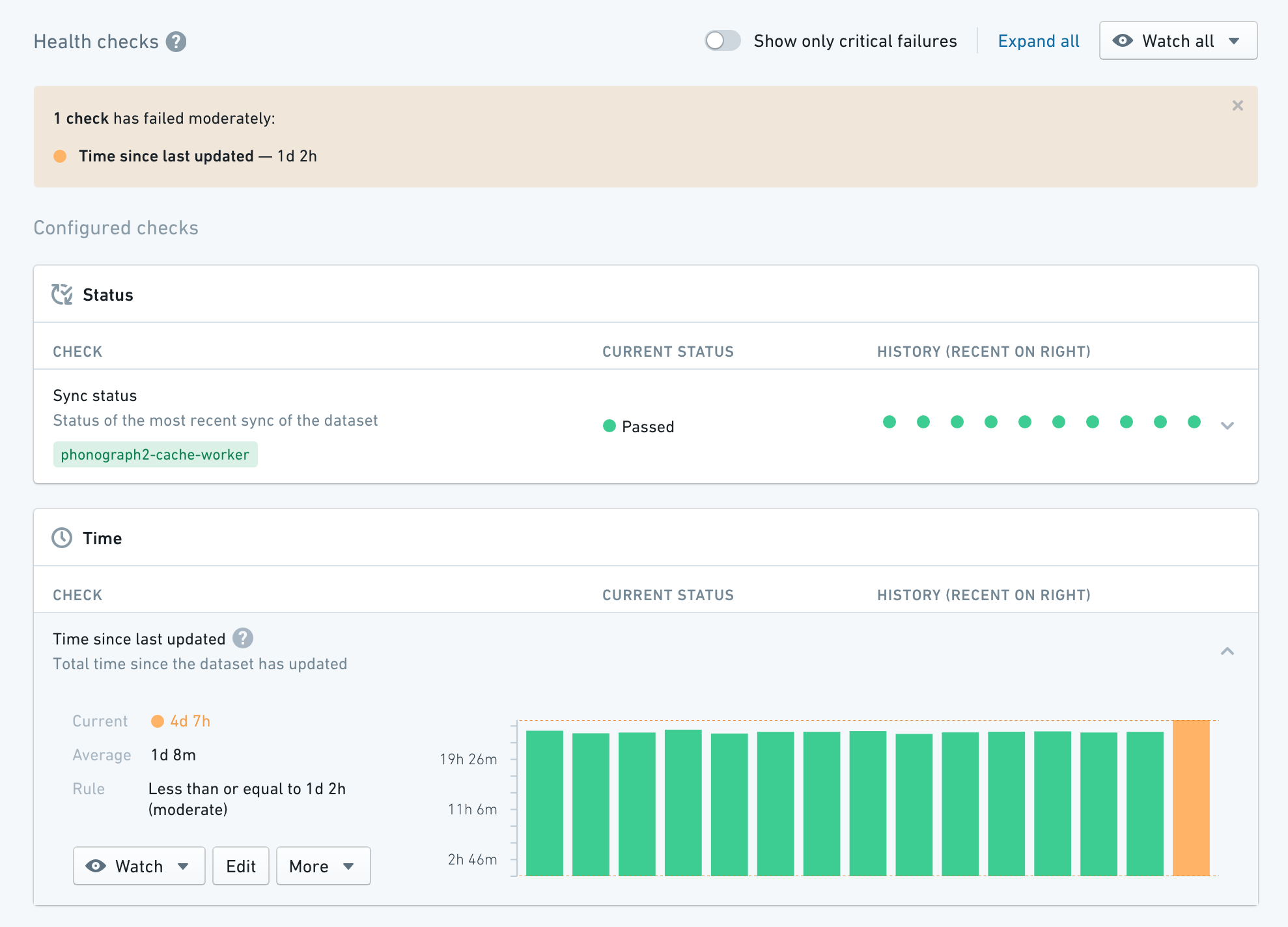
Data Health is used to manage data quality across all data pipelines. Pipeline maintainers can perform health checks to quickly understand the performance and reliability of their pipelines, as well as subscribe to alerts on monitoring views to enable a broad set of data pipeline maintenance workflows.
Builds
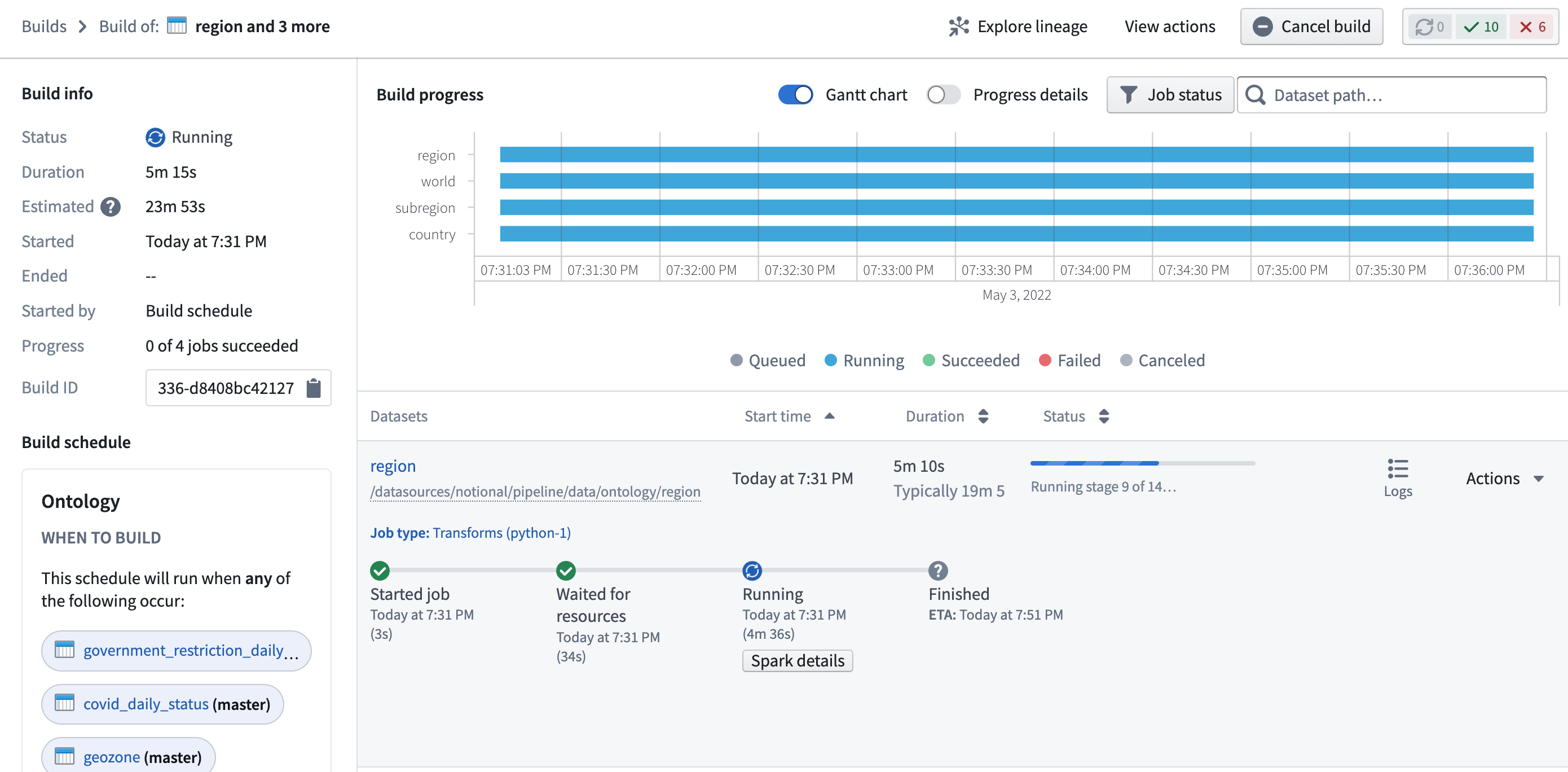
Builds application — formerly called Job Tracker — allows you to view all builds occurring across Foundry and explore details about each build, including information about execution progress, scheduling, and past success and failure rates. Builds application also enables you to access granular information about the Spark execution engine underlying execution, which enables debugging and optimization workflows.
中文翻译
应用参考
本文档提供了在执行数据集成工作流时可能遇到的 Foundry 应用参考。
Pipeline Builder
Pipeline Builder 是 Foundry 用于数据集成的核心应用。通过 Pipeline Builder,您可以创建从数据源到最终输出的端到端管道工作流。用户可以在这一易于使用的应用中描述工作流、转换数据、编辑模式并构建输出。
Pipeline Builder 具有直观的点击式界面和强大的后端模型,使技术用户和非技术用户都能比在代码密集型应用中更快地定义和部署管道。简化的构建器界面允许用户在应用数据转换的同时进行模式检查,从而节省通常在构建时用于计算和检查的时间和成本。完整的版本控制和可扩展性等附加功能使 Pipeline Builder 成为安全协作的理想应用。
代码仓库(Code Repositories)
代码仓库(Code Repositories) 是 Foundry 用于编写代码的主要界面,最常用于使用 Python、Java 和 SQL 创建数据管道。代码仓库在 git 服务器之上提供了集成开发环境(IDE),支持管道逻辑的协作和治理,以及编写、测试和预览数据转换逻辑的原生支持。代码仓库还可用于编写机器学习模型和本体论(Ontology)函数(Functions)。
如果您对数据科学和基于代码的分析感兴趣,代码工作簿(Code Workbook) 可能更适合您的用例。了解更多关于代码工作簿、代码工作区(Code Workspaces)和代码仓库之间的区别。
数据沿袭(Data Lineage)
数据沿袭(Data Lineage) 是一个展示数据如何在 Foundry 中流动的应用。您可以使用它来探索 Foundry 中任何资源如何与其他资源连接,跨越单个项目(Project)或用例的边界。这包括对数据源、数据集、分析、本体论对象和链接类型以及面向用户的应用的支持。除了探索连接关系,您还可以使用数据沿袭来预览数据、查看用于推导任何数据的逻辑,以及管理计划管道。
数据连接(Data Connection)
数据连接(Data Connection) 是用于将数据同步到 Foundry 并管理相关资源(包括源凭证)的应用。初始设置后,数据连接使探索数据源和同步新数据以用于用例开发变得简单,同时满足大规模管理源系统和用例所需的全方位治理控制。
数据集预览(Dataset Preview)
数据集预览(Dataset Preview) 是一个用于查看和理解数据集的应用。从任何其他应用打开数据集都会显示数据集的内容以及一系列上下文信息。这包括关于数据集所有权、数据集随时间的变化、任何适用的健康检查以及更多详细信息。
数据健康(Data Health)
数据健康(Data Health) 用于管理所有数据管道的数据质量。管道维护者可以执行健康检查以快速了解其管道的性能和可靠性,并在监控视图(Monitoring Views)上订阅警报,以支持广泛的数据管道维护工作流。
构建(Builds)
构建应用(Builds application) — 以前称为作业跟踪器(Job Tracker) — 允许您查看 Foundry 中发生的所有构建,并探索每个构建的详细信息,包括执行进度、调度以及过去成功和失败率的信息。构建应用还使您能够访问底层 Spark 执行引擎的详细信息,从而支持调试和优化工作流。