Builds(构建(Builds))
A Build is the mechanism used to compute new versions of datasets in Foundry. Builds provide orchestration and coordination of computation, ensure the appropriate input data is read, and write output data to the appropriate location.
A build is composed of jobs, each of which is a unit of work that is defined by shared logic and computes one or more output datasets. Note that if a job defines multiple output datasets, they will always update together and it is not possible to build only some of the datasets without running the full job. A job specification, or JobSpec, is a definition of how a job should be constructed. JobSpecs are published when changes are made to data transformation logic in Foundry, such as when a data engineer commits new transforms code in a Code Repository.
Running a build results in a one-time computation of a set of output datasets. To keep data flowing through the system, schedules are used to run builds over time.
You can explore builds in Foundry using the Builds application.
Jobs and JobSpecs
A job encapsulates the computation of a new version of one or more output datasets from the data of a set of input datasets. A JobSpec defines how to construct a job by detailing input dataset dependencies and the logic that should be executed as part of the job.
Input dataset dependencies are declared as a set of InputSpecs, each of which specifies a particular input dataset. InputSpecs specify a subset of data to read from a dataset in terms of its views.
There are many types of logic that can be represented as a job in Foundry, including but not limited to:
- A Data Connection Sync defines how data should be read from an external data source.
- A transform written in a Code Repository allows you to write code that transforms datasets.
- Health checks are defined as jobs generated on a dataset to validate characteristics of the dataset.
- Analytical applications support defining logic that transforms datasets.
- An export defines how input data should be sent outside of Foundry.
Job states
At any given time, a job is always in one of the following states:
WAITING: The initial state of a job; the job is waiting for its dependent jobs to complete and has not been invoked.RUN_PENDING: The job is waiting to run, but its execution environment has not yet confirmed the status.RUNNING: The job has been invoked and is currently being computed.ABORT_PENDING: The job has been aborted, but its execution environment has yet to confirm the aborted status.ABORTED: The job was aborted either upon user request, or as a result of a dependent job failing.FAILED: The job was invoked, but the computation failed.COMPLETED: The job was invoked, and the computation finished successfully.
Build lifecycle
When a build is run, several steps are performed to validate the submitted build, ensure data consistency, and only run the jobs necessary to produce new outputs.
Build resolution
As a first step, a build:
- Detects cycles in the specified input datasets and fails the build if there are cycles present.
- Validates all input datasets exist and identifies the appropriate schema for each input dataset.
- Opens new transactions on each output dataset to ensure that only the active build can write to the output dataset. This is known as build locking.
- Detects if other builds are in progress that would change the inputs into the build. If so, the build may be queued and wait for the other build to complete.
Job execution
Once the above steps have completed, the jobs within a build are executed. Jobs that do not depend on each other are run in parallel. As jobs proceed through the job states, the state of the overall build is updated accordingly:
- If a job in a build fails, all directly-dependent jobs and transactions on output datasets within that build will be terminated. Optionally, a build can be configured to abort all non-dependent jobs at the same time.
- If all jobs in the build are completed, then the build is considered completed.
Note that if a job in a build fails, previously completed jobs may still have written data to their output datasets.
Staleness
An output dataset is considered fresh if the build resolution step determines that input datasets and the logic specified within the JobSpec have not changed since the last time the output dataset was built. If an output dataset is fresh, it will not be recomputed in subsequent builds.
To override the build system's default staleness behavior, you can run a force build, which recomputes all datasets as part of the build, regardless of whether they are already up-to-date.
Branching
Builds in Foundry implement branching to support collaboration workflows on data pipelines. To learn more about branching:
- Refer to the branching overview for a high-level explanation.
- Refer to the branching in builds section for details about how branching works in builds.
Live logs
Live logs provide real-time visibility into running jobs, allowing you to monitor how jobs are progressing and inspect long-running tasks such as streams or compute modules.
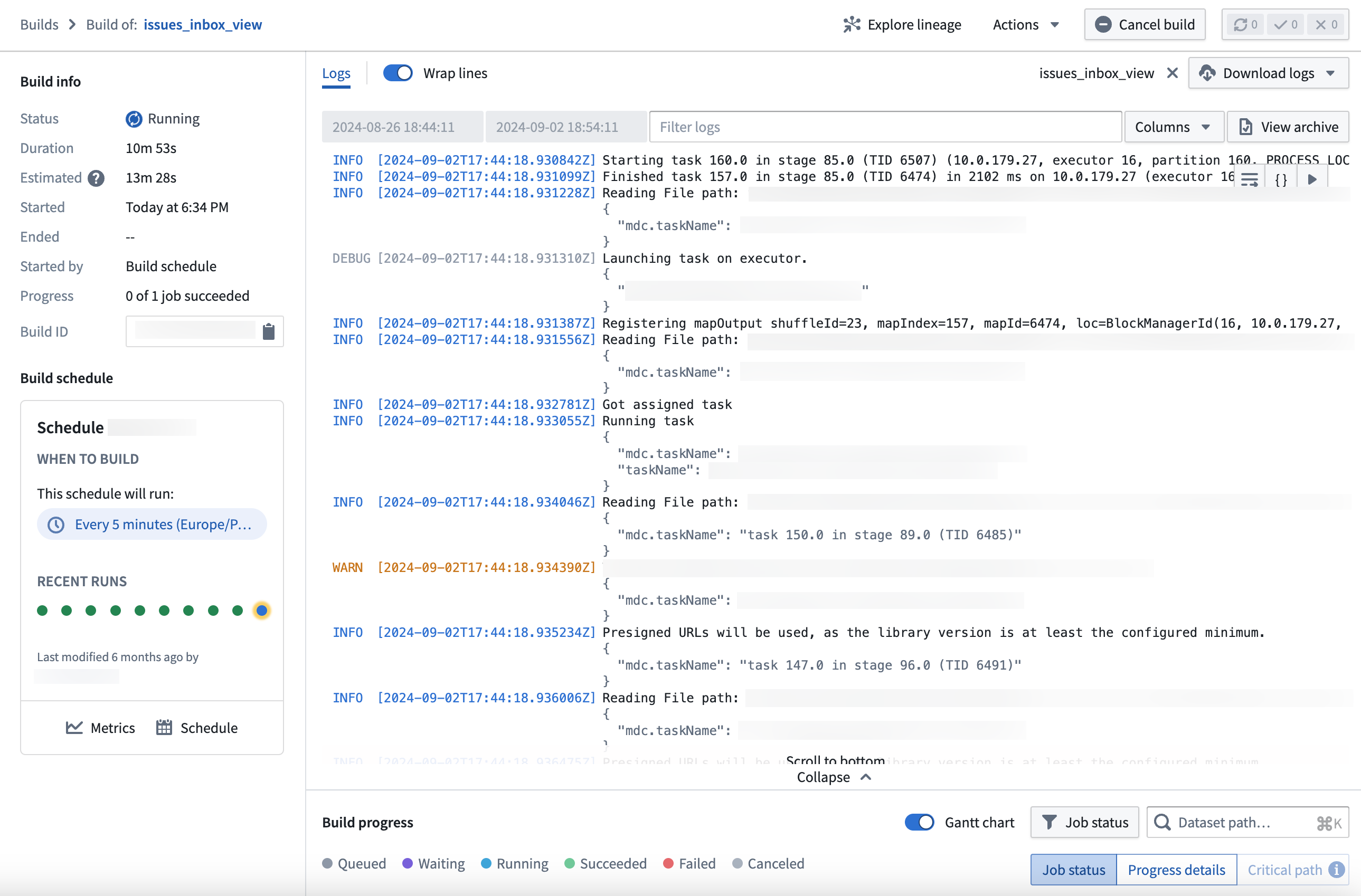
You can access live logs through the Builds application. Select the View live button in the top right corner of the log viewer when viewing a job to start generating.
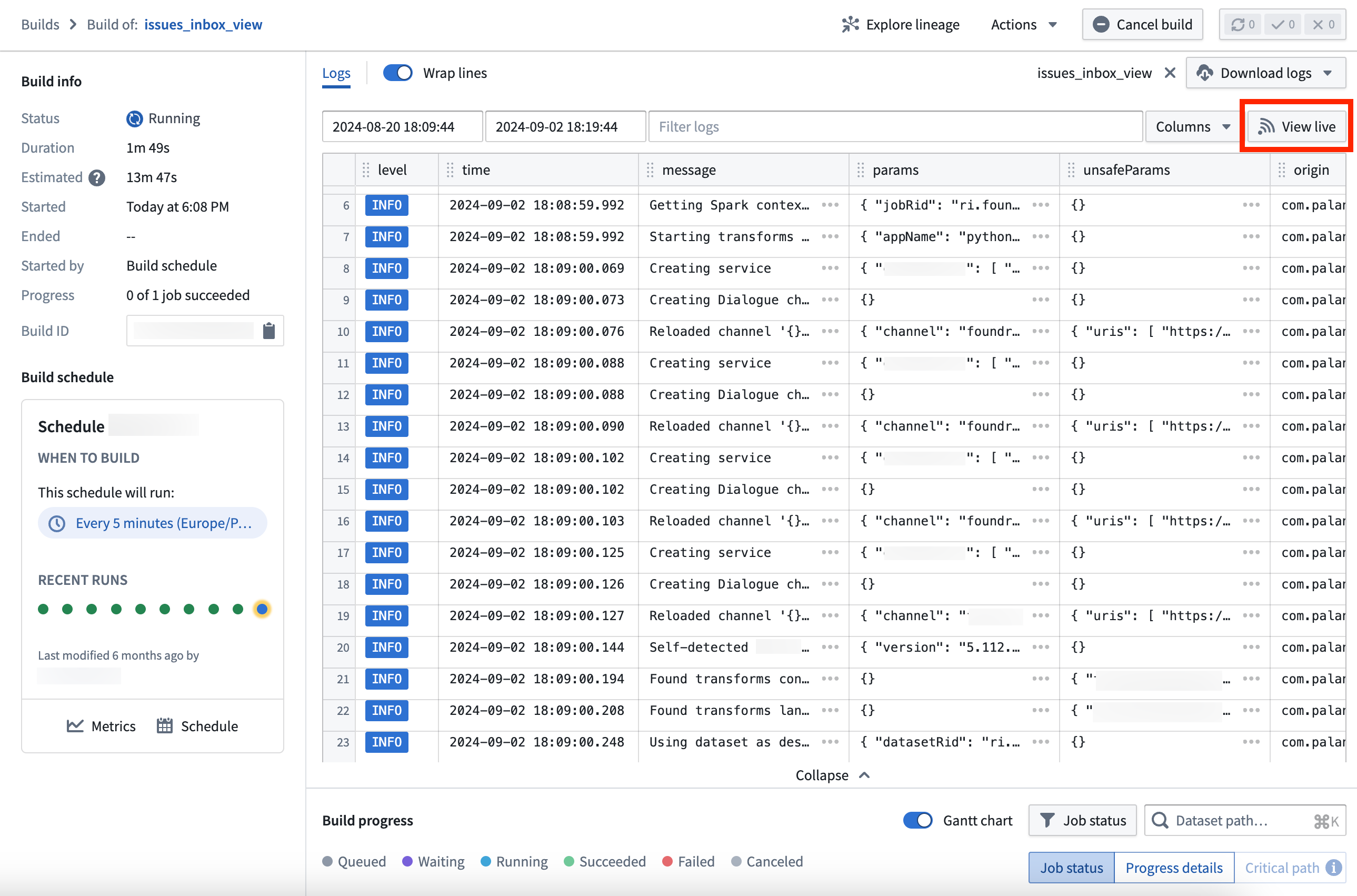
A key feature of live logs is built-in color coding by log level, making it easier to identify and prioritize warnings and errors:
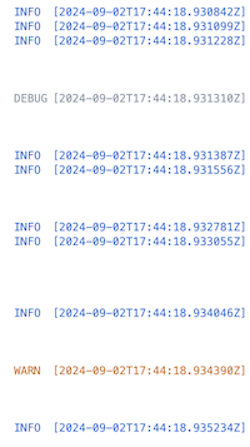
- Info: Blue
- Fatal/Error: Red
- Warn: Orange
- Debug/Trace: Gray
Additionally, safe parameters and parameters are visible as a JSON block, providing a structured and readable format for your data.
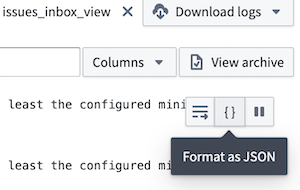
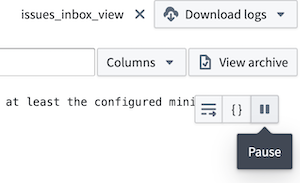
You can stop the live log feed at any point by selecting Pause from the top right of the interface, and resume from the same location.
Note that the time range selection does not apply to live logs, since they are streamed in real-time from the job.
:::callout{theme="neutral"} Once enabled, a ten-second delay may occur before the live logs are visible in the interface. :::
中文翻译
构建(Builds)
构建(Build) 是用于在 Foundry 中计算数据集(datasets)新版本的机制。构建负责编排和协调计算过程,确保读取正确的输入数据,并将输出数据写入适当的位置。
一个构建由多个作业(jobs) 组成,每个作业是一个由共享逻辑定义的工作单元,负责计算一个或多个输出数据集。请注意,如果一个作业定义了多个输出数据集,这些数据集将始终一起更新,无法在不运行完整作业的情况下仅构建其中部分数据集。作业规范(JobSpec)是对作业构建方式的定义。当 Foundry 中的数据转换逻辑发生变更时(例如数据工程师在代码仓库(Code Repository)中提交新的转换代码),JobSpec 会被发布。
运行一个构建会对一组输出数据集进行一次性的计算。为了让数据在系统中持续流转,需要使用调度(schedules)来定期运行构建。
您可以通过构建应用(Builds application)在 Foundry 中探索构建。
作业与作业规范(Jobs and JobSpecs)
作业封装了从一组输入数据集的数据中计算一个或多个输出数据集新版本的过程。JobSpec 通过详细说明输入数据集的依赖关系以及作业中应执行的逻辑,来定义如何构建一个作业。
输入数据集依赖关系被声明为一组 InputSpec,每个 InputSpec 指定一个特定的输入数据集。InputSpec 根据数据集的视图(views)指定要读取的数据子集。
在 Foundry 中,有多种类型的逻辑可以表示为作业,包括但不限于:
- 数据连接(Data Connection)的同步(Sync)定义了如何从外部数据源读取数据。
- 在代码仓库(Code Repository)中编写的转换(transform)允许您编写代码来转换数据集。
- 健康检查(Health checks)被定义为在数据集上生成的作业,用于验证数据集的特性。
- 分析应用(Analytical applications)支持定义转换数据集的逻辑。
- 导出(export)定义了如何将输入数据发送到 Foundry 外部。
作业状态(Job states)
在任何给定时间,作业始终处于以下状态之一:
WAITING(等待中):作业的初始状态;作业正在等待其依赖的作业完成,尚未被调用。RUN_PENDING(待运行):作业等待运行,但其执行环境尚未确认状态。RUNNING(运行中):作业已被调用,当前正在计算中。ABORT_PENDING(待中止):作业已被中止,但其执行环境尚未确认中止状态。ABORTED(已中止):作业因用户请求或依赖的作业失败而被中止。FAILED(失败):作业已被调用,但计算失败。COMPLETED(已完成):作业已被调用,且计算成功完成。
构建生命周期(Build lifecycle)
当运行一个构建时,会执行若干步骤来验证提交的构建、确保数据一致性,并仅运行生成新输出所必需的作业。
构建解析(Build resolution)
作为第一步,构建会:
- 检测指定输入数据集中的循环依赖,如果存在循环则构建失败。
- 验证所有输入数据集是否存在,并为每个输入数据集识别适当的模式(schema)。
- 在每个输出数据集上打开新的事务(transactions),以确保只有当前活动的构建可以写入该输出数据集。这被称为构建锁定(build locking)。
- 检测是否有其他正在进行的构建会改变当前构建的输入。如果是,该构建可能会被排队(queued),等待其他构建完成。
作业执行(Job execution)
一旦上述步骤完成,构建中的作业将被执行。彼此不依赖的作业会并行运行。随着作业在各个作业状态中推进,整个构建的状态也会相应更新:
- 如果构建中的某个作业失败,该构建中所有直接依赖的作业以及输出数据集上的事务都将被终止。可选地,可以配置构建同时中止所有非依赖的作业。
- 如果构建中的所有作业都已完成,则该构建被视为完成。
请注意,如果构建中的某个作业失败,先前已完成的作业可能仍然已向其输出数据集写入了数据。
陈旧性(Staleness)
如果构建解析步骤确定输入数据集和 JobSpec 中指定的逻辑自上次构建输出数据集以来未发生变化,则该输出数据集被视为新鲜的(fresh)。如果输出数据集是新鲜的,则在后续构建中不会重新计算。
要覆盖构建系统的默认陈旧性行为,您可以运行强制构建(force build),该构建会重新计算所有数据集,无论它们是否已经是最新状态。
分支(Branching)
Foundry 中的构建实现了分支(branching) 功能,以支持数据管道上的协作工作流。要了解更多关于分支的信息:
- 请参阅分支概述(branching overview)了解高级说明。
- 请参阅构建中的分支(branching in builds)部分,了解分支在构建中的具体工作方式。
实时日志(Live logs)
实时日志提供对正在运行的作业的实时可见性,使您能够监控作业的进展情况,并检查长时间运行的任务,如流(streams)或计算模块(compute modules)。
您可以通过构建应用访问实时日志。在查看作业时,选择日志查看器右上角的查看实时(View live) 按钮即可开始生成。
实时日志的一个关键特性是根据日志级别内置的颜色编码,使识别和优先处理警告和错误变得更加容易:
- 信息(Info): 蓝色
- 致命/错误(Fatal/Error): 红色
- 警告(Warn): 橙色
- 调试/跟踪(Debug/Trace): 灰色
此外,安全参数(safe parameters)和参数(parameters)以 JSON 块的形式显示,为您的数据提供结构化和可读的格式。
您可以随时通过选择界面右上角的暂停(Pause) 来停止实时日志流,并从同一位置恢复。
请注意,时间范围选择不适用于实时日志,因为它们是实时从作业流式传输的。
:::callout{theme="neutral"} 启用后,实时日志在界面中可见之前可能会有十秒的延迟。 :::