Notifications and issues(通知与问题)
Data Health is integrated with Foundry Notifications and Emails to provide in-platform notifications and emails, respectively, in the event of a failed check.
Foundry Notifications
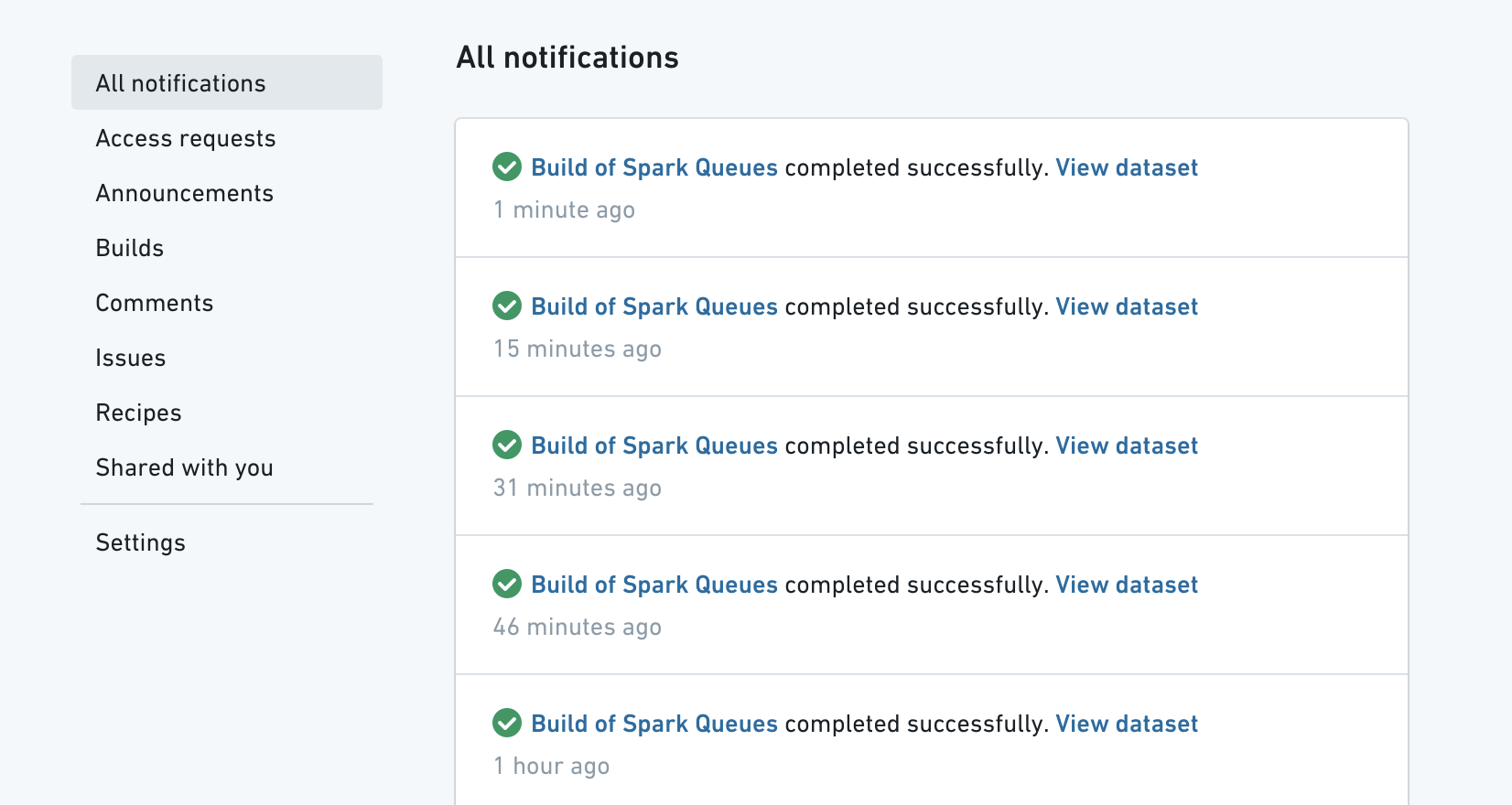
Data Health will always send an in-platform notification to watchers of failed checks:
Email Notifications
As a watcher of a check, you can also enable email notifications for failed checks. You can change your email and notification preferences by navigating to the Profile Icon in the upper right corner, clicking on Settings and then navigating to the Notifications tab:
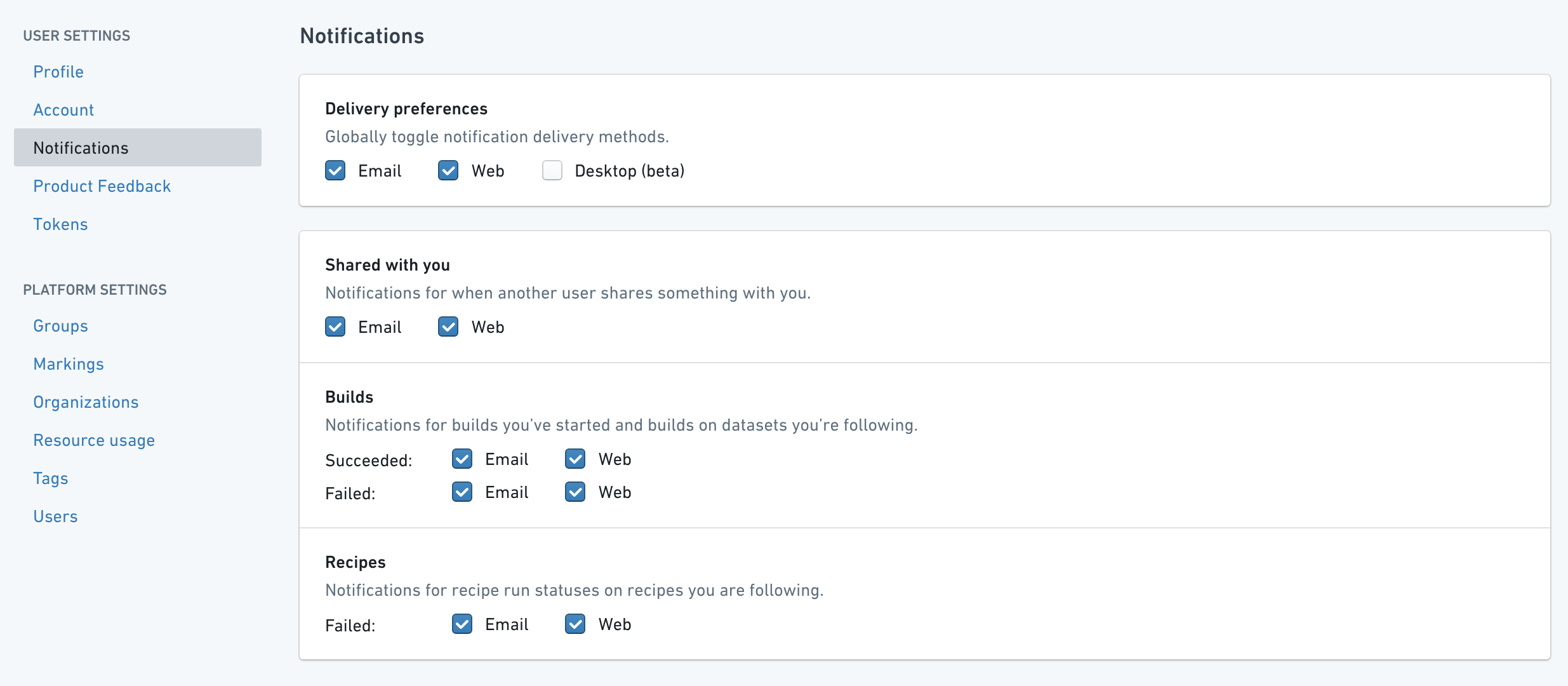
To receive updates on checks make sure to check everything under the Builds section.
Integrating with Issues
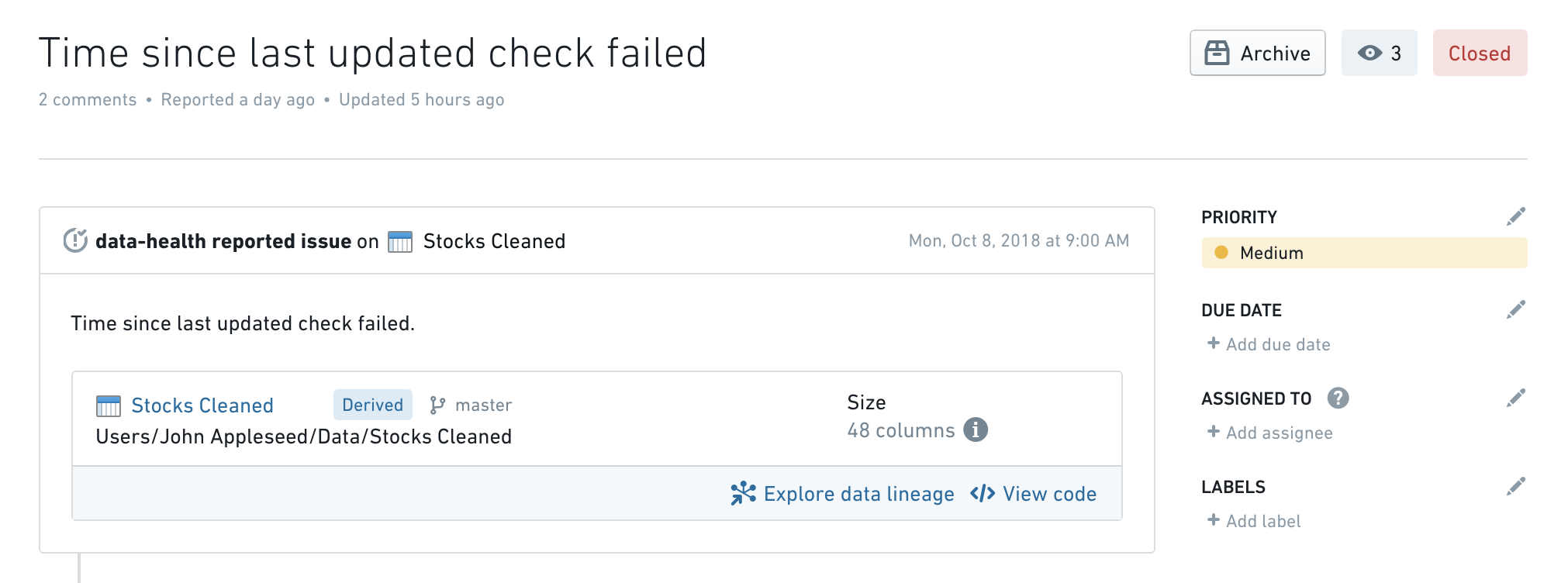
You can also configure Data Health to automatically report an Issue when a check fails to make further debugging & discussion easier:
To enable Issue reporting, you just need to tick the Automatically create an issue when this check fails box when creating/editing a check:
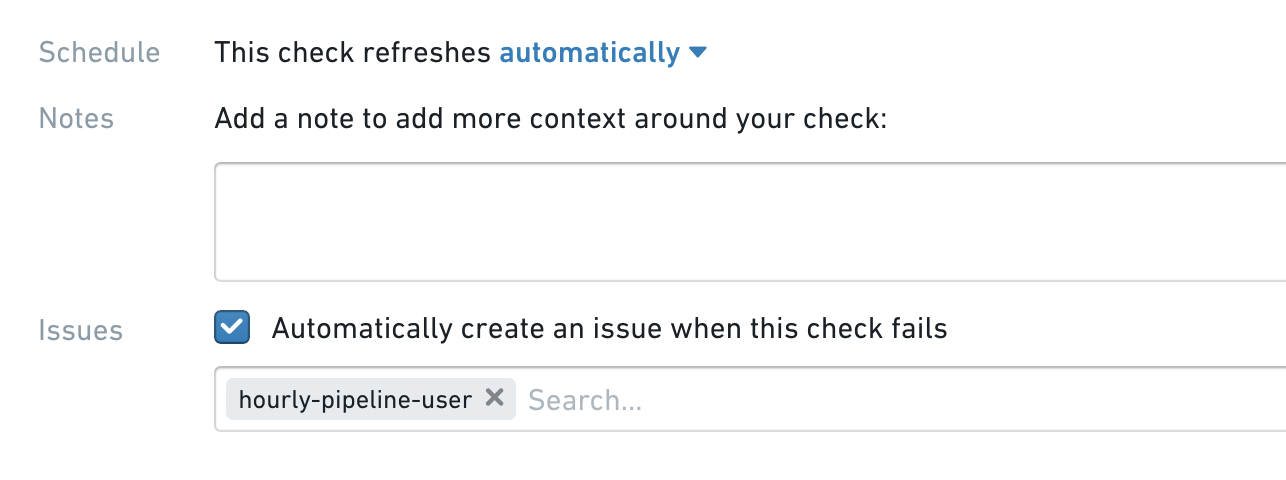
You can also automatically assign the created issue to a specific user by entering their name in the box below.
:::callout{theme="neutral"} Data Health will file an issue upon check failure, but it can also automatically close the issue once the check resolves. :::
中文翻译
通知与问题
Data Health 与 Foundry 通知(Notifications)和邮件(Emails)集成,可在检查失败时分别提供平台内通知和邮件通知。
Foundry 通知
Data Health 始终会向检查失败的关注者发送平台内通知:
邮件通知
作为检查的关注者,您还可以启用针对失败检查的邮件通知。您可以通过导航至右上角的个人资料图标,点击设置,然后进入通知选项卡来更改邮件和通知偏好设置:
要接收检查相关的更新,请确保勾选构建部分下的所有选项。
与问题集成
您还可以配置 Data Health,使其在检查失败时自动报告一个问题(Issue),以便更轻松地进行进一步调试和讨论:
要启用问题报告,您只需在创建/编辑检查时勾选当此检查失败时自动创建问题复选框:
您还可以通过在下方输入框内输入用户名,将创建的问题自动分配给特定用户。
:::callout{theme="neutral"} Data Health 会在检查失败时提交一个问题,但也可以在检查恢复后自动关闭该问题。 :::