Watching checks(监控检查)
:::callout{theme="success" title="Tip"} Instead of watching individual checks, you can create and subscribe to a monitoring view. :::
You can watch checks to be alerted when they fail. You can watch an individual check by expanding it and selecting the Watch button:

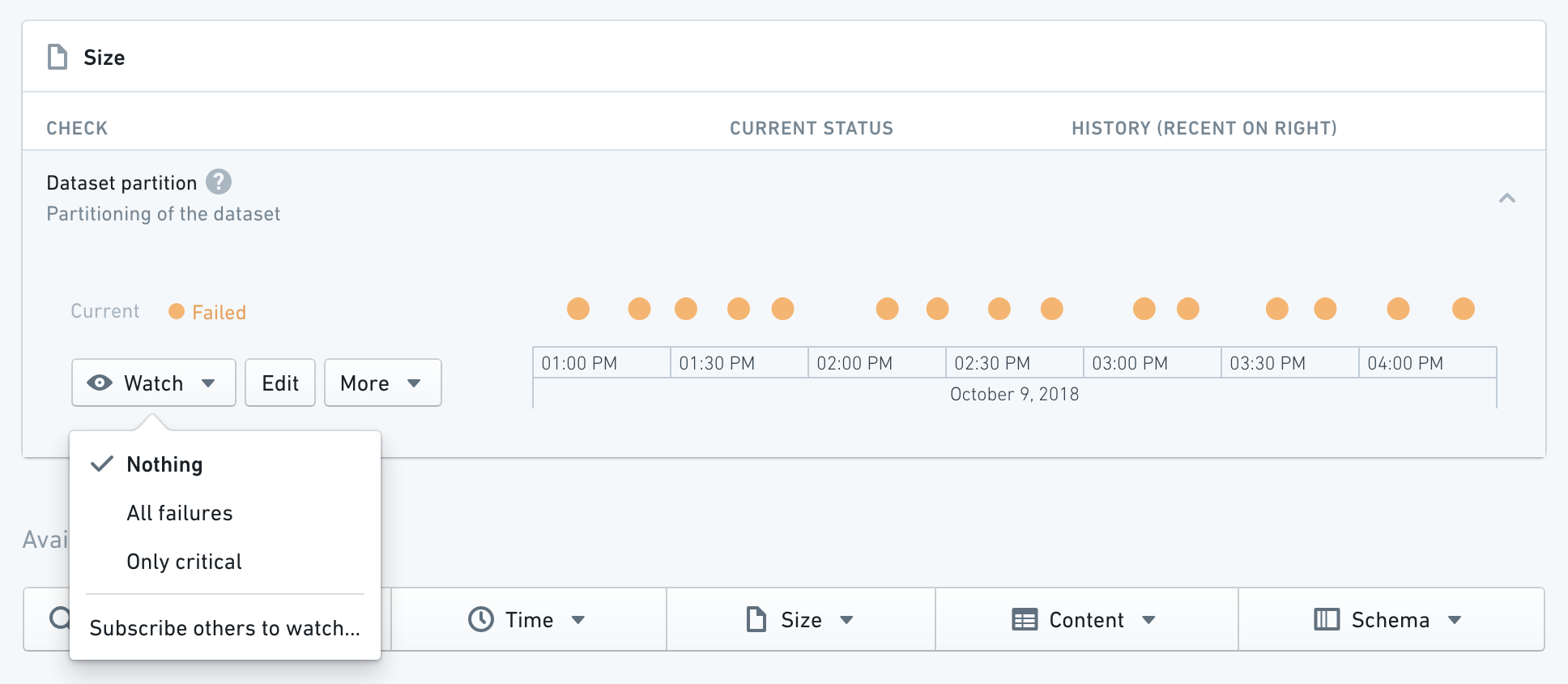
According to the configuration in the Rule Section of the check:
- Nothing will never notify you of a failure, regardless of severity.
- All failures will notify you of any failures (both
ModerateandCritical). - Only critical will only notify you of any
Criticalfailures.
:::callout{theme="neutral"} We recommend setting different thresholds for Moderate and Critical checks. Ideally Critical alerts should have looser bounds (e.g. Build duration check fails Moderately if build takes 5 mins and Critically if it takes 10 mins). :::
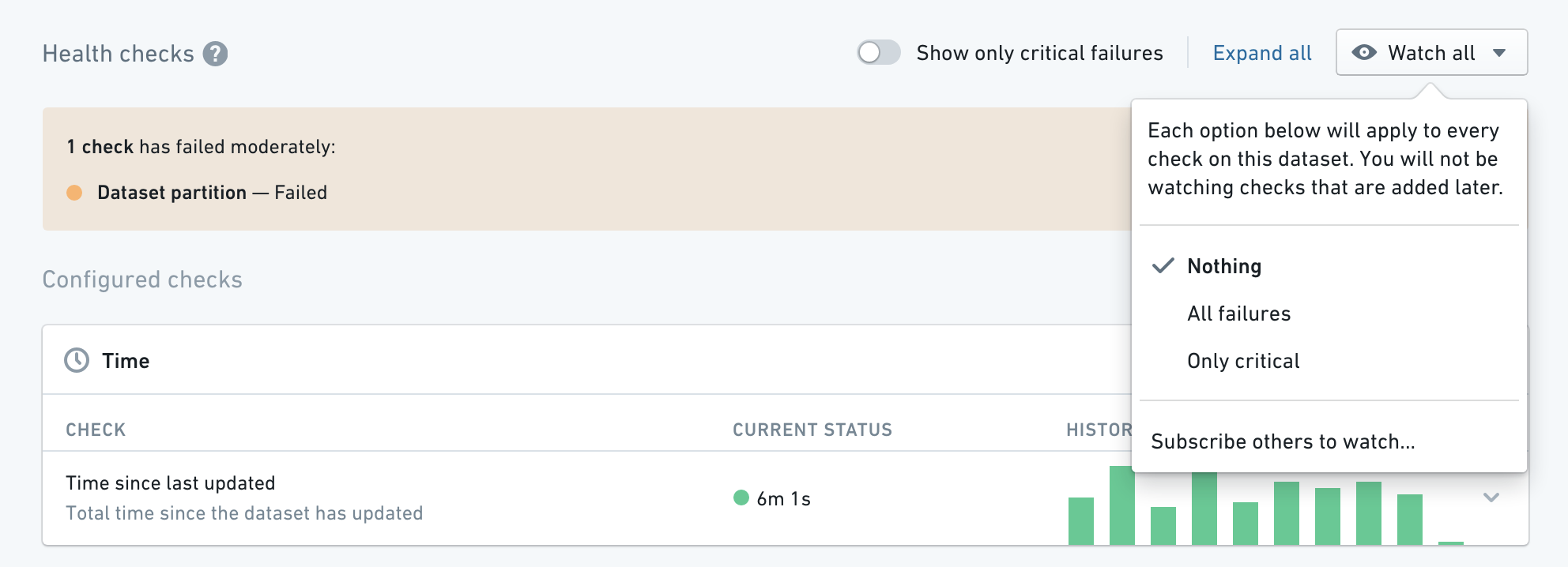
Watching all checks on a dataset
You can also take any of the above actions on all checks on a dataset by using the Watch All button:
Pausing and removing checks
You can also pause or delete a check by expanding it and clicking the More button.
- Pausing a check will temporarily snooze its alerts for all watching/subscribed users.
- Deleting a check will permanently remove its configuration and schedule and it will need to be recreated if you want to watch it.
中文翻译
监控检查
:::callout{theme="success" title="提示"} 除了单独监控检查项,您还可以创建并订阅监控视图。 :::
您可以监控检查项,以便在检查失败时收到警报。展开单个检查项并选择监控按钮即可进行监控:
根据检查项中规则部分的配置:
- 无:无论严重程度如何,都不会通知您失败情况。
- 所有失败:会通知您任何失败(包括
中等和严重)。 - 仅关键:仅通知您
严重级别的失败。
:::callout{theme="neutral"} 建议为中等和严重检查设置不同的阈值。理想情况下,严重警报应具有更宽松的边界(例如,构建时长检查在构建耗时5分钟时触发中等失败,耗时10分钟时触发严重失败)。 :::
监控数据集上的所有检查项
您也可以通过使用全部监控按钮,对数据集上的所有检查项执行上述任一操作:
暂停与删除检查项
您也可以展开检查项并点击更多按钮,来暂停或删除检查项。
- 暂停检查项会暂时静默所有监控/订阅用户的警报。
- 删除检查项会永久移除其配置和计划,如需重新监控,则需重新创建。