Code Workbook profiles(Code Workbook 配置文件(Profile))
A Code Workbook profile is a predefined set of Conda packages and Spark settings that serves as a useful default environment for a use case or group of users. For a given Code Workbook profile, you can also configure pre-warmed modules to reduce user wait times.
For example, a data science group may want to configure a data science profile with Conda packages like tensorflow and keras, along with a higher amount of driver memory.
In Code Workbook, users can choose from a list of Code Workbook profiles in the Environment Configuration dialog. Users can then further customize the Conda packages. Users are unable to customize the Spark settings for a given Code Workbook profile.
For a given profile, the permissions boundary is the project. Users with Viewer access to the profile can import the profile into a project. Once the profile has been imported into a project, anyone using Code Workbook in the project can use the profile.
Artifacts profiles
New Code Workbook profiles created in Control Panel use Artifacts. Artifacts-backed profiles allow use of libraries securely produced by Artifacts, including Python libraries authored in Foundry that are not published to the shared channel. Refer to the Control Panel documentation to learn more about creating Artifacts profiles.
Using an Artifacts profile
After an Artifacts profile is created in Control Panel, users can use that profile in Code Workbook. An Artifacts profile contains a list of requested packages and a list of backing repositories that provide those packages. To use the profile, all backing repositories on the profile must be added as a project import in the workbook's project. If you do not have permissions to import all of the backing repositories on the profile, you will not be able to set the environment with that profile.
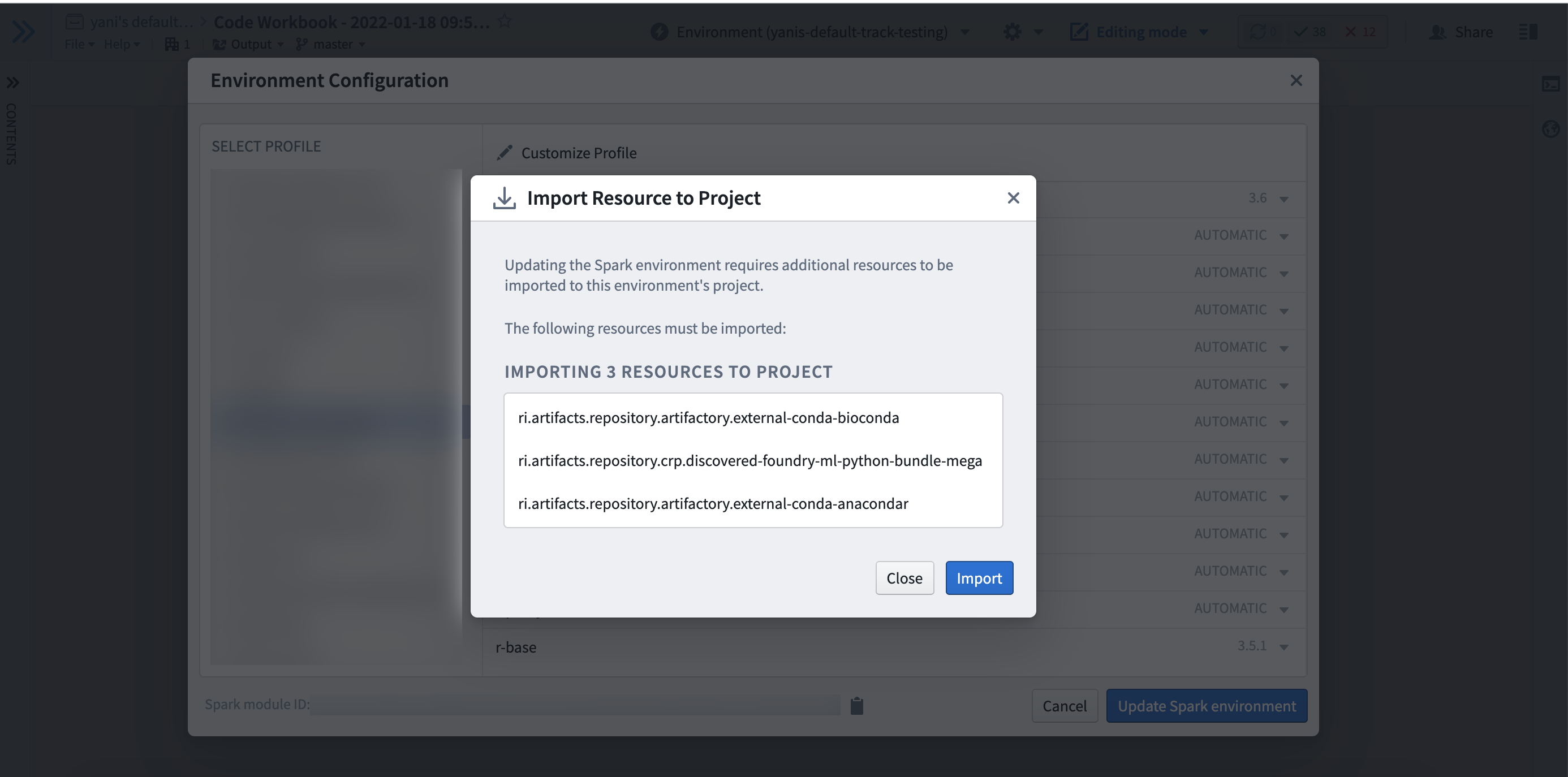
If at any point, a backing repository of the profile is no longer imported into the project, you will no longer be able to obtain an environment until it is added as an import, which you will be prompted to do in the UI.
Customizing an Artifacts profile
When using a customized Artifacts profile in Code Workbook, the list of backing repositories used is that of the Code Workbook rather than that of the profile. Newly created Code Workbooks are initialized with no backing repositories, and the list of backing repositories is automatically populated as users use customized Artifacts environments in the Workbook. Note this means that all users of customized Artifacts environments, across all branches in the Workbook, are adding to and using the same list of backing repositories.
When using a customized Artifacts environment in Code Workbook, all backing repositories of the Workbook must be imported into the project. If at any point, a backing repository of the workbook is no longer imported into the project, you will no longer be able to obtain an environment until it is added as an import, which you will be prompted to do in the UI.
Future plans
In the future, all existing profiles and environments will be migrated to use Artifacts. This means that regardless of base profile, users will be able to use libraries securely produced from Artifacts.
中文翻译
Code Workbook 配置文件(Profile)
Code Workbook 配置文件是一组预定义的 Conda 包和 Spark 设置,为特定用例或用户群体提供有用的默认环境。对于给定的 Code Workbook 配置文件,您还可以配置预预热模块以减少用户等待时间。
例如,数据科学团队可能希望配置一个包含 tensorflow 和 keras 等 Conda 包以及更高驱动内存的数据科学配置文件。
在 Code Workbook 中,用户可以在环境配置对话框中选择 Code Workbook 配置文件列表中的配置。然后用户可以进一步自定义 Conda 包。用户无法自定义给定 Code Workbook 配置文件的 Spark 设置。
对于给定的配置文件,权限边界是项目(project)。对配置文件拥有查看者(Viewer)访问权限的用户可以将配置文件导入到项目中。一旦配置文件被导入到项目中,任何在该项目中使用 Code Workbook 的用户都可以使用该配置文件。
制品配置文件(Artifacts profiles)
在控制面板中创建的新 Code Workbook 配置文件使用制品(Artifacts)。基于制品的配置文件允许使用由制品安全生成的库,包括在 Foundry 中编写但未发布到 shared 通道的 Python 库。请参阅控制面板文档以了解有关创建制品配置文件的更多信息。
使用制品配置文件
在控制面板中创建制品配置文件后,用户可以在 Code Workbook 中使用该配置文件。制品配置文件包含一个请求包列表和一个提供这些包的后备仓库列表。要使用该配置文件,配置文件上的所有后备仓库必须作为项目导入添加到工作簿的项目中。如果您没有权限导入配置文件上的所有后备仓库,您将无法使用该配置文件设置环境。
如果在任何时候,配置文件的后备仓库不再被导入到项目中,您将无法获取环境,直到它被添加为导入项,届时 UI 会提示您执行此操作。
自定义制品配置文件
在 Code Workbook 中使用自定义的制品配置文件时,所使用的后备仓库列表是 Code Workbook 的列表,而不是配置文件的列表。新创建的 Code Workbook 初始时没有后备仓库,后备仓库列表会在用户在工作簿中使用自定义制品环境时自动填充。请注意,这意味着所有使用自定义制品环境的用户,在工作簿的所有分支中,都在向同一个后备仓库列表添加内容并使用该列表。
在 Code Workbook 中使用自定义制品环境时,工作簿的所有后备仓库都必须导入到项目中。如果在任何时候,工作簿的后备仓库不再被导入到项目中,您将无法获取环境,直到它被添加为导入项,届时 UI 会提示您执行此操作。
未来计划
未来,所有现有的配置文件和环境都将迁移到使用制品。这意味着无论基础配置文件如何,用户都将能够使用由制品安全生成的库。