View resolved environment(查看已解析环境)
After obtaining a Spark environment, you can view the exact packages installed in the Spark environment in the Resolved Dependencies dialog. To open the dialog, select Environment > View resolved packages. The dialog will show a list of the direct and transitive dependencies.
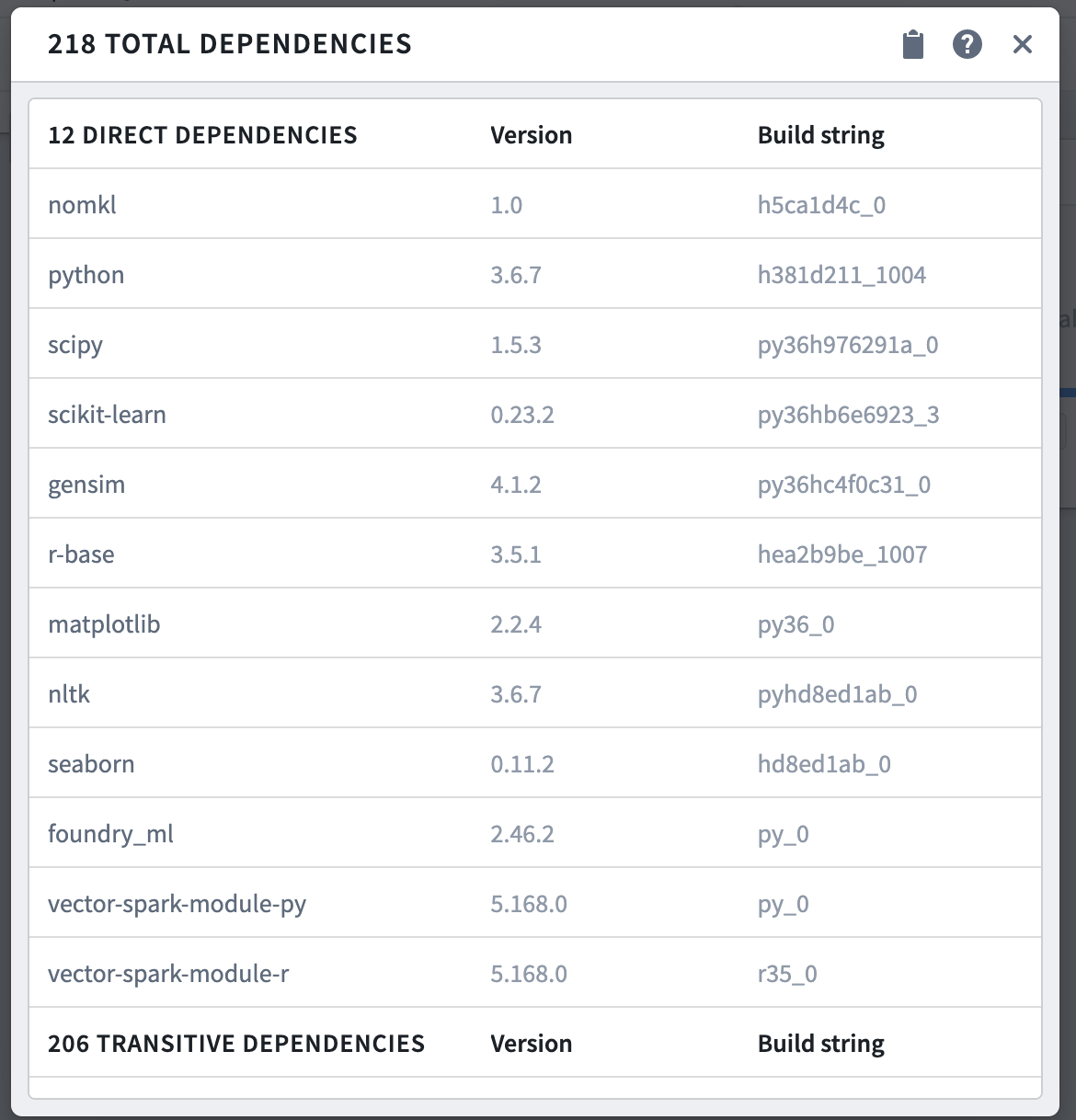
A direct dependency is a package explicitly specified by the user to include in the Spark environment. You can specify direct dependencies in the Customize Spark Environment menu.
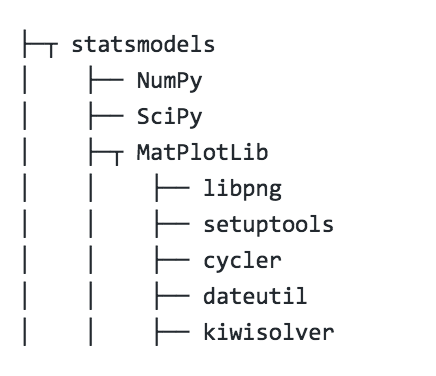
A transitive dependency is a package relied upon by a direct dependency. For example, depending on statsmodels transitively imports NumPy, SciPy, MatPlotLib, and their dependencies as well.
中文翻译
查看已解析环境
获取 Spark 环境后,您可以在“已解析依赖项(Resolved Dependencies)”对话框中查看 Spark 环境中实际安装的具体软件包。要打开该对话框,请选择环境 > 查看已解析软件包。对话框中将显示直接依赖项和传递依赖项的列表。
直接依赖项(direct dependency)是指用户明确指定要包含在 Spark 环境中的软件包。您可以在自定义 Spark 环境菜单中指定直接依赖项。
传递依赖项(transitive dependency)是指直接依赖项所依赖的软件包。例如,引入 statsmodels 会连带导入 NumPy、SciPy、MatPlotLib 以及它们自身的依赖项。