Suggested templates(建议模板(Suggested templates))
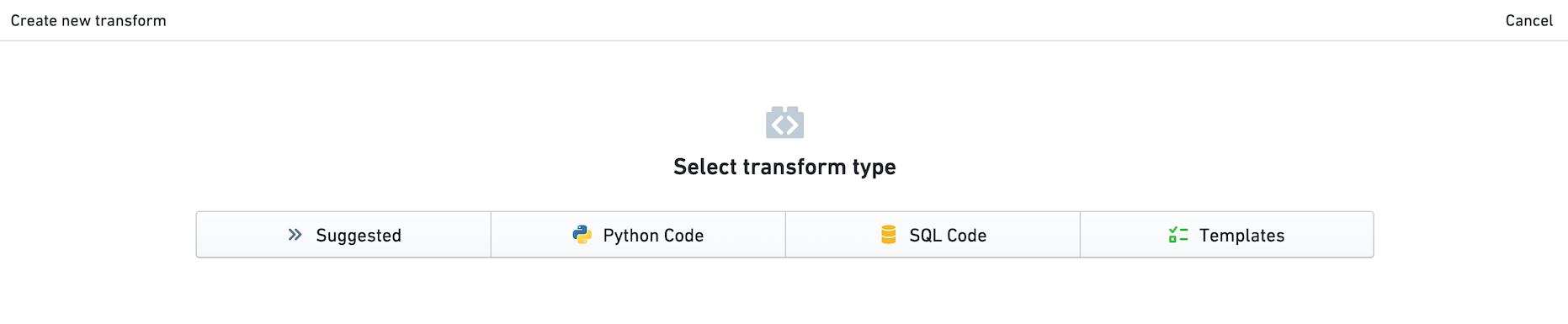
For groups of similar datasets, you may want to suggest templates to apply. For example, for a group of datasets containing monthly stock returns, you may want to suggest a template that calculates the annualized return. Suggested templates are shown in a separate button within the New Transform panel, making them more discoverable.
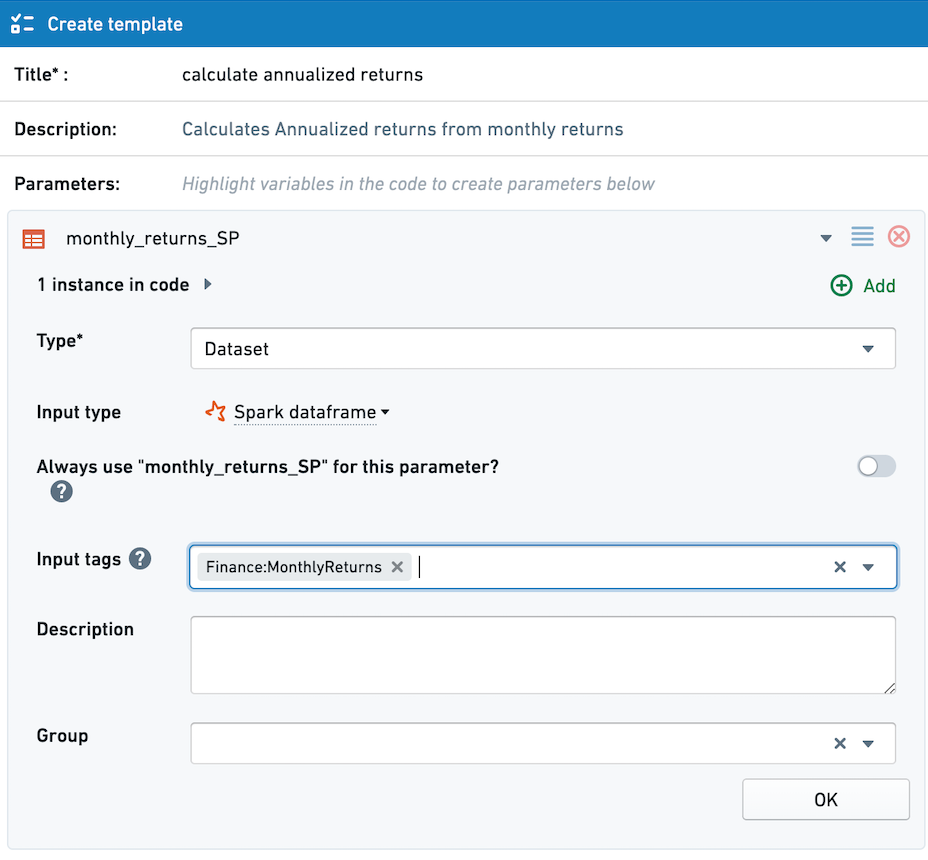
Configuring input tags in a template
Below, we see a template that calculates annualized returns from monthly returns. For any dataset with the tag Finance:MonthlyReturns, this template will appear in the Suggested tab when the user creates a new transform with the dataset as a parent.
Configure the desired input tags in the Input Tags field when creating or editing a template. You can add multiple input tags.
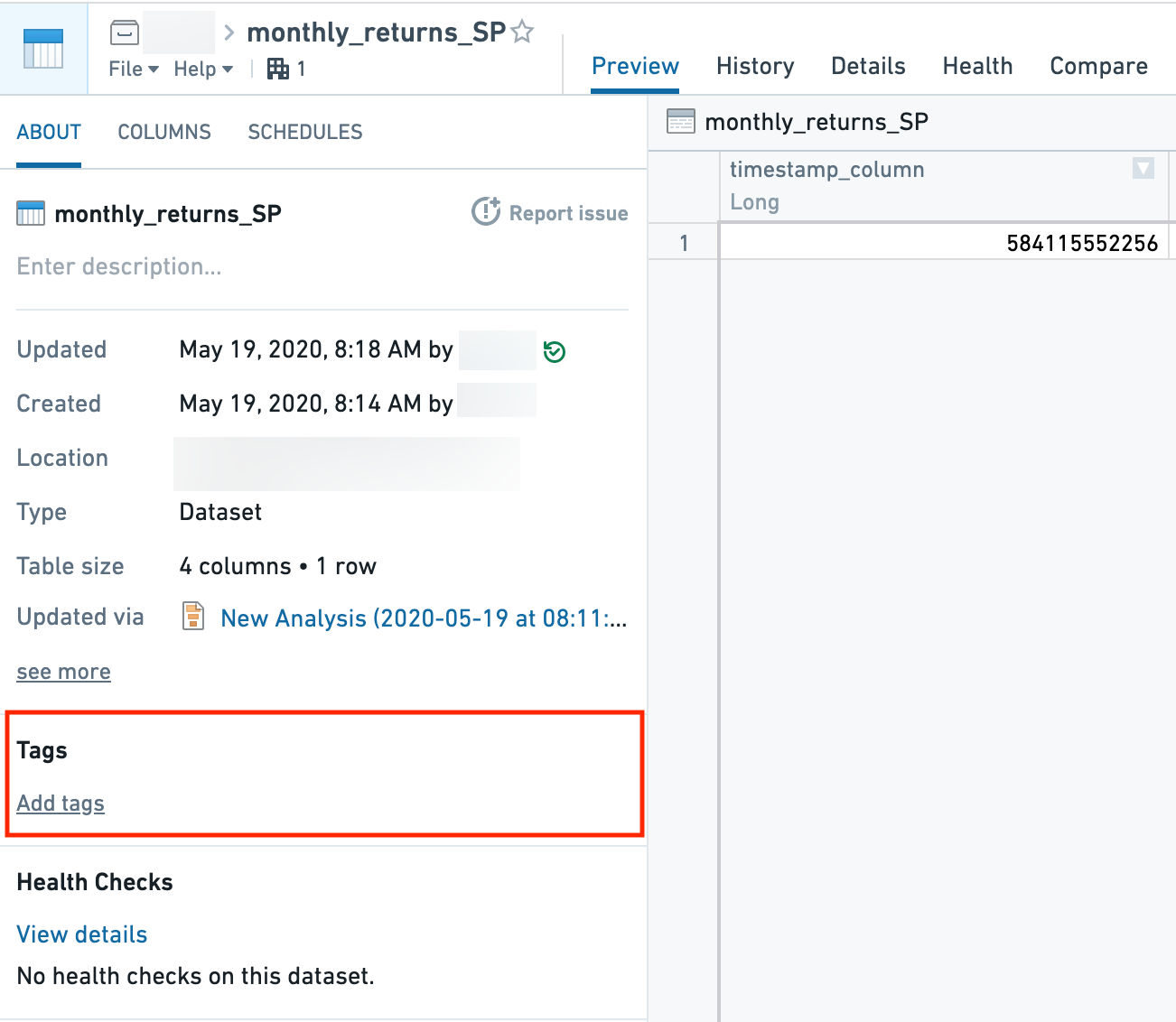
Adding tags to a dataset
One way to add input tags to a dataset is to open the dataset in Dataset-app. Note that because tags are tied to datasets, tags cannot be added to unpersisted transforms in Code Workbook. This means that Suggested Templates are not supported for unpersisted transforms.
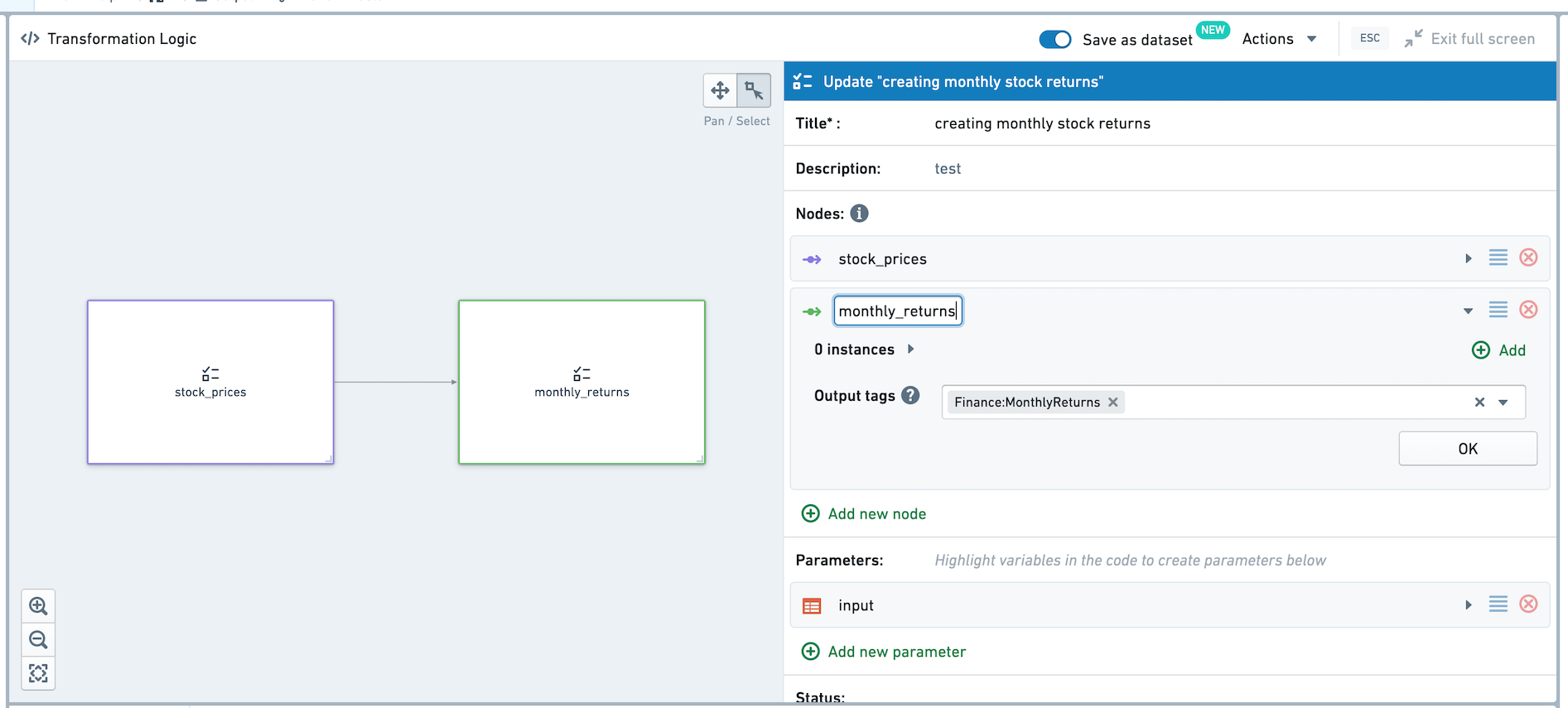
Configuring output tags in a multi-node template
Rather than adding tags manually from Dataset-app, you can configure output tags as part of a Multi-Node template.
Imagine a multi-node template with two nodes, where the output of the second node is a dataset with monthly stock returns. We'd like this dataset to automatically add the Finance:MonthlyReturns tag, so templates with that input tag configured will appear under Suggested Templates.
While creating or editing the multi-node template, set the desired output tag under Output tags. When the multi-node template is applied, the output tag will immediately be added to a dataset created by the multi-node template.
中文翻译
建议模板(Suggested templates)
对于相似的数据集组,您可能希望应用建议模板。例如,对于一组包含月度股票收益的数据集,您可能希望应用一个计算年化收益的模板。建议模板会显示在"新建转换(New Transform)"面板内的独立按钮中,使其更易于被发现。
在模板中配置输入标签(Input tags)
下面展示了一个从月度收益计算年化收益的模板。对于任何带有 Finance:MonthlyReturns 标签的数据集,当用户以该数据集作为父数据集创建新转换时,此模板将出现在"建议(Suggested)"选项卡中。
在创建或编辑模板时,在"输入标签(Input Tags)"字段中配置所需的输入标签。您可以添加多个输入标签。
为数据集添加标签
为数据集添加输入标签的一种方法是在数据集应用(Dataset-app)中打开该数据集。请注意,由于标签与数据集绑定,因此无法为Code Workbook中未持久化的转换添加标签。这意味着建议模板不支持未持久化的转换。
在多节点模板中配置输出标签(Output tags)
您无需通过数据集应用手动添加标签,而是可以在多节点模板中配置输出标签。
设想一个包含两个节点的多节点模板,其中第二个节点的输出是一个包含月度股票收益的数据集。我们希望该数据集自动添加 Finance:MonthlyReturns 标签,这样配置了该输入标签的模板就会出现在"建议模板"下。
在创建或编辑多节点模板时,在"输出标签(Output tags)"下设置所需的输出标签。当应用该多节点模板时,输出标签将立即添加到由该多节点模板创建的数据集中。