Console(控制台(Console))
On the right side of the workbook, the console provides a REPL (read-evaluate-print loop), enabling rapid, ad-hoc analysis of any transform on the graph. There is one console for each language enabled on your branch.
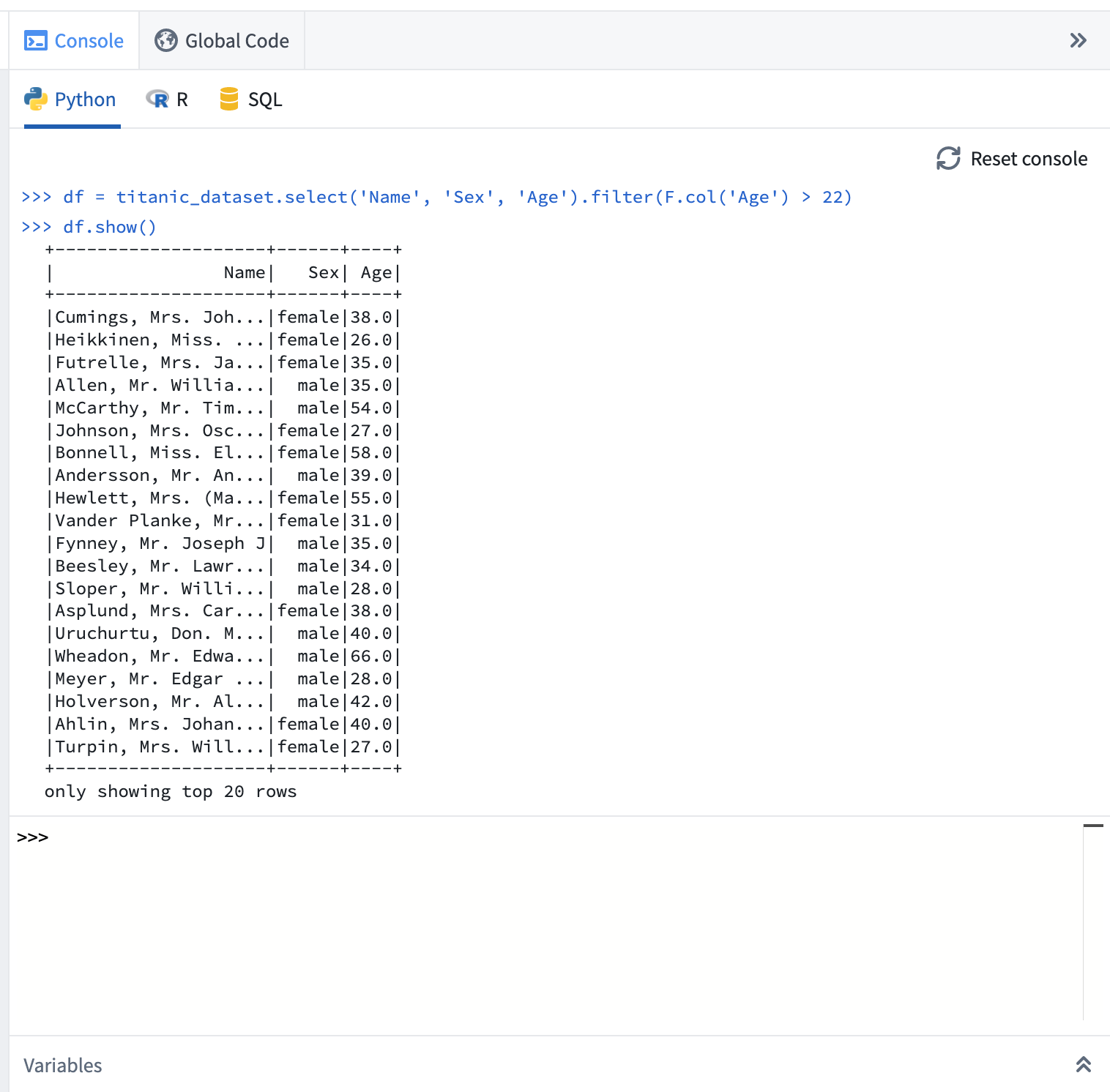
When using the console:
- Use the Enter key to execute the current code input.
- Use Shift+Enter to input a newline and create multi-line statements.
- Use the Up and Down keys to navigate through previously executed commands.
Beneath the console, use the Variables pane to set the input type of a given transform to the console.

If a console command returns a dataframe, you can use the + Add to graph button to convert the console command into a transform. This allows you to experiment with logic in the console before promoting it to be a repeatable transform.
You can use the keyboard shortcut Ctrl+Shift+Enter on Windows or Cmd+Shift+Enter on macOS to send code from a transform directly to the console.
中文翻译
控制台(Console)
在工作簿右侧,控制台提供了一个REPL(读取-求值-输出循环),支持对图谱中的任意转换进行快速、临时的分析。每个在分支上启用的语言都有对应的控制台。
使用控制台时:
- 按Enter键执行当前代码输入。
- 按Shift+Enter键换行,创建多行语句。
- 按上、下方向键浏览之前执行过的命令。
在控制台下方,使用变量(Variables)面板可将指定转换的输入类型设置为控制台。
如果控制台命令返回一个数据框(dataframe),可以使用+ 添加到图谱(+ Add to graph)按钮将该控制台命令转换为转换。这样,您可以在控制台中试验逻辑,然后再将其提升为可重复使用的转换。
您可以使用键盘快捷键——Windows系统按Ctrl+Shift+Enter,macOS系统按Cmd+Shift+Enter——将转换中的代码直接发送到控制台。