Create transforms(创建转换(Transforms))
Transforms can be created in Code Repositories using the file template configuration wizard. This wizard enables you to select a transform type and then bootstrap a minimal example by providing values for the variables required by the transform, such as input or output datasets.
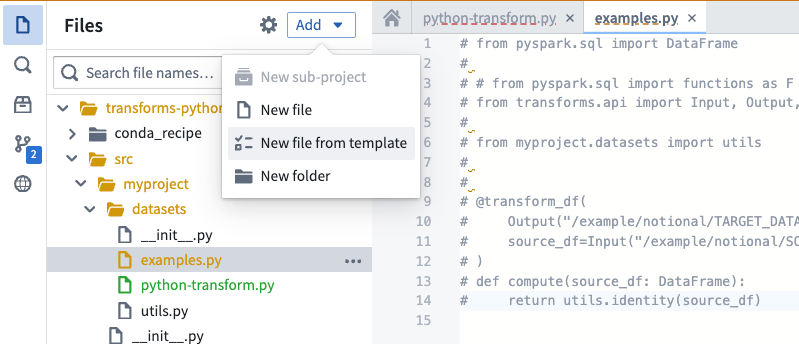
To get started using the wizard, create new Python transforms repository. The wizard will be automatically opened. In existing repositories, the wizard can be opened by selecting Add and then New file from template in the Files side panel.
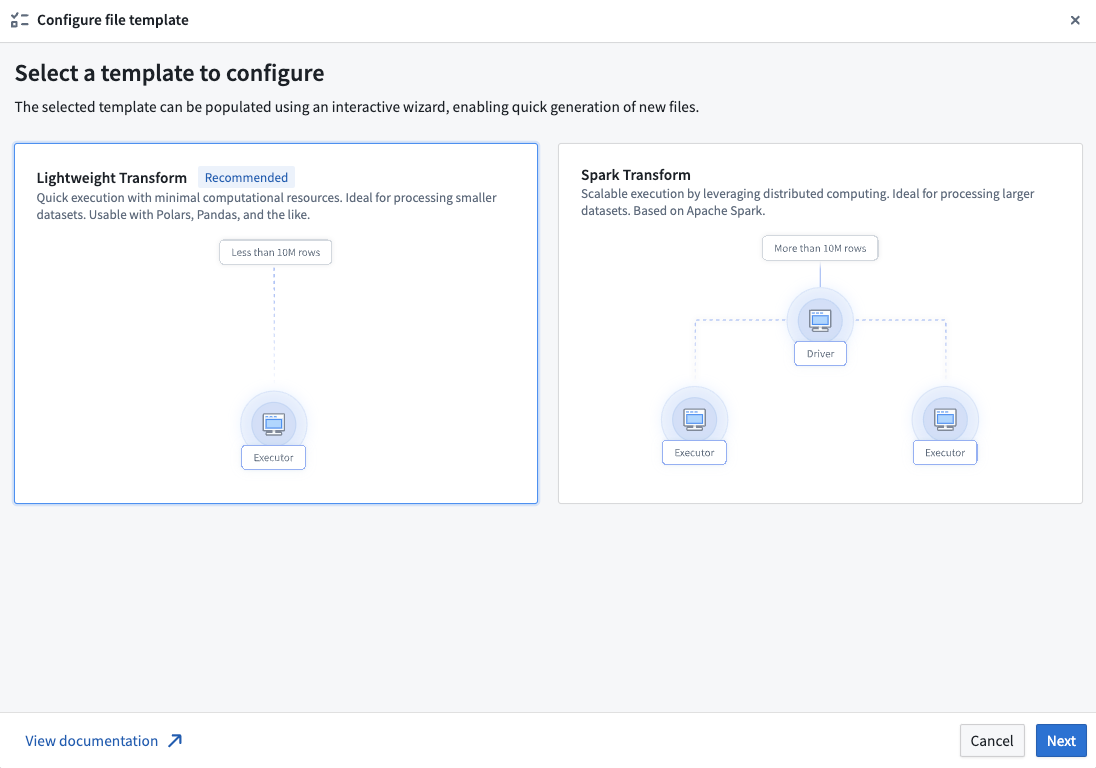
After opening the wizard, you will be prompted to select a template. Each template represents a transform type. Illustrations and descriptions are provided to help contrast the different options and identify the correct choice for your use-case. Available templates include:
- Lightweight transforms: Generally recommended for transforms that operate on datasets of less than 10 million rows.
- Spark transforms: Leverage distributed computing to enable better performance for transforms on datasets of more than 10 million rows.
After choosing a template, select Next to open the template configuration page. Here, you can configure your template by supplying the required values and selecting resources from across Foundry. This page displays a live preview of your transform based on the current configuration; modifying any input or output variables will update the preview. Your configuration is automatically validated at this stage, and any errors must be addressed before the transform can be created.
Common validation errors include:
- Using resources from different projects: Input and output resources must be contained within the same project as the repository.
- Duplicate parameter names: All parameter names in your transform must be unique.
- Not providing required parameters: Some templates require at least one input or output variable. Provide a valid variable value to resolve this error.
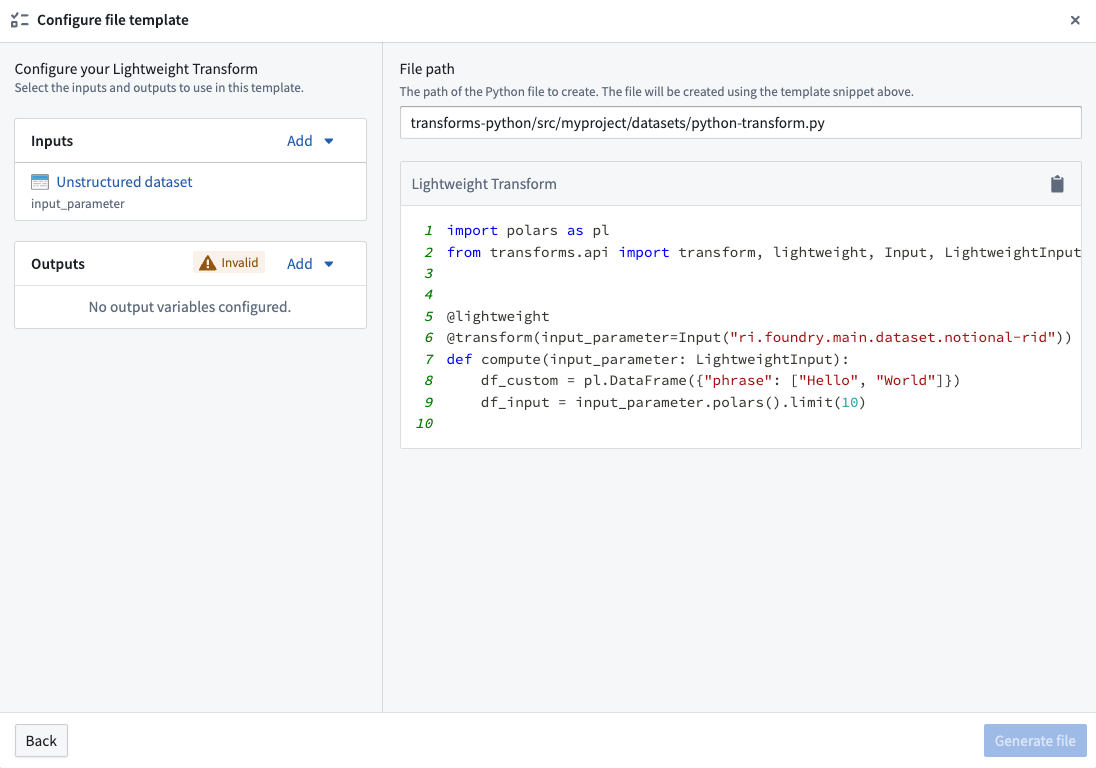
Once your configuration is valid, you will be able to create your transform by selecting Generate file. This will create a new file in your repository with the contents shown in the preview of the configuration page. If the template requires specific backing dependencies or libraries, these will be automatically configured so that your transform runs correctly.
中文翻译
创建转换(Transforms)
在代码仓库(Code Repositories)中,可以通过文件模板配置向导创建转换。该向导允许您选择转换类型,然后通过为转换所需的变量(如输入或输出数据集)提供值来引导生成最小示例。
要开始使用向导,请先创建一个新的 Python 转换仓库,向导将自动打开。在现有仓库中,可以通过在文件侧面板中选择添加(Add),然后选择从模板新建文件(New file from template)来打开向导。
打开向导后,系统会提示您选择一个模板。每个模板代表一种转换类型。向导提供了插图和描述,帮助您对比不同选项并确定适合您用例的正确选择。可用的模板包括:
- 轻量级转换(Lightweight transforms): 通常推荐用于处理少于1000万行数据集的转换。
- Spark转换(Spark transforms): 利用分布式计算,为处理超过1000万行数据集的转换提供更优性能。
选择模板后,点击下一步(Next)打开模板配置页面。在此页面中,您可以通过提供所需值并从整个Foundry中选择资源来配置模板。该页面会根据当前配置实时预览您的转换;修改任何输入或输出变量都会更新预览。在此阶段,您的配置会自动进行验证,任何错误都必须在创建转换前解决。
常见的验证错误包括:
- 使用不同项目的资源: 输入和输出资源必须与仓库位于同一项目中。
- 参数名称重复: 转换中的所有参数名称必须唯一。
- 未提供必需参数: 某些模板至少需要一个输入或输出变量。请提供有效的变量值以解决此错误。
配置验证通过后,您可以通过选择生成文件(Generate file)来创建转换。这将在您的仓库中创建一个新文件,其内容与配置页面预览中显示的内容一致。如果模板需要特定的支持依赖项或库,这些内容将自动配置,以确保您的转换正常运行。