Preview transforms(预览转换(Preview transforms))
Use the Preview tool in Code Repositories to run your code on a limited sample of the input datasets to quickly preview the output. Preview produces a sample output without committing changes, running checks, or materializing any datasets in Foundry. Preview can accelerate the development cycle, removing the need to trigger a build to test code changes.
:::callout{theme="success" title="Tip"} Preview works on all Foundry datasets, including datasets with files and models. :::
Running Preview
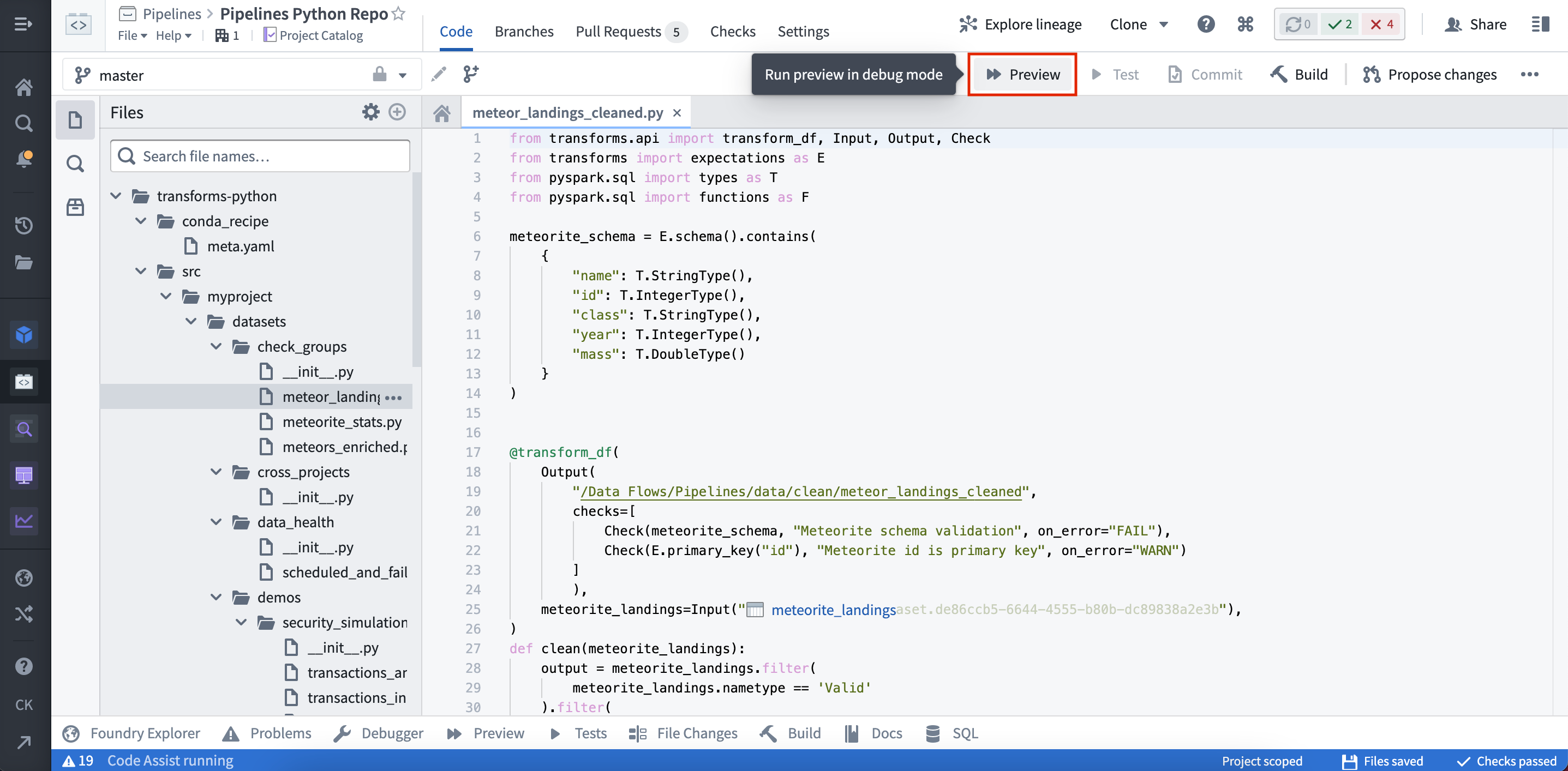
Preview can be triggered from two places within Code Repositories.
(1) By selecting Preview in the code editor options panel:
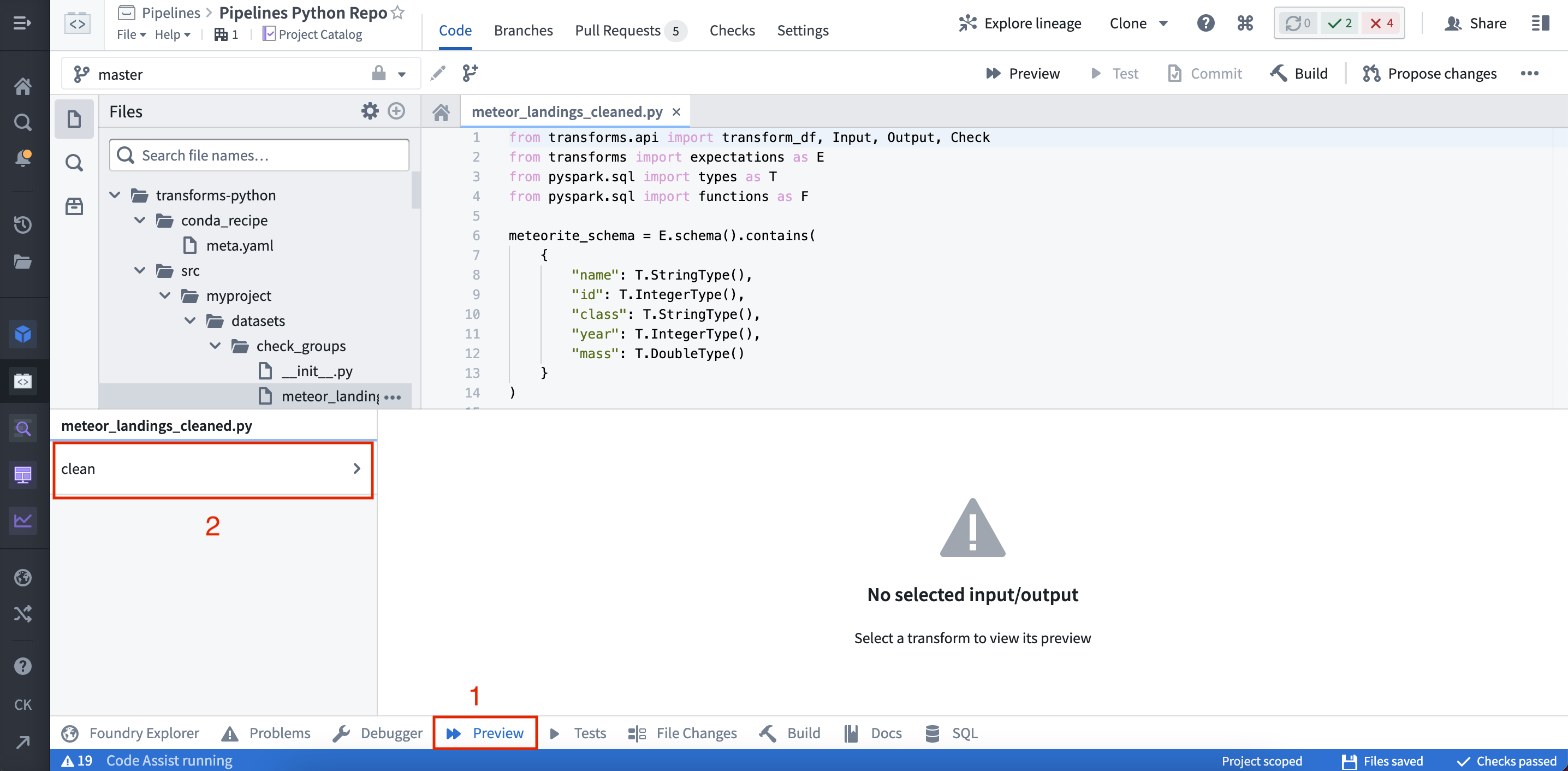
(2) By selecting Preview in the helper panel:
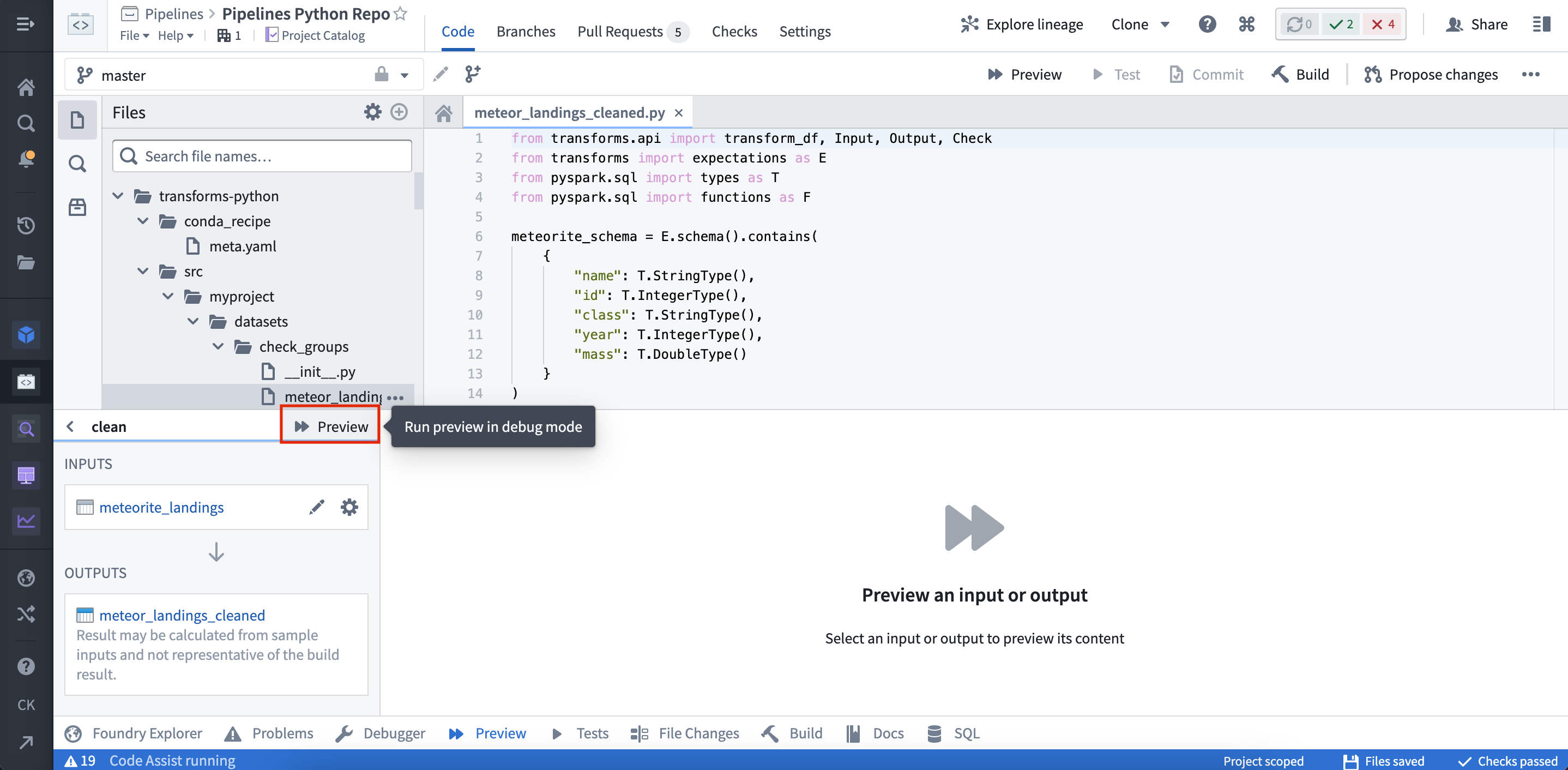
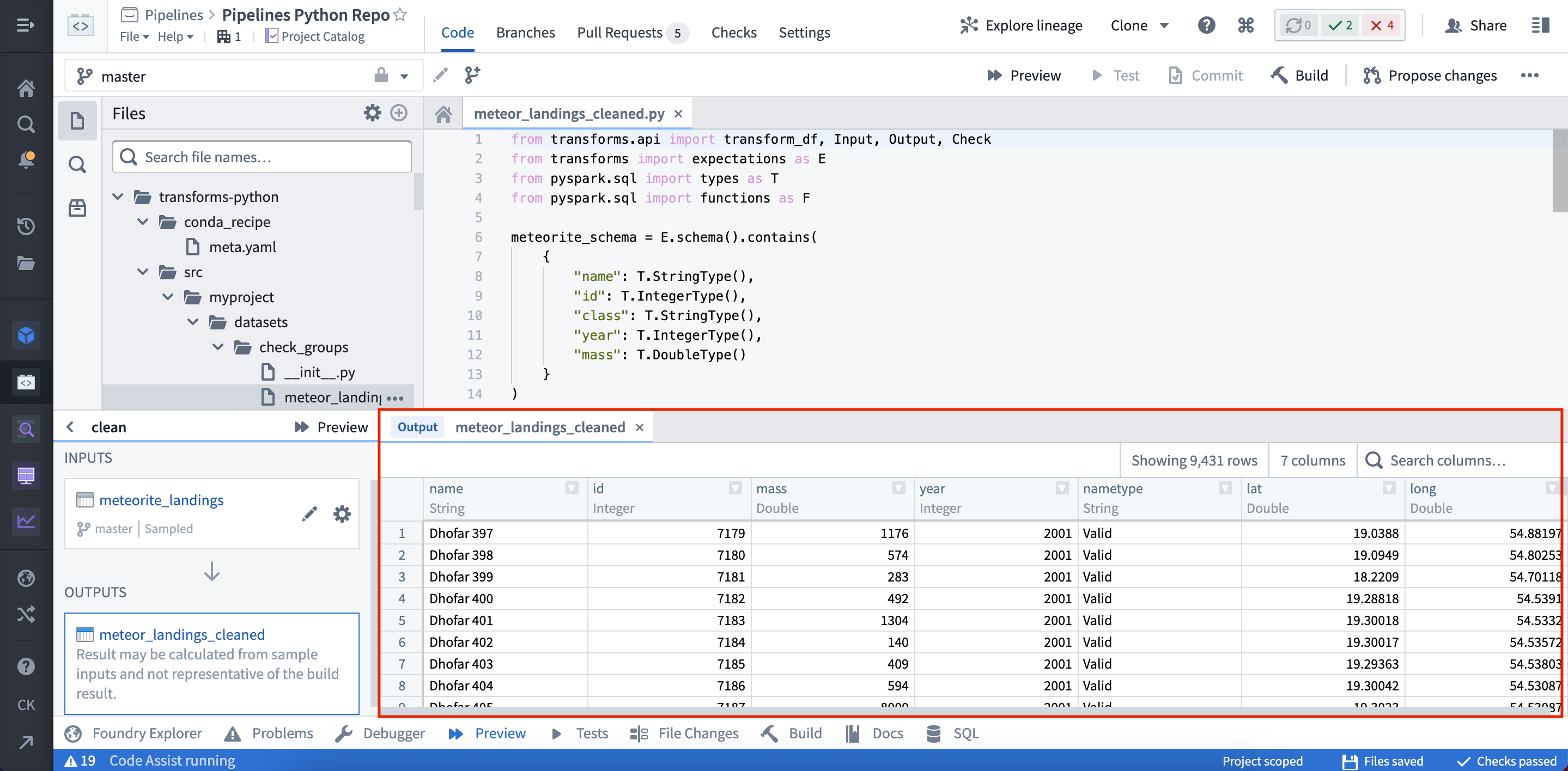
Once the Preview has executed, the output is displayed:
Configuring Preview with files
Preview can be used on datasets that contain unstructured files. When running Preview for the first time on a dataset containing files, you must configure the files that will be used within the sample.
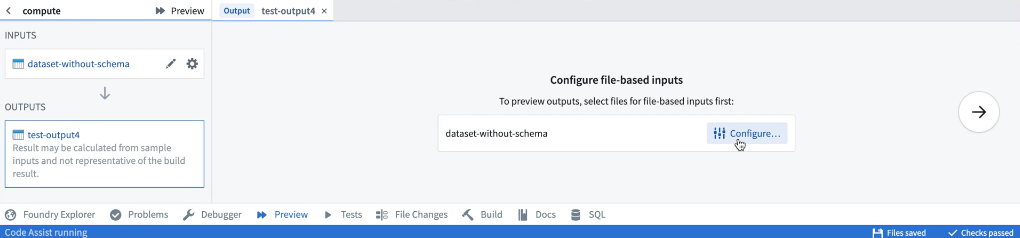
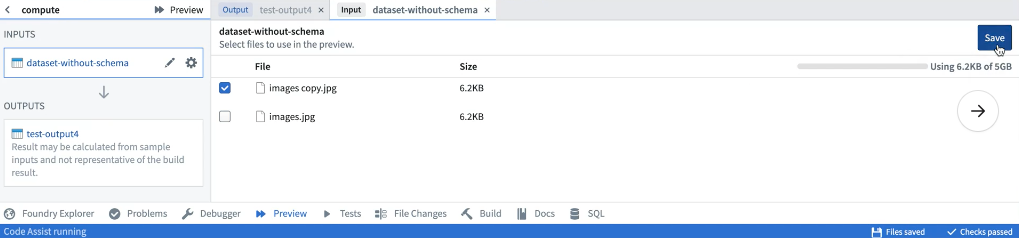
Once the sample files have been selected, they can be reconfigured by selecting the relevant input from the list of inputs. After saving the configuration, Preview will execute the code on the chosen sample of files. When running Preview again, there will be no need to reconfigure input files. Once Preview has executed, you can view the sample output as rows or files. If you have the required permissions, you can also choose to download the output files.
Configuring Preview with models
Model Assets
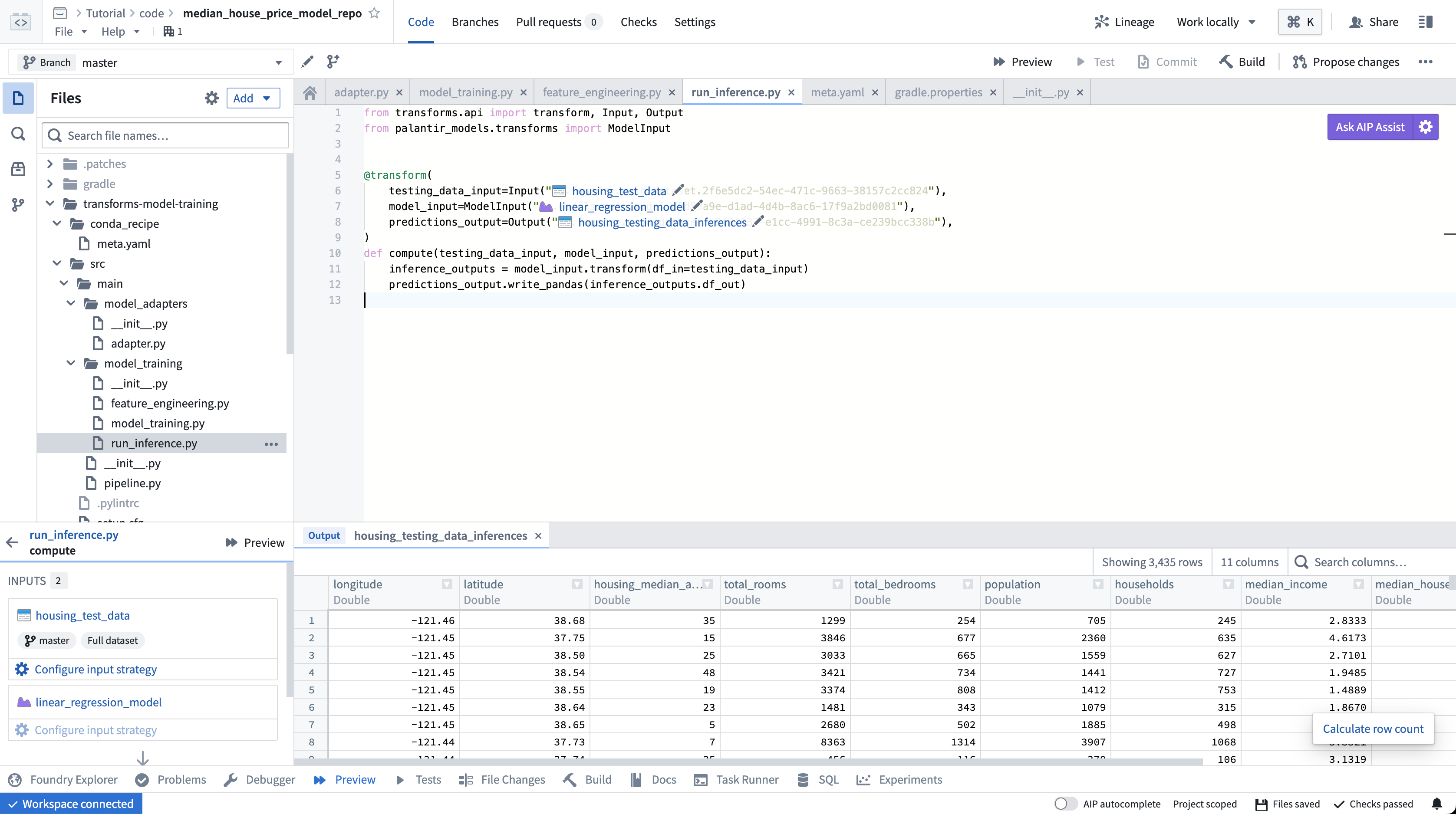
Preview, without the requirement of additional configuration, is supported for model assets that are trained in Foundry or backed by pre-trained files.
Container backed models and externally hosted models do not currently support preview.
Previewing transforms created in transforms generator
Transforms created in a transforms generator share the function's name; to make it easier to select the intended transform for preview, change the __name__ attribute of generated transforms to produce meaningful names. For example:
from transforms.api import transform_df, Output


def generate_transforms():
    transforms = []
    for output_dataset_name in ["One", "Two", "Three"]:
        @transform_df(
            Output(f"/output/path/{output_dataset_name}"))
        def my_transform(ctx, output_dataset_name=output_dataset_name):
            # by default, generated transforms would be named `my_transform (1)`, `my_transform (2)`...
            cols = ['id', 'value']
            vals = [
                (0, f'{output_dataset_name}'),
                (1, f'{output_dataset_name}'),
                (2, f'{output_dataset_name}')
            ]
            df = ctx.spark_session.createDataFrame(vals, cols)
            return df
        transforms.append(my_transform)
        transforms[-1].__name__ = f'{output_dataset_name}_{transforms[-1].__name__}' # override transform's name
    return transforms


TRANSFORMS = generate_transforms()
中文翻译
预览转换(Preview transforms)
使用代码仓库(Code Repositories)中的预览(Preview)工具,可以在输入数据集的有限样本上运行代码,快速预览输出结果。预览功能会生成样本输出,但不会提交更改、运行检查或在Foundry中物化任何数据集。预览可以加速开发周期,无需触发构建即可测试代码变更。
:::callout{theme="success" title="提示"} 预览功能适用于所有Foundry数据集,包括包含文件和模型的数据集。 :::
运行预览(Running Preview)
在代码仓库(Code Repositories)中,可以通过两个位置触发预览功能。
(1) 在代码编辑器选项面板中选择预览(Preview):
(2) 在辅助面板中选择预览(Preview):
预览执行完成后,输出结果将显示如下:
使用文件配置预览(Configuring Preview with files)
预览功能可用于包含非结构化文件的数据集。首次对包含文件的数据集运行预览时,必须配置将在样本中使用的文件。
选择样本文件后,可以通过从输入列表中选择相关输入来重新配置它们。保存配置后,预览将在所选文件样本上执行代码。再次运行预览时,无需重新配置文件输入。预览执行完成后,您可以以行或文件的形式查看样本输出。如果您拥有所需权限,还可以选择下载输出文件。
使用模型配置预览(Configuring Preview with models)
模型资产(Model Assets)
预览功能无需额外配置即可支持在Foundry中训练的模型资产或由预训练文件支持的模型资产。
预览转换生成器中创建的转换
在转换生成器(transforms generator)中创建的转换共享函数的名称;为了更轻松地选择要预览的目标转换,请修改生成转换的__name__属性以生成有意义的名称。例如:
from transforms.api import transform_df, Output


def generate_transforms():
    transforms = []
    for output_dataset_name in ["One", "Two", "Three"]:
        @transform_df(
            Output(f"/output/path/{output_dataset_name}"))
        def my_transform(ctx, output_dataset_name=output_dataset_name):
            # 默认情况下,生成的转换将被命名为`my_transform (1)`, `my_transform (2)`...
            cols = ['id', 'value']
            vals = [
                (0, f'{output_dataset_name}'),
                (1, f'{output_dataset_name}'),
                (2, f'{output_dataset_name}')
            ]
            df = ctx.spark_session.createDataFrame(vals, cols)
            return df
        transforms.append(my_transform)
        transforms[-1].__name__ = f'{output_dataset_name}_{transforms[-1].__name__}' # 覆盖转换的名称
    return transforms


TRANSFORMS = generate_transforms()