Publish an Artifact(发布制品(Artifact))
To add an Artifact to an Artifact repository, follow these steps to generate a token and view publish instructions:
-
Navigate to the Publish tab in the interface.
-
Select the type of Artifact to publish from the dropdown menu.

-
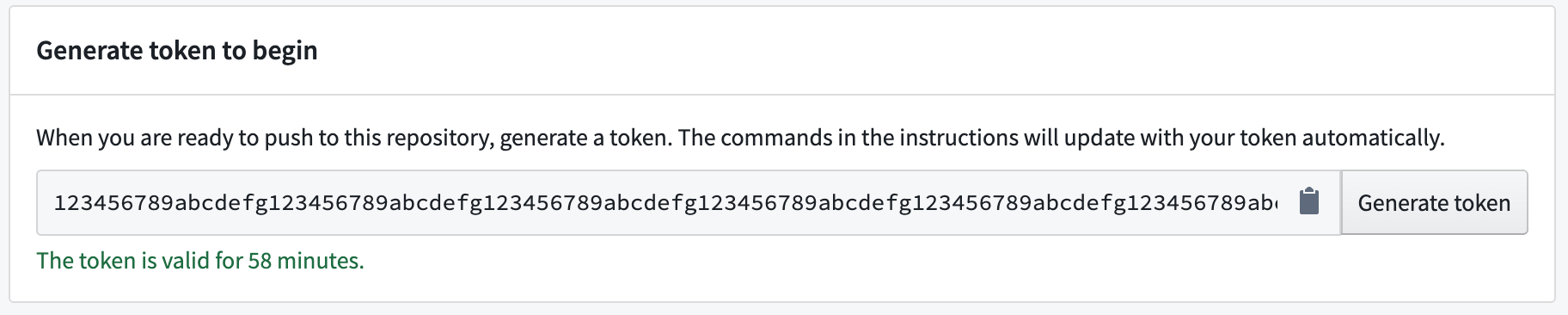
Select Generate token.

-
View the generated token in the token field. The text under the token field will show for how long the token is valid.
-
(Optional) For some Artifact types, you can update the publishing instructions with parameter commands. Add commands in the field of the Parameters section.

-
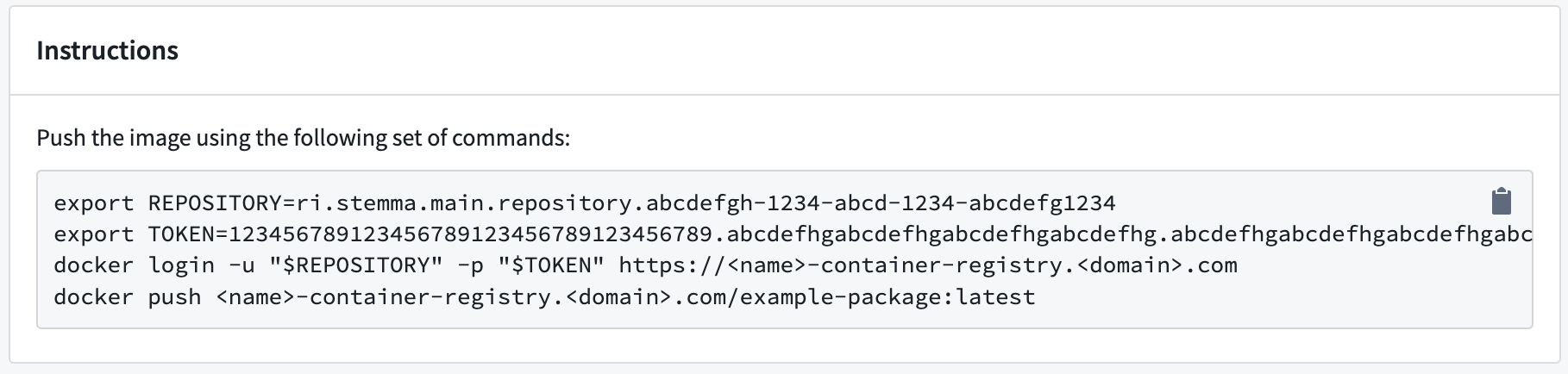
Run the commands listed in the Instructions section to publish your Artifact.
-
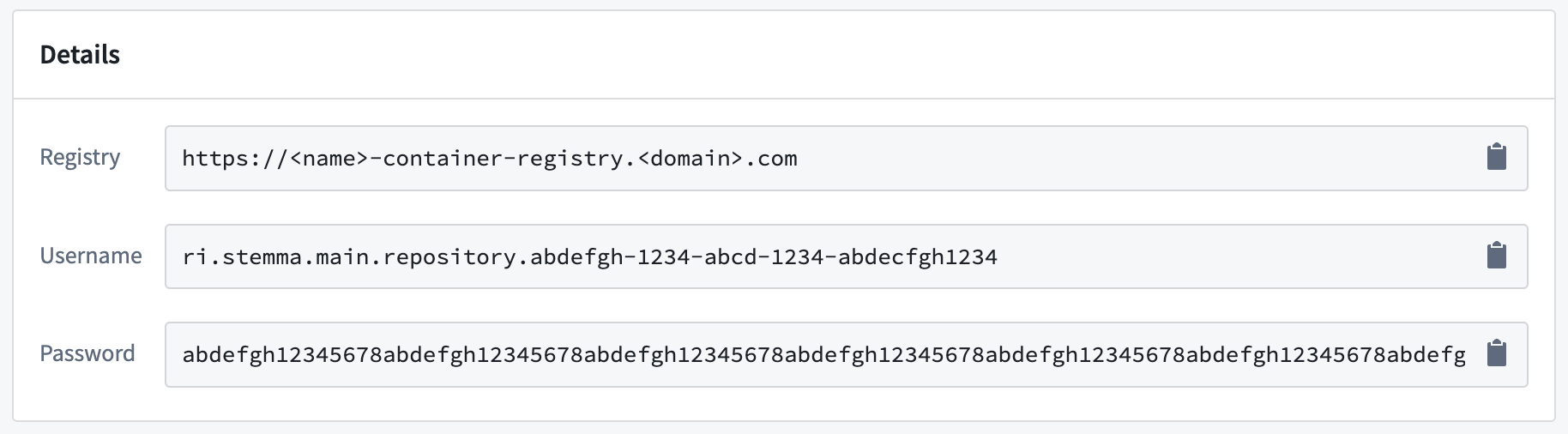
When prompted, provide the additional details listed in the Details section.
Now that you know how to publish an Artifact, learn how to recall Artifacts.
Find consumers of a Conda artifact
To identify which repositories consume a specific Conda artifact:
- Navigate to the Search tab in Artifact Repositories.
- Set the format dropdown to Conda.
- Use the search bar to locate the artifact by name.
- Select the artifact from the search results to open its version history.
- Find the specific version you are interested in.
- Select the arrow to the right of the Downloads column.
- The \</> Consumers section lists all repositories consuming that version of the artifact.
:::callout{theme="neutral"} Consumer tracking is only available for Conda artifacts. :::
中文翻译
发布制品(Artifact)
若要将制品添加到制品仓库(Artifact repository),请按照以下步骤生成令牌(token)并查看发布说明:
-
前往界面中的发布(Publish)选项卡。
-
从下拉菜单中选择要发布的制品类型。
-
选择生成令牌(Generate token)。
-
在令牌字段中查看生成的令牌,字段下方的文字会显示令牌的有效时长。
-
(可选)对于部分制品类型,你可以通过参数命令更新发布说明,请在参数(Parameters)区域的输入框中添加命令。
-
运行说明(Instructions)区域中列出的命令即可发布你的制品。
-
出现提示时,提供详情(Details)区域中列出的额外信息即可。
现在你已经了解如何发布制品,可以继续学习召回制品。
查找Conda制品的使用者
若要确定哪些仓库使用某一特定Conda制品,请执行以下操作:
- 前往制品仓库(Artifact Repositories)的搜索(Search)选项卡。
- 将格式下拉菜单设置为Conda。
- 使用搜索栏按名称定位对应制品。
- 从搜索结果中选择该制品,打开其版本历史页面。
- 找到你需要查询的具体版本。
- 选择下载量(Downloads)列右侧的箭头。
- \</> 使用者(Consumers)区域会列出所有使用该版本制品的仓库。
:::callout{theme="neutral"} 仅Conda制品支持使用者追踪功能。 :::