Recall an Artifact(召回制品(Artifact))
It is possible to recall Conda Artifacts to stop downstream consumers from compiling code with the recalled version. We recommend having patch versions available for recalled Artifacts before starting the recall process.
Follow these steps to recall an Artifact:
-
Search for the Conda Artifact in your Artifact Repository and select it to view the Version History section in the summary page.
-
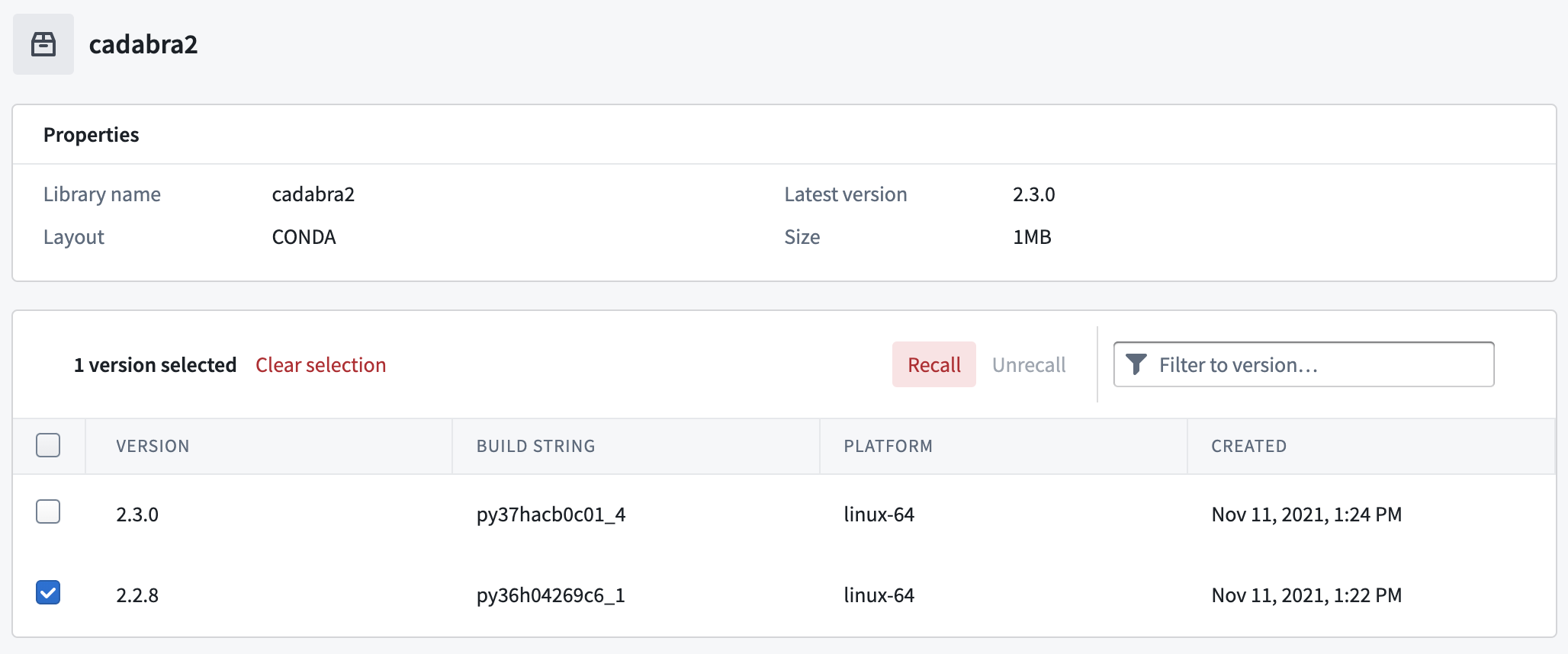
Select the version to recall and then choose Recall.
-
A Recall artifacts pop-up will appear. Enter the reason for recalling the Artifact in the field.

-
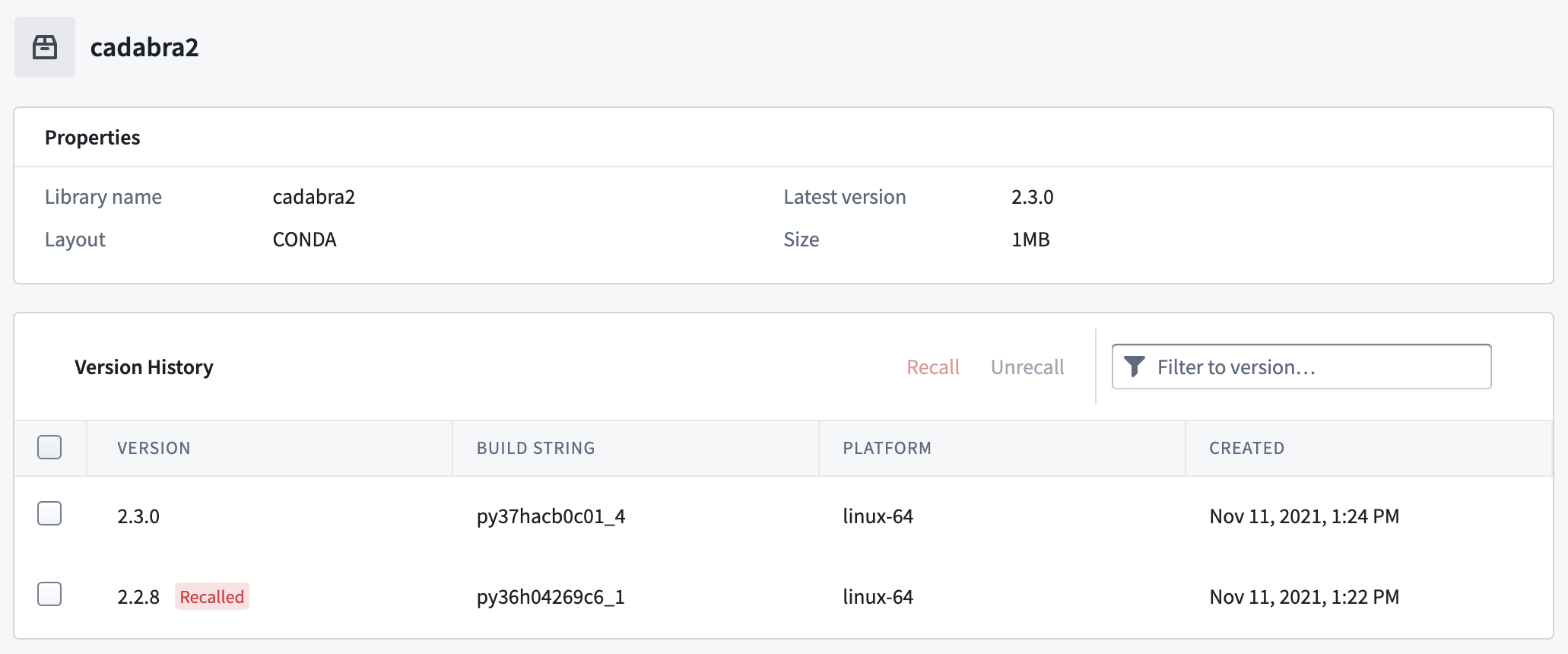
View the Version History again to see that the Artifact is now marked as
Recalled.
Unrecall
You can unrecall an Artifact.
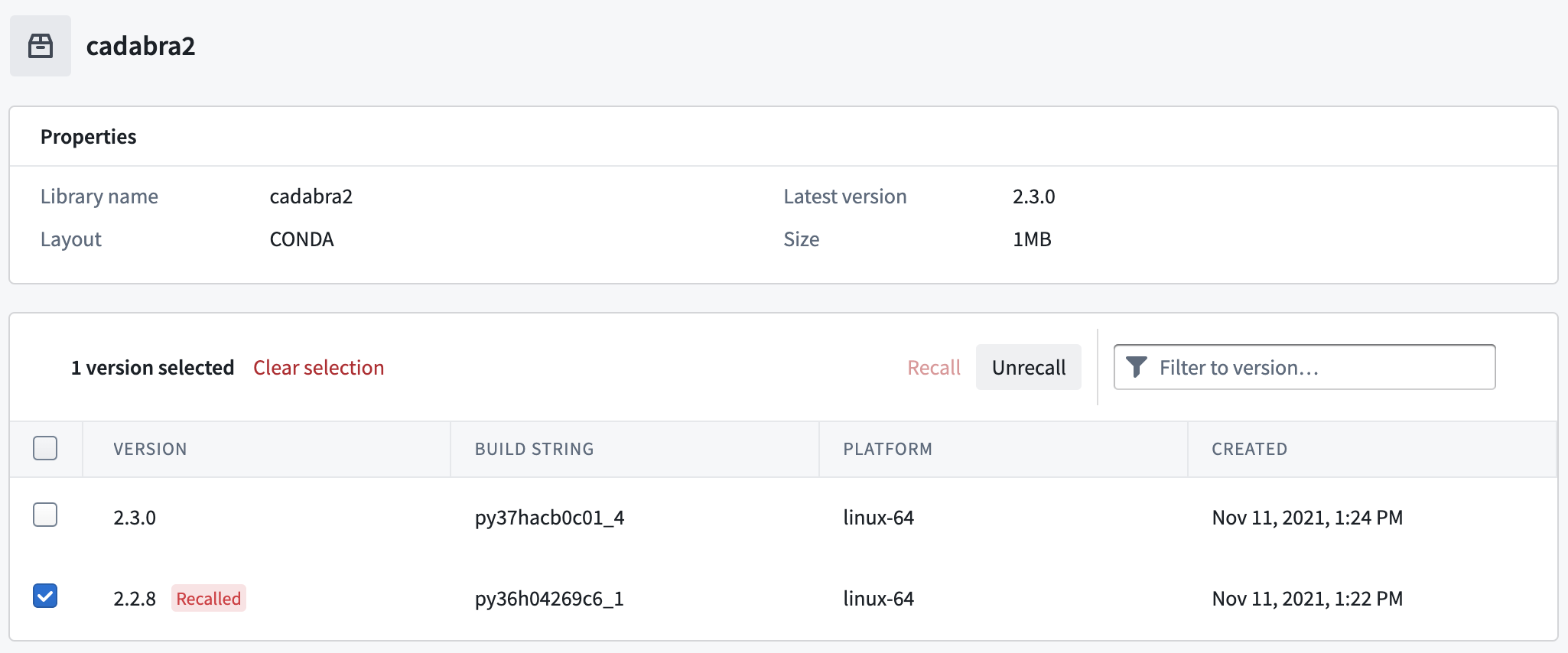
To unrecall an Artifact, select the version of a recalled Artifact and click Unrecall.
Delete
Conda Artifacts can be recalled, but it is not possible to delete any Artifacts in an Artifact repository. If you explicitly need to delete an Artifact, you must delete the Artifact repository.
中文翻译
召回制品(Artifact)
您可以召回Conda制品,以阻止下游使用者使用被召回的版本编译代码。我们建议在启动召回流程前,先准备好对应被召回制品的补丁版本。
请按照以下步骤召回制品:
-
在您的制品仓库(Artifact Repository)中搜索对应的Conda制品,选中后即可在概览页面查看「版本历史」板块。
-
选中需要召回的版本,然后选择召回(Recall)。
-
此时会弹出召回制品弹窗,请在输入框中填写召回该制品的原因。
-
再次查看版本历史,即可看到该制品现在已被标记为
Recalled。
取消召回(Unrecall)
您可以取消召回某个制品。
要取消召回制品,请选中已被召回的制品版本,点击取消召回(Unrecall)。