Set up Java local development(设置 Java 本地开发环境)
It is possible to carry out local development of Transforms Java repos, allowing for high-speed iterative development.
Setting up local development for Java transforms repositories
Clone the repository
- In your repository’s menu bar, select Work locally and copy the repository URI, also referred to as the "git remote URL".
:::callout{theme="warning"} The repository URI (git remote URL) contains sensitive information linked to your account and should not be shared. To maintain platform security, do not share this link with anyone else or post it publicly. :::

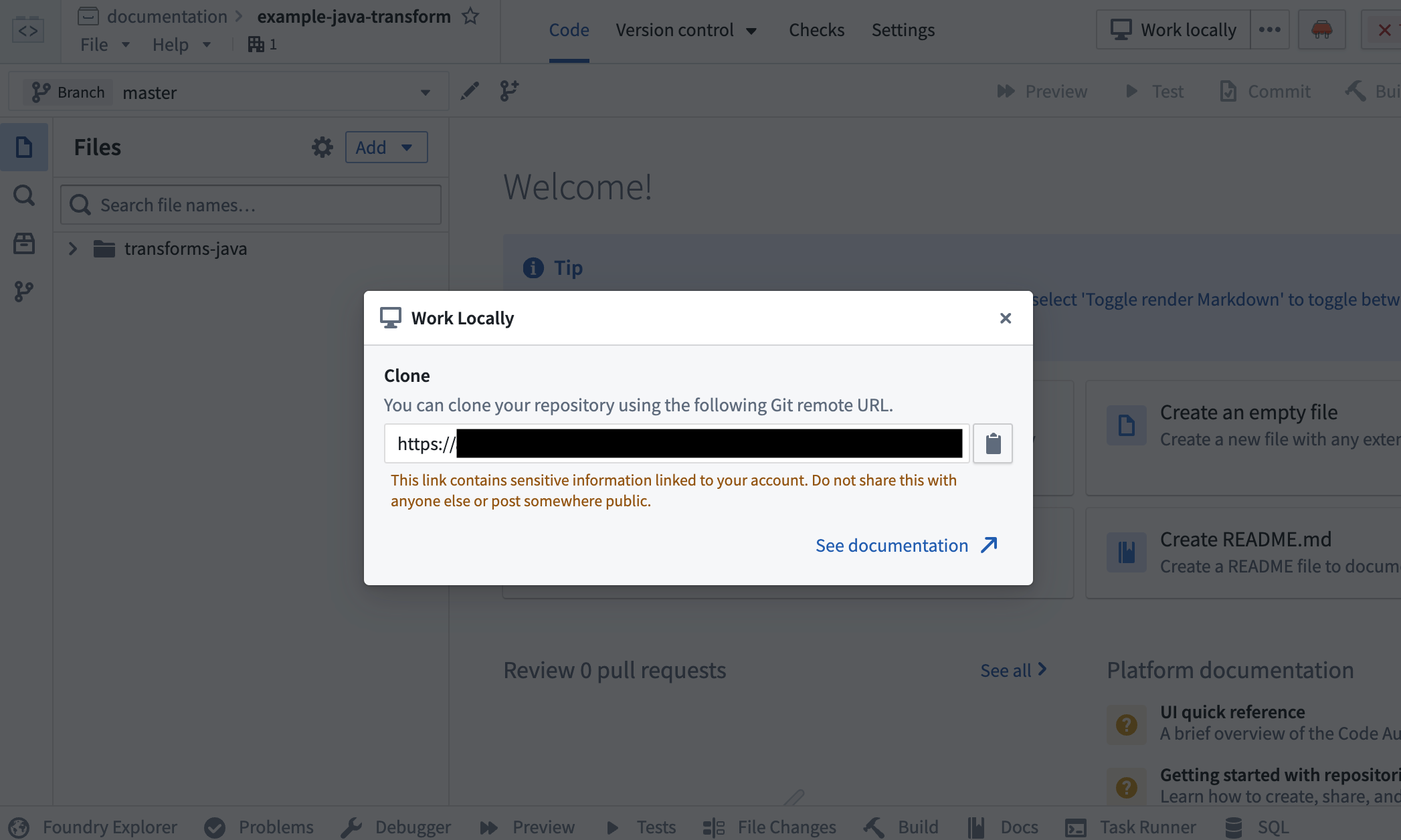
- Using the command line, run
git clone <URI>on your local machine in a directory of your choice. Then use thecdcommand to navigate to the repository.
Limitations
- The token granted for cloning is short-lived and read-only, with the exception of pushing back to your repository.
- You will still need to push your changes to Foundry to publish job specs or artifacts, or if you wish to run checks or build.
Preview
Dataset Previews are supported in local development. See Local preview for more details.
Set up the development environment
Prerequisites
- Ensure Java 17 is installed and the environment variable
JAVA_HOMEpoints to the right Java installation. You can download Java 17 from the Oracle website ↗.
:::callout{theme="neutral"}
Setting the JAVA_HOME environment variable based on your operating system:
- Windows: Run
SETX JAVA_HOME -m "<java-home-dir>"in PowerShell. This modifies the system environment variable and you will need to restart the shell for changes to take effect. Alternatively you can run[System.Environment]::SetEnvironmentVariable("JAVA_HOME", "<java-home-dir>")to setJAVA_HOMEin the running process. -
Linux or macOS: Run
export JAVA_HOME=<java-home-dir>. ::: -
Ensure you repository is upgraded to the latest template version by following the steps outline here.
Configure the IDE
- Install IntelliJ Idea ↗ on your machine.
- Open up your command line terminal and navigate into the directory containing your repository using
cdand run./gradlew openIdea. This Gradle task will generate an IntelliJ Idea project and open it. - On Windows, the
./gradlew openIdeacommand must be run from Git BASH, which is included in Git for Windows ↗.
Limitations
- Gradle commands must be run from the terminal using
./gradlew, rather than using IntelliJ's Gradle plugin. - Local development works with Java versions up to Java 17, and does not currently support any higher Java versions.
中文翻译
设置 Java 本地开发环境
可以对 Transforms Java 仓库进行本地开发,从而实现高速迭代开发。
为 Java 转换仓库设置本地开发环境
克隆仓库
- 在仓库的菜单栏中,选择本地工作(Work locally),然后复制仓库 URI(也称为"git 远程 URL")。
:::callout{theme="warning"} 仓库 URI(git 远程 URL)包含与您的账户相关的敏感信息,不应共享。为维护平台安全,请不要与任何人共享此链接或将其公开发布。 :::
- 使用命令行,在本地计算机上选择您想要的目录,运行
git clone <URI>。然后使用cd命令导航到该仓库。
限制
- 用于克隆的令牌是短期有效的且为只读权限,推送到仓库的操作除外。
- 您仍然需要将更改推送到 Foundry 以发布作业规范(Job Specs)或工件(Artifacts),或者如果您希望运行检查或构建。
预览
本地开发支持数据集预览(Dataset Previews)。更多详情请参见本地预览。
设置开发环境
前提条件
- 确保已安装 Java 17,并且环境变量
JAVA_HOME指向正确的 Java 安装目录。您可以从 Oracle 网站 ↗ 下载 Java 17。
:::callout{theme="neutral"}
根据您的操作系统设置 JAVA_HOME 环境变量:
- Windows:在 PowerShell 中运行
SETX JAVA_HOME -m "<java-home-dir>"。这会修改系统环境变量,您需要重新启动 shell 才能使更改生效。或者,您可以运行[System.Environment]::SetEnvironmentVariable("JAVA_HOME", "<java-home-dir>")来在当前运行的进程中设置JAVA_HOME。 -
Linux 或 macOS:运行
export JAVA_HOME=<java-home-dir>。 ::: -
确保您的仓库已按照此处概述的步骤升级到最新的模板版本。
配置 IDE
- 在您的计算机上安装 IntelliJ Idea ↗。
- 打开命令行终端,使用
cd导航到包含仓库的目录,然后运行./gradlew openIdea。此 Gradle 任务将生成一个 IntelliJ Idea 项目并打开它。 - 在 Windows 上,
./gradlew openIdea命令必须从 Git BASH 中运行,Git BASH 包含在 Git for Windows ↗ 中。
限制
- Gradle 命令必须使用
./gradlew从终端运行,而不能使用 IntelliJ 的 Gradle 插件。 - 本地开发支持最高 Java 17 版本,目前不支持更高的 Java 版本。