Add npm dependencies(添加 npm 依赖项)
:::callout{theme="warning"} The following documentation is specific to TypeScript v1 functions. For more robust capabilities, including support for Ontology SDK and configurable resource requests, we recommend migrating to TypeScript v2. :::
Functions repositories use npm ↗ for managing dependencies, including packages for generating code based on the Foundry ontology and discovering functions in your code. You can use npm to install external dependencies into your repositories, using standard packages for purposes such as manipulating numbers and dates, performing statistical calculations, or working with data formats such as XML.
Note that the functions runtime only supports pure JavaScript libraries—any package that relies on a NodeJS runtime and makes system calls is not supported.
Enable fetching dependencies from the public npm registry
By default, functions repositories do not fetch packages from the public npm registry.
If your repository does not already fetch dependencies from the public npm registry, a banner for enabling it will appear when you open a package.json file in Code Repositories.
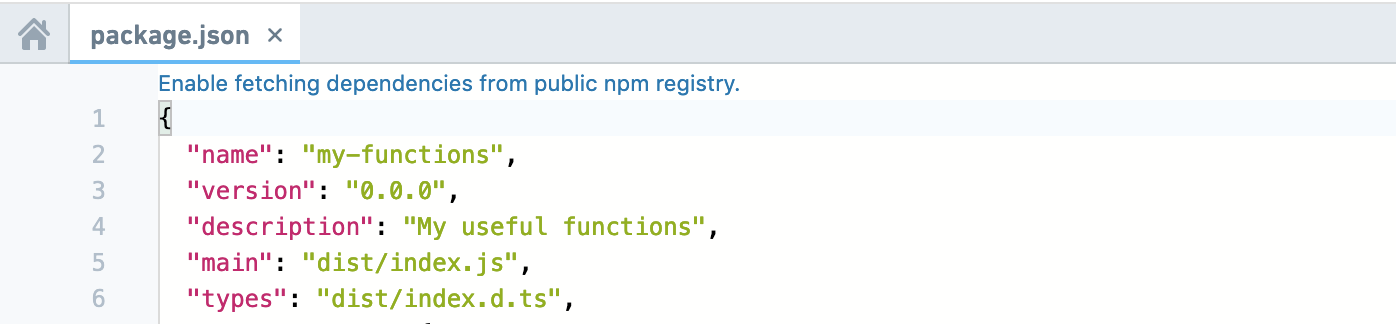
Add dependencies in Code Repositories
You can add packages to your functions repository using the Libraries sidebar in Code Repositories. Search for the desired package, and select a result to view details like the latest version. Results include packages from Foundry and https://npmjs.com.
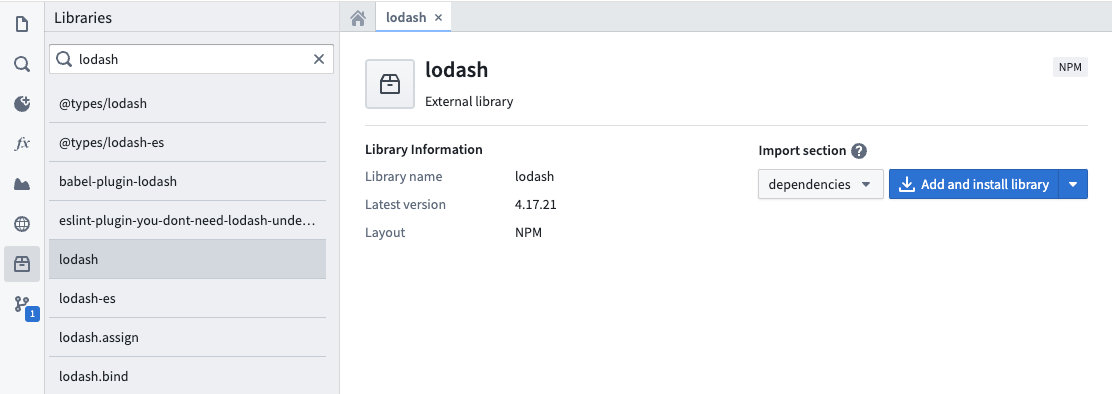
Choose whether to add the package to dependencies or devDependencies in your package.json file. Select Add and install library to add the package to your repository.
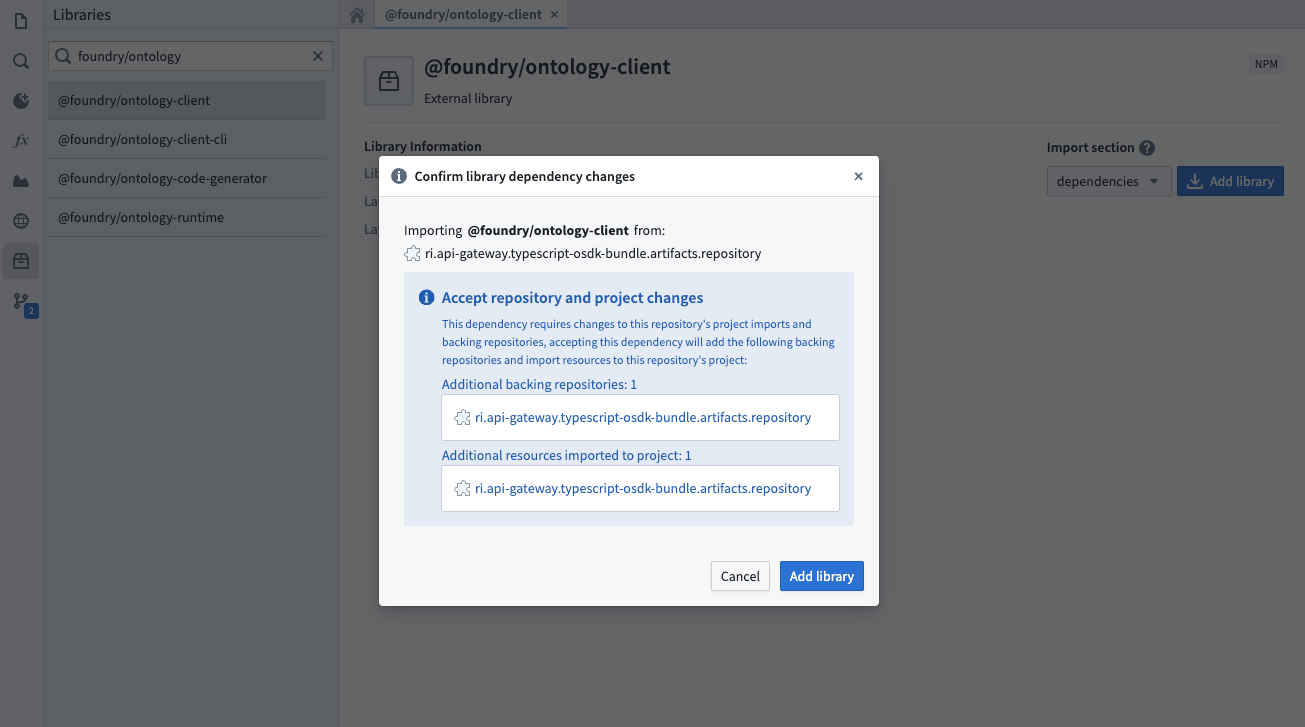
If the package's originating repository is not yet configured as a backing repository, a dialog will prompt you to import additional resources. The Add and install library button automatically imports the package and its dependencies into your functions repository, updating your package.json and package-lock.json.
Once the running install tasks have finished, the package will be ready for use within your repository.
If you are using a typescript-functions template version lower than 0.520.0, installation through the task runner will be disabled. In this case, commit your updated package.json file, ensure checks pass successfully, then restart Code Assist to make the new package available.
Manually add dependencies
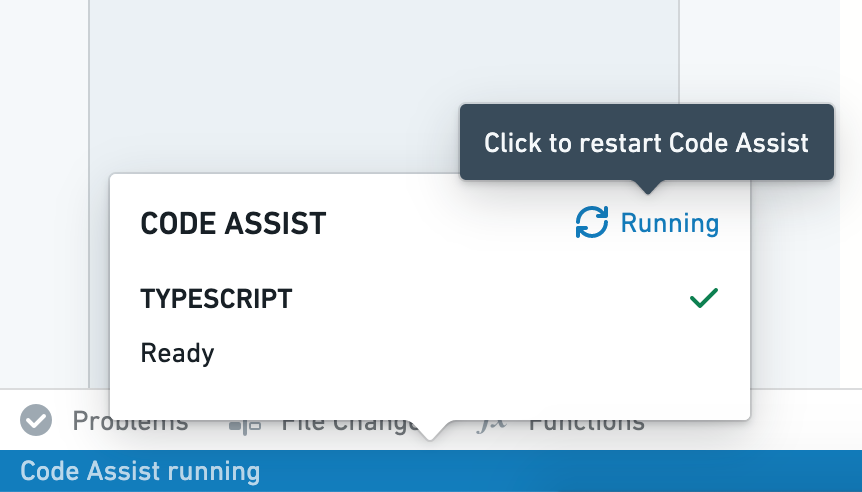
You can manually add a package by modifying the package.json file in Code Repositories. This can be useful if you need to install a specific package version. Open package.json, add your dependency with a relevant version chosen from https://npmjs.com, and select Commit. After verifying that checks pass successfully, restart Code Assist to make the new package available.
Below is an example of adding the d3-array package manually to the package.json file in a repository:
  "dependencies": {
    ...
    "d3-array": "^2.3.1"
  },
  "devDependencies": {
    ...
    "@types/d3-array": "^2.0.0"
  }
中文翻译
添加 npm 依赖项
:::callout{theme="warning"} 以下文档仅适用于 TypeScript v1 函数。如需更强大的功能(包括对 Ontology SDK 的支持和可配置的资源请求),建议迁移至 TypeScript v2。 :::
函数仓库使用 npm ↗ 管理依赖项,包括用于基于 Foundry 本体生成代码以及发现代码中函数的包。您可以使用 npm 将外部依赖项安装到仓库中,通过标准包实现数字和日期处理、统计计算或 XML 等数据格式操作等功能。
请注意,函数运行时仅支持纯 JavaScript 库——任何依赖 NodeJS 运行时并进行系统调用的包均不受支持。
启用从公共 npm 注册表获取依赖项
默认情况下,函数仓库不会从公共 npm 注册表获取包。
如果您的仓库尚未从公共 npm 注册表获取依赖项,在代码仓库中打开 package.json 文件时,将出现一个启用该功能的横幅。
在代码仓库中添加依赖项
您可以通过代码仓库中的库侧边栏向函数仓库添加包。搜索所需包,选择结果可查看最新版本等详细信息。搜索结果包括来自 Foundry 和 https://npmjs.com 的包。
选择将包添加到 package.json 文件中的 dependencies 或 devDependencies。选择添加并安装库以将包添加到仓库。
如果包的源仓库尚未配置为支持仓库,系统会弹窗提示您导入额外资源。添加并安装库按钮会自动将包及其依赖项导入函数仓库,并更新 package.json 和 package-lock.json。
运行安装任务完成后,该包即可在仓库中使用。
如果您使用的 typescript-functions 模板版本低于 0.520.0,则无法通过任务运行器进行安装。此时,请提交更新后的 package.json 文件,确保检查通过,然后重启 Code Assist 以使新包可用。
手动添加依赖项
您可以通过修改代码仓库中的 package.json 文件手动添加包。这在需要安装特定包版本时非常有用。打开 package.json,从 https://npmjs.com 选择相关版本添加依赖项,然后选择提交。确认检查通过后,重启 Code Assist 以使新包可用。
以下是在仓库的 package.json 文件中手动添加 d3-array 包的示例:
  "dependencies": {
    ...
    "d3-array": "^2.3.1"
  },
  "devDependencies": {
    ...
    "@types/d3-array": "^2.0.0"
  }