Custom aliases(自定义别名(Custom aliases))
Custom aliases are named references that store string values such as configuration parameters, feature flags, or environment-specific settings. By using custom aliases instead of hard-coding values, you can decouple your function logic from specific configurations and make your functions portable across environments.
Define a custom alias
To define a custom alias, open a TypeScript v2 or Python code repository and follow the steps below:
- Open the Resource imports side panel and select the Platform SDK tab. You will see a section for custom aliases.
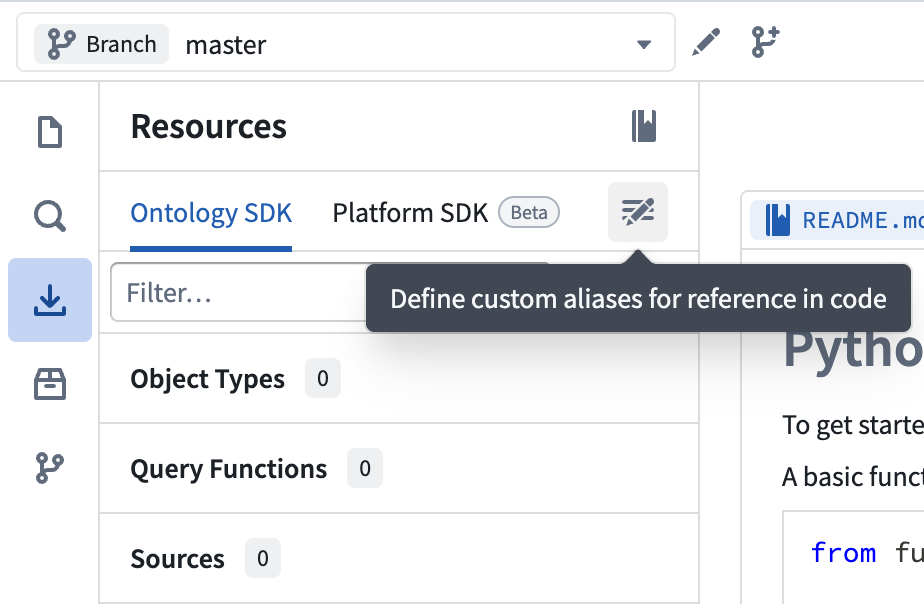
- Select New alias to open the alias creation dialog. Provide a Key for the alias name and a Value to associate with it, then select Create.
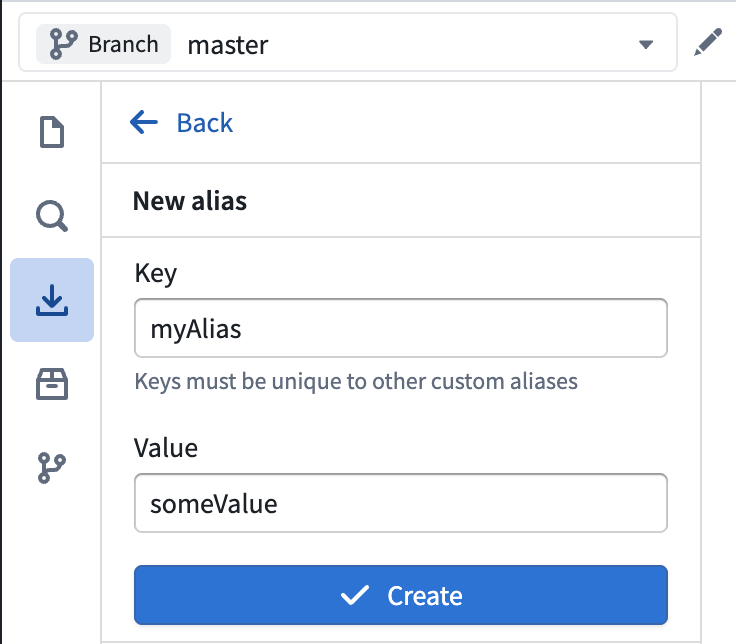
:::callout{theme="neutral"} Alias keys must be unique within the repository. :::
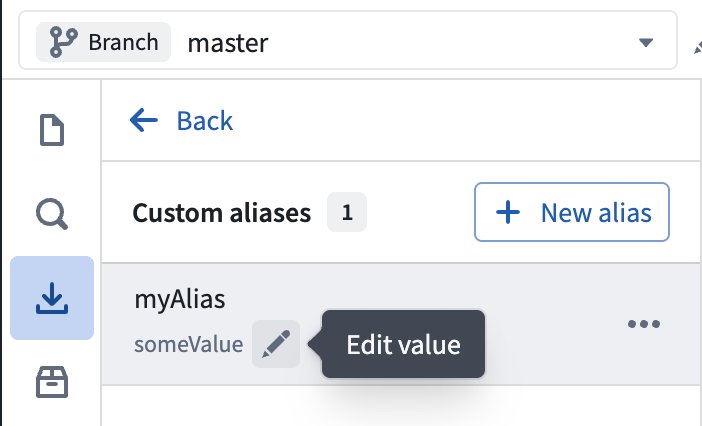
- The custom alias will appear in the Custom aliases section.
Edit a custom alias
To edit an existing custom alias, navigate to the Custom aliases section in the Platform SDK tab. Select the pen icon next to the alias to edit its value inline. You can also click on the 3 dots to edit the alias key or delete the alias altogether.
Use a custom alias in code
To use a custom alias in your function, import the alias utility and reference the alias by its key:
```typescript tab="TypeScript v2" import { Aliases } from "@osdk/functions";
export default function getCustomValue(): string { return Aliases.custom("myAlias"); }
```python tab="Python"
from functions.aliases import custom
from functions.api import function

@function
def get_custom_value() -> str:
    return custom("myAlias")
Use custom aliases with Marketplace
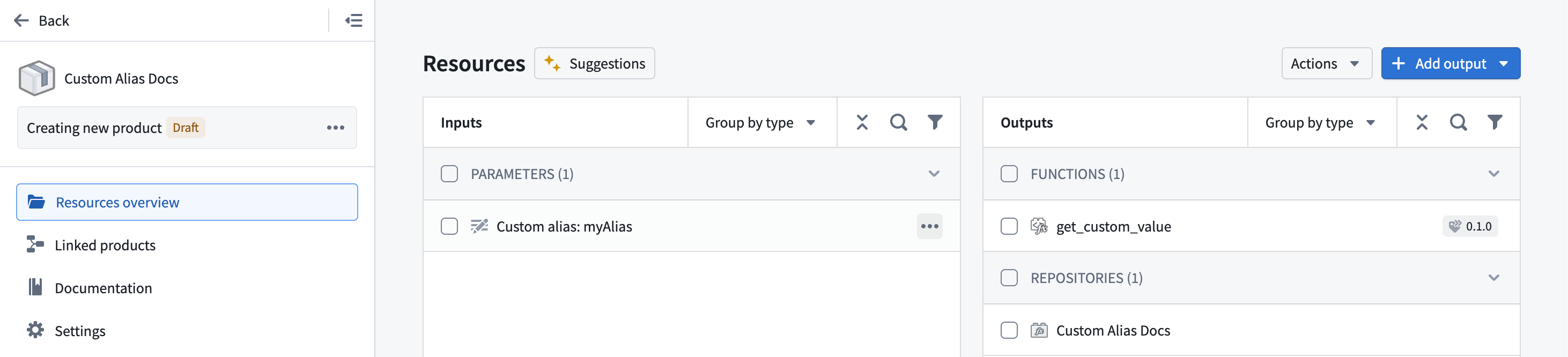
When you add a function that uses custom aliases to a Marketplace product, the aliases automatically appear as configurable parameters under Inputs. Installers can set the alias values appropriate for their environment without modifying the function source code.
Set a description
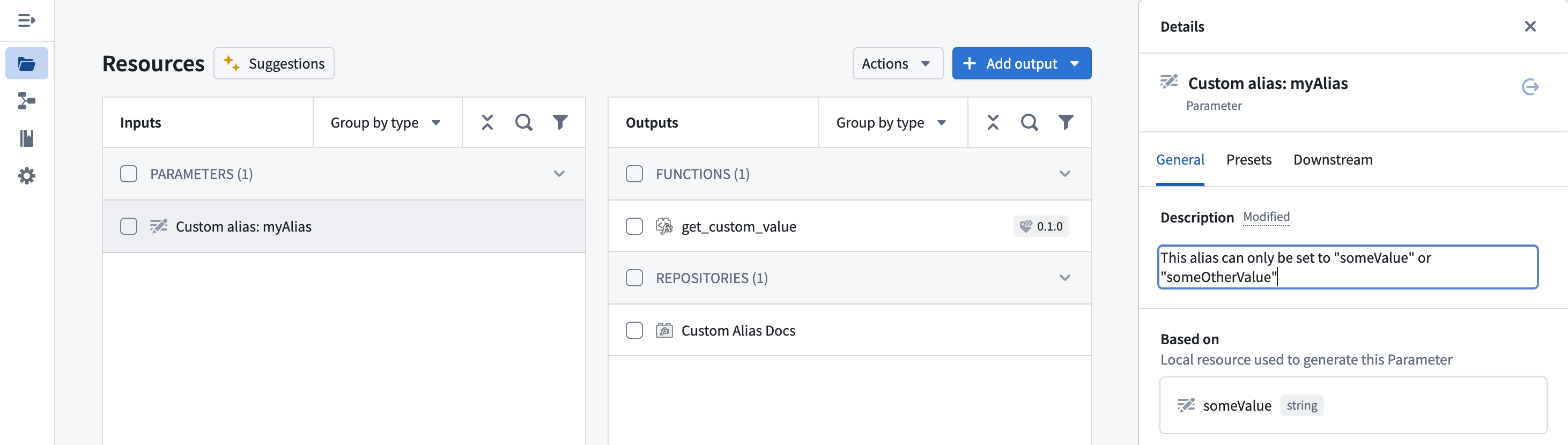
To help installers understand how to configure the alias, you can add a description to the alias parameter. Select the alias under Inputs to open the Details panel, then enter a description on the General tab.
Add presets
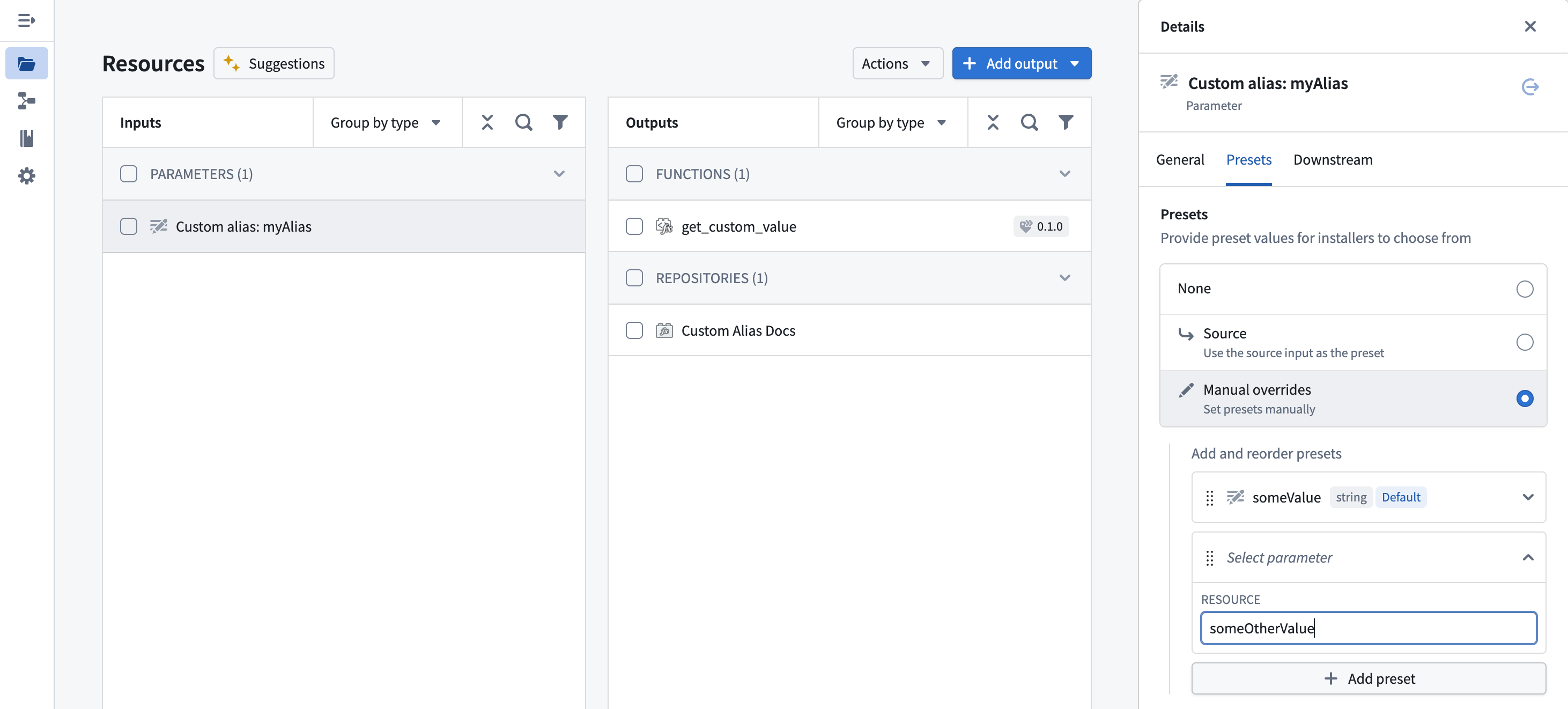
You can define preset values for the alias that installers can choose from during installation. In the Details panel, select the Presets tab and choose Manual overrides to define a set of allowed values.
Installation experience
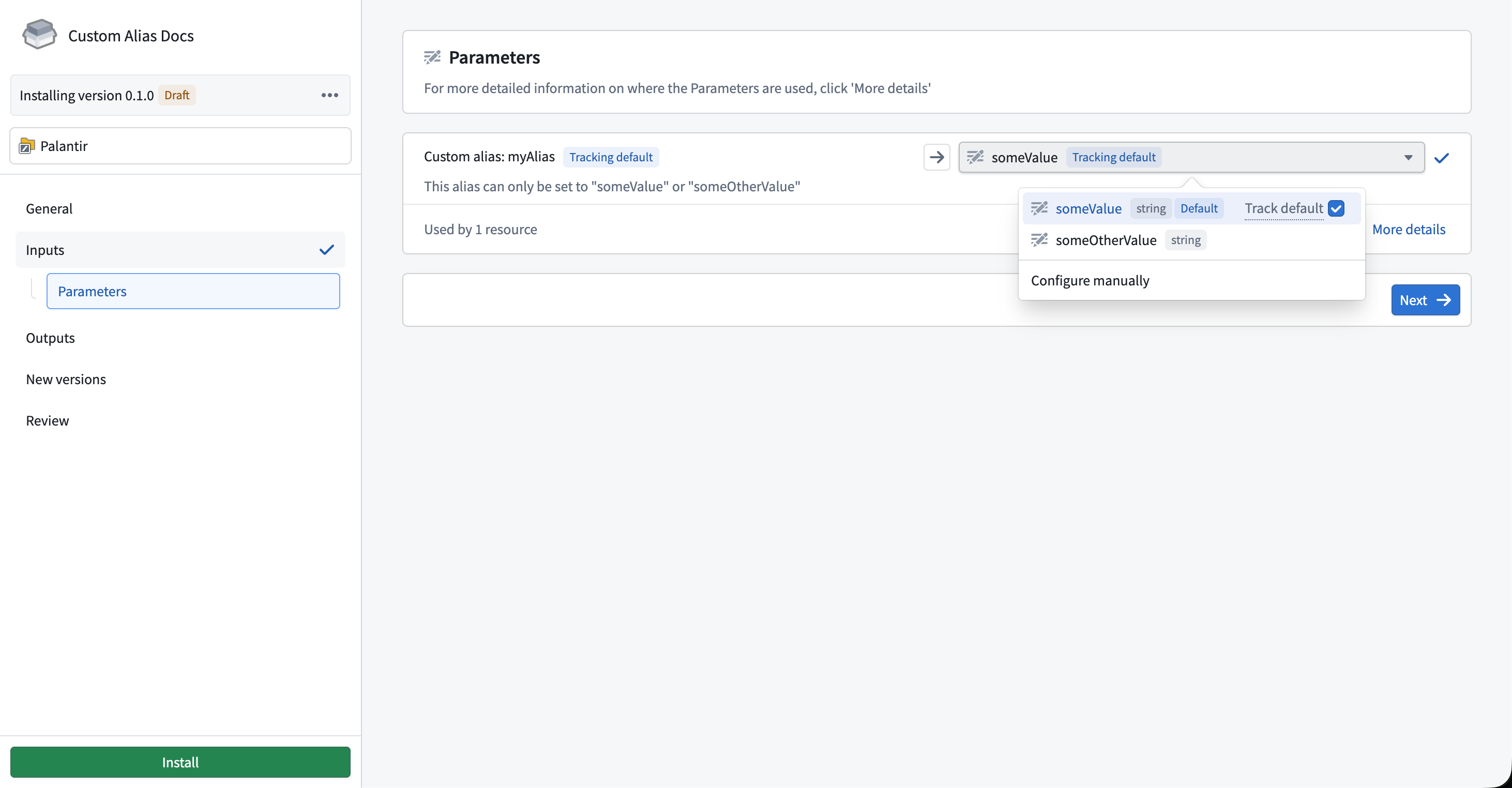
During installation, the installer will see the alias description and can choose from the preset values or configure the alias manually. After installation, the function resolves the alias to the value configured by the installer.
中文翻译
自定义别名(Custom aliases)
自定义别名是存储字符串值(如配置参数、功能开关或环境特定设置)的命名引用。通过使用自定义别名而非硬编码值,您可以将函数逻辑与特定配置解耦,使函数能够在不同环境间移植。
定义自定义别名
要定义自定义别名,请打开 TypeScript v2 或 Python 代码仓库,并按照以下步骤操作:
- 打开 资源导入(Resource imports) 侧面板,选择 平台SDK(Platform SDK) 选项卡。您将看到自定义别名部分。
- 选择 新建别名(New alias) 打开别名创建对话框。为别名名称提供 键(Key),并关联一个 值(Value),然后选择 创建(Create)。
:::callout{theme="neutral"} 别名键在仓库内必须唯一。 :::
- 自定义别名将出现在 自定义别名(Custom aliases) 部分。
编辑自定义别名
要编辑现有自定义别名,请导航至 平台SDK(Platform SDK) 选项卡中的 自定义别名(Custom aliases) 部分。选择别名旁边的笔图标可内联编辑其值。您也可以点击三个点来编辑别名键或完全删除别名。
在代码中使用自定义别名
要在函数中使用自定义别名,请导入别名工具并通过键引用别名:
```typescript tab="TypeScript v2" import { Aliases } from "@osdk/functions";
export default function getCustomValue(): string { return Aliases.custom("myAlias"); }
```python tab="Python"
from functions.aliases import custom
from functions.api import function

@function
def get_custom_value() -> str:
    return custom("myAlias")
在Marketplace中使用自定义别名
当您将使用自定义别名的函数添加到 Marketplace产品 时,别名会自动作为可配置参数出现在 输入(Inputs) 下。安装者可以设置适合其环境的别名值,而无需修改函数源代码。
设置描述
为帮助安装者理解如何配置别名,您可以为别名参数添加描述。在 输入(Inputs) 下选择别名以打开 详情(Details) 面板,然后在 常规(General) 选项卡中输入描述。
添加预设值
您可以定义别名的预设值,安装者在安装过程中可以选择这些值。在 详情(Details) 面板中,选择 预设(Presets) 选项卡,然后选择 手动覆盖(Manual overrides) 来定义一组允许的值。
安装体验
在安装过程中,安装者将看到别名描述,并可以从预设值中选择或手动配置别名。安装完成后,函数会将别名解析为安装者配置的值。