Function metrics(函数指标 (Function metrics))
Function metrics display the near real-time usage of a function type over the last 30 days. You can access these metrics from a function type's overview page in Ontology Manager, or in Workflow Lineage by selecting the function node for a given execution. The following metrics are available:
- Success/failure metrics: Monitor the current status of your functions with success and failure counts. This enables rapid identification of issues and supports proactive troubleshooting, allowing you to address failures as soon as they occur.
- P95 duration metric: Track the 95th percentile (P95) execution duration for each function type. This metric highlights the upper range of execution times, helping you detect performance bottlenecks and optimize workflows for consistent and efficient operation.
You are also able to access run history, which provides a complete view of a given function's executions over the past seven days. Learn more about AIP observability.
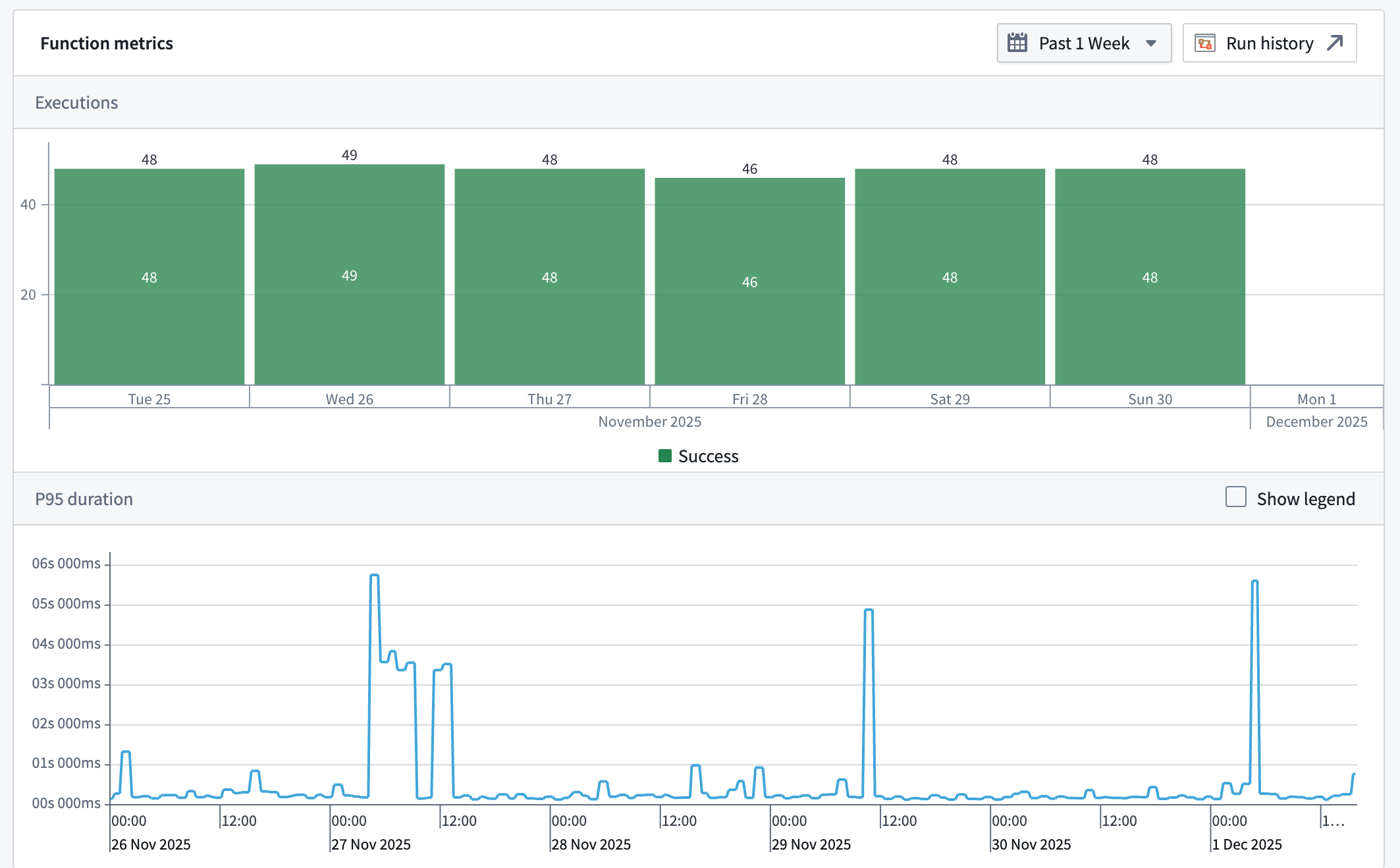
All metrics are updated in near real-time using the latest data from the Foundry Telemetry Service (FTS). This ensures you have access to the most current information for monitoring, debugging, and maintaining the health of your functions.
Function failure types
Function metrics have a variety of categories of failures that may be displayed. These categories are:
- Runtime failure: An unexpected error occurred while executing the function, often due to a bug or unhandled situation in the function's code.
- Resource limit exceeded: The function affected more than the permitted limit of object types (by default, usually 10,000).
- User facing error: An error occurred that is specifically intended to be shown to the user, often providing guidance on what went wrong or how to fix it.
- Invalid inputs error: One or more of the inputs provided to the function were not valid or did not meet the required criteria.
- Invalid output error: The function produced output that was not valid or did not conform to the expected format or rules.
- Data loading not allowed error: The function execution attempts to load data, including objects, object sets, users, or groups, but is not allowed to do so.
- Undeclared object types edited error: The function execution attempts to update, create or delete an object whose object type is not declared in the function spec.
- Structured error: The function execution encounters a structured error as defined on its spec.
- Deployment error: The function execution failed due to an error with the function's deployment.
- Consistent snapshot error: The function failed to execute due to a consistent snapshot error.
Permissions
To view function metrics, you must be a viewer on the function.
中文翻译
函数指标 (Function metrics)
函数指标显示过去30天内某类函数类型的近实时使用情况。您可以通过以下方式访问这些指标:在Ontology Manager中进入函数类型的概览页面,或在工作流血缘 (Workflow Lineage)中选择特定执行的函数节点。可用的指标包括:
- 成功/失败指标 (Success/failure metrics): 通过成功和失败次数监控函数的当前状态。这有助于快速识别问题并支持主动排查,让您能够在故障发生时立即处理。
- P95耗时指标 (P95 duration metric): 追踪每种函数类型的第95百分位 (P95) 执行耗时。该指标突出显示执行时间的上限范围,帮助您检测性能瓶颈并优化工作流,确保运行一致高效。
您还可以访问运行历史 (run history),该功能提供过去七天内特定函数执行的完整视图。了解更多关于AIP可观测性 (AIP observability)的信息。
所有指标均使用来自Foundry遥测服务 (Foundry Telemetry Service, FTS) 的最新数据,以近实时方式更新。这确保您能够获取最新信息,用于监控、调试和维护函数的健康状态。
函数故障类型 (Function failure types)
函数指标可能显示多种故障类别,包括:
- 运行时故障 (Runtime failure): 执行函数时发生意外错误,通常由函数代码中的缺陷或未处理的情况导致。
- 超出资源限制 (Resource limit exceeded): 函数影响的对象类型数量超过允许的限制(默认通常为10,000个)。
- 面向用户的错误 (User facing error): 专门设计用于向用户展示的错误,通常提供关于问题原因或修复方法的指导。
- 无效输入错误 (Invalid inputs error): 提供给函数的一个或多个输入无效,或未满足所需条件。
- 无效输出错误 (Invalid output error): 函数生成的输出无效,或不符合预期的格式或规则。
- 不允许加载数据错误 (Data loading not allowed error): 函数执行尝试加载数据(包括对象、对象集、用户或组),但被禁止执行此操作。
- 未声明的对象类型编辑错误 (Undeclared object types edited error): 函数执行尝试更新、创建或删除某个对象,但该对象的对象类型未在函数规范 (function spec) 中声明。
- 结构化错误 (Structured error): 函数执行遇到其规范中定义的结构化错误。
- 部署错误 (Deployment error): 由于函数部署错误导致执行失败。
- 一致性快照错误 (Consistent snapshot error): 由于一致性快照错误导致函数执行失败。
权限 (Permissions)
要查看函数指标,您必须对该函数拥有查看者 (viewer)权限。