Deploy functions(部署函数)
Prerequisites
This guide requires that you have already authored and published a Python or TypeScript v2 function. Review the getting started with Python functions or getting started with TypeScript v2 functions documentation for a tutorial.
Choose between deployed and serverless execution modes
If serverless functions are enabled for your enrollment, new repositories will use it by default. We generally recommend serverless functions for most use cases. While a deployed function may be useful in some circumstances, the serverless execution mode requires less maintenance and avoids incurring the costs associated with long-lived deployments.
Deployed functions have some capabilities that are not available to serverless functions:
- The long-lived nature of deployed functions means that local caching may be possible if the function is tolerant to restarts.
- Serverless functions support external sources using the client from the provided source object, but they do not support third-party clients. You must deploy your function to make external API calls with third-party clients.
- Deployed functions support GPU allocations to accelerate computationally intensive model training and inference workflows through parallel processing, while serverless functions do not.
Deployed functions have some limitations that do not apply to serverless execution:
- Serverless functions enable different versions of a single function to be executed on demand, making upgrades safer. With deployed functions, you can only run a single function version at a time.
- Serverless functions only incur costs when executed, while deployed functions incur costs as long as the deployment is running.
- Serverless functions require less upfront setup and long-term maintenance, as the infrastructure is managed automatically.
To enable serverless functions for your enrollment, contact your Palantir administrator.
Architecture
Functions can be run in a serverless mode, leveraging on-demand resources, or they can be deployed to a long-lived container.
:::callout{theme="success"} We recommend using serverless functions if enabled on your enrollment, rather than deployed functions. While there are some cases where deployed functions are useful, the serverless executor is generally more flexible. :::
When your function is deployed, a long-running environment will be created to handle incoming execution requests. The environment will be scaled according to the request volume and occasionally restarted by automated processes. All functions from a single repository are hosted by a single deployment.
:::callout{theme="warning" title="Compute costs"} Deployed functions will incur compute costs for the running deployment. Serverless functions will only incur costs when executed. :::
Deploy a function
Follow the steps below to configure and deploy a function:
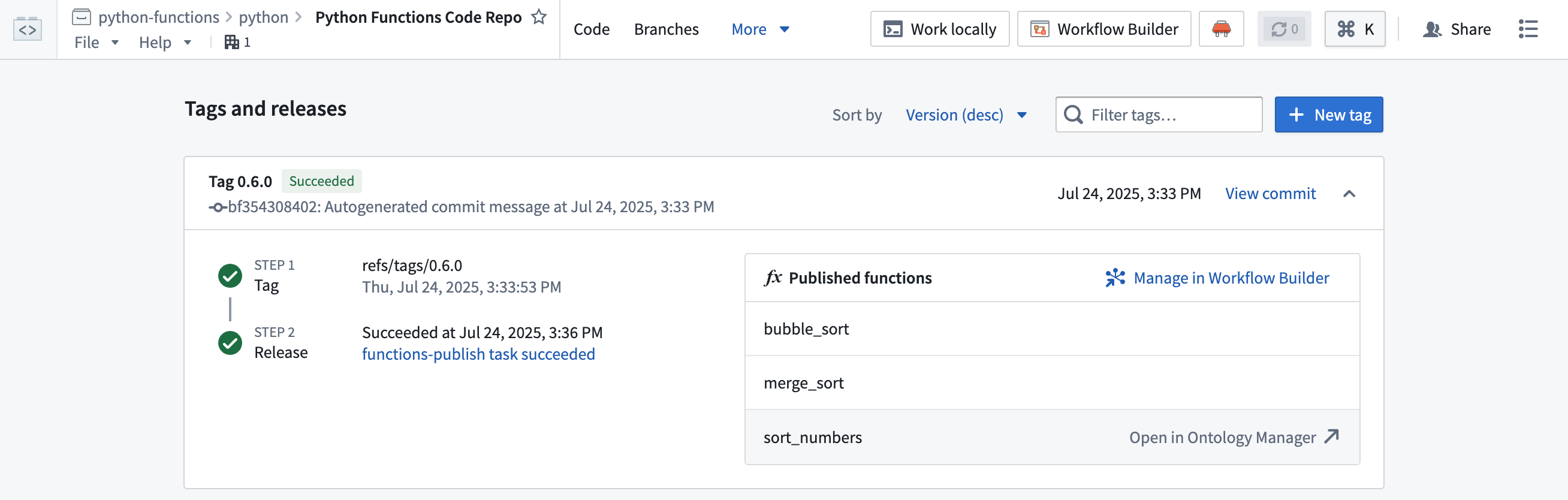
- Open your function repository and navigate to the Branches tab, then select Tags and releases.
- Hover over the function you want to deploy, then select Open in Ontology Manager.
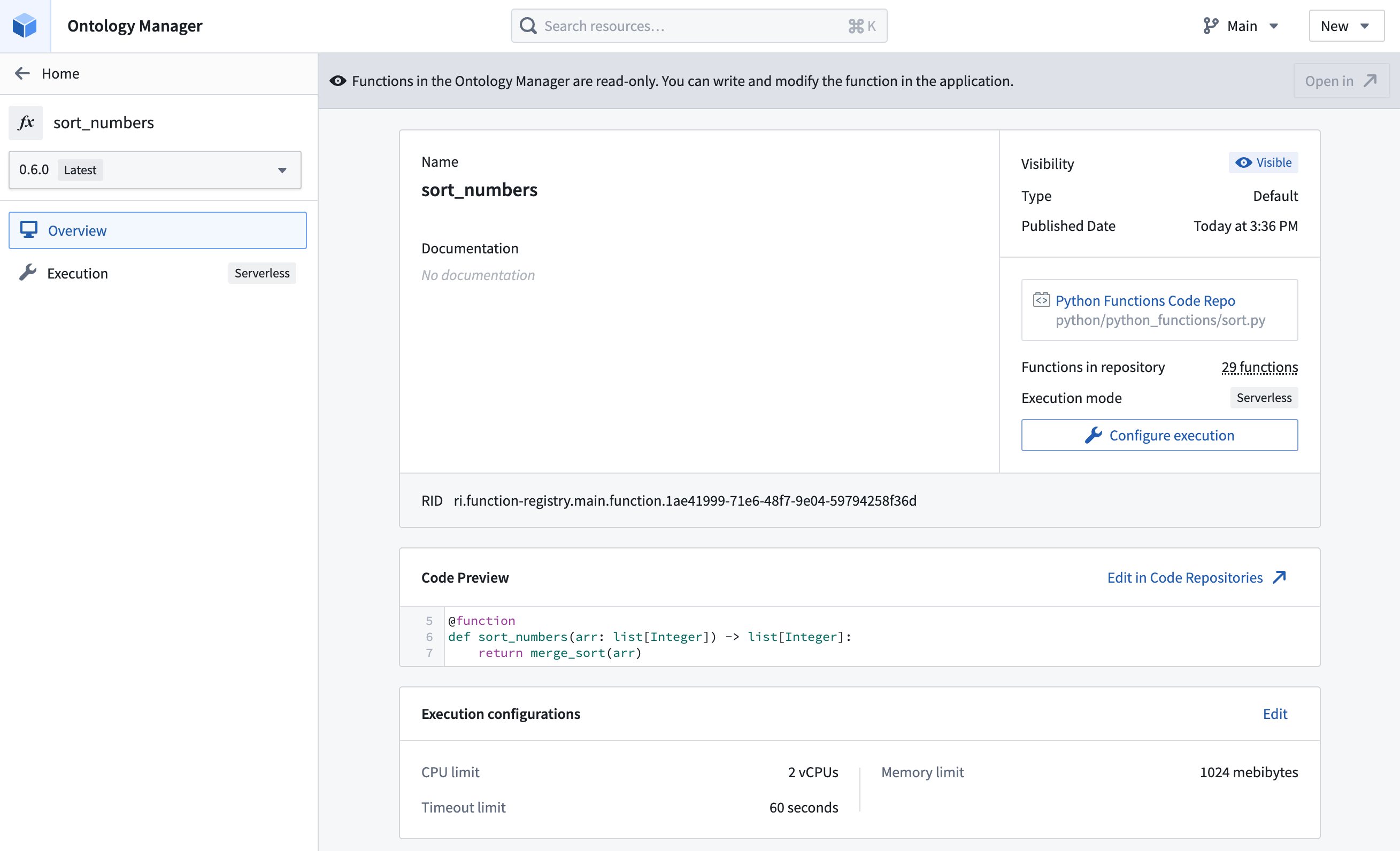
- Select the version of the function you want to use from the version selector on the left.
- Select Configure execution.
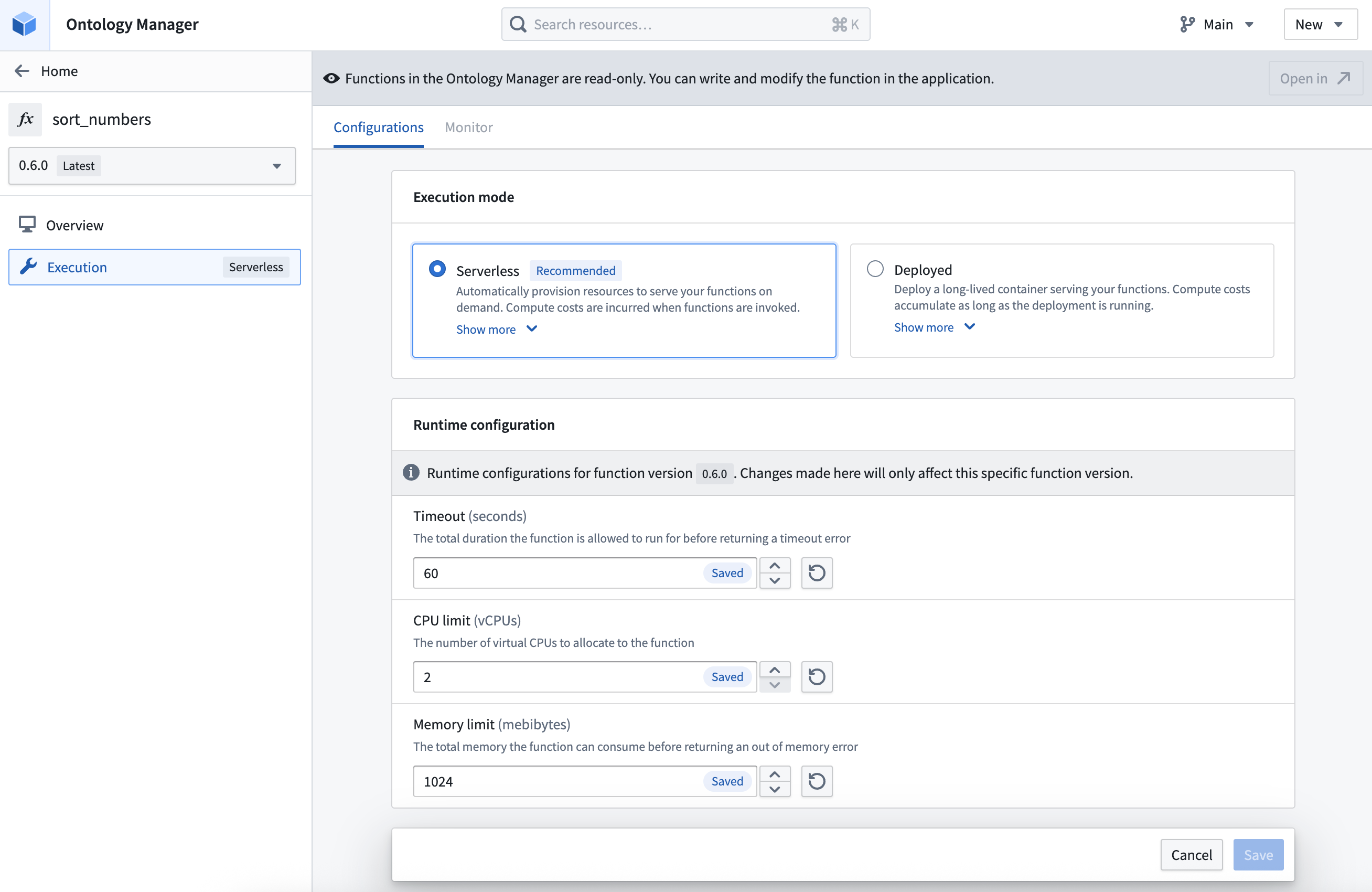
- If serverless functions are enabled in your environment, you will see an option to switch between serverless and deployed. If unselected and no deployment exists, serverless will be used by default.
-
Select the Deployed execution mode option.
-
If no deployment exists for the function, select Create deployment.
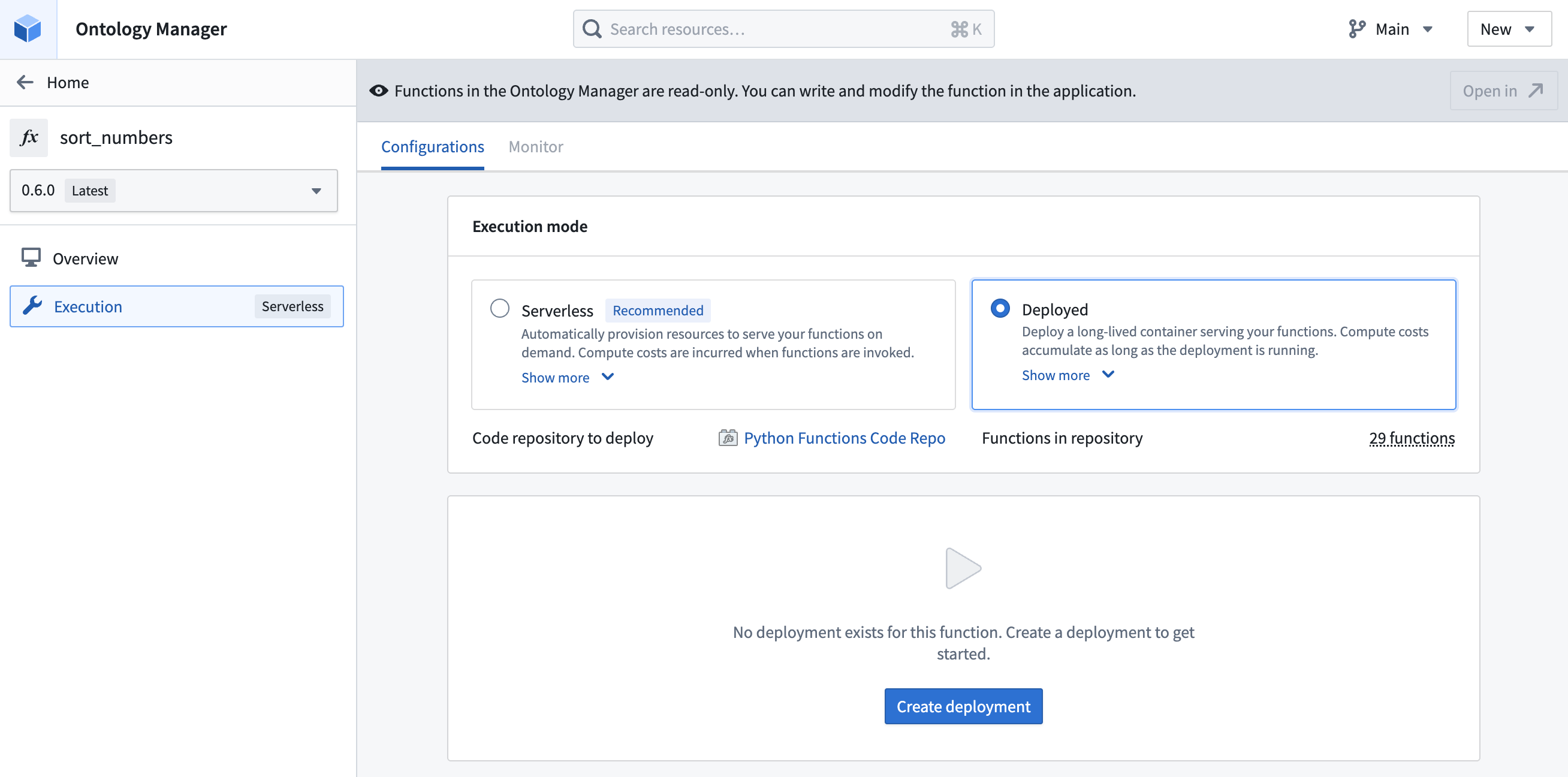
- Defaults will be applied for the configuration when the deployment is first created. You can view the entire configuration by scrolling down to the end of the page.
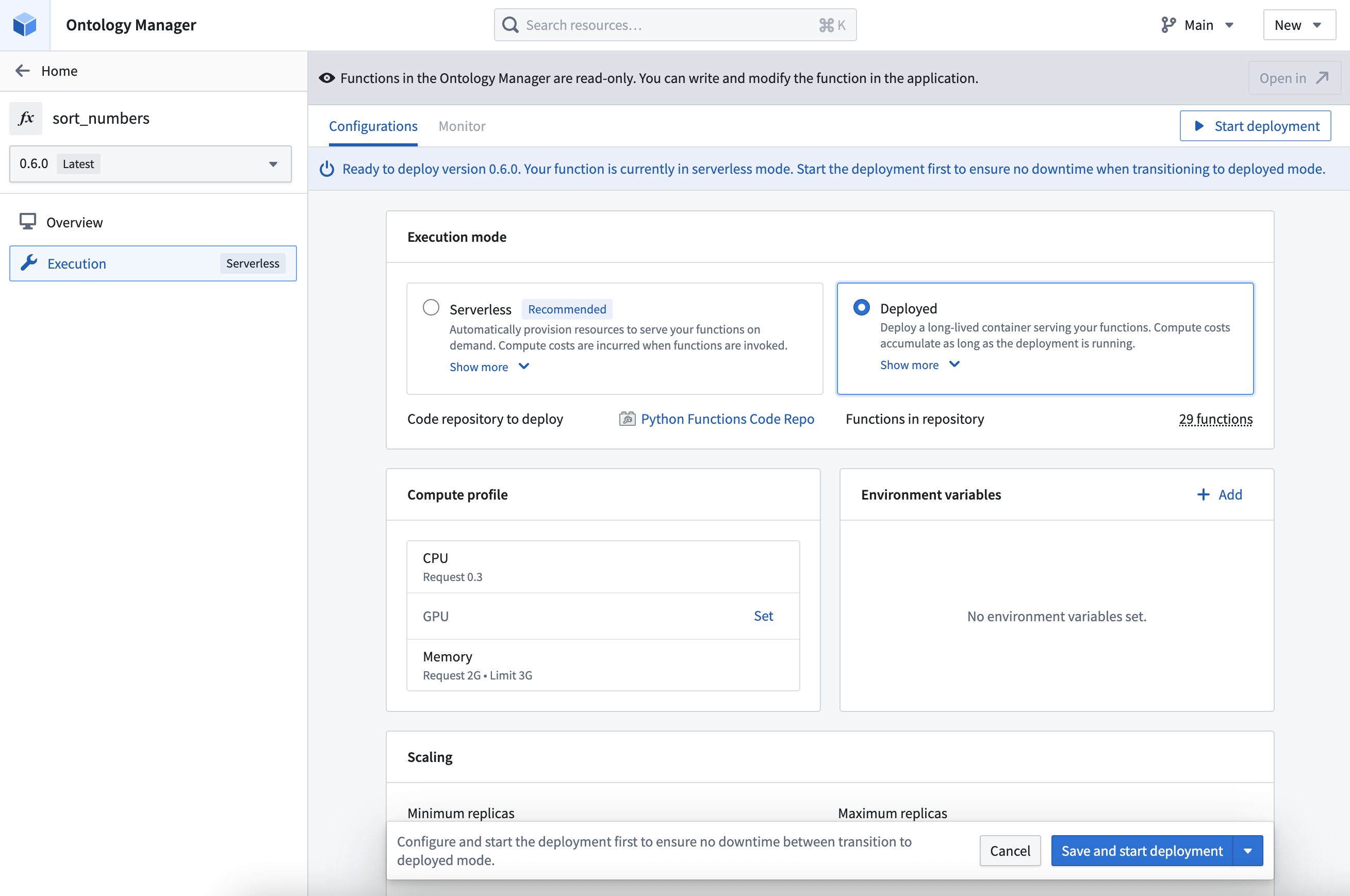
- Modify the deployment configuration as needed. You can configure the following:
- The compute resources allocated to the deployment, including CPU, GPU, and memory.
- The minimum limit and the maximum limit for autoscaling based on request load.
- The environment variables that will be set for the deployment upon startup.
- The total duration the function is allowed to run before returning a timeout error. Unlike the other deployment settings, timeout is configured individually for each function version.
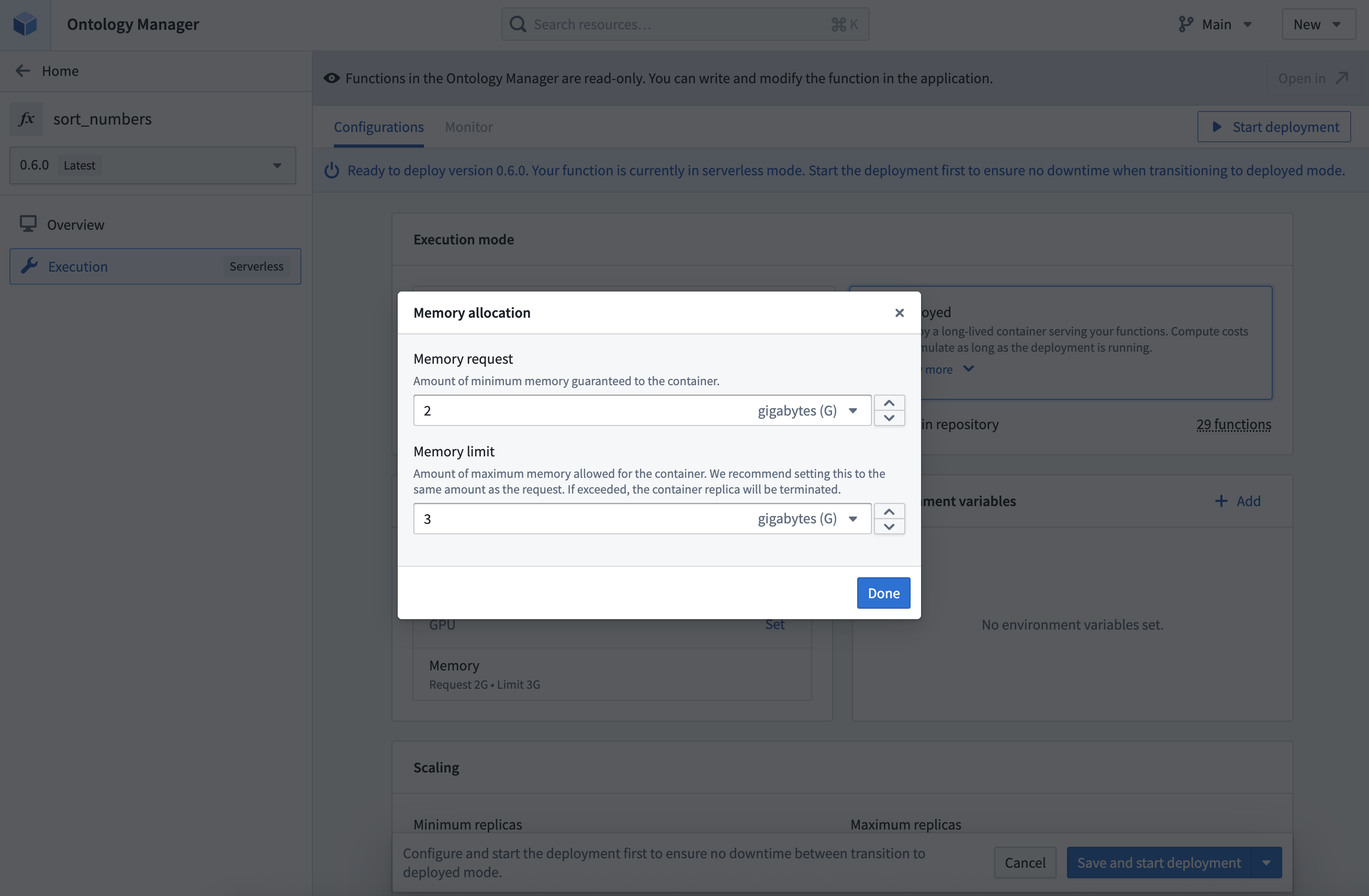
- Select Save and start deployment to save any changes and launch the deployment. You may also select Save without starting deployment to save the configuration without launching the deployment.
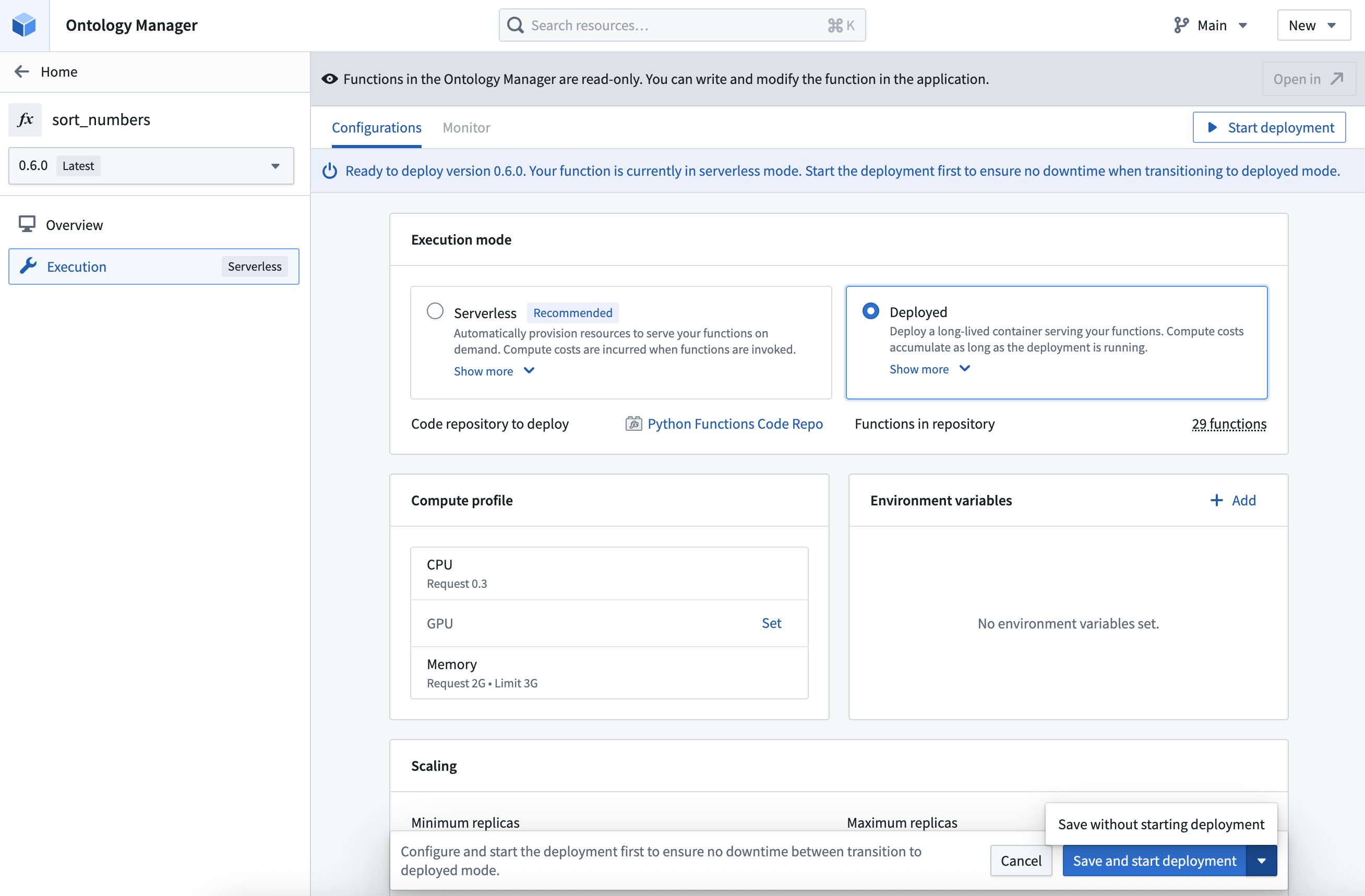
-
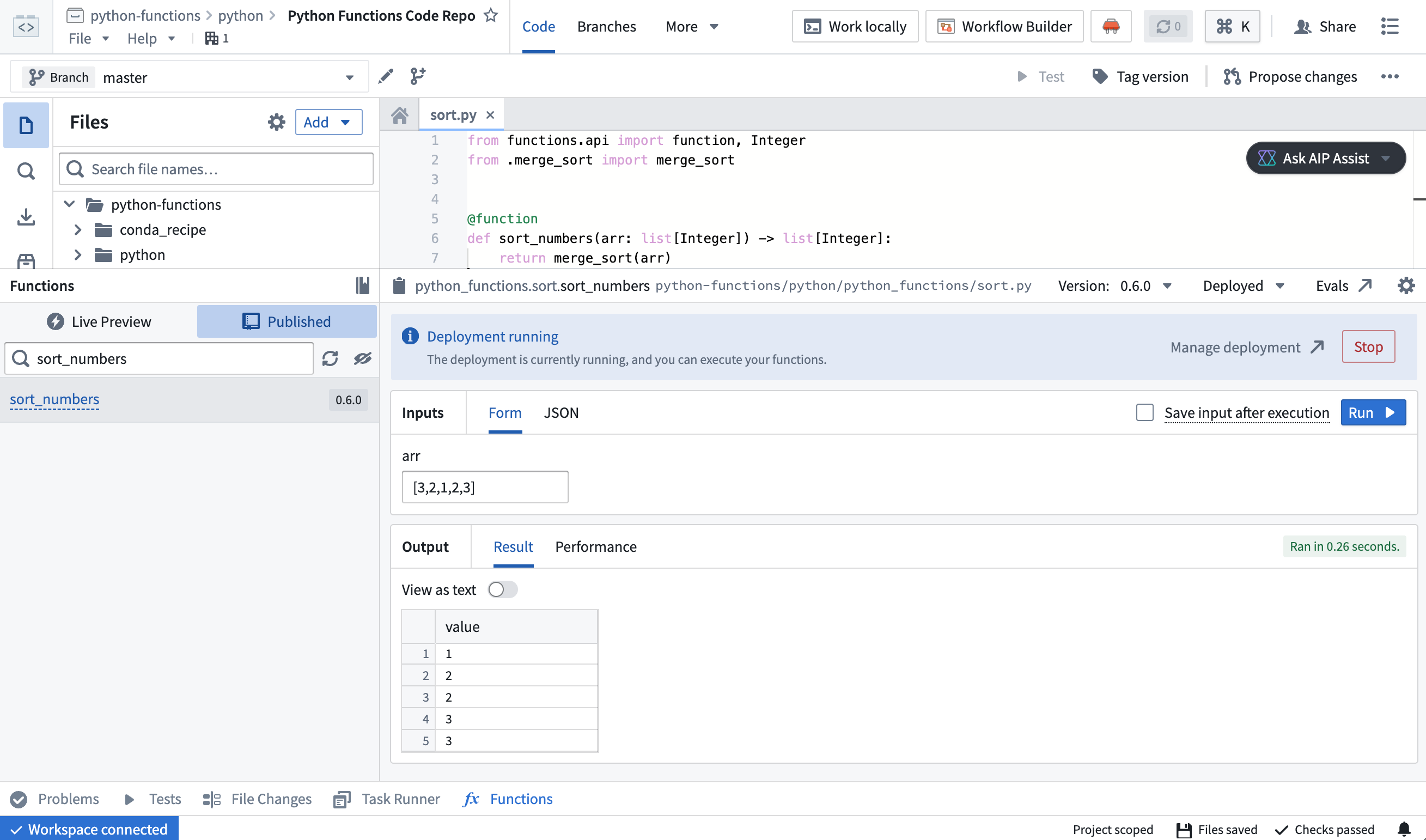
If you chose to Save and start deployment option is selected, you will need to wait for the deployment that is hosting the function to start up. This may take a few minutes.
-
To verify that the deployment is running, navigate to the code repository containing the function and run the function. The function should execute successfully and return the expected result.
中文翻译
部署函数
前提条件
本指南要求您已完成 Python 或 TypeScript v2 函数的编写与发布。请参阅 Python 函数入门 或 TypeScript v2 函数入门 文档获取教程。
选择部署模式与无服务器执行模式
如果您的组织已启用无服务器函数(serverless functions),新仓库将默认使用该模式。我们通常建议在大多数场景下使用无服务器函数。虽然部署函数(deployed function)在某些情况下可能有用,但无服务器执行模式需要更少的维护工作,并可避免长期运行部署带来的成本。
部署函数具备一些无服务器函数不具备的能力:
- 部署函数的长期运行特性意味着,如果函数能容忍重启,则可能实现本地缓存(local caching)。
- 无服务器函数支持通过提供的源对象(source object)中的客户端调用外部数据源,但不支持第三方客户端。如需使用第三方客户端进行外部 API 调用,必须部署函数。
- 部署函数支持 GPU 分配,可通过并行处理加速计算密集型模型训练和推理工作流,而无服务器函数不支持此功能。
部署函数也存在一些无服务器执行模式不涉及的局限性:
- 无服务器函数可按需执行同一函数的不同版本,使升级更安全。而部署函数一次只能运行一个函数版本。
- 无服务器函数仅在执行时产生成本,而部署函数在运行期间持续产生成本。
- 无服务器函数无需前期大量配置和长期维护,因为基础设施是自动管理的。
如需为您的组织启用无服务器函数,请联系您的 Palantir 管理员。
架构
函数可以以无服务器模式运行,利用按需资源,也可以部署到长期运行的容器中。
:::callout{theme="success"} 如果您的组织已启用无服务器函数,我们建议优先使用而非部署函数。尽管某些场景下部署函数仍有其价值,但无服务器执行器通常更为灵活。 :::
当函数被部署时,会创建一个长期运行的环境来处理传入的执行请求。该环境会根据请求量自动扩缩容,并可能由自动化进程定期重启。同一仓库中的所有函数均由单个部署托管。
:::callout{theme="warning" title="计算成本"} 部署函数在运行期间会产生计算成本。无服务器函数仅在执行时产生成本。 :::
部署函数
请按照以下步骤配置并部署函数:
- 打开您的函数仓库,导航至 分支 标签页,然后选择 标签与发布。
- 悬停在要部署的函数上,然后选择 在 Ontology Manager 中打开。
- 从左侧的版本选择器中选择要使用的函数版本。
- 选择 配置执行。
- 如果您的环境已启用无服务器函数,您将看到在无服务器与部署模式之间切换的选项。如果未选择且不存在部署,则默认使用无服务器模式。
-
选择 已部署 执行模式选项。
-
如果该函数尚无部署,请选择 创建部署。
- 首次创建部署时,将应用默认配置。您可以通过滚动到页面底部查看完整配置。
- 根据需要修改部署配置。您可以配置以下内容:
- 分配给部署的计算资源,包括 CPU、GPU 和内存。
- 基于请求负载的自动扩缩容最小和最大限制。
- 部署启动时将设置的环境变量(environment variables)。
- 函数在返回超时错误前允许运行的总时长。与其他部署设置不同,超时时间需为每个函数版本单独配置。
- 选择 保存并启动部署 以保存所有更改并启动部署。您也可以选择 保存但不启动部署 以保存配置而不启动部署。
-
如果您选择了 保存并启动部署 选项,则需要等待托管函数的部署启动。这可能需要几分钟时间。
-
要验证部署是否正在运行,请导航至包含该函数的代码仓库并运行该函数。函数应成功执行并返回预期结果。