Getting started with functions(函数入门)
There are three language options for getting started with functions in Foundry; TypeScript v1, TypeScript v2, and Python. For more information on supported features for each language, review the language feature support specifications.
Although each language has a different set of supported features, you will be able to access the same basic platform functionality for each language, including running, testing, and publishing functions. This page provides an overview of these features to help you understand how to use functions repositories, regardless of which language you will be working with.
For more detailed instructions on getting started with a specific language, refer to the tutorials below:
- Getting started with TypeScript v1 functions
- Getting started with TypeScript v2 functions
- Getting started with Python functions
Review the sections below for general information on functions repository creation and usage.
Create a functions repository
When creating a functions repository, you will be able to choose the language that best suits your needs. You can initialize functions repositories directly from a project of your choice by selecting + New > Repository, or from the Code Repositories application by selecting + New repository in the top right. Once the repository has been initialized, you can add and run functions.
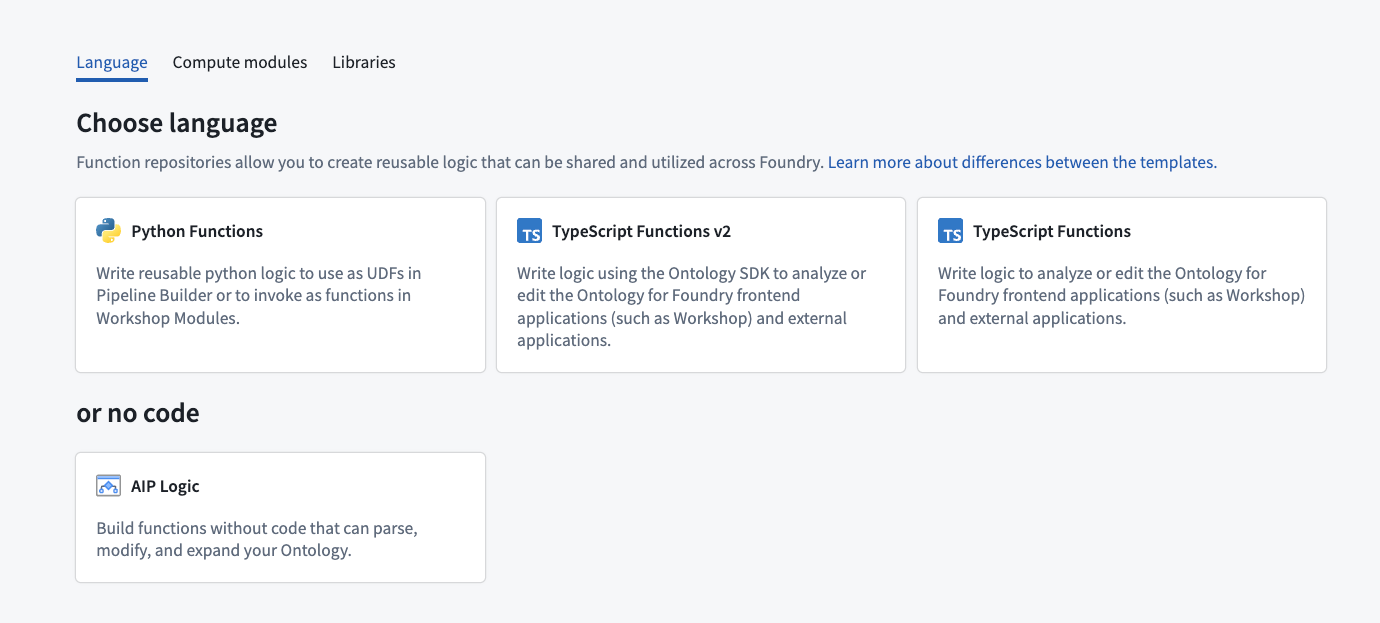
For detailed instructions on how to create a functions repository for a specific language, refer to the tutorial sections below:
- Create a TypeScript v1 functions repository
- Create a TypeScript v2 functions repository
- Create a Python functions repository
Test in live preview
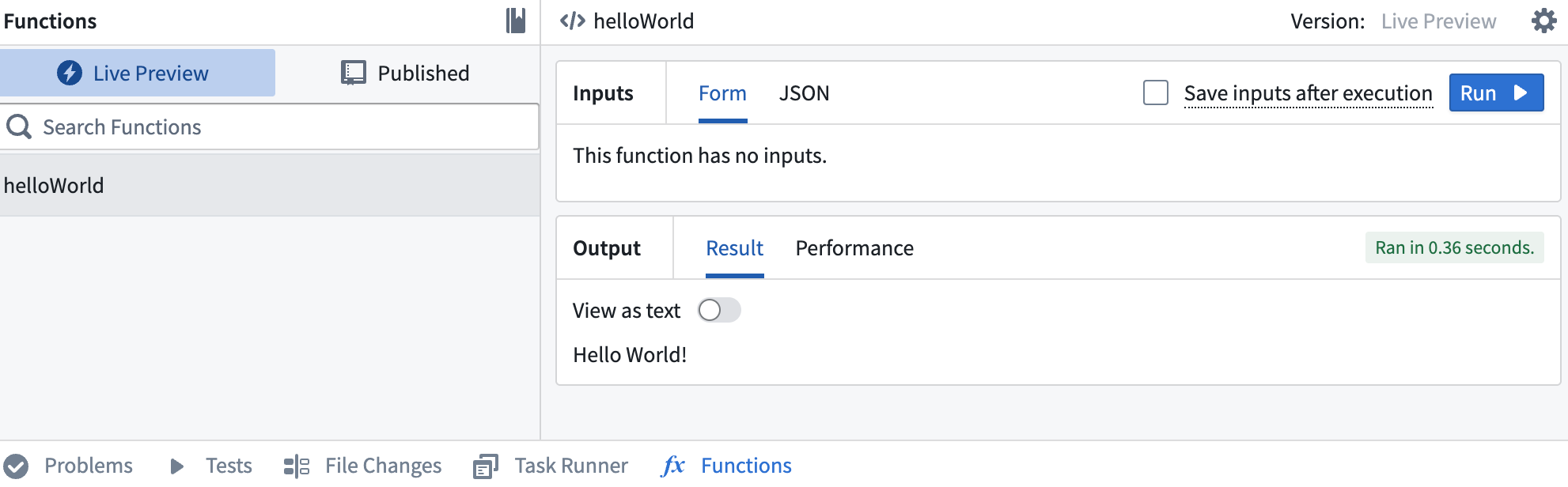
The functions live preview allows you to test your functions before committing them to your repository. You can run a function in live preview after adding it to your repository. To do so, open Functions on the bottom toolbar and select Live Preview. Choose a function, enter input values, and select Run to run the function.
:::callout{theme="warning"}
Live preview runs in a different runtime environment than published functions. Differences include CPU resources, available memory, and how long a function can run before timing out.
Manage the runtime environment for published functions.
:::
Select Commit in the upper right to commit your changes to the master branch of your repository.
Publish your functions
Once you commit your work, you will see the option to Tag version. This will publish all of the functions in your repository to the functions registry, making them accessible across the platform.

Select Tag version to tag a release off of the master branch. Set the tag name based on the extent of your changes, then choose Tag and release.

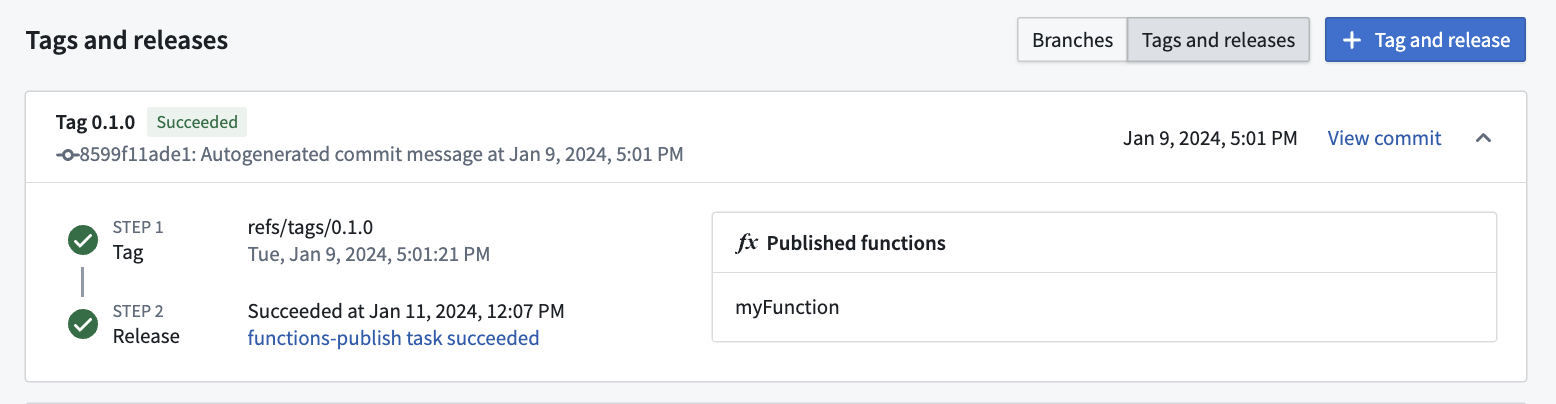
To view progress as your functions are tagged and released, select the View pop-up or navigate to the Tags tab. Once Step 2: Release is completed, select the published functions to view them in the functions registry.
:::callout{theme="warning"} Functions may not be immediately searchable by name in Workshop or the functions registry while permissions propagate. :::
Run your function
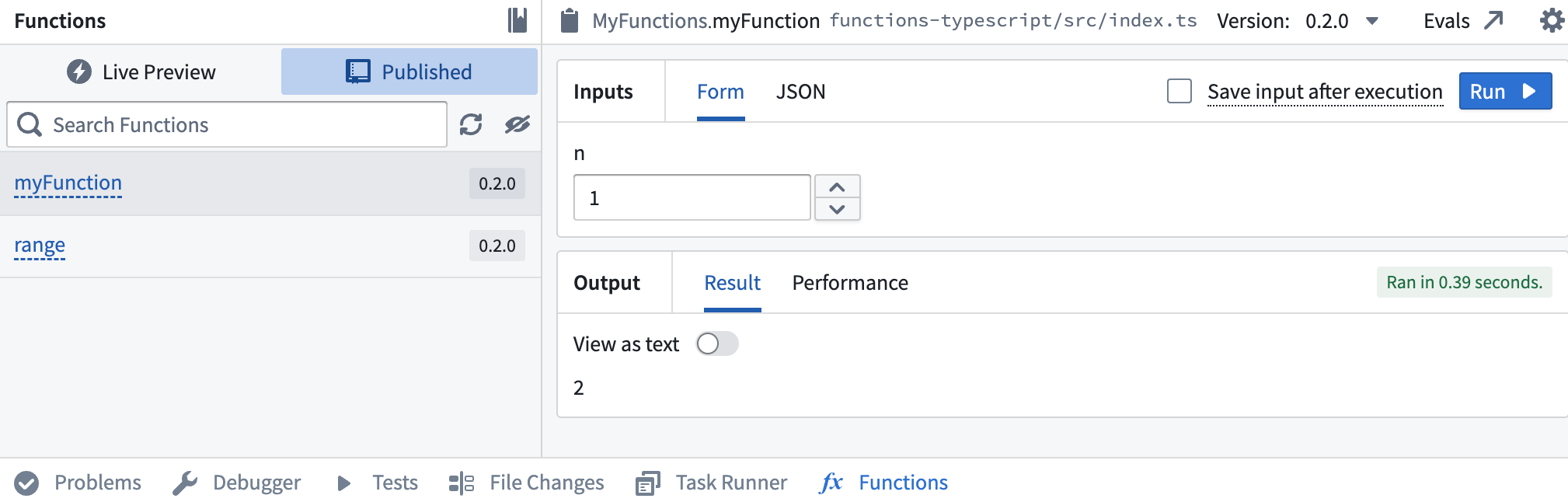
After the checks for your tag have passed, navigate back to the Code tab in Code Repositories and select Functions from the bottom toolbar. You should see your new function under the Published section. Select it, and try running the new function:
Learn more about leveraging functions across the platform.
中文翻译
函数入门
在 Foundry 中开始使用函数(functions)有三种语言选项:TypeScript v1、TypeScript v2 和 Python。有关每种语言支持功能的更多信息,请查阅语言功能支持规范。
虽然每种语言支持的功能集不同,但您都可以使用相同的基本平台功能,包括运行、测试和发布函数。本页概述了这些功能,帮助您了解如何使用函数仓库(functions repositories),无论您使用哪种语言。
有关特定语言入门的详细说明,请参考以下教程:
请查看以下章节,了解有关创建和使用函数仓库的通用信息。
创建函数仓库
创建函数仓库时,您可以选择最适合您需求的语言。您可以直接从所选项目中选择 + New > Repository 来初始化函数仓库,或者从 Code Repositories 应用程序中点击右上角的 + New repository 进行初始化。仓库初始化完成后,您就可以添加和运行函数。
有关如何为特定语言创建函数仓库的详细说明,请参考以下教程章节:
在实时预览中测试
函数实时预览(live preview)允许您在提交函数到仓库之前进行测试。将函数添加到仓库后,您可以在实时预览中运行它。为此,请打开底部工具栏中的 Functions,然后选择 Live Preview。选择一个函数,输入参数值,然后选择 Run 来运行该函数。
:::callout{theme="warning"}
实时预览的运行环境与已发布的函数不同。差异包括 CPU 资源、可用内存以及函数在超时前可运行的时间。
管理已发布函数的运行环境。
:::
点击右上角的 Commit 将更改提交到仓库的 master 分支。
发布函数
提交工作后,您将看到 Tag version 选项。这将把仓库中的所有函数发布到函数注册表(functions registry),使其在整个平台中可用。
选择 Tag version 以基于 master 分支标记一个发布版本。根据更改的范围设置标签名称,然后选择 Tag and release。
要查看函数标记和发布过程中的进度,请选择 View 弹出窗口或导航到 Tags 选项卡。当 Step 2: Release 完成后,选择已发布的函数以在函数注册表中查看它们。
:::callout{theme="warning"} 在权限传播期间,函数可能无法立即在 Workshop 或函数注册表中按名称搜索到。 :::
运行函数
标签检查通过后,导航回 Code Repositories 中的 Code 选项卡,然后从底部工具栏中选择 Functions。您应该会在 Published 部分看到新函数。选择它,然后尝试运行新函数: