Language models in TypeScript v2 and Python functions(TypeScript v2 和 Python 函数中的语言模型)
:::callout{title="Prerequisites" theme="neutral"} To use Palantir-provided language models, AIP must be enabled on your enrollment. You must also have permissions to use AIP builder capabilities. :::
Palantir provides a set of language models that can be used within functions. Learn more about Palantir-provided LLMs.
Import a language model
To begin using a language model, you must import the specific model into your functions code repository by following the steps below:
- Open the Platform SDK tab in the Resource imports panel.
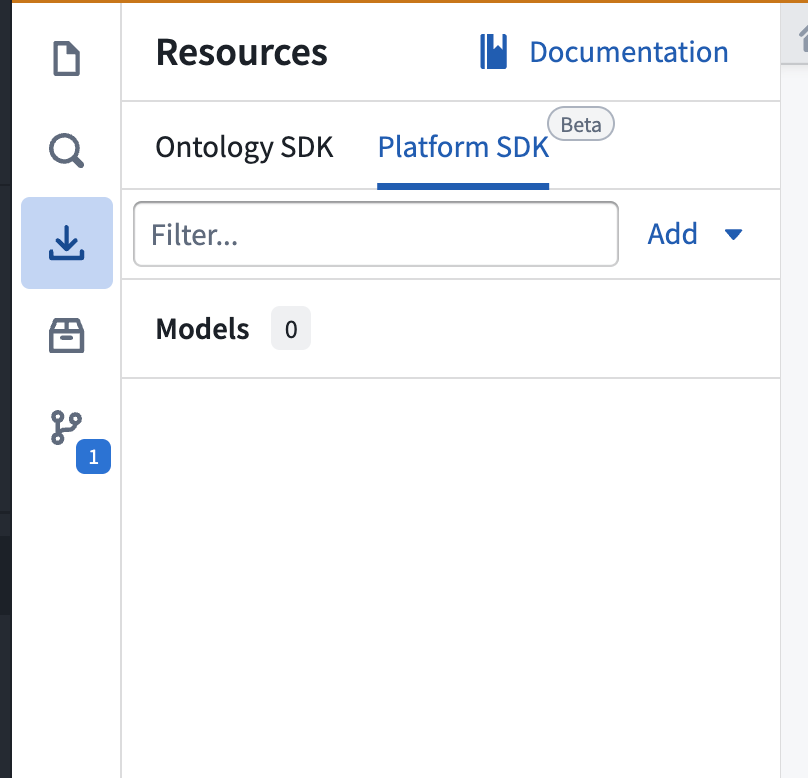
- To import a new language model, select Add > Models in the upper right corner. A window will open in which you can view available Palantir-provided and registered models.
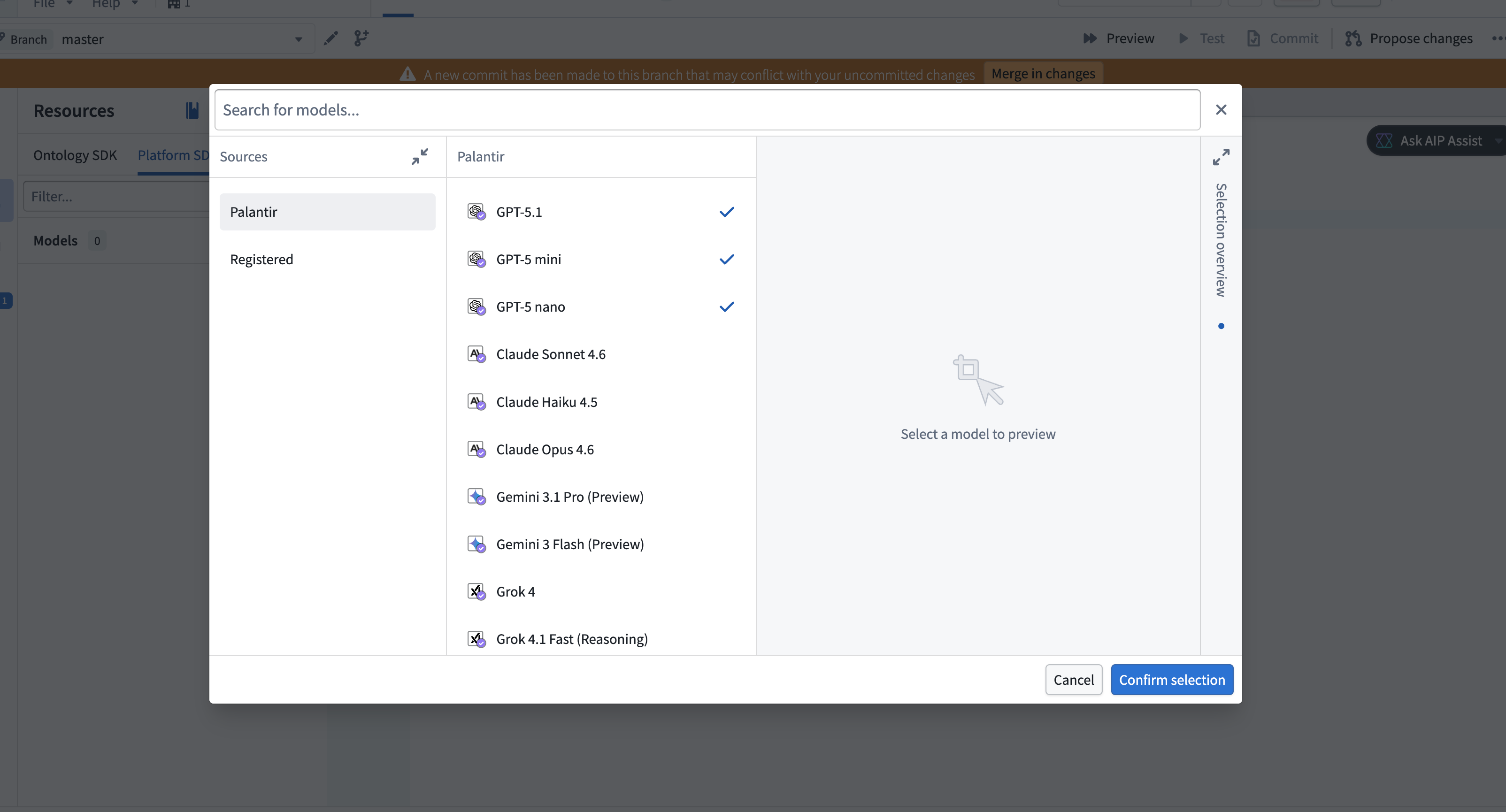
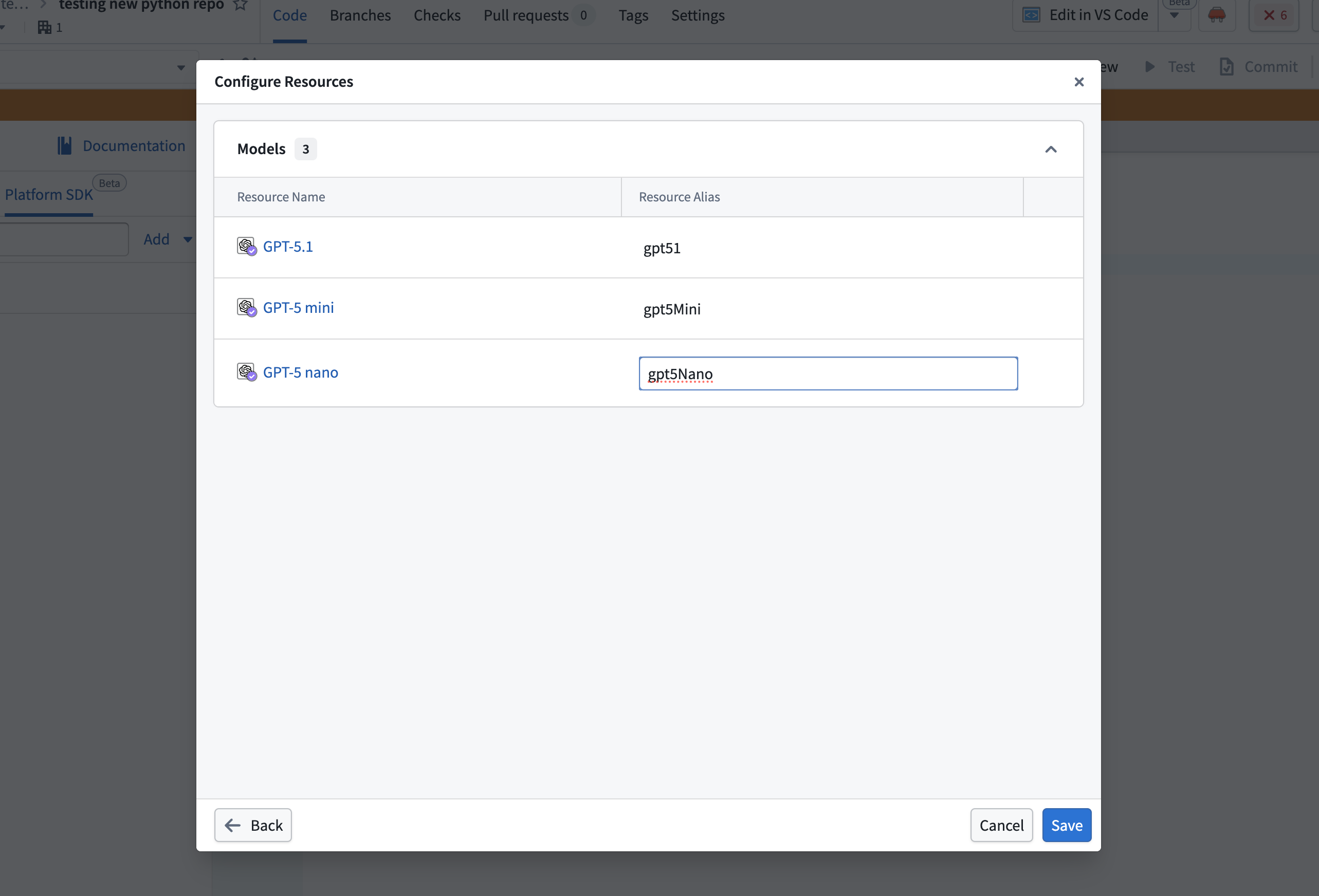
- Select the models to import, then choose Confirm selection. A configuration dialog will open in which you can configure aliases for each selected model. Select the pen icon near the alias to make edits, or choose to keep the defaults.
:::callout{theme="warning"} Each model must have an alias, and the alias must be unique within the repository. :::
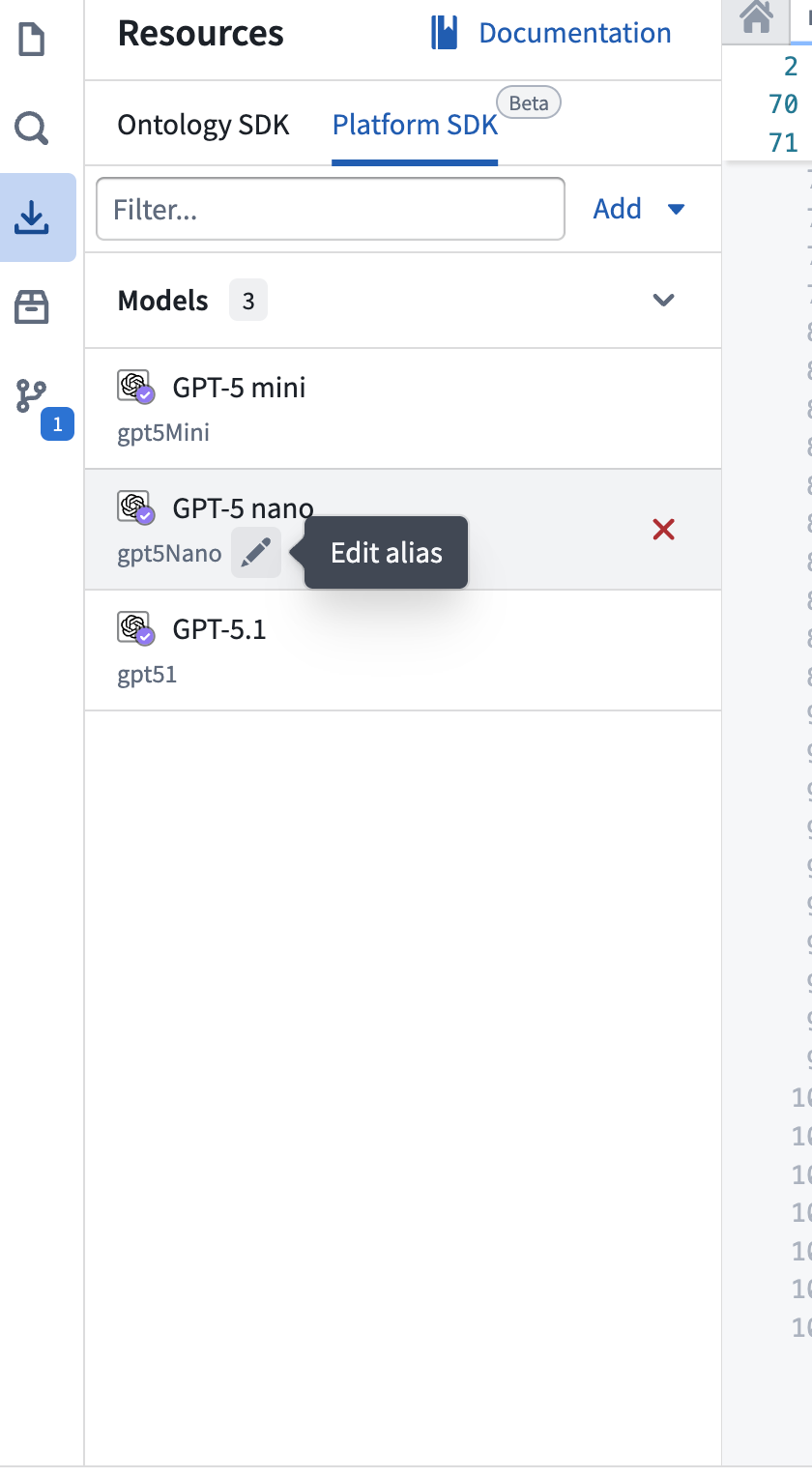
- The imported models will appear in the Platform SDK tab in the Resource imports side panel. You can edit any alias inline by selecting the pen icon next to the alias.
Write a function that uses a language model
Language models in TypeScript v2 and Python functions use proxy endpoints to interact with models. The following example uses the OpenAI chat completion proxy endpoint. You can select other providers from the documentation side panel.
:::callout{theme="neutral"}
Third-party libraries, such as openai in the example below, are not pre-installed. Install them from the Libraries section of the left side panel.
:::
To use an imported language model in your function, begin by importing the necessary utilities:
```typescript tab="TypeScript v2" import { PlatformClient } from "@osdk/client"; import OpenAI from "openai"; import { Aliases } from "@osdk/functions"; import { getFoundryToken, getOpenAiBaseUrl, createFetch } from "@osdk/language-models";
```python tab="Python"
from openai import OpenAI
from functions.api import function
from functions.aliases import model
from foundry_sdk.v2.language_models import (
    get_openai_base_url,
    get_foundry_token,
    get_http_client,
)
Directly call the model using the model aliases you configured along with the imported utilities. This approach is simpler than the TypeScript v1 workflow and reduces the need to hardcode resource identifiers.
```typescript tab="TypeScript v2"
export default async function callOpenAi(client: PlatformClient, prompt: string): Promise
const completion = await oaiClient.chat.completions.create({
    model: Aliases.model("{MY_ALIAS}").rid,
    messages: [
        { role: 'user', content: prompt },
    ],
    reasoning_effort: "minimal",
    max_completion_tokens: 200,
});

return completion.choices[0]?.message.content ?? "";
}
python tab="Python"
@function
def get_chat_completion(prompt: str) -> str:
client = OpenAI(
api_key=get_foundry_token(preview=True),
base_url=get_openai_base_url(preview=True),
http_client=get_http_client(preview=True),
)
completion = client.chat.completions.create(
model=model("{MY_ALIAS}").rid,
messages=[
{
"role": "user",
"content": prompt,
},
],
)
return str(completion.choices[0].message.content)
```
中文翻译
TypeScript v2 和 Python 函数中的语言模型
:::callout{title="前提条件" theme="neutral"} 要使用 Palantir 提供的语言模型,必须在您的注册中启用 AIP。您还需要拥有使用 AIP 构建者能力的权限。 :::
Palantir 提供了一组可在函数中使用的语言模型。了解更多关于 Palantir 提供的 LLM。
导入语言模型
要开始使用语言模型,您必须按照以下步骤将特定模型导入到您的函数代码仓库中:
- 打开 资源导入 面板中的 Platform SDK 选项卡。
- 要导入新的语言模型,请选择右上角的 添加 > 模型。将打开一个窗口,您可以在其中查看可用的 Palantir 提供和注册的模型。
- 选择要导入的模型,然后选择 确认选择。将打开一个配置对话框,您可以在其中为每个选定的模型配置别名。选择别名旁边的笔图标进行编辑,或选择保留默认值。
:::callout{theme="warning"} 每个模型必须有一个别名,并且该别名在仓库中必须是唯一的。 :::
- 导入的模型将出现在 资源导入 侧面板的 Platform SDK 选项卡中。您可以通过选择别名旁边的笔图标来内联编辑任何别名。
编写使用语言模型的函数
TypeScript v2 和 Python 函数中的语言模型使用代理端点与模型交互。以下示例使用 OpenAI 聊天补全代理端点。您可以从文档侧面板中选择其他提供商。
:::callout{theme="neutral"}
第三方库(如下例中的 openai)不会预装。请从左侧面板的 库 部分安装它们。
:::
要在函数中使用导入的语言模型,首先导入必要的工具:
```typescript tab="TypeScript v2" import { PlatformClient } from "@osdk/client"; import OpenAI from "openai"; import { Aliases } from "@osdk/functions"; import { getFoundryToken, getOpenAiBaseUrl, createFetch } from "@osdk/language-models";
```python tab="Python"
from openai import OpenAI
from functions.api import function
from functions.aliases import model
from foundry_sdk.v2.language_models import (
    get_openai_base_url,
    get_foundry_token,
    get_http_client,
)
使用您配置的模型别名以及导入的工具直接调用模型。这种方法比 TypeScript v1 工作流更简单,并减少了硬编码资源标识符的需求。
```typescript tab="TypeScript v2"
export default async function callOpenAi(client: PlatformClient, prompt: string): Promise
const completion = await oaiClient.chat.completions.create({
    model: Aliases.model("{MY_ALIAS}").rid,
    messages: [
        { role: 'user', content: prompt },
    ],
    reasoning_effort: "minimal",
    max_completion_tokens: 200,
});

return completion.choices[0]?.message.content ?? "";
}
python tab="Python"
@function
def get_chat_completion(prompt: str) -> str:
client = OpenAI(
api_key=get_foundry_token(preview=True),
base_url=get_openai_base_url(preview=True),
http_client=get_http_client(preview=True),
)
completion = client.chat.completions.create(
model=model("{MY_ALIAS}").rid,
messages=[
{
"role": "user",
"content": prompt,
},
],
)
return str(completion.choices[0].message.content)
```