Model aliases(模型别名)
Model aliases are named references to language models that provide a convenient way to reference language models in code.
For a full walkthrough of using language models in functions, see Language models in TypeScript v2 and Python functions.
Define a model alias
To define a model alias, open a TypeScript v2 or Python code repository and follow the steps below:
- Open the Platform SDK tab in the Resource imports panel.
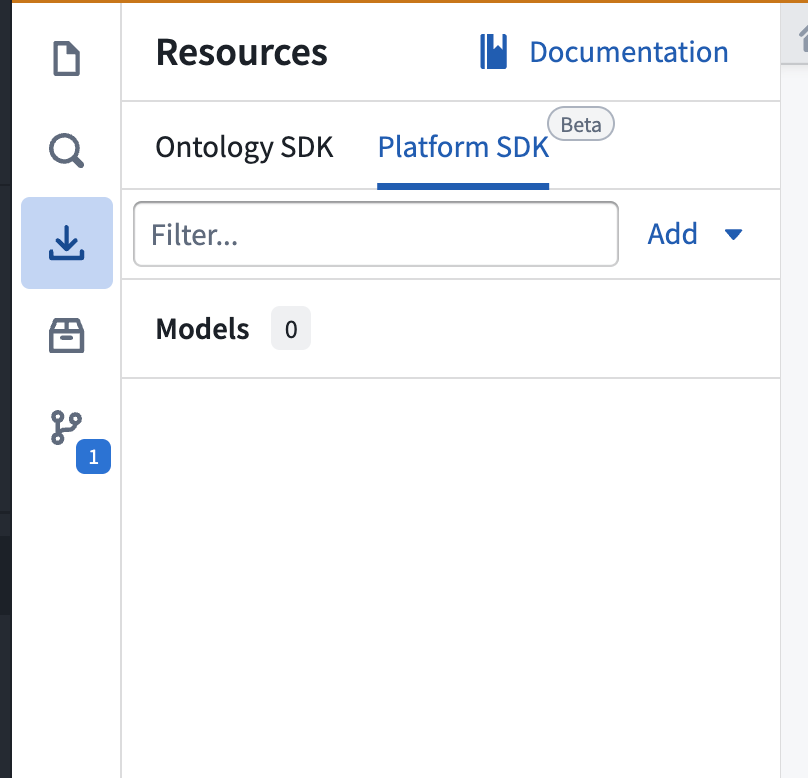
- To import a new language model, select Add > Models in the upper right corner. A window will open in which you can view available Palantir-provided and registered models.
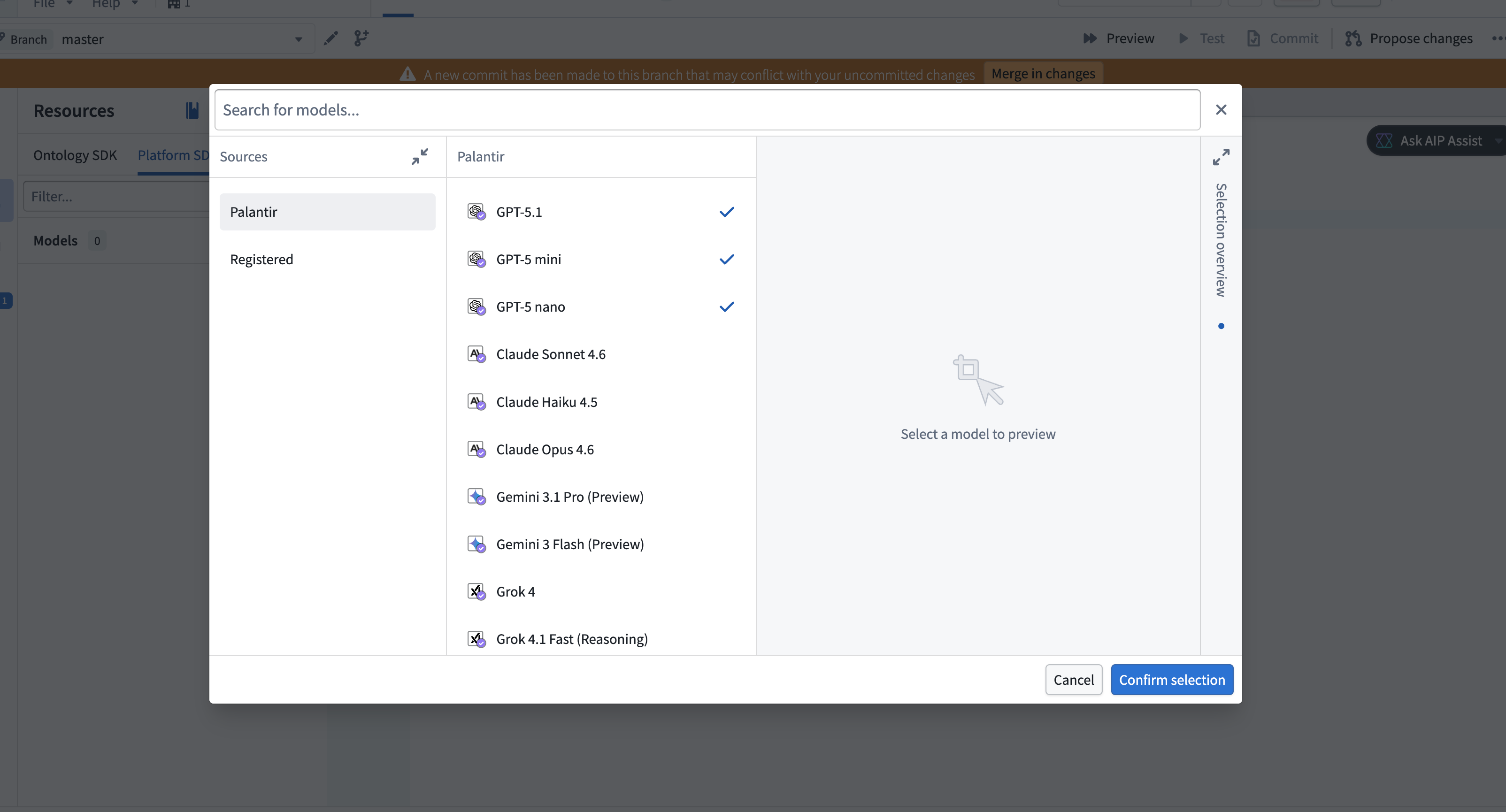
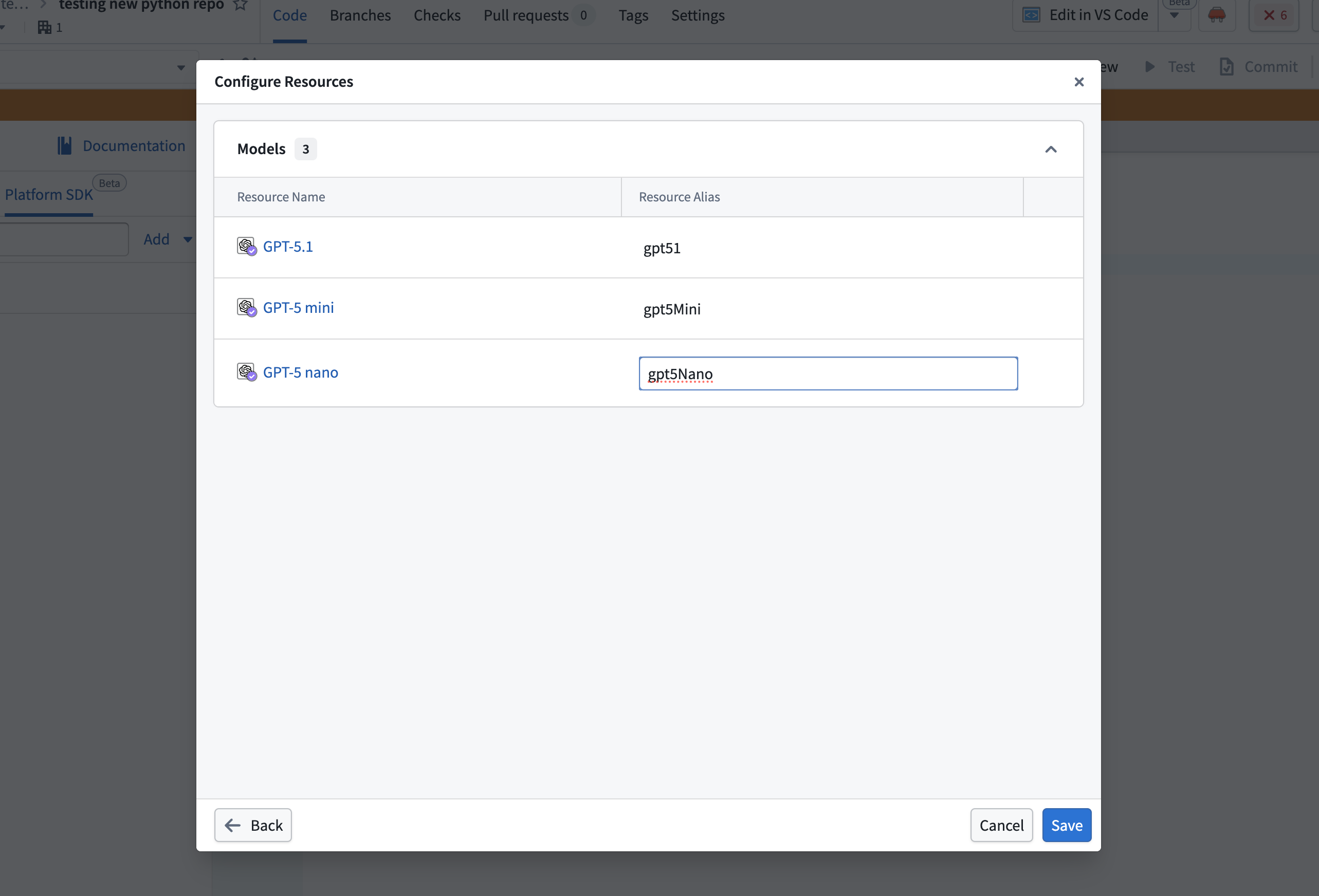
- Select the models to import, then choose Confirm selection. A configuration dialog will open in which you can configure aliases for each selected model. Select the pen icon near the alias to make edits, or choose to keep the defaults.
:::callout{theme="neutral"} Alias keys must be unique within the repository. :::
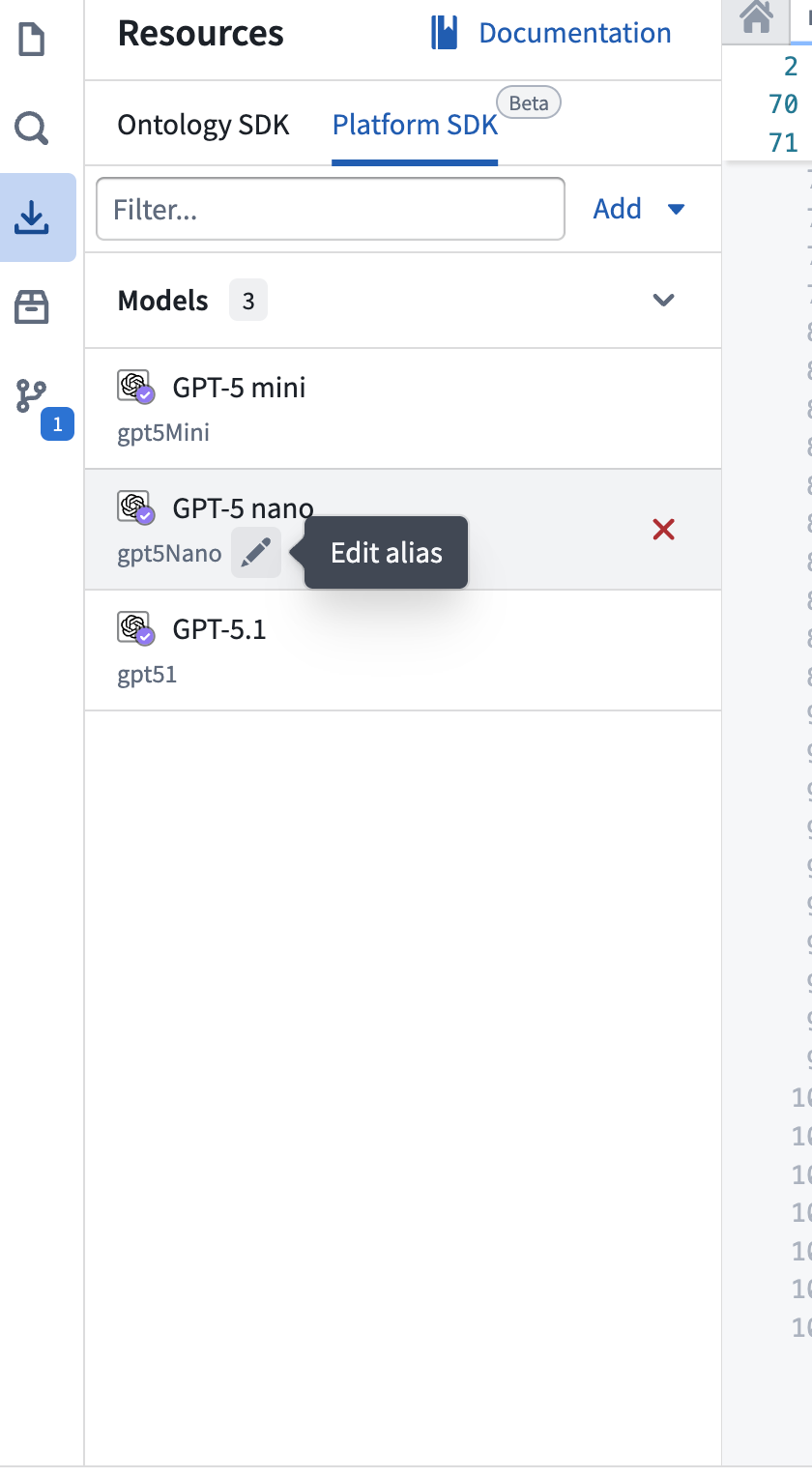
- The imported models will appear in the Platform SDK tab in the Resource imports side panel. You can edit any alias inline by selecting the pen icon next to the alias.
Use a model alias in code
To use a model alias in your function, import the alias utility and reference the alias by name. The alias resolves to a model RID that you can pass to a model client:
```typescript tab="TypeScript v2" import { Aliases } from "@osdk/functions";
const modelRid = Aliases.model("gpt5Nano").rid;
```python tab="Python"
from functions.aliases import model

model_rid = model("gpt5Nano").rid
For a complete example of calling a language model using an alias, see Write a function that uses a language model.
:::callout{theme="warning"} Model aliases work in functions added to Marketplace products, but cannot be remapped during installation. If the model referenced by an alias is not available in the target environment, the function will fail to resolve the alias at runtime. :::
中文翻译
模型别名
模型别名(Model aliases)是对语言模型的命名引用,提供了一种在代码中便捷引用语言模型的方式。
有关在函数中使用语言模型的完整指南,请参阅 TypeScript v2 和 Python 函数中的语言模型。
定义模型别名
要定义模型别名,请打开 TypeScript v2 或 Python 代码仓库,并按照以下步骤操作:
- 在 资源导入 面板中打开 平台 SDK 标签页。
- 要导入新的语言模型,请选择右上角的 添加 > 模型。将打开一个窗口,您可以在其中查看可用的 Palantir 提供和注册的模型。
- 选择要导入的模型,然后选择 确认选择。将打开一个配置对话框,您可以在其中为每个选定的模型配置别名。选择别名旁边的笔形图标进行编辑,或选择保留默认设置。
:::callout{theme="neutral"} 别名键(Alias keys)在仓库内必须唯一。 :::
- 导入的模型将出现在 资源导入 侧面板的 平台 SDK 标签页中。您可以通过选择别名旁边的笔形图标来内联编辑任何别名。
在代码中使用模型别名
要在函数中使用模型别名,请导入别名工具并按名称引用别名。该别名解析为一个模型 RID,您可以将其传递给模型客户端(model client):
```typescript tab="TypeScript v2" import { Aliases } from "@osdk/functions";
const modelRid = Aliases.model("gpt5Nano").rid;
```python tab="Python"
from functions.aliases import model

model_rid = model("gpt5Nano").rid
有关使用别名调用语言模型的完整示例,请参阅 编写使用语言模型的函数。
:::callout{theme="warning"} 模型别名适用于添加到 Marketplace 产品 中的函数,但在安装过程中无法重新映射。如果别名引用的模型在目标环境中不可用,函数将在运行时无法解析该别名。 :::