Import object, interface, and link types(导入对象、接口和链接类型)
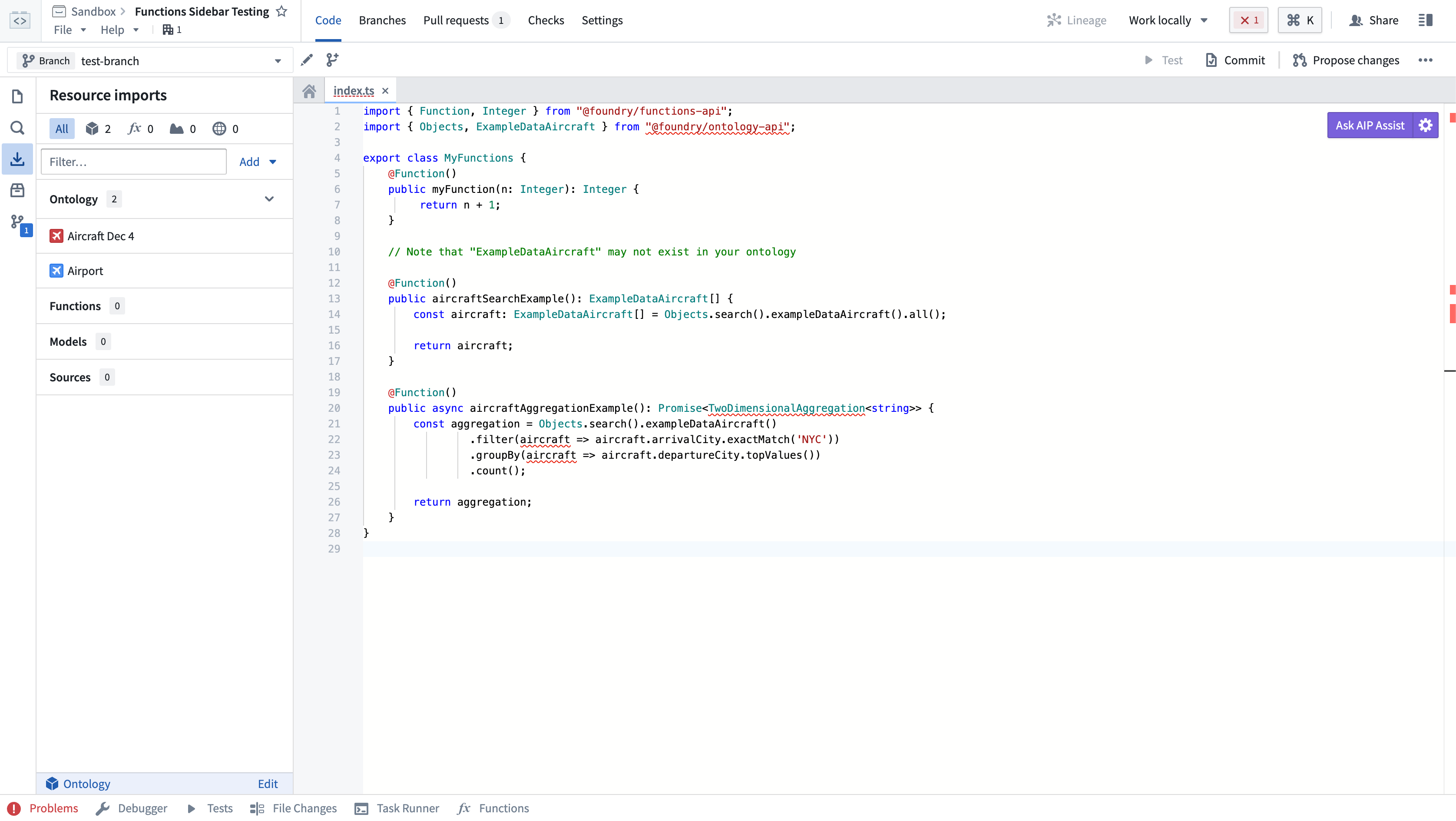
Any object, interface, or link types you want to use in your function must be imported into the Project that contains your repository. Select the Resource Imports sidebar to view the object types which have been imported into the Project.
:::callout{theme="neutral"}
Your Organization may not have the Airport and Flight objects. Use any object types you have access to when following these steps.
:::
To import additional object types, you will need to select the Add button in the Resource Imports sidebar. If no ontology was selected, you will be prompted to select an ontology. If you have at least one imported ontology type, the selected ontology will automatically be resolved.
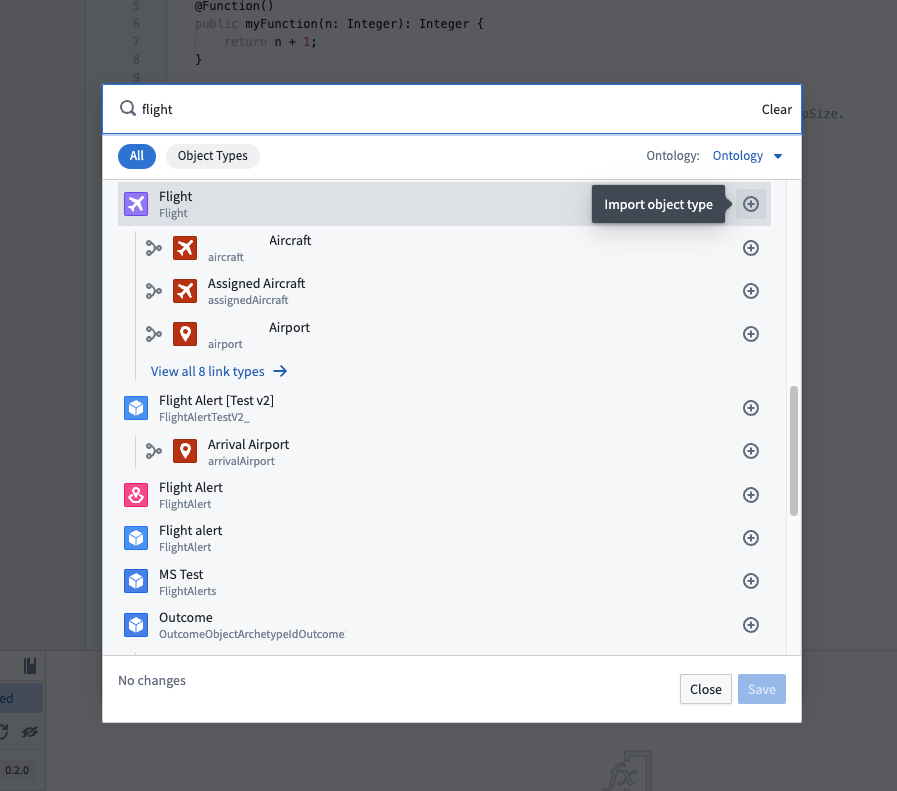
Once an ontology is selected, a search modal will appear. Your ontology will depend on the object types available in your Organization. Start by selecting a few object types and link types that connect them. In this example, we'll import the Airport and Flight objects, in addition to the link type between them.
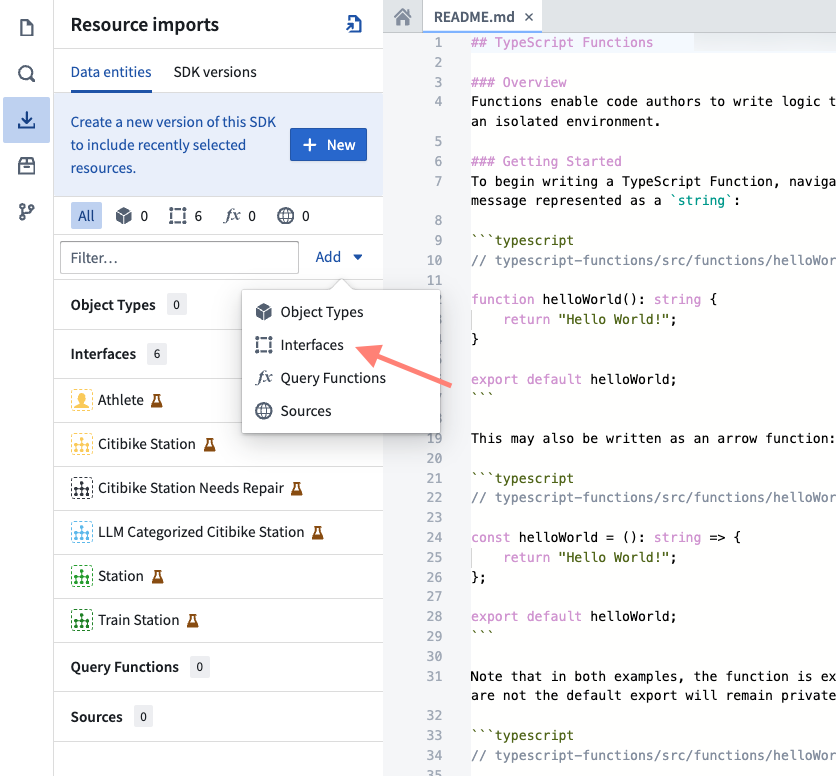
You can also import ontology interfaces by selecting Interfaces under the Add button.
Choose Save to import the ontology types into the Project. Code Assist will automatically restart to regenerate code bindings to reflect the new object and link types you imported.
In your code, you may now import ontology types from the @foundry/ontology-api package. If you are using a private ontology, the package name will instead be @foundry/ontology-api/<ontology-api-name>.
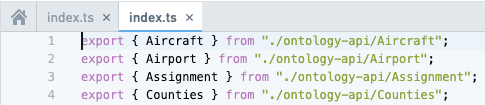
Once Code Assist starts, you can view all the available object types by using Ctrl + click on the @foundry/ontology-api package name. The open index.ts file shows all of the valid object types you can import into your code:
If you have access to more than one ontology, you can use the selector to pick which ontology you would like to use. Currently, importing multiple ontologies into a single project is unsupported.
中文翻译
导入对象、接口和链接类型
要在函数中使用的任何对象、接口或链接类型,都必须导入到包含代码仓库的 Project 中。选择侧边栏中的 Resource Imports(资源导入)即可查看已导入到 Project 中的对象类型。
:::callout{theme="neutral"}
您的组织可能没有 Airport 和 Flight 对象。在按照以下步骤操作时,请使用您有权访问的任何对象类型。
:::
要导入其他对象类型,您需要选择 Resource Imports 侧边栏中的 Add(添加)按钮。如果未选择任何本体(ontology),系统将提示您选择一个本体。如果您已导入至少一种本体类型,则所选本体将自动解析。
选择本体后,将出现一个搜索弹窗。您的本体取决于您组织中可用的对象类型。首先选择一些对象类型及其关联的链接类型。在本示例中,我们将导入 Airport 和 Flight 对象,以及它们之间的链接类型。
您还可以通过选择 Add 按钮下的 Interfaces(接口)来导入本体接口。
选择 Save(保存)将本体类型导入到 Project 中。Code Assist 将自动重启以重新生成代码绑定,从而反映您导入的新对象和链接类型。
在代码中,您现在可以从 @foundry/ontology-api 包中导入本体类型。如果您使用的是私有本体,则包名称将改为 @foundry/ontology-api/<ontology-api-name>。
Code Assist 启动后,您可以通过按住 Ctrl 键并点击 @foundry/ontology-api 包名称来查看所有可用的对象类型。打开的 index.ts 文件将显示所有可以导入到代码中的有效对象类型:
如果您有权访问多个本体,可以使用选择器来挑选要使用的本体。目前,不支持将多个本体导入到单个 Project 中。