Functions on objects(对象上的函数)
You can write functions that interact with the Ontology using the Python Ontology SDK.
Generate a Python Ontology SDK
To generate a Python Ontology SDK client, navigate to the Resource imports sidebar and select Add > Ontology. From there, select your desired Ontology and import any objects and links you would like to interact with in your functions. After saving to confirm your selections, a banner will appear to indicate that a corresponding OSDK has not yet been created.
Navigate to the SDK Generation tab to generate and install the OSDK.
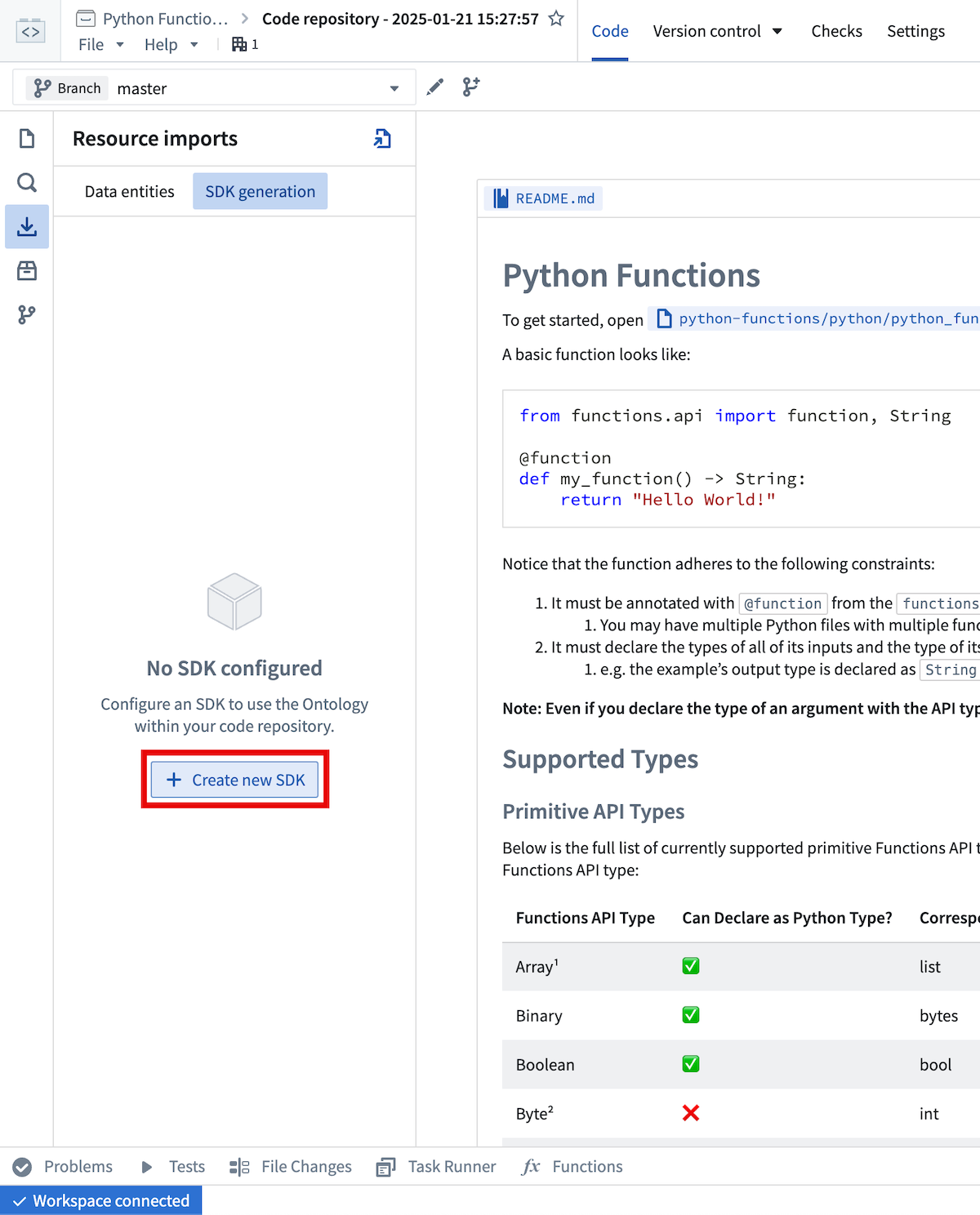
If no OSDK has been generated, you will be prompted to enter a name for the generated package. The package name cannot be changed after the first version has been generated.
After selecting Create new version, you can monitor the generation progress from this view.
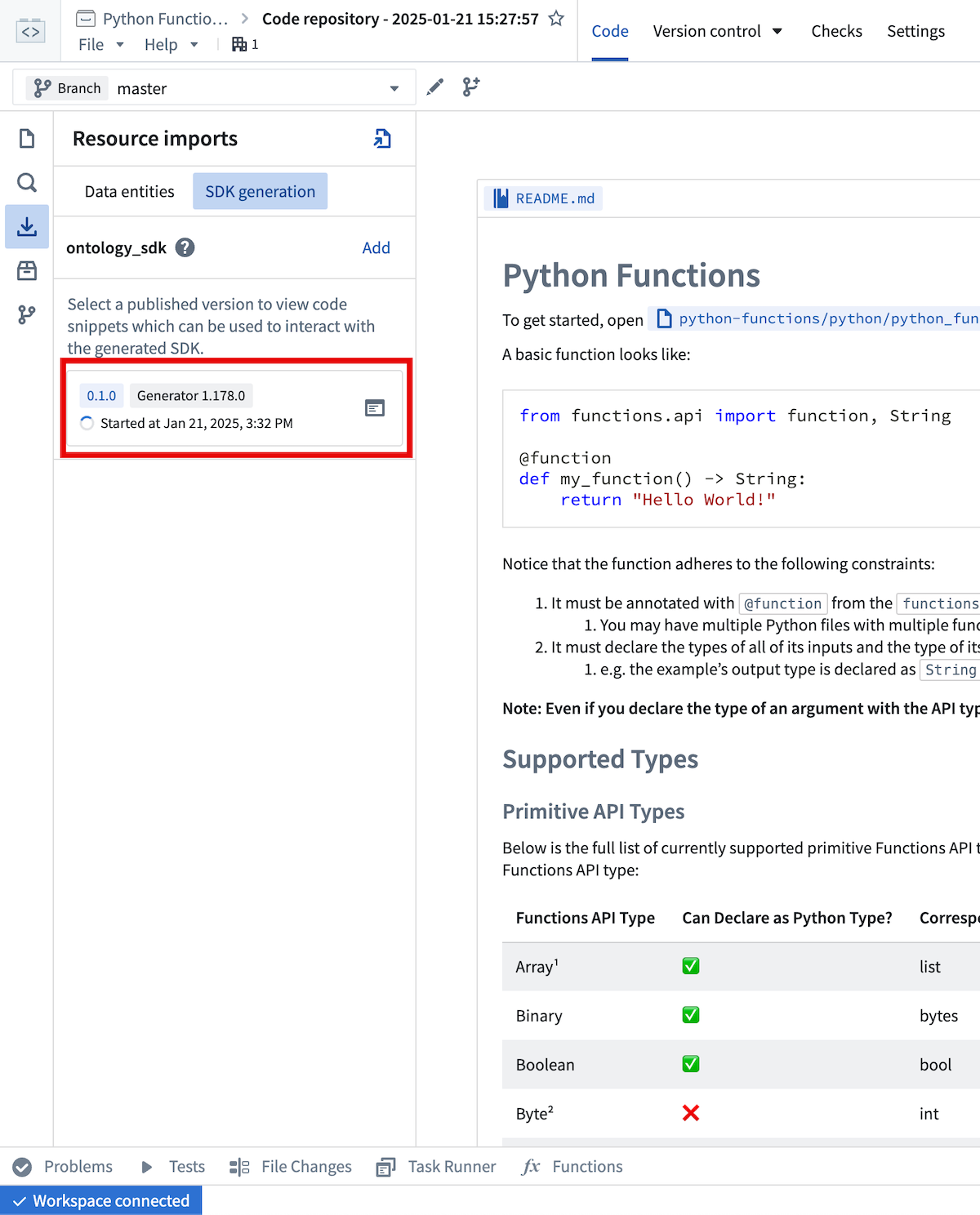
Once generation is complete, you will need to install the newly generated version with the  button.
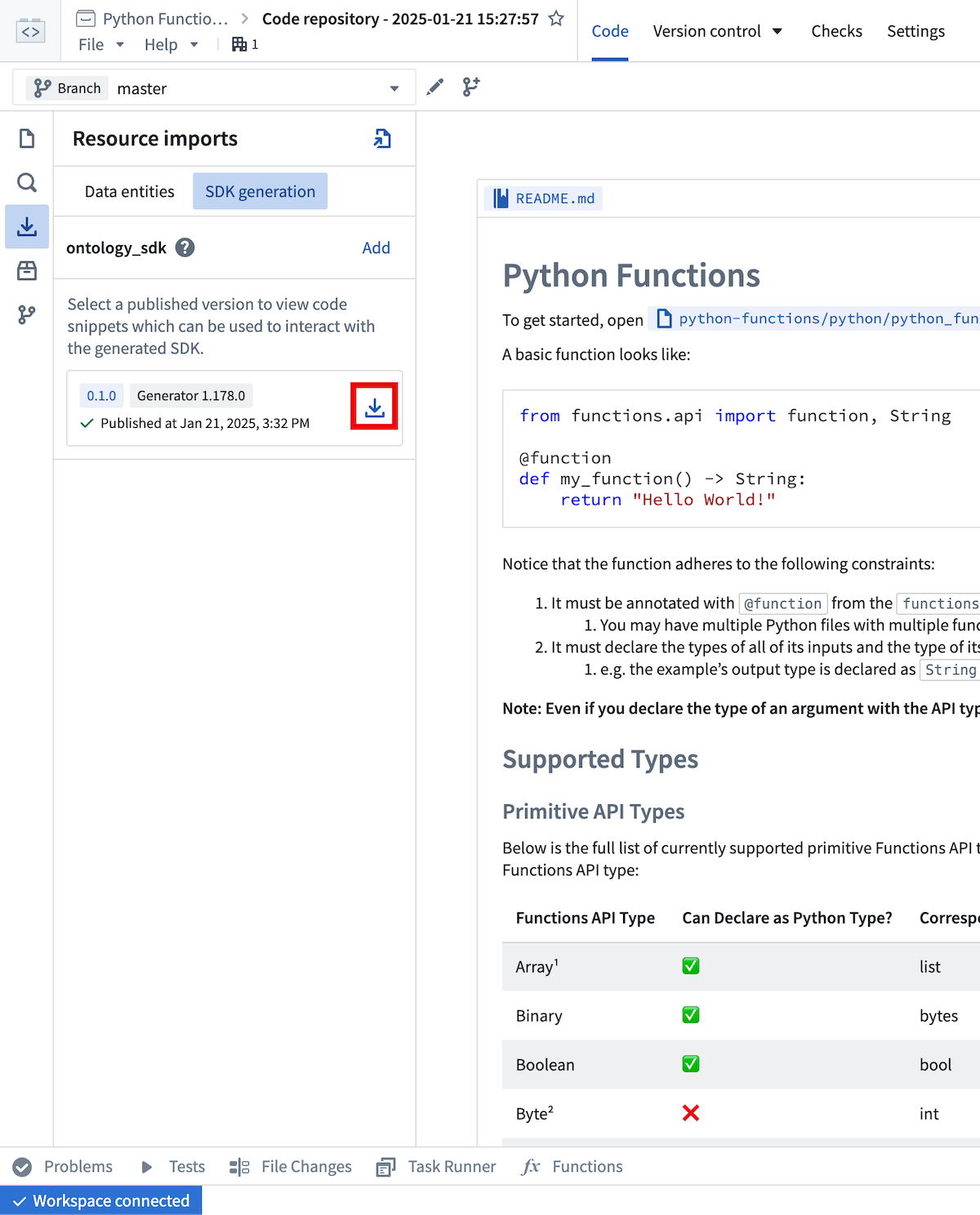
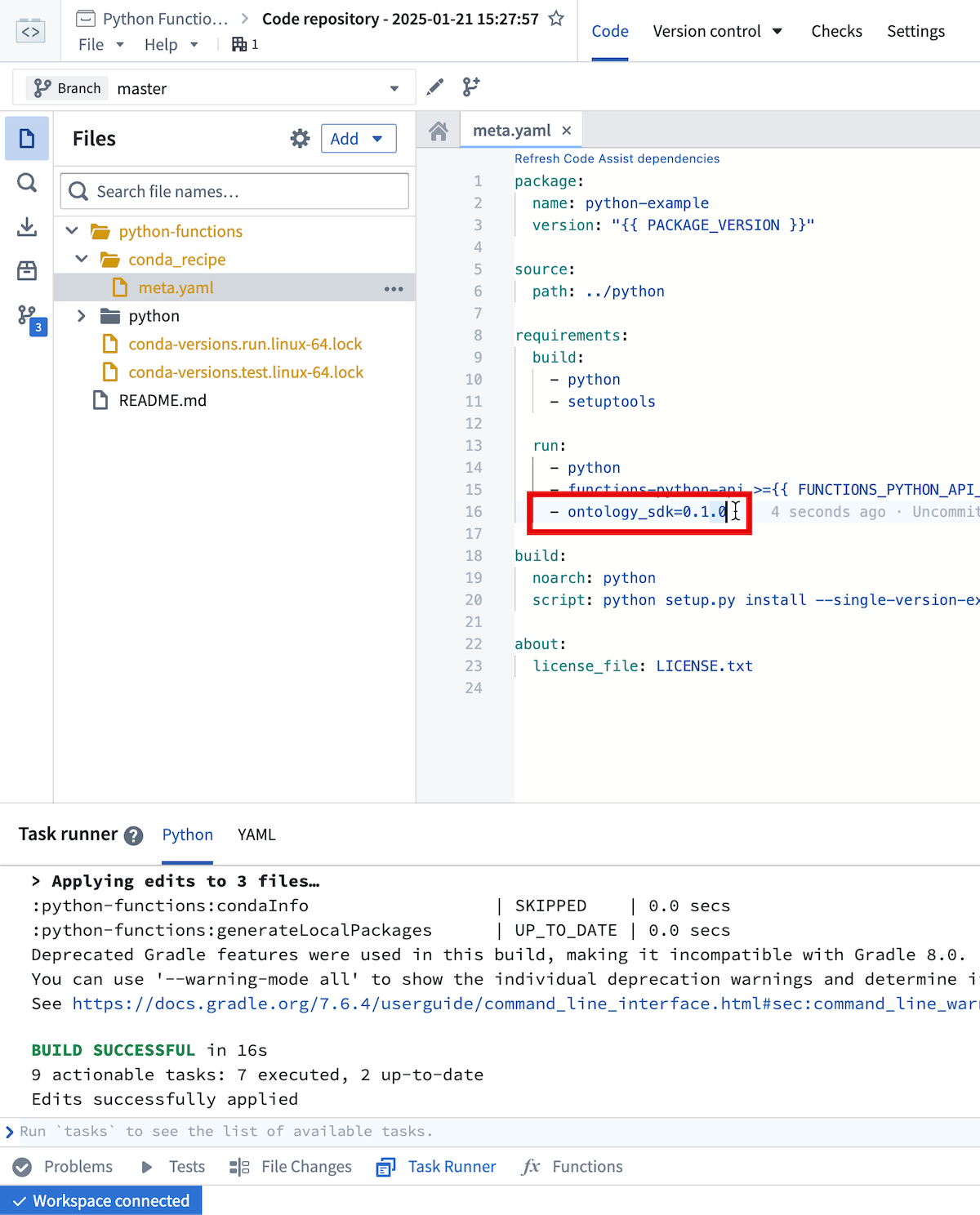
This will trigger an interactive install in the task runner panel.
Once that task completes successfully (the Task Runner will display BUILD SUCCESSFUL), code completion for the OSDK will be available in your code assist session.
The meta.yml file will also be updated to include a reference to the generated package.
You can manually update meta.yml instead of using the installation helper, but if you manually update meta.yml, you will need to rebuild your code assist session to pick up the changes.
Any time you import additional resources in the sidebar you will be prompted to generate and install a new version of the OSDK that includes these resources. Additionally, if you modify imported resources (for instance, adding a new property to an already imported object type), you will need to generate a new OSDK version to pick up these changes.
Examples
For an example object type named Aircraft with properties brand and capacity, you could write a
function that accepts an Aircraft object and summarizes it like so:
from functions.api import function
from ontology_sdk.ontology.objects import Aircraft

@function
def aircraft_input_example(aircraft: Aircraft) -> str:
    return f"{aircraft.brand} aircraft, holds {aircraft.capacity} passengers"
Furthermore, if you wanted to search for Aircraft objects satisfying a certain capacity threshold, you could write the
following:
from functions.api import function
from ontology_sdk import FoundryClient
from ontology_sdk.ontology.objects import Aircraft
from ontology_sdk.ontology.object_sets import AircraftObjectSet

@function
def aircraft_search_example() -> AircraftObjectSet:
    client = FoundryClient()
    return client.ontology.objects.Aircraft.where(Aircraft.object_type.capacity > 100)
The Python OSDK also offers beta features such as interoperability with pandas DataFrames:
from functions.api import function
from ontology_sdk.ontology.object_sets import AircraftObjectSet

@function
def aircraft_dataframe_example(aircrafts: AircraftObjectSet) -> int:
    df = aircrafts.to_dataframe()
    return df['capacity'].sum()
Review the Python Ontology SDK documentation for more information.
中文翻译
对象上的函数
您可以使用 Python 本体论 SDK(Ontology SDK)编写与本体论(Ontology)交互的函数。
生成 Python 本体论 SDK(Python Ontology SDK)
要生成 Python 本体论 SDK(Python Ontology SDK)客户端,请导航至资源导入侧边栏,然后选择 添加 > 本体论(Add > Ontology)。在此处,选择您所需的本体论(Ontology),并导入您希望在函数中交互的任何对象和链接。保存以确认您的选择后,将出现一条横幅,提示尚未创建相应的 OSDK。
导航至 SDK 生成(SDK Generation) 选项卡以生成并安装 OSDK。
如果尚未生成 OSDK,系统将提示您为生成的包输入名称。生成第一个版本后,包名称将无法更改。
选择 创建新版本(Create new version) 后,您可以在此视图中监控生成进度。
生成完成后,您需要使用 按钮安装新生成的版本。
这将在任务运行器面板中触发交互式安装。当该任务成功完成(任务运行器将显示 BUILD SUCCESSFUL)后,OSDK 的代码补全功能将在您的代码辅助会话中可用。
meta.yml 文件也将更新,以包含对生成包的引用。您可以手动更新 meta.yml 而不是使用安装助手,但如果手动更新 meta.yml,则需要重建代码辅助会话以获取更改。
每当您在侧边栏中导入其他资源时,系统都会提示您生成并安装包含这些资源的新版本 OSDK。此外,如果您修改了已导入的资源(例如,向已导入的对象类型添加新属性),则需要生成新的 OSDK 版本以获取这些更改。
示例
对于名为 Aircraft 的示例对象类型,其属性为 brand 和 capacity,您可以编写一个接受 Aircraft 对象并对其进行总结的函数,如下所示:
from functions.api import function
from ontology_sdk.ontology.objects import Aircraft

@function
def aircraft_input_example(aircraft: Aircraft) -> str:
    return f"{aircraft.brand} aircraft, holds {aircraft.capacity} passengers"
此外,如果您想搜索满足特定容量阈值的 Aircraft 对象,可以编写以下代码:
from functions.api import function
from ontology_sdk import FoundryClient
from ontology_sdk.ontology.objects import Aircraft
from ontology_sdk.ontology.object_sets import AircraftObjectSet

@function
def aircraft_search_example() -> AircraftObjectSet:
    client = FoundryClient()
    return client.ontology.objects.Aircraft.where(Aircraft.object_type.capacity > 100)
Python OSDK 还提供测试版功能,例如与 pandas 数据框(DataFrames)的互操作性:
from functions.api import function
from ontology_sdk.ontology.object_sets import AircraftObjectSet

@function
def aircraft_dataframe_example(aircrafts: AircraftObjectSet) -> int:
    df = aircrafts.to_dataframe()
    return df['capacity'].sum()
请查阅 Python 本体论 SDK(Python Ontology SDK)文档以获取更多信息。