Create a deletion policy for a dataset(为数据集创建删除策略)
:::callout{theme="neutral"} We recommend using the Data Lifetime application to set deletion policies. However, in some cases, it may be more appropriate to configure policies directly on a dataset. When viewing a dataset, select the Details tab, then Lineage-aware retention policies to create a new policy. :::
Familiarize yourself with the various permission roles before attempting to create a new deletion policy. You must have the Data Governance Officer role or Dataset Editor privileges to perform the steps in this guide.
Follow the steps below to create a lineage-aware deletion policy.
-
Navigate to Applications from the left navigation panel, choose Security & governance, then select Data Lifetime.
-
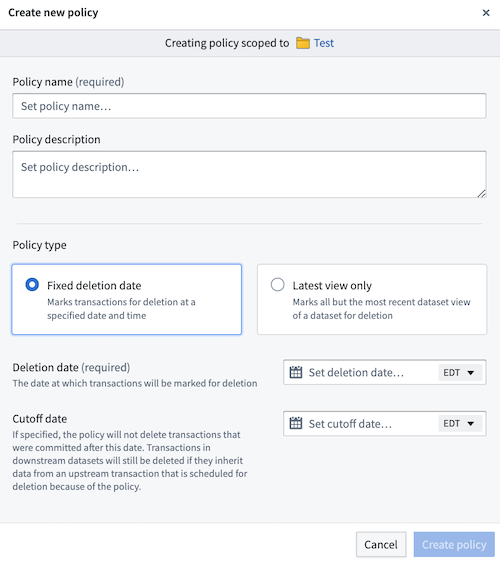
Select + New Policy and add the necessary information, including the policy name, type, and deletion date.

- Choose Create policy to land on the configuration details page of the new policy. Learn more about deletion policy types.
- Select Apply to dataset in the upper left of the screen.
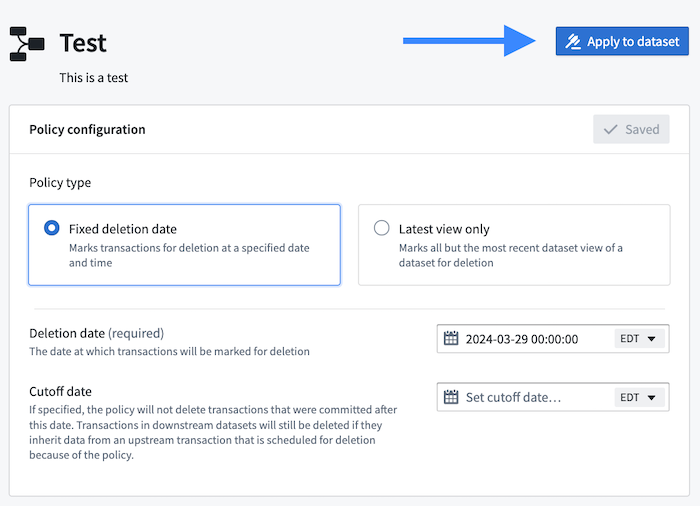
- Choose the dataset to which you want to apply the new policy.
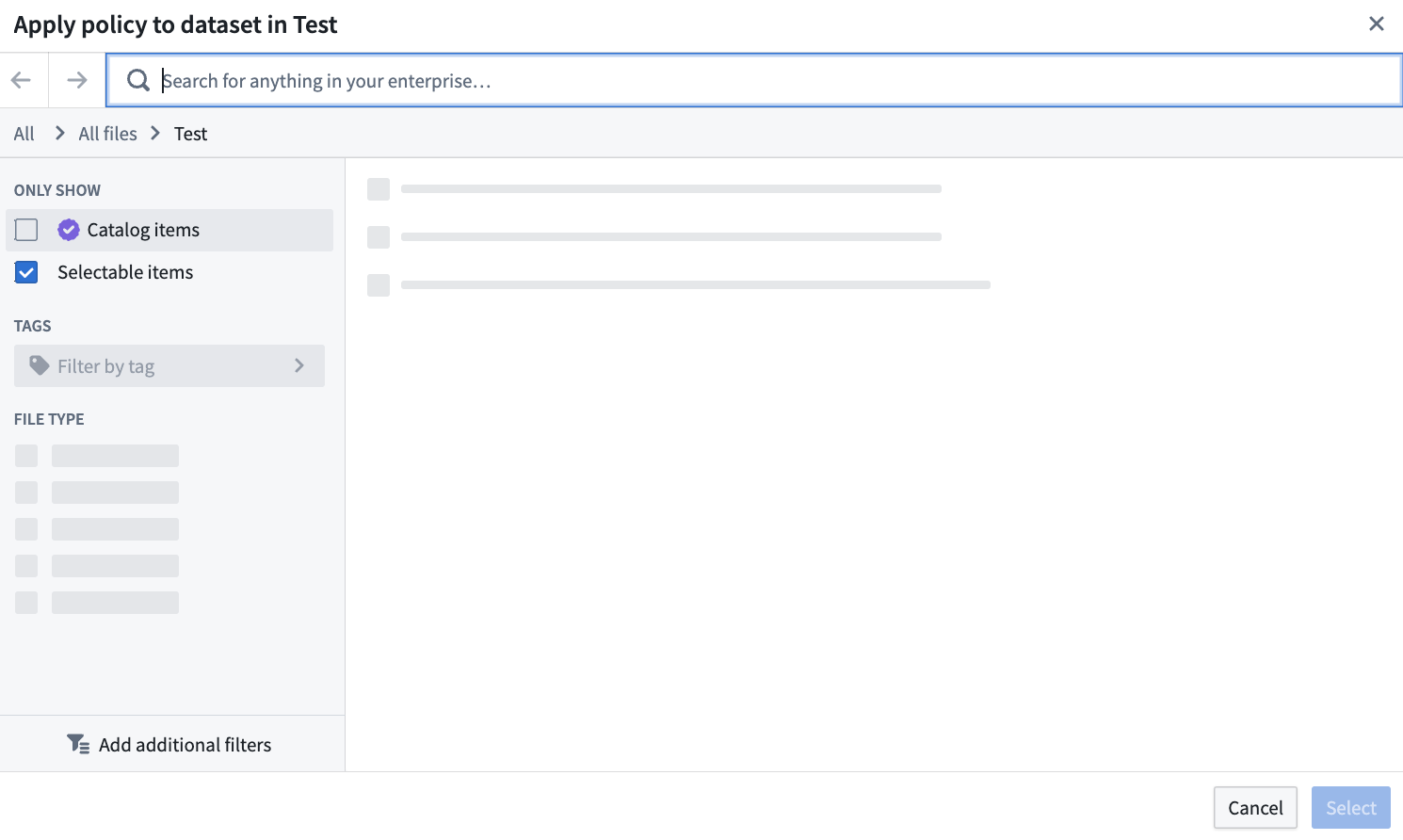
- Once you locate the appropriate dataset, choose Select to apply the policy. You should see a green success message appear at the top of your screen, confirming that the policy was successfully applied to the chosen dataset. Learn how to further verify it a policy was properly applied.
中文翻译
为数据集创建删除策略
:::callout{theme="neutral"} 我们建议使用数据生命周期(Data Lifetime)应用程序来设置删除策略。但在某些情况下,直接在数据集上配置策略可能更为合适。在查看数据集时,选择 详情(Details) 选项卡,然后点击 基于血缘的保留策略(Lineage-aware retention policies) 来创建新策略。 :::
在尝试创建新的删除策略之前,请先熟悉各种权限角色。您必须拥有 数据治理官(Data Governance Officer) 角色或 数据集编辑者(Dataset Editor) 权限才能执行本指南中的步骤。
请按照以下步骤创建基于血缘的删除策略。
-
从左侧导航面板导航至 应用程序(Applications),选择 安全与治理(Security & governance),然后点击 数据生命周期(Data Lifetime)。
-
选择 + 新建策略(+ New Policy) 并添加必要信息,包括策略名称、类型和删除日期。
- 点击 创建策略(Create policy) 进入新策略的配置详情页面。了解更多关于删除策略类型的信息。
- 在屏幕左上角选择 应用于数据集(Apply to dataset)。
- 选择您要应用新策略的数据集。
- 找到合适的数据集后,点击 选择(Select) 以应用策略。您应在屏幕顶部看到一条绿色成功消息,确认策略已成功应用于所选数据集。了解如何进一步验证策略是否正确应用。