Remove a deletion policy(移除删除策略)
-
Navigate to the Policies tab in the Data Lifetime application and select the policy you want to remove.
-
Choose the Root datasets tab from the left side panel, identify the dataset you wish to remove from the policy, then select the three small dots.
To review the action history of a policy, you can navigate to the History tab.
- Select Remove policy from dataset.
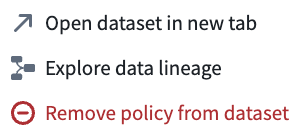
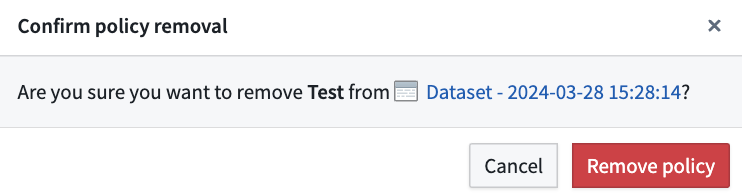
- A pop-up window will appear, prompting you to confirm the policy removal. Select Remove policy. A green success message should then appear at the top of your screen, indicating that the policy was successfully removed from the selected dataset.
中文翻译
移除删除策略
-
在数据生命周期(Data Lifetime)应用中导航至 策略(Policies) 选项卡,选择您要移除的策略。
-
从左侧面板选择 根数据集(Root datasets) 选项卡,找到您希望从策略中移除的数据集,然后点击三个小点。
如需查看策略的操作历史记录,可导航至 历史记录(History) 选项卡。
- 选择 从数据集中移除策略(Remove policy from dataset)。
- 系统将弹出一个窗口,提示您确认策略移除操作。选择 移除策略(Remove policy)。随后屏幕顶部应出现一条绿色成功消息,表明该策略已成功从所选数据集中移除。