View policy activity history(查看策略操作历史)
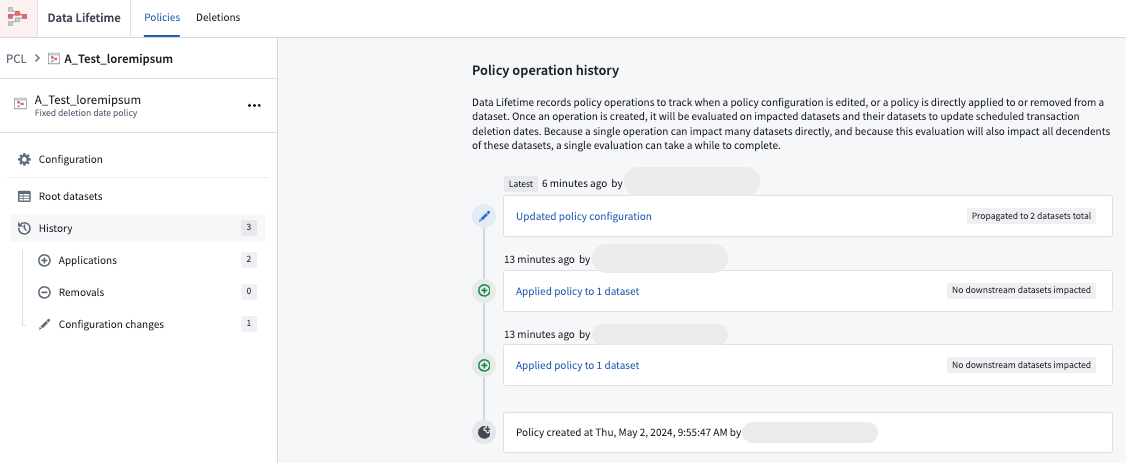
Occasionally, you may need to examine all operations performed on a specific policy. The Data Lifetime application allows you to view all actions applied to a policy, including the addition of a new dataset (Applications) or the removal of a dataset from a policy (Removals). To review these operations, refer to the History tab.
- Within the Data Lifetime application, navigate to the Policies tab.
- Choose the policy to investigate.
- Select History to view all actions carried out on the policy, from latest to oldest.
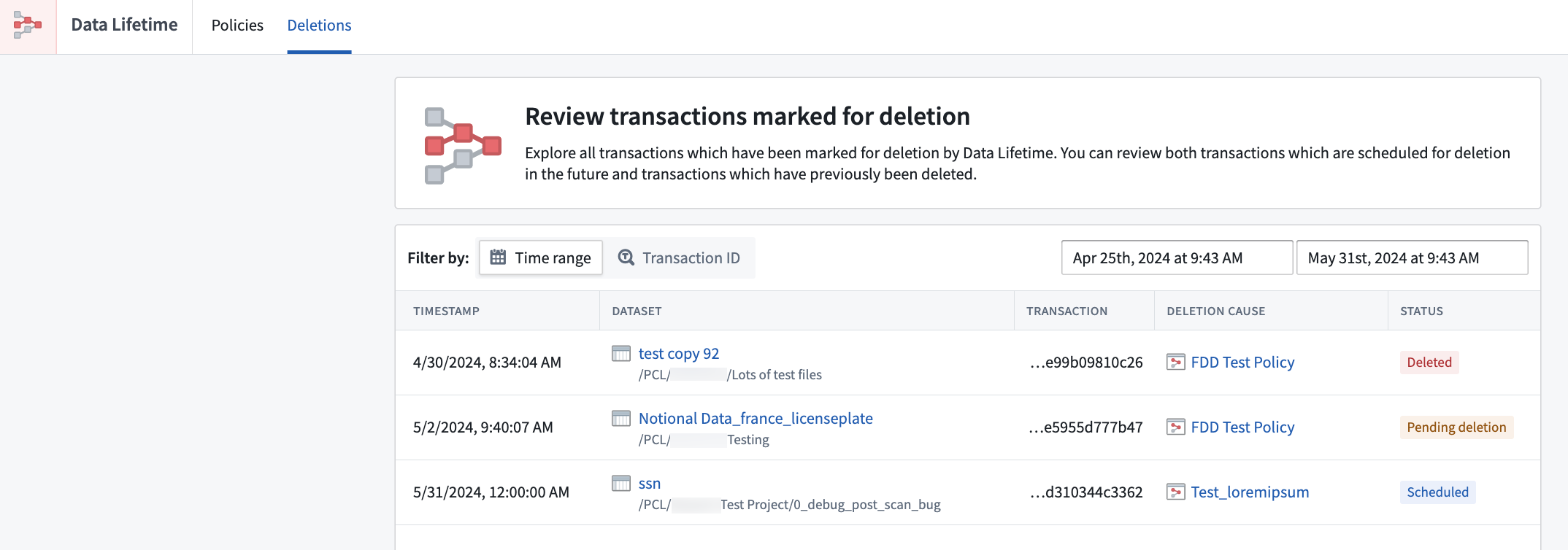
- To view transactions that have been deleted or marked for deletion, navigate to the Deletions tab. You may filter the deletions by Transaction ID or Time range.
中文翻译
查看策略操作历史
有时您可能需要检查对特定策略执行的所有操作。数据生命周期(Data Lifetime)应用程序允许您查看应用于策略的所有操作,包括添加新数据集(应用程序)或从策略中移除数据集(移除)。要查看这些操作,请参考历史记录选项卡。
- 在数据生命周期应用程序中,导航至策略选项卡。
- 选择要调查的策略。
- 点击历史记录查看对该策略执行的所有操作,按从最新到最旧的顺序排列。
- 要查看已删除或标记为删除的事务,请导航至删除选项卡。您可以通过事务ID或时间范围筛选删除记录。