Navigation(导航)
Access Retention Policies application
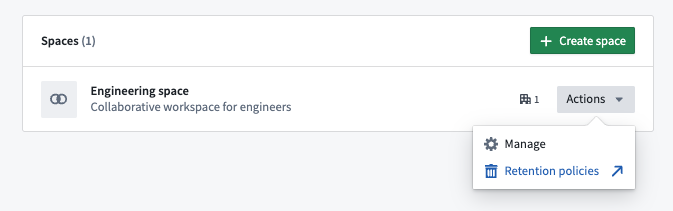
The Retention Policies application is available on every space in your Organization, when enabled for your Organization under Administration in Application Access or Data Governance in the Palantir platform. To access, navigate to the relevant space in Control Panel, then select Retention policies.
Home
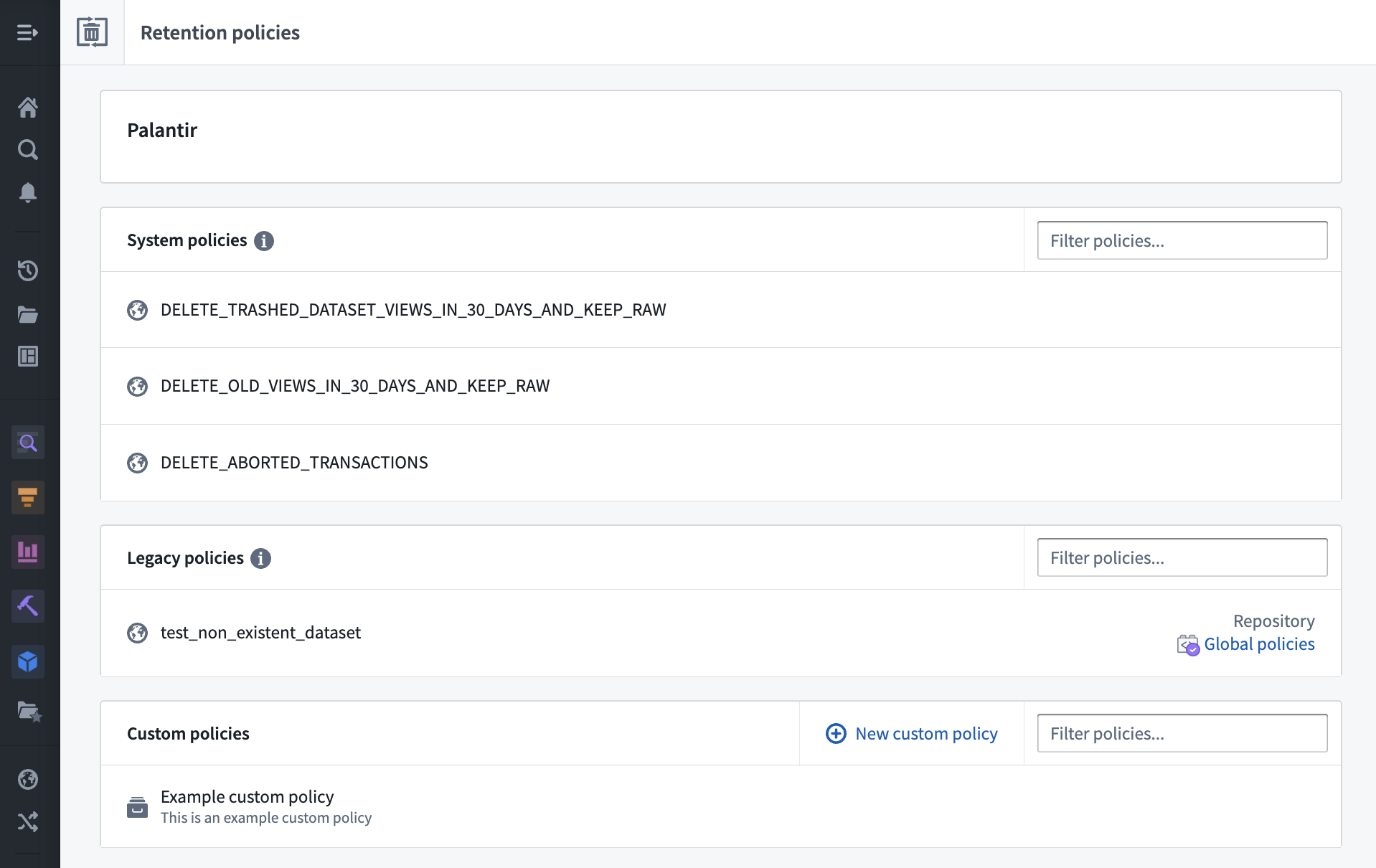
The Retention Policies home page lists the recommended, custom, and legacy policies that are applied on the selected space.
Use the filter bar on the right to filter policies by name.
Select the > icon on each line to view policy details.
Recommended policy view
When viewing details of a specific recommended policy, you will see a list of datasets and transactions selected for use in the policy as shown in the image below:
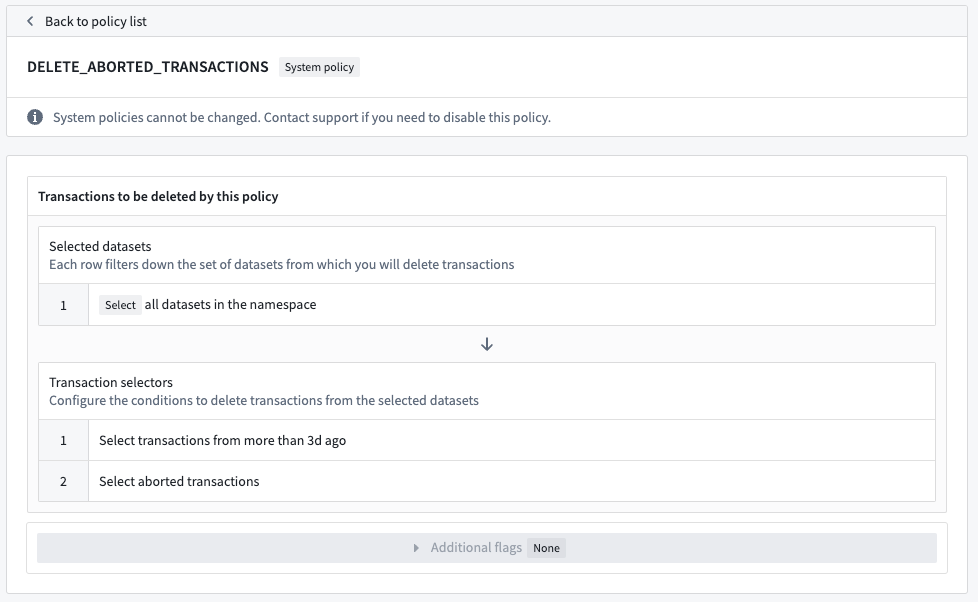
The Select datasets section lists the datasets included in this policy, followed by the list of transaction selectors to determine the transactions that will be deleted. In the example, the policy selects all datasets in the space; for each dataset, the policy will delete all aborted transactions.
:::callout{theme="neutral"} Recommended policies cannot be edited by the space administrator. Contact Palantir Support if you need to disable a recommended policy. :::
Custom policy view
Similar to recommended policies, you will see a list of datasets and transactions selected for use in the policy as shown in the image below:
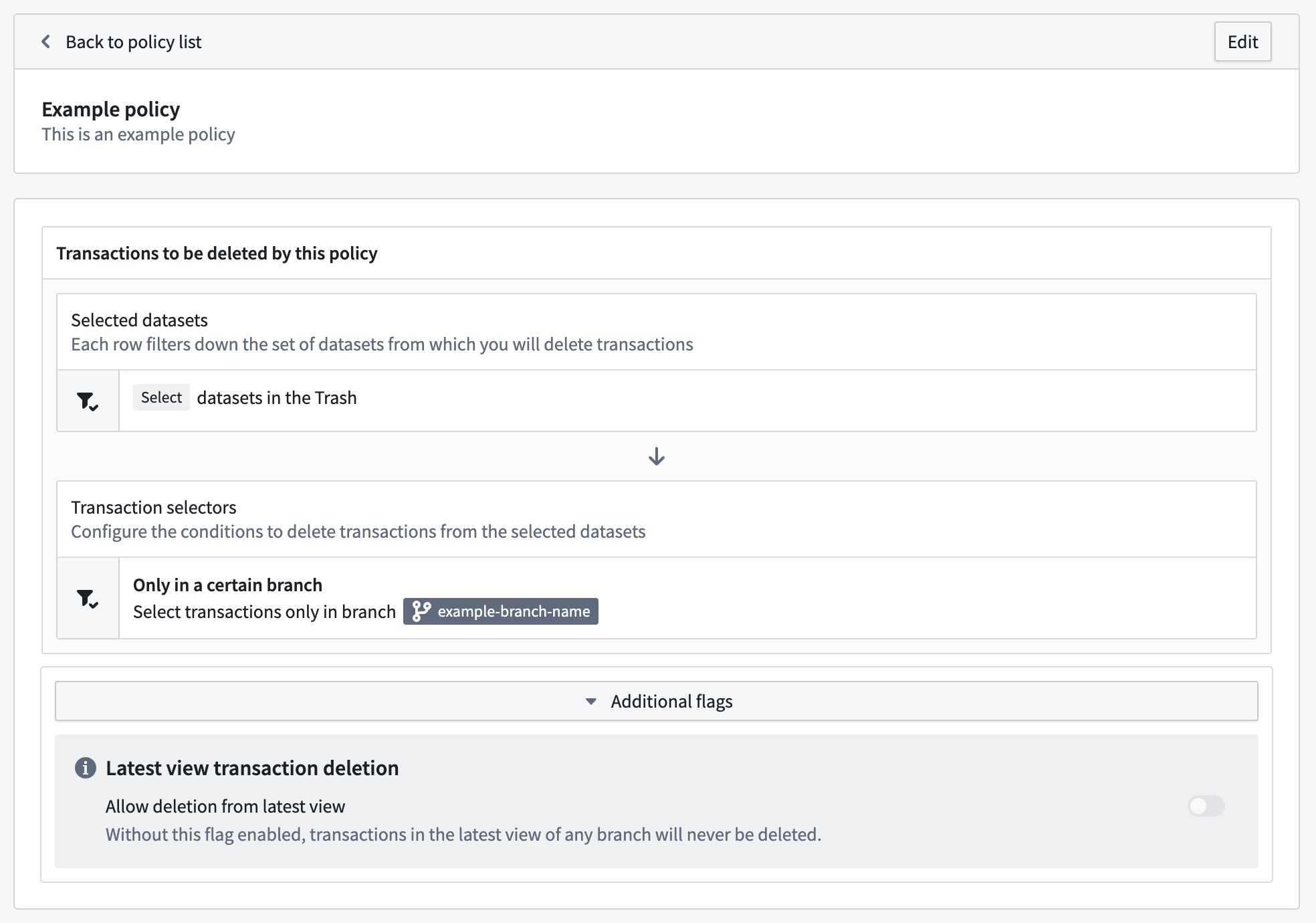
Unlike with recommended policies, custom policies can be edited by clicking the Edit button and subsequently the Create change approval request button after making changes.
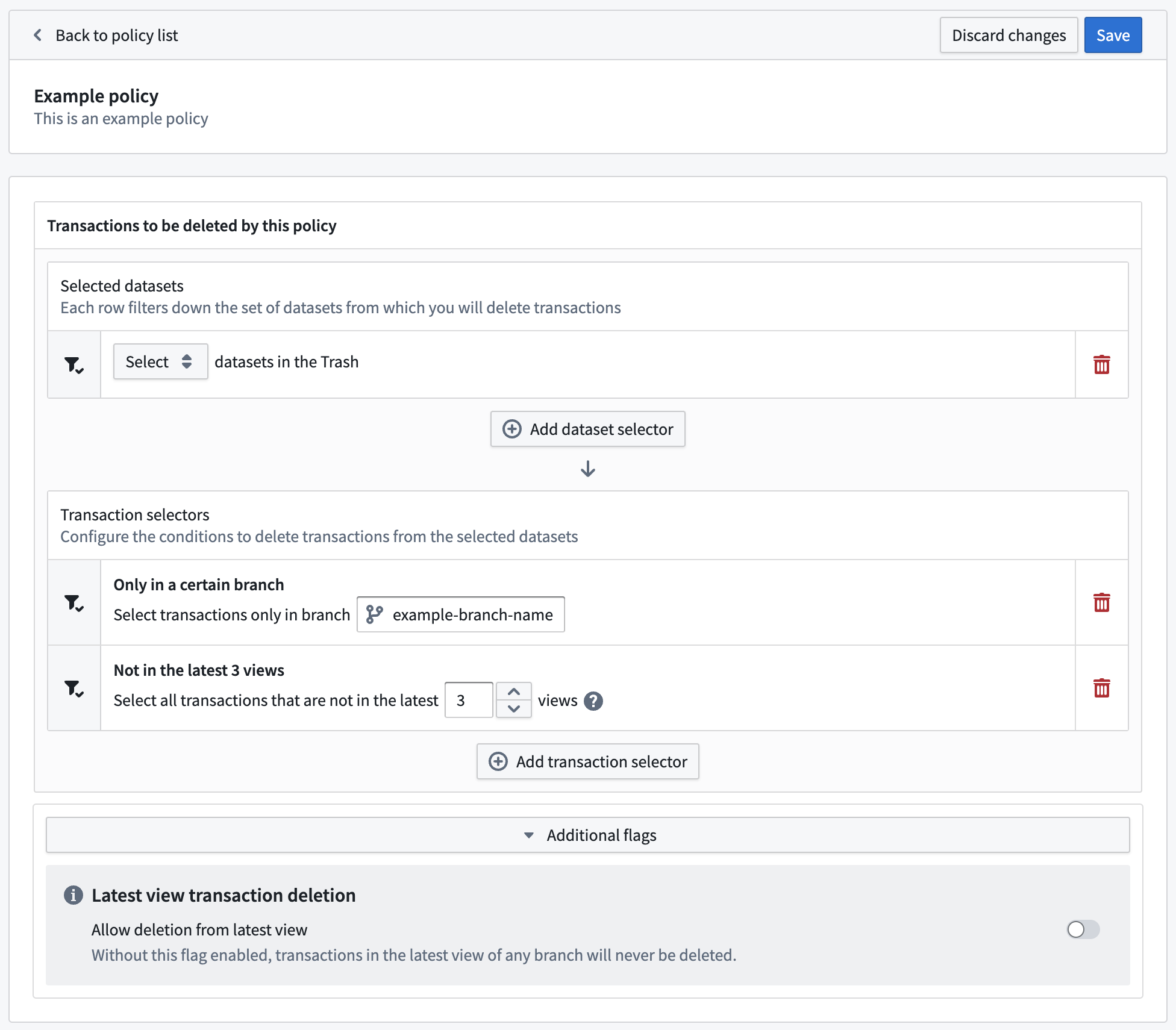
Policy additions, changes, or deletion may require approval requests rather than being saved directly. If so, after giving a title and a description to the approval request, you will be routed to the Approvals application. The request may invoke automatically (not requiring any other approvals) if it's possible due to your permissions, or require further approvals from other users from others depending on how your instance and space are configured. If you would like to prevent approval requests from invoking automatically, file a support issue.
Legacy policy view
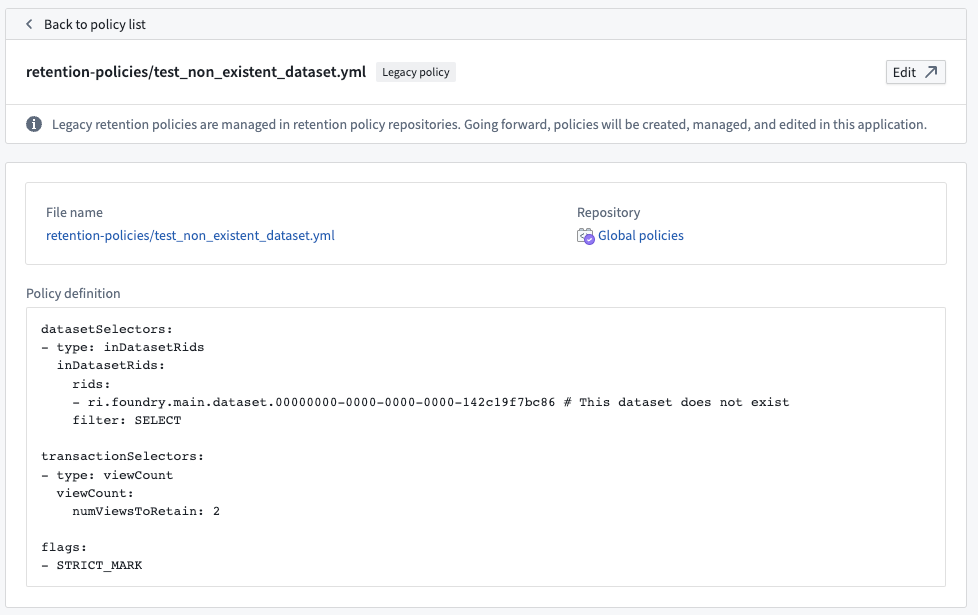
Some Foundry instances contain a set of legacy policies expressed in a YAML format. These are considered deprecated.
:::callout{theme="neutral"}
You can only edit a legacy policy if you have Edit permissions to the repository where it is stored.
:::
中文翻译
导航
访问保留策略应用
保留策略(Retention Policies)应用可在组织中的每个空间中使用,前提是该应用已在应用访问的"管理"部分或Palantir平台的"数据治理"部分中为组织启用。要访问该应用,请导航至控制面板中的相关空间,然后选择保留策略。
首页
保留策略首页列出了应用于所选空间的推荐策略、自定义策略和旧版策略。
使用右侧的筛选栏可按名称筛选策略。
选择每行上的 > 图标可查看策略详情。
推荐策略视图
查看特定推荐策略的详情时,您将看到该策略所选用的数据集和事务列表,如下图所示:
选择数据集部分列出了该策略包含的数据集,随后是用于确定将被删除的事务的事务选择器列表。在示例中,该策略选择了空间中的所有数据集;对于每个数据集,该策略将删除所有已中止的事务。
:::callout{theme="neutral"} 空间管理员无法编辑推荐策略。如需禁用推荐策略,请联系Palantir支持团队。 :::
自定义策略视图
与推荐策略类似,您将看到该策略所选用的数据集和事务列表,如下图所示:
与推荐策略不同,自定义策略可通过点击编辑按钮进行编辑,并在修改后点击创建变更审批请求按钮。
策略的添加、修改或删除可能需要通过审批请求,而非直接保存。如果是这样,在给审批请求添加标题和描述后,您将被引导至审批应用。根据您的权限,该请求可能会自动执行(无需其他审批),或者根据实例和空间的配置方式,需要其他用户的进一步审批。如需阻止审批请求自动执行,请提交支持工单。
旧版策略视图
某些Foundry实例包含一组以YAML格式表达的旧版策略。这些策略已被视为弃用。
:::callout{theme="neutral"}
只有对存储旧版策略的仓库拥有编辑权限,您才能编辑该策略。
:::