Merge scenarios(合并场景(Scenario))
Scenarios are merged through action types that provide granular control over the scenario edits and enforce fine-grained execution permissions. At minimum, the merge action requires the single Scenario parameter, which is the RID of the scenario and includes all actions executed on the scenario. The parameter value can be passed from a Workshop variable or OSDK application.
Apply edits on a scenario
When working within a scenario, all edits (creating objects, modifying properties, deleting objects, and adding or removing links) exist only within that scenario's isolated sandbox. These edits do not affect the main Ontology. Applying the scenario commits all those staged edits to the Ontology as a single transaction via the merge action.
Configure the merge action
- In Ontology Manager, navigate to the Action types tab and select + New action type. In the creation wizard, select the Scenario tab.
- Within the Scenario tab, define the scope of your scenario edits by adding the relevant Object types and Link types.
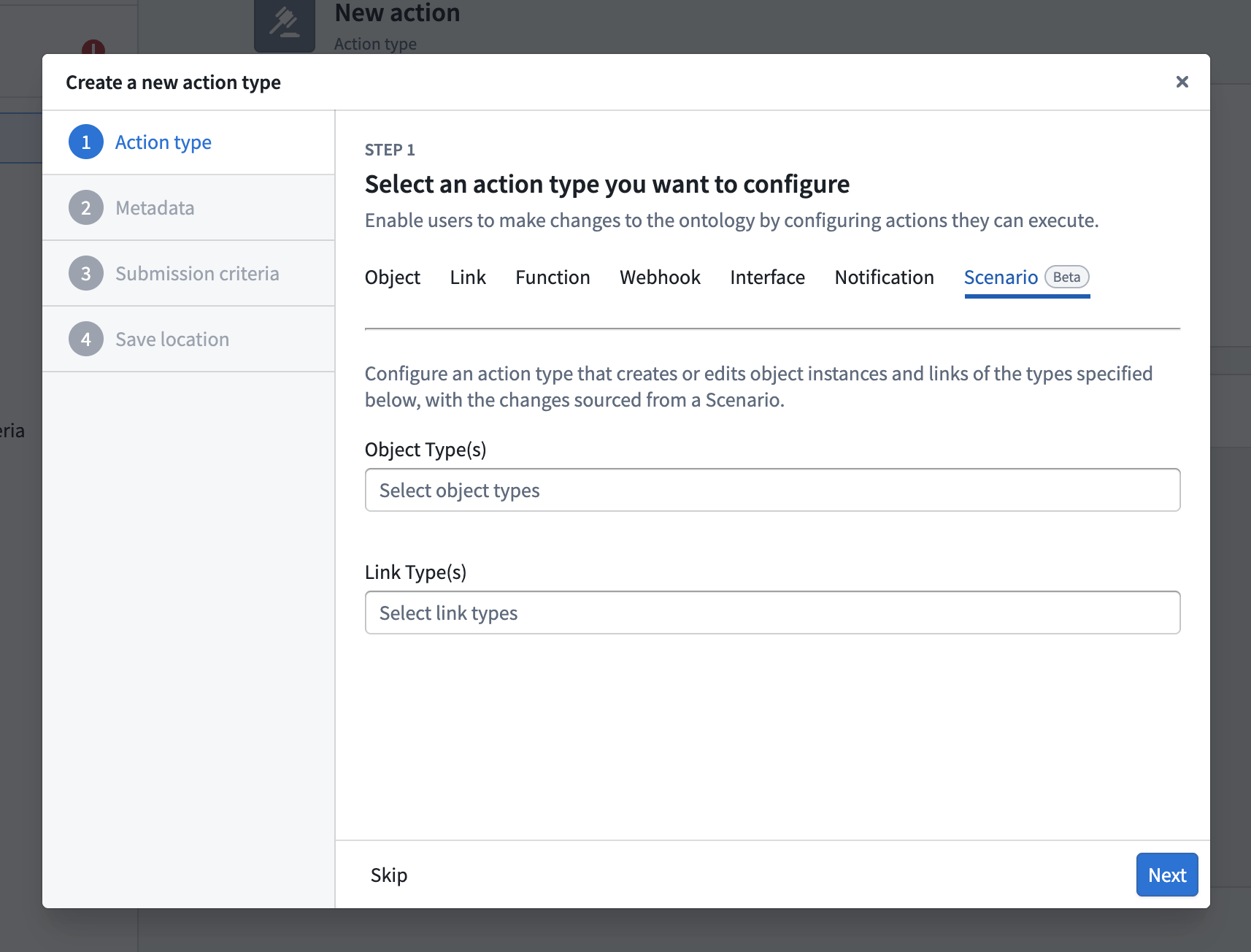
- After completing the wizard, open the Security & Submission Criteria tab of the newly created action to define which users are permitted to execute the merge action.
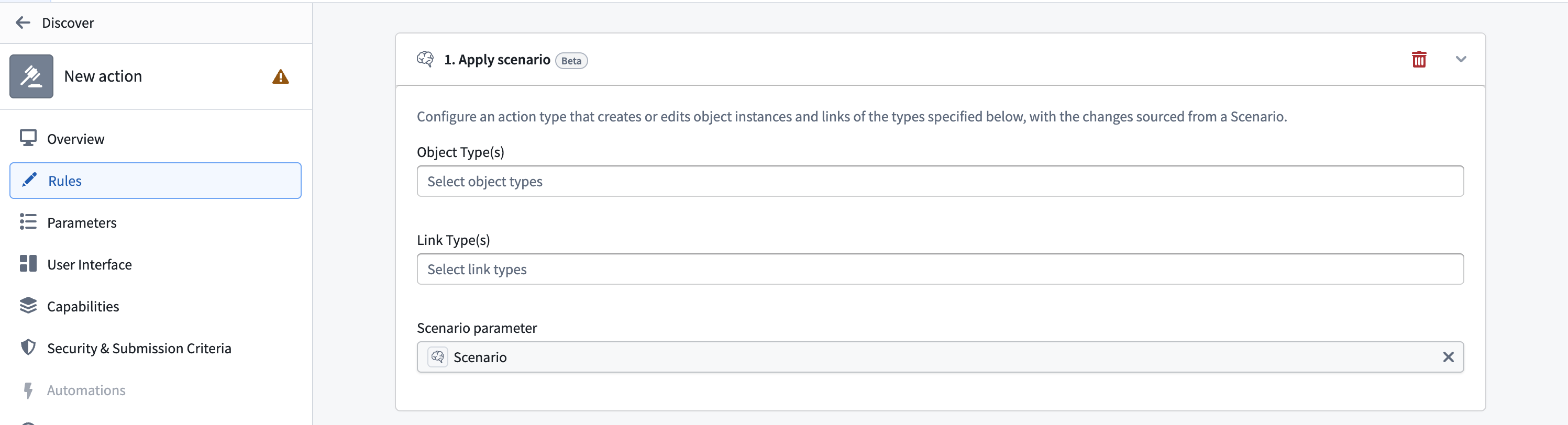
:::callout{theme="neutral"} If you have an existing action that you want to use as a merge action, you can add an Apply Scenario rule to it from the Rules tab in the action configuration in Ontology Manager, rather than creating a new action type. :::
中文翻译
合并场景(Scenario)
场景(Scenario)通过操作类型(Action Type)进行合并,这些操作类型可对场景编辑提供细粒度控制,并强制执行精细的执行权限。合并操作至少需要单个场景(Scenario)参数,即场景的RID,该参数包含在场景上执行的所有操作。参数值可从Workshop变量或OSDK应用程序传递。
在场景上应用编辑
在场景内操作时,所有编辑(创建对象、修改属性、删除对象、添加或移除链接)仅存在于该场景的隔离沙箱中。这些编辑不会影响主本体论(Ontology)。通过合并操作(Merge Action),应用场景会将所有暂存的编辑作为单个事务提交到本体论。
配置合并操作
- 在Ontology Manager中,导航至操作类型(Action types)选项卡,选择+ 新建操作类型。在创建向导中,选择场景(Scenario)选项卡。
- 在场景选项卡中,通过添加相关的对象类型(Object types)和链接类型(Link types)来定义场景编辑的范围。
- 完成向导后,打开新创建操作的安全与提交标准(Security & Submission Criteria)选项卡,定义哪些用户有权执行合并操作。
:::callout{theme="neutral"} 如果您已有希望用作合并操作的现有操作,可以在Ontology Manager的操作配置中,从规则(Rules)选项卡为其添加应用场景(Apply Scenario)规则,而无需创建新的操作类型。 :::