Migrate ontological resource between Ontologies(在本体之间迁移本体资源)
Every ontology resource is automatically linked to the ontology it is created in. After their creation, resources can be moved between ontologies. Migrating resources between ontologies also changes the permissions on the resources, however, it does not impact the permissions on the underlying data and the input datasources. When migrating objects between Ontologies all edits will be preserved by default.
To migrate resources from one ontology to another, do the following:
-
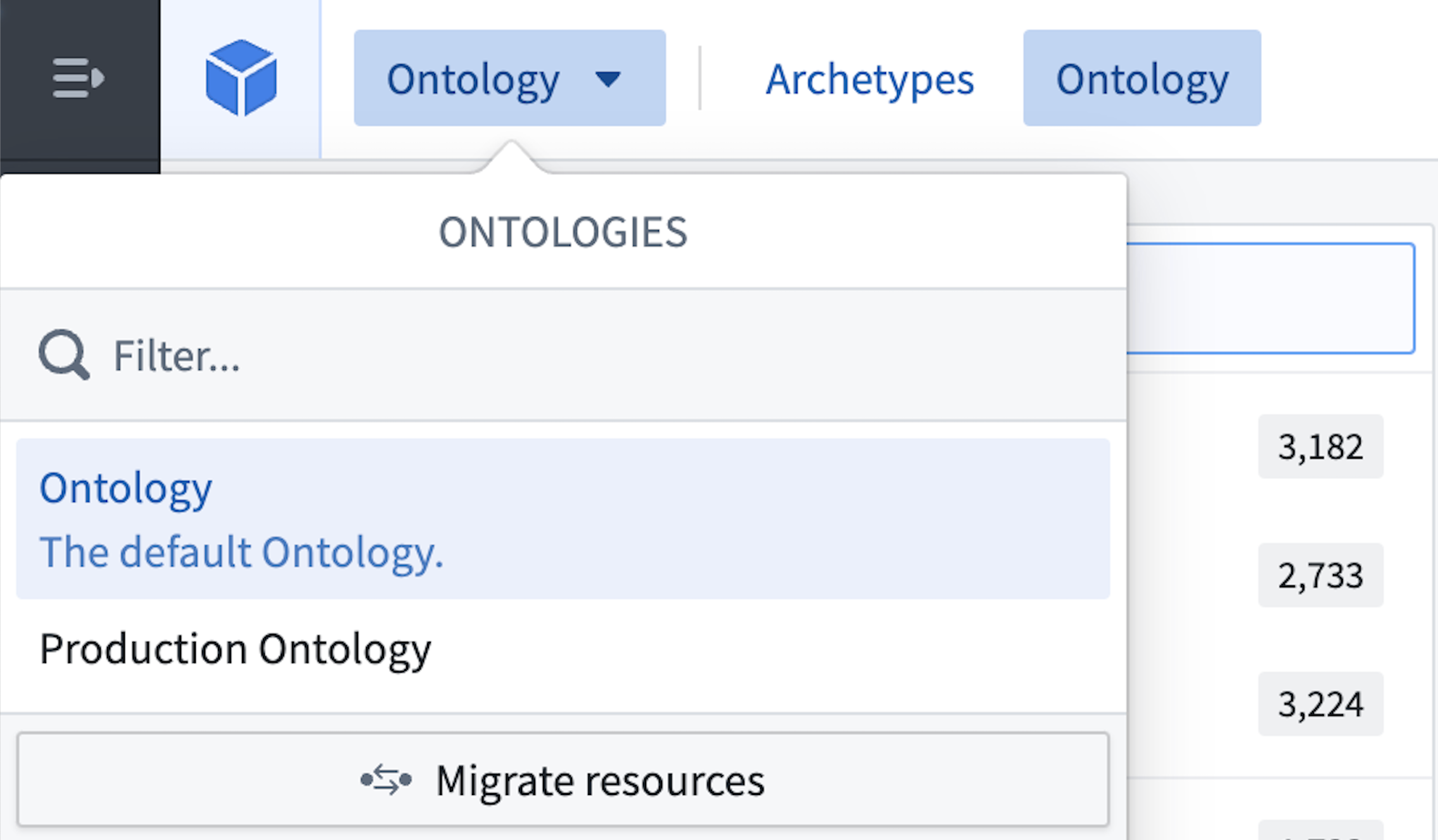
Navigate to the ontology that owns the resource via the Ontology switcher located in the top right corner in the Ontology Manager.
-
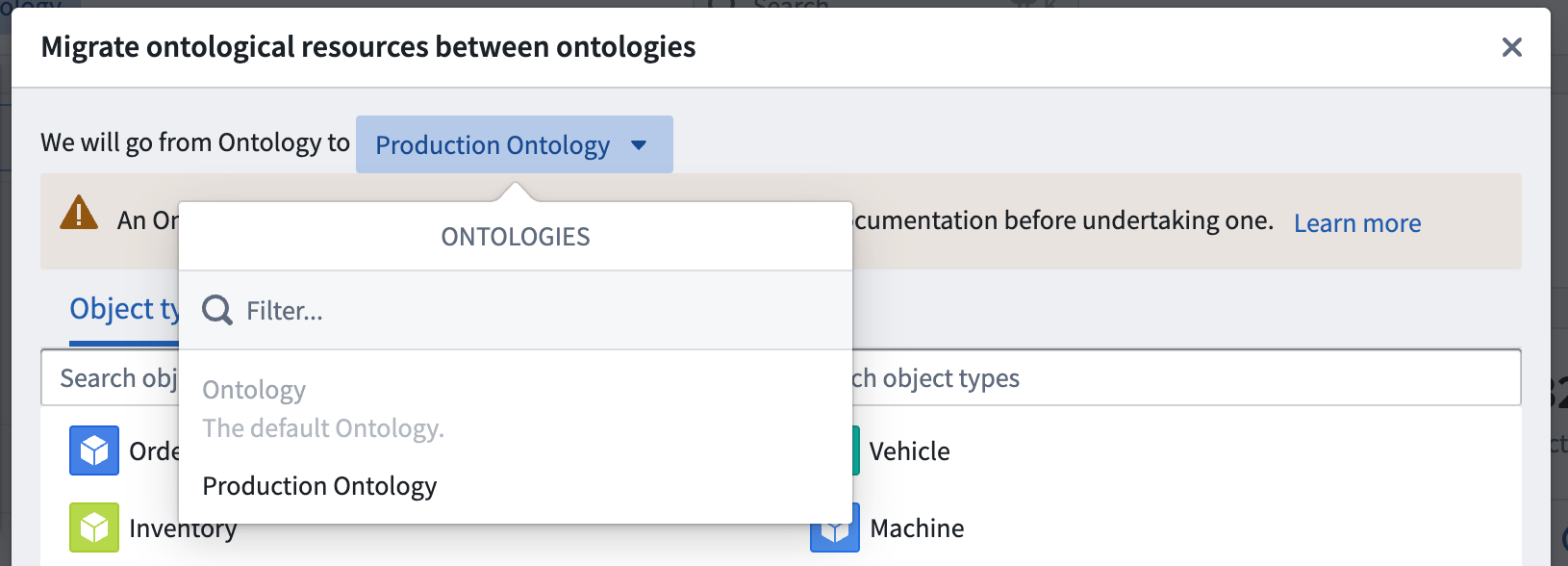
Select Migrate resources in the same ontology to start the migration process. Then, select the target ontology in the top row using the ontology selection dropdown menu.
-
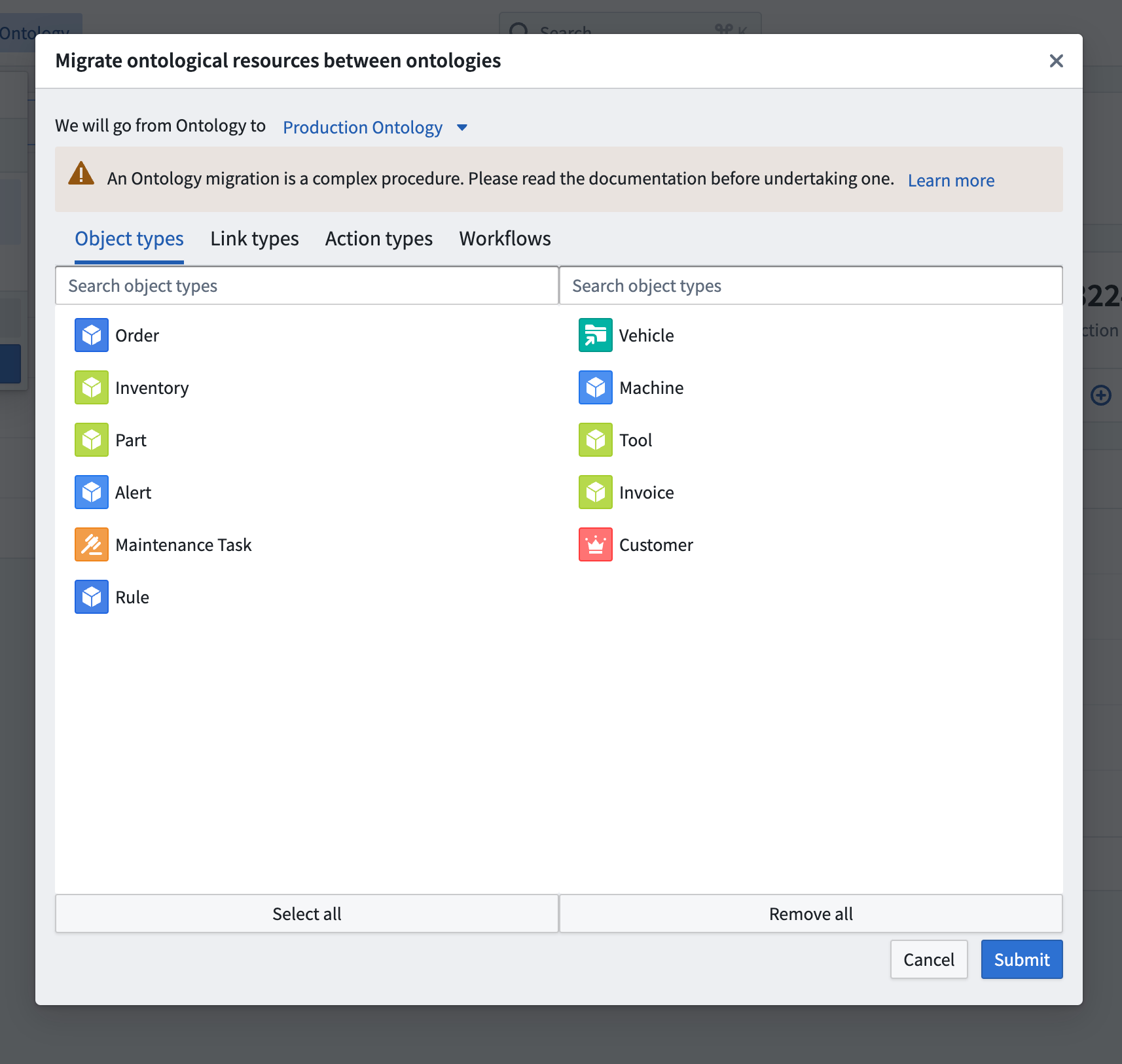
Select the object types, link types, action types, and workflows to migrate. A preview of the selection of resources to be migrated are shown in their current ontology (left) and in the target ontology (right). Note that it is impossible to migrate object types from a private ontology to the default ontology unless the object type was originally created in the default ontology.
:::callout{theme="warning" title="Migrating to default ontology"} Make sure that you are migrating connected resources together. The migration fails if related ontological resources are missing in the selection. :::
- After completing the selection, select Submit to migrate the resources.
中文翻译
在本体之间迁移本体资源
每个本体资源都会自动关联到其创建所在的本体。资源创建后,可以在不同本体之间进行迁移。在本体间迁移资源会改变资源上的权限,但不会影响底层数据和输入数据源的权限。在本体间迁移对象时,默认会保留所有编辑内容。
要将资源从一个本体迁移到另一个本体,请执行以下操作:
-
通过本体管理器(Ontology Manager)右上角的本体切换器,导航至拥有该资源的本体。
-
在同一本体中选择迁移资源(Migrate resources)以启动迁移流程。然后,使用顶行的本体选择下拉菜单选择目标本体。
-
选择要迁移的对象类型(object types)、链接类型(link types)、操作类型(action types)和工作流(workflows)。待迁移资源的预览会分别显示在当前本体(左侧)和目标本体(右侧)中。请注意,除非对象类型最初是在默认本体中创建的,否则无法将对象类型从私有本体迁移到默认本体。
:::callout{theme="warning" title="迁移至默认本体"} 请确保同时迁移相互关联的资源。如果选择中缺少相关的本体资源,迁移将会失败。 :::
- 完成选择后,点击提交(Submit)以迁移资源。