Review ontology proposals(审查本体提案)
An ontology proposal is analogous to a Pull Request in a version control system. Proposals serve as a mechanism for reviewing and approving changes made in a separate branch before they are integrated into main.
For global branches, an ontology proposal is automatically created when a Global Branching proposal is created and contains metadata such as reviews, name, and descriptions of the changes being merged into main. For legacy ontology branches, an ontology proposal is created when the branch is created.
This page explains how to review ontology proposals, including checking resource statuses, reviewing tasks, and viewing the changes made on a branch.
Proposals tab
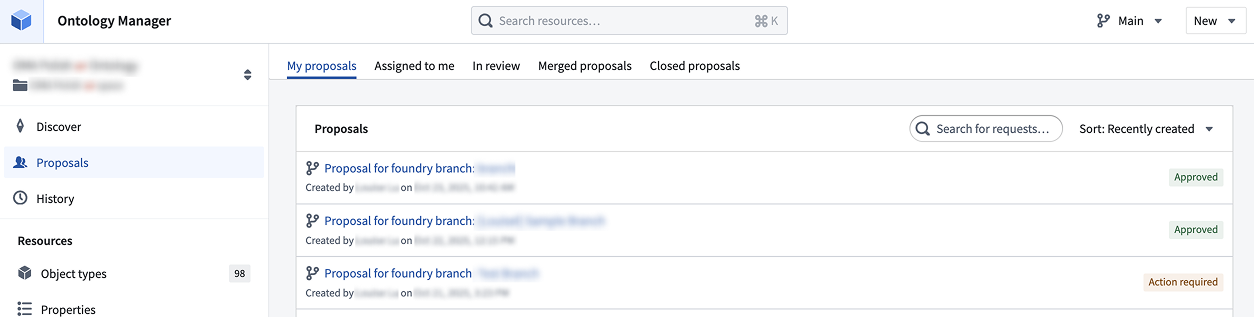
Navigate to the Proposals page through the side tab, where you can choose to view all ontology proposals. The proposals are grouped into the following tabs:
- My proposals: Proposals authored by you.
- Assigned to me: Proposals where you have been assigned as a reviewer.
- In review: Proposals that are in progress or approved.
- Merged proposals: Proposals that have been merged to
Mainontology. - Closed proposals: Proposals that have been closed out, and were not merged.
Proposal view
Access the Proposal overview, Preview status, Review changes, and Changelog tabs for more information about your individual proposal.
Proposal overview page
To access an individual proposal while on a Global Branch, choose any ontology resource from the branch taskbar and select View ontology proposal. If you are on Main, navigate to the Proposals tab and select the proposal you wish to view. If you are on an ontology branch, select Open proposal details from the navigation top bar to access the proposal directly.
Within a proposal, you will see the Proposal overview, Preview status, Review changes, and Changelog tabs for more information.
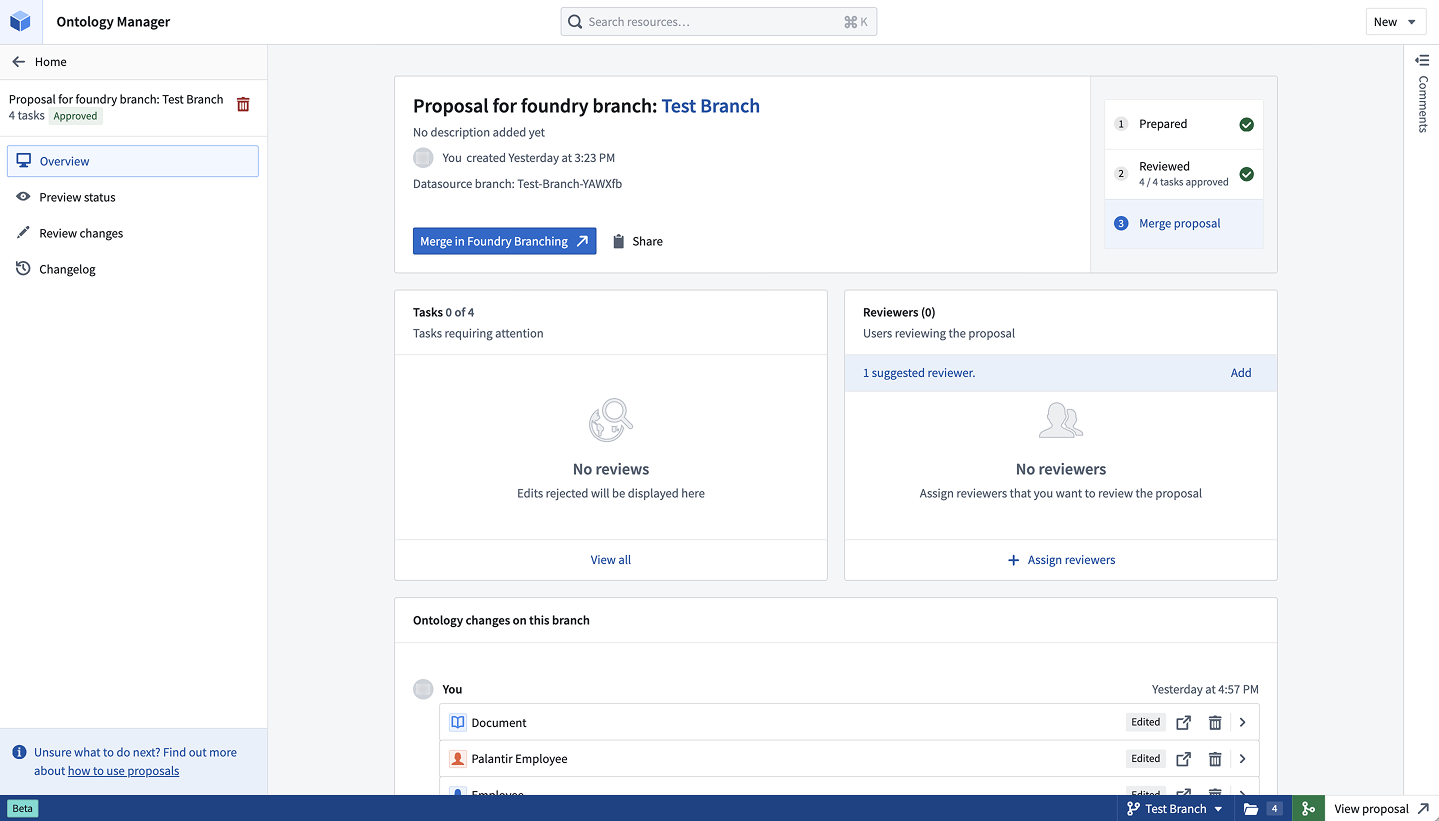
The proposal overview page centralizes your proposal's stage, changes, tasks requiring review, and selected reviewers.
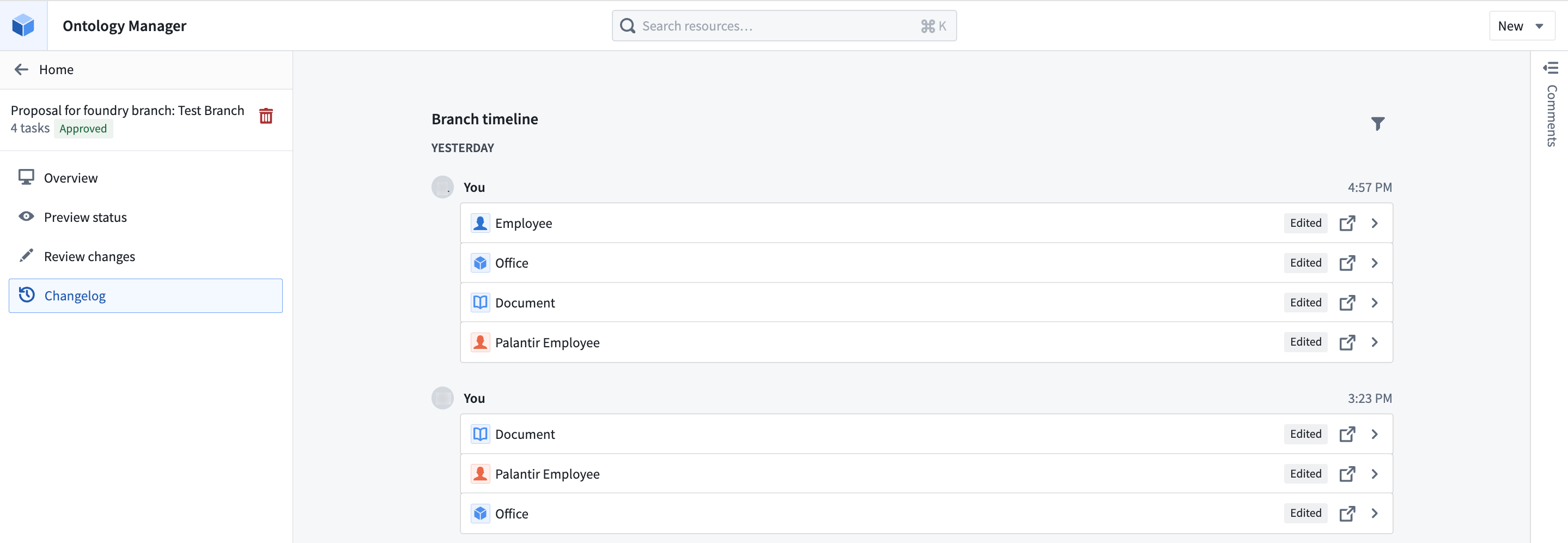
- View changes on your branch: Edits are displayed at the bottom of the overview page. Edits are categorized by author and by task, where a task corresponds to an ontology resource. You may view the change, navigate to the resource, or remove the changes from the branch. The history of changes is also accessible through the Changelog tab, where the exact timings of changes are also displayed.
- View and add reviewers: Assign specific colleagues to review your proposal.
- View tasks that require attention: This section will display all rejected tasks in the Review stage.
- Copy the proposal link by using the Share option.
Preview status
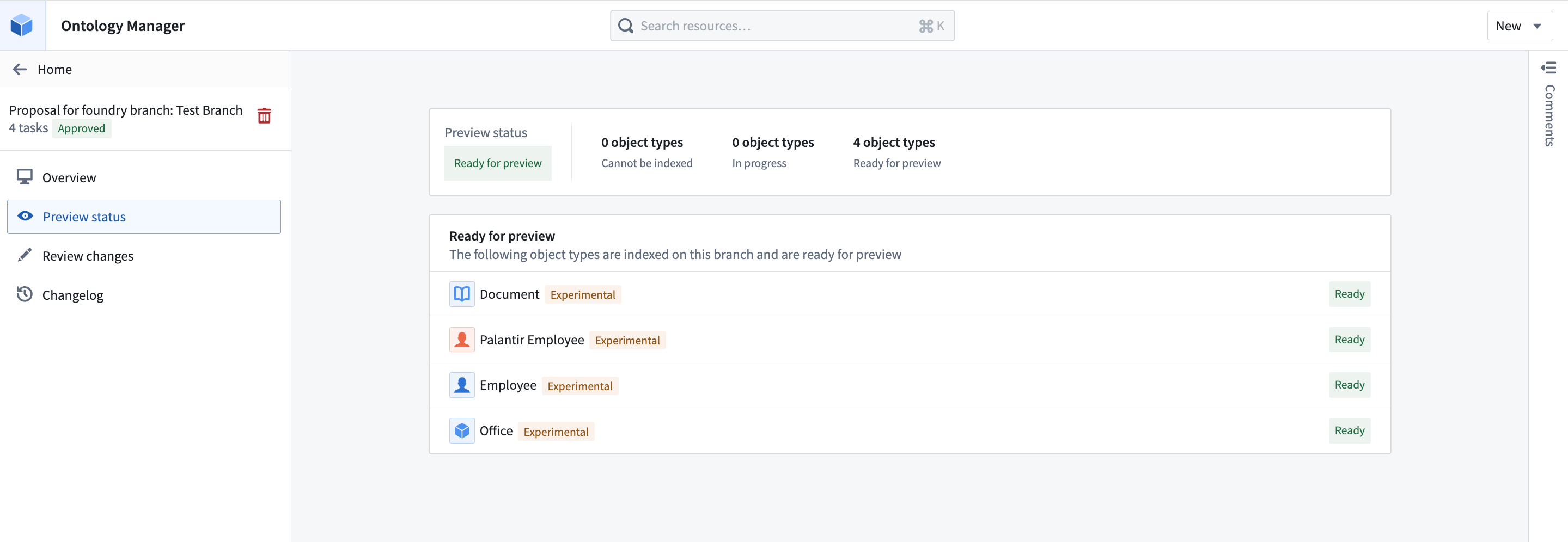
The Preview status tab shows which object types have been indexed, are in progress, or cannot be indexed on your branch. Once an object type is indexed, it will be ready for preview, meaning its data is available on your branch for viewing and testing.
Review changes
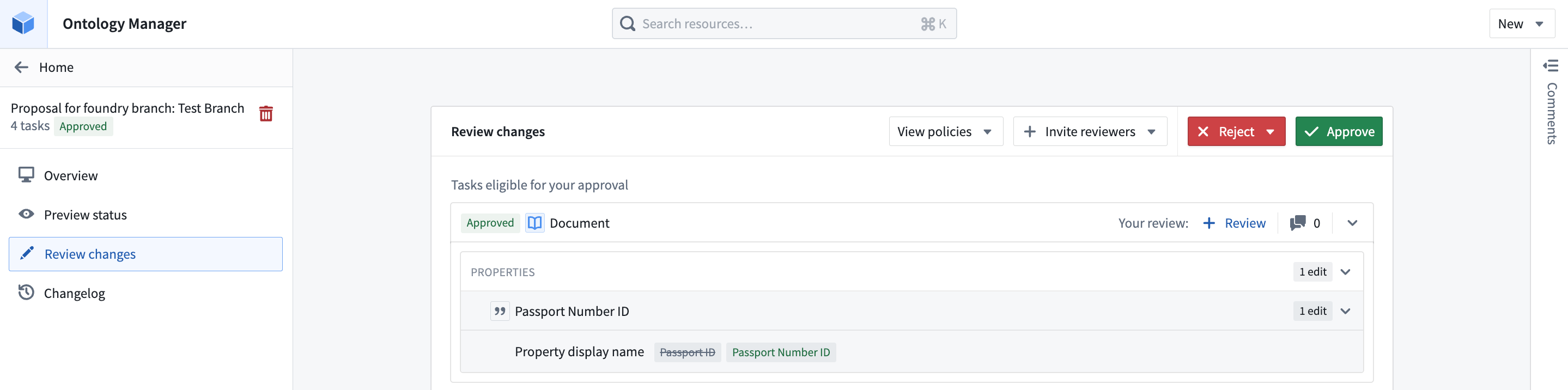
The Review changes tab shows all tasks in the proposal. From here, you can perform the following actions:
- Invite additional reviewers
- View the approval policies of resources that have migrated to projects
- Approve or reject each task individually or in bulk for all eligible tasks
- Leave comments at the level of a task, and collaborate with your colleagues
Changelog
The Changelog tab shows a detailed history of changes on a branch. Tasks can be expanded to reveal edits made by a certain user at a given point in time. You may also directly navigate to the relevant ontology resource.
Proposal permissions
- Viewing a proposal: A proposal's title and description are discoverable by everyone who has access to the ontology. Any user with at least
Vieweraccess to some resources in the proposal can see the changes related to those resources. - Modifying Ontology resources: Users with edit permissions on a resource can edit it on a branch. For resources using ontology roles (rather than project permissions), viewers can suggest changes on a branch.
- Accepting or rejecting tasks in a proposal: For a task to be approved, the approver must be either an editor or owner of the underlying resource by default. If the resource has been migrated to a project and is protected, the approver must have approval rights based on the project policies instead.
- Merging an Ontology proposal: Ontology proposals are merged through merging a Global Branching proposal. However, for legacy ontology branches, anyone who can view the branch can merge the proposal as long as all the required approvals are obtained.
中文翻译
审查本体提案
本体提案(ontology proposal)类似于版本控制系统中的拉取请求(Pull Request)。提案作为一种机制,用于在变更合并到 main 分支之前,对在独立分支上所做的更改进行审查和批准。
对于全局分支(global branches),当创建全局分支提案时,会自动生成一个本体提案,其中包含审查信息、名称以及即将合并到 main 分支的变更描述等元数据。对于旧版本体分支(legacy ontology branches),则在创建分支时生成本体提案。
本页说明如何审查本体提案,包括检查资源状态、审查任务以及查看分支上的变更。
提案选项卡
通过侧边选项卡导航至提案页面,您可以选择查看所有本体提案。提案按以下选项卡分组:
- 我的提案: 由您创建的提案。
- 指派给我: 您被指派为审查人的提案。
- 审查中: 正在进行或已批准的提案。
- 已合并的提案: 已合并到
Main本体的提案。 - 已关闭的提案: 已关闭但未合并的提案。
提案视图
访问提案概览、预览状态、审查变更和变更日志选项卡,以获取有关单个提案的更多信息。
提案概览页面
在全局分支上访问单个提案时,请从分支任务栏中选择任意本体资源,然后选择查看本体提案。如果您在 Main 分支上,请导航至提案选项卡,然后选择要查看的提案。如果您在本体分支上,请从顶部导航栏中选择打开提案详情以直接访问提案。
在提案中,您将看到提案概览、预览状态、审查变更和变更日志选项卡,以获取更多信息。
提案概览页面集中展示了提案的阶段、变更、需要审查的任务以及选定的审查人。
- 查看分支上的变更: 编辑内容显示在概览页面底部。编辑内容按作者和任务分类,其中任务对应一个本体资源。您可以查看变更、导航到资源,或从分支中移除变更。变更历史也可通过变更日志选项卡访问,其中还显示了变更的具体时间。
- 查看并添加审查人: 指派特定同事审查您的提案。
- 查看需要关注的任务: 此部分将显示审查阶段中所有被拒绝的任务。
- 使用分享选项复制提案链接。
预览状态
预览状态选项卡显示哪些对象类型(object types)已在分支上完成索引、正在索引中或无法索引。一旦对象类型完成索引,即可进行预览,这意味着其数据在分支上可用于查看和测试。
审查变更
审查变更选项卡显示提案中的所有任务。在此处,您可以执行以下操作:
- 邀请更多审查人
- 查看已迁移到项目的资源的审批策略
- 逐个或批量批准或拒绝所有符合条件的任务
- 在任务级别留下评论,并与同事协作
变更日志
变更日志选项卡显示分支上变更的详细历史记录。可以展开任务,以查看特定用户在特定时间点所做的编辑。您也可以直接导航到相关的本体资源。