Generate OSDK for other languages(为其他语言生成 OSDK)
The Developer Console has built-in Java, Python, and TypeScript support for code generation using both pip and Conda but is not limited to these languages. Developer Console also supports exporting APIs in the industry-standard OpenAPI format ↗. You can use open source code generators to generate a client based on the downloaded OpenAPI spec in almost any language.
Export an OpenAPI spec
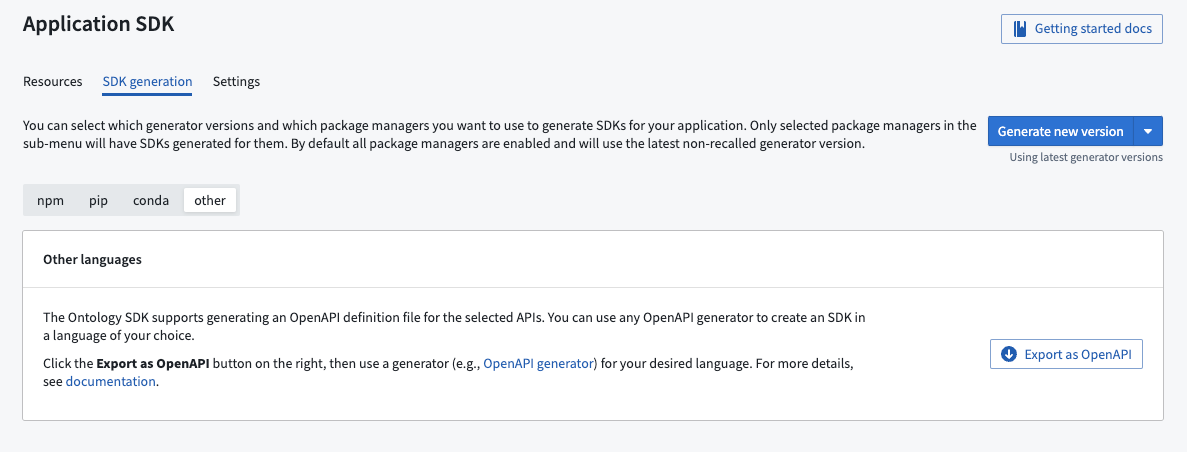
Navigate to the Application API page in the Developer Console application and open the SDK generation tab. Then, choose Other languages and select Export as OpenAPI.
:::callout{theme="warning"} As the exported file will include the name and the description of the resources included in the Developer Console application, ensure these fields do not contain sensitive information. :::
Generate clients and server in other languages
Once the OpenAPI file has been exported, you can generate a client and server using an open source generator. A list of OpenAPI generators can be found on the OpenAPI generator web site ↗.
中文翻译
为其他语言生成 OSDK
开发者控制台(Developer Console)内置了对 Java、Python 和 TypeScript 的代码生成支持,可使用 pip 和 Conda 进行生成,但不仅限于这些语言。开发者控制台还支持以行业标准的 OpenAPI 格式 ↗ 导出 API。您可以使用开源代码生成器,基于下载的 OpenAPI 规范(OpenAPI spec)生成几乎任何语言的客户端。
导出 OpenAPI 规范
在开发者控制台应用中导航至 应用程序 API(Application API) 页面,打开 SDK 生成(SDK generation) 选项卡。然后选择 其他语言(Other languages),再点击 导出为 OpenAPI(Export as OpenAPI)。
:::callout{theme="warning"} 由于导出的文件将包含开发者控制台应用中资源的名称和描述,请确保这些字段不包含敏感信息。 :::
在其他语言中生成客户端和服务端
导出 OpenAPI 文件后,您可以使用开源生成器生成客户端和服务端。OpenAPI 生成器的完整列表可在 OpenAPI 生成器网站 ↗ 上找到。