Aggregation considerations(聚合注意事项)
In Foundry, depending on the complexity and volume of data you are working with, applications may not display results with full accuracy (also known as "inexact aggregations") due to the nature of aggregations with high cardinality.
The object-set-service API has the following fields related to aggregation accuracy that you may use to refine the accuracy wherever available:
- API callers can add
AggregationExecutionModein the request and set toPREFER_ACCURACY. Where set, the API response is slower but provides more accurate results without full accuracy guarantee. - The aggregation response contains an
AggregateResultAccuracyfield to indicate whether the result is accurate.
Each product in Foundry has slightly different behaviors that indicate aggregations might be inexact. Review the following section for examples of how inexact aggregations may manifest in Foundry, and the considerations users should have on reaching accuracy.
For more guidance, contact Palantir Support.
Object Explorer and Workshop
Consider the following two histogram screenshots, showing data from a dataset with 20 million objects. The first screenshot is of a dataset pulled into Object Explorer, and the second is Workshop Filter List widget from within Workshop.


The histogram were constructed using two aggregation requests. The first request tries to get the top 100 buckets by count, receiving an approximate response. The second request gets the counts for the same 100 buckets again, but additionally, filters down to just these 100 buckets to ensure accuracy in the count.
While the displayed counts are accurate, the second histogram is still inaccurate in the sense that the buckets that are displayed are not the actual top 100 buckets in terms of count, as the first aggregation response was not accurate.
Object Explorer and Workshop requests to OSS do not specify AggregationExecutionMode, and OSS defaults to PREFER_SPEED.
Quiver pivot table and Workshop pivot table
When sorting descending columns by count in Quiver and Workshop pivot tables, top buckets are not shown in proper order. In this case, inexact aggregations might be characterized by one of the following error messages:
- "Too many values for
column, not all are displayed" - "Showing approximate results due to computational limitations"
- "Only loading first 1,000 values per property. Filter your data for more accurate results."
In the examples below, the Example Bucket column is not ranked by descending as desired.


These are not the real top buckets by count as Quiver and Workshop do not specify an ordering in the aggregation request that backs the pivot table. The sorting is completed on the frontend using buckets that are returned.
Ontology SDK (OSDK)
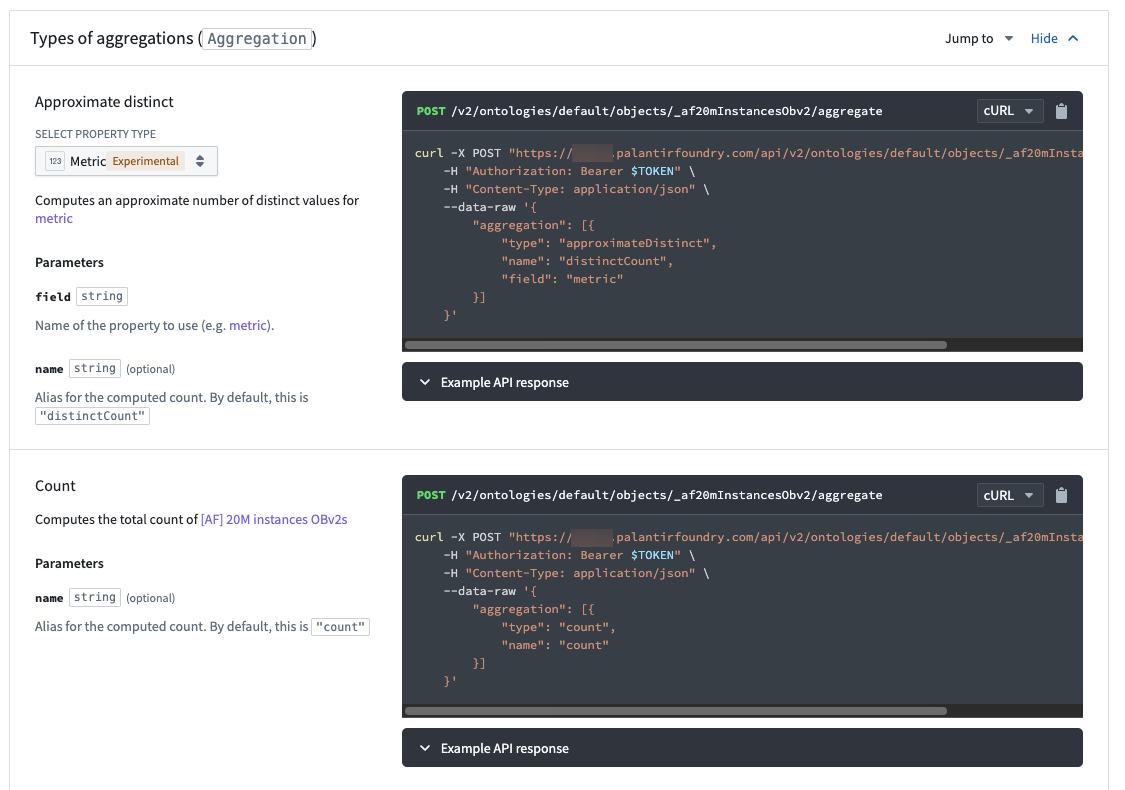
OSDK is set to PREFER_ACCURACY and its limited aggregation complexity means that every query response will be ACCURATE.
Functions
Functions always use PREFER_ACCURACY, so the value for a given bucket will be correct. There is currently no way to groupBy and orderBy at the same time during a function call. The following code snippet demonstrates a current example of groupBy in the backend and order in memory.
    @Function()
    public async aggregateOnMoreBucketsThanAuthorized(): Promise<TwoDimensionalAggregation<string, Double>> {
        // Aggregate and sum
        const aggregation = await Objects.search()._af20mInstancesObv2()
                 .groupBy(o => o.exampleBucket.topValues())
                 .count()

        aggregation.buckets.sort((b1, b2) => b2.value - b1.value);
        return aggregation;
    }
Example result:
{
  "buckets": [
    {
      "key": {
        "string": "10105",
        "type": "string"
      },
      "value": {
        "double": 461,
        "type": "double"
      }
    },
    {
      "key": {
        "string": "10163",
        "type": "string"
      },
      "value": {
        "double": 454,
        "type": "double"
      }
    },
    {
      "key": {
        "string": "10848",
        "type": "string"
      },
      "value": {
        "double": 454,
        "type": "double"
      }
    },
    ...
中文翻译
聚合注意事项
在 Foundry 中,根据所处理数据的复杂性和数据量,由于高基数聚合的特性,应用程序可能无法完全精确地显示结果(也称为"不精确聚合")。
object-set-service API 包含以下与聚合精度相关的字段,您可以在可用的情况下使用这些字段来提高精度:
- API 调用方可以在请求中添加
AggregationExecutionMode并将其设置为PREFER_ACCURACY。设置后,API 响应速度会变慢,但能提供更精确的结果,不过仍无法保证完全精确。 - 聚合响应中包含
AggregateResultAccuracy字段,用于指示结果是否精确。
Foundry 中的每个产品在指示聚合可能不精确时,其行为略有不同。请查看以下章节,了解不精确聚合在 Foundry 中可能如何表现,以及用户在追求精度时应考虑的事项。
如需更多指导,请联系 Palantir 支持。
Object Explorer 和 Workshop
请查看以下两张直方图截图,它们展示了包含 2000 万个对象的数据集。第一张截图是导入 Object Explorer 的数据集,第二张是 Workshop 中的 Workshop Filter List 小组件。
这些直方图是通过两次聚合请求构建的。第一次请求尝试按计数获取前 100 个桶,返回的是近似结果。第二次请求再次获取相同 100 个桶的计数,但额外将这些桶过滤出来,以确保计数的精确性。
虽然显示的计数是精确的,但第二张直方图仍然不精确,因为显示的桶并非按计数排序的实际前 100 个桶——第一次聚合响应本身就不精确。
Object Explorer 和 Workshop 向 OSS 发出的请求未指定 AggregationExecutionMode,OSS 默认使用 PREFER_SPEED。
Quiver 数据透视表和 Workshop 数据透视表
在 Quiver 和 Workshop 的数据透视表中按计数降序排序列时,顶部桶不会按正确顺序显示。在这种情况下,不精确聚合可能表现为以下错误消息之一:
- "
column的值过多,未全部显示" - "由于计算限制,显示近似结果"
- "每个属性仅加载前 1,000 个值。请过滤数据以获得更精确的结果。"
在以下示例中,Example Bucket 列并未按期望的降序排列。
这些并非按计数排序的实际顶部桶,因为 Quiver 和 Workshop 在支持数据透视表的聚合请求中未指定排序。排序是在前端使用返回的桶完成的。
Ontology SDK (OSDK)
OSDK 设置为 PREFER_ACCURACY,并且其有限的聚合复杂度意味着每个查询响应都将是 ACCURATE(精确的)。
Functions
Functions 始终使用 PREFER_ACCURACY,因此给定桶的值将是正确的。目前无法在函数调用中同时使用 groupBy 和 orderBy。以下代码片段展示了当前在后端进行 groupBy 并在内存中排序的示例。
    @Function()
    public async aggregateOnMoreBucketsThanAuthorized(): Promise<TwoDimensionalAggregation<string, Double>> {
        // 聚合和求和
        const aggregation = await Objects.search()._af20mInstancesObv2()
                 .groupBy(o => o.exampleBucket.topValues())
                 .count()

        aggregation.buckets.sort((b1, b2) => b2.value - b1.value);
        return aggregation;
    }
示例结果:
{
  "buckets": [
    {
      "key": {
        "string": "10105",
        "type": "string"
      },
      "value": {
        "double": 461,
        "type": "double"
      }
    },
    {
      "key": {
        "string": "10163",
        "type": "string"
      },
      "value": {
        "double": 454,
        "type": "double"
      }
    },
    {
      "key": {
        "string": "10848",
        "type": "string"
      },
      "value": {
        "double": 454,
        "type": "double"
      }
    },
    ...