Save explorations(保存探索(Explorations))
You can save and share your work in Object Explorer as an Exploration. A saved exploration allows you to revisit the same set of search parameters while retaining the applied filters and the configured layout.
Saving an exploration
To save an exploration, select the blue Save button in the top-right of the screen. You will also be prompted for some metadata information to save such as a title for your exploration.
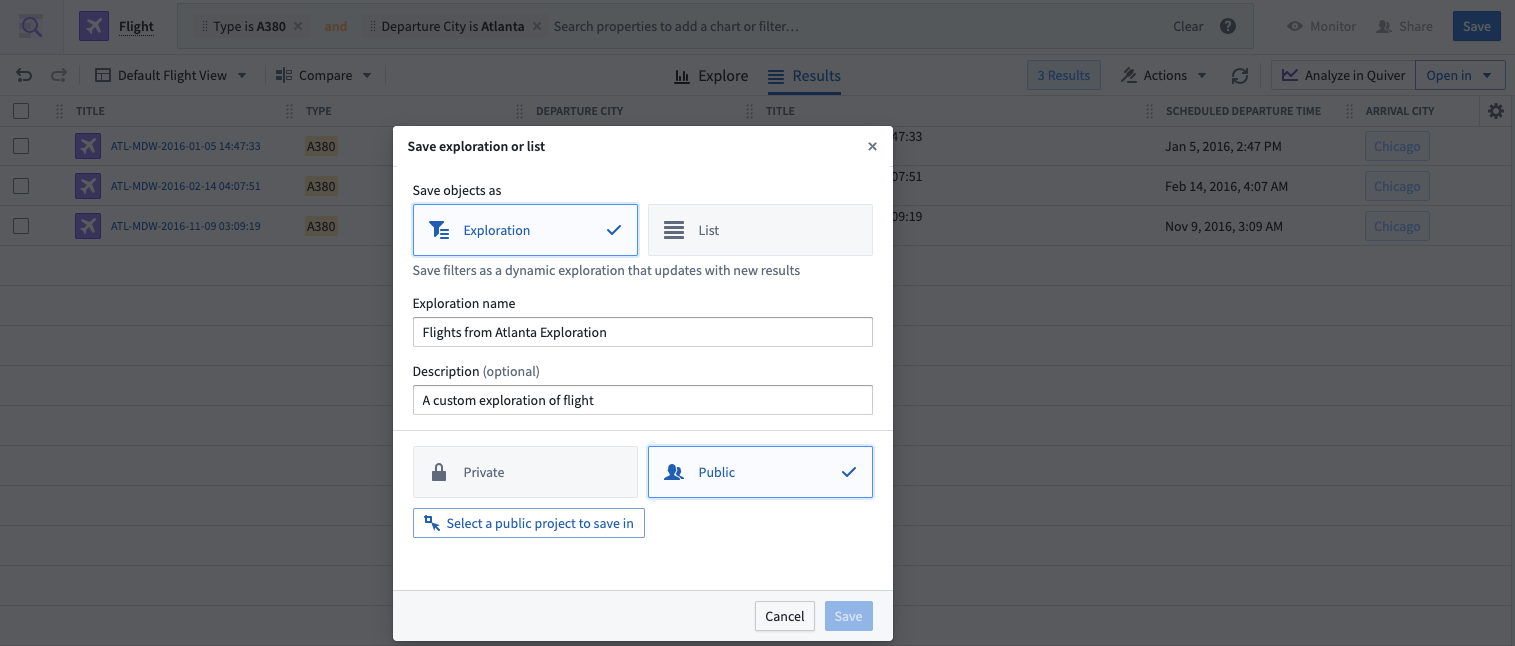
Explorations can either be saved as Private or Public.
- If you choose Private, the exploration is saved into the Explorations folder in your home folder, and by default, is only accessible to you.
- If you choose Public, you will be prompted for a location to save the exploration. The exploration will then be accessible to anyone who has access to the location in which you save the exploration.
:::callout{theme="neutral"} The configuration of your enrollment might prevent saving files in home folders. In this case, the option to save private explorations will also be disabled. :::
Sharing your exploration will not share access to the underlying objects, so any given viewer will need to have the appropriate role for the data in addition to access to the saved exploration itself.
Accessing a saved exploration
Saved explorations will show up in your Search Results if you use the global search bar on the Object Explorer Home Page.
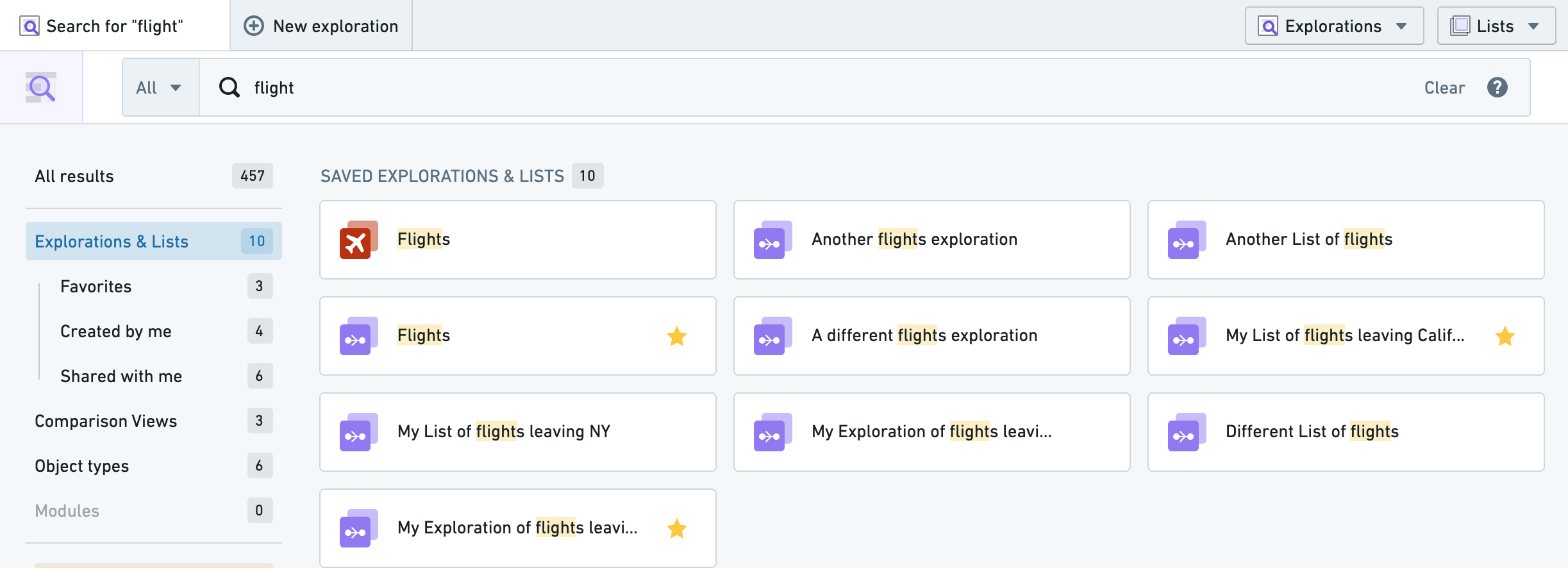
You can also access saved explorations via the Explorations dropdown on the top navigation bar. The dropdown menu also has a built-in text search and common filter options to further narrow down the explorations displayed.


中文翻译
保存探索(Explorations)
您可以在对象浏览器(Object Explorer)中将工作保存并共享为探索(Exploration)。保存的探索允许您重新访问同一组搜索参数,同时保留已应用的筛选器和配置的布局。
保存探索
要保存探索,请点击屏幕右上角的蓝色保存(Save)按钮。系统还会提示您输入一些元数据信息,例如为探索添加标题。
探索可以保存为私有(Private)或公开(Public)。
- 如果选择私有,探索将保存到您个人文件夹中的 Explorations 文件夹内,默认情况下仅您本人可访问。
- 如果选择公开,系统会提示您选择保存位置。此后,任何有权访问该保存位置的人员均可查看此探索。
:::callout{theme="neutral"} 您的注册配置可能禁止在个人文件夹中保存文件。在这种情况下,保存私有探索的选项也将被禁用。 :::
共享探索并不会共享对底层对象的访问权限,因此任何查看者除了需要拥有对已保存探索本身的访问权限外,还需具备相应数据角色的权限。
访问已保存的探索
如果您在对象浏览器首页使用全局搜索栏,已保存的探索将显示在您的搜索结果中。
您还可以通过顶部导航栏上的探索(Explorations)下拉菜单访问已保存的探索。该下拉菜单还内置了文本搜索功能和常用筛选选项,可进一步缩小显示的探索范围。