Add object and link types to a Marketplace product(向 Marketplace 产品添加对象类型和链接类型)
Use Foundry DevOps to include your object and link types in Marketplace products for other users to install and reuse. Learn how to create your first product.
Unsupported features
Most object property types are supported in Marketplace products, but the following are not yet available:
- Cipher
- Geo time
- Vector
Marketplace products do not yet support the following:
- Object types with streaming datasources
- Object types with no datasource
Note that objects themselves cannot be packaged with Marketplace. This means that, for example, object edits made by Actions cannot be packaged into a Marketplace product. However, datasets and object types can be packaged in order to create new objects after installation of a Marketplace product.
If you require support for any of the above, contact your Palantir representative.
Add object types to products
To add an object type to a product, first create a product. Add outputs and then select the Add ontology entities option.
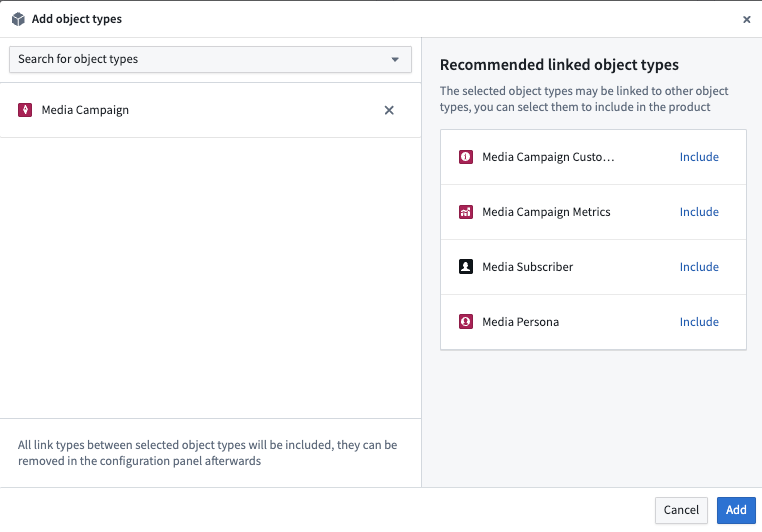
You will then be prompted to choose an object type. After selecting an object type, you will see recommendations for linked object types that you may want to add to your product.
Add link types to products
To add a link type to a product, first create a product and then select the Link type content type.
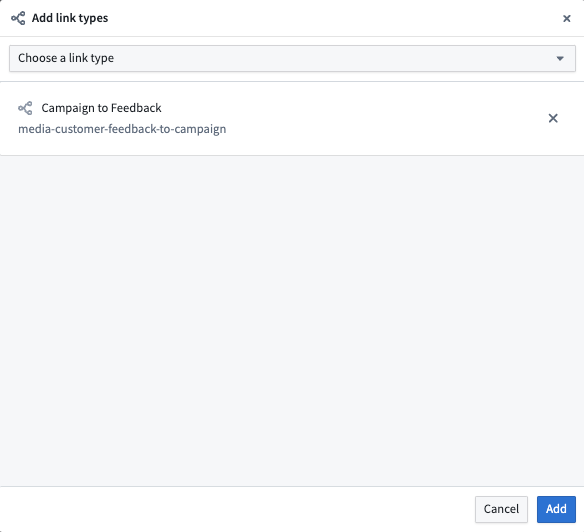
You will then be prompted to choose a link type as below.
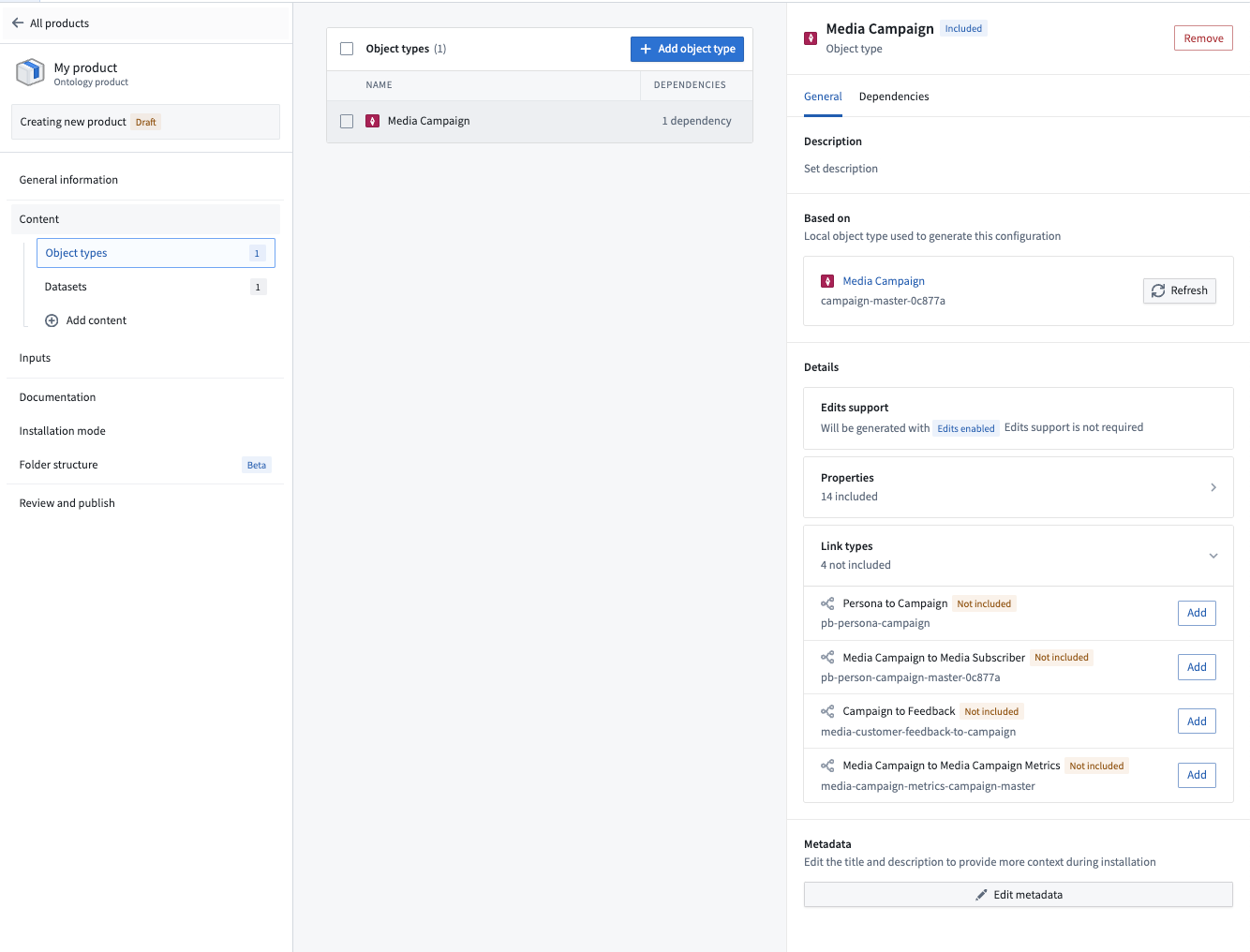
While you can select link types directly, we recommend first adding your object types and then selecting relevant links via the information panel as below.
Add shared properties to products
To add a shared property type to a product, first create a product. Then, select the Shared property content type as shown below.
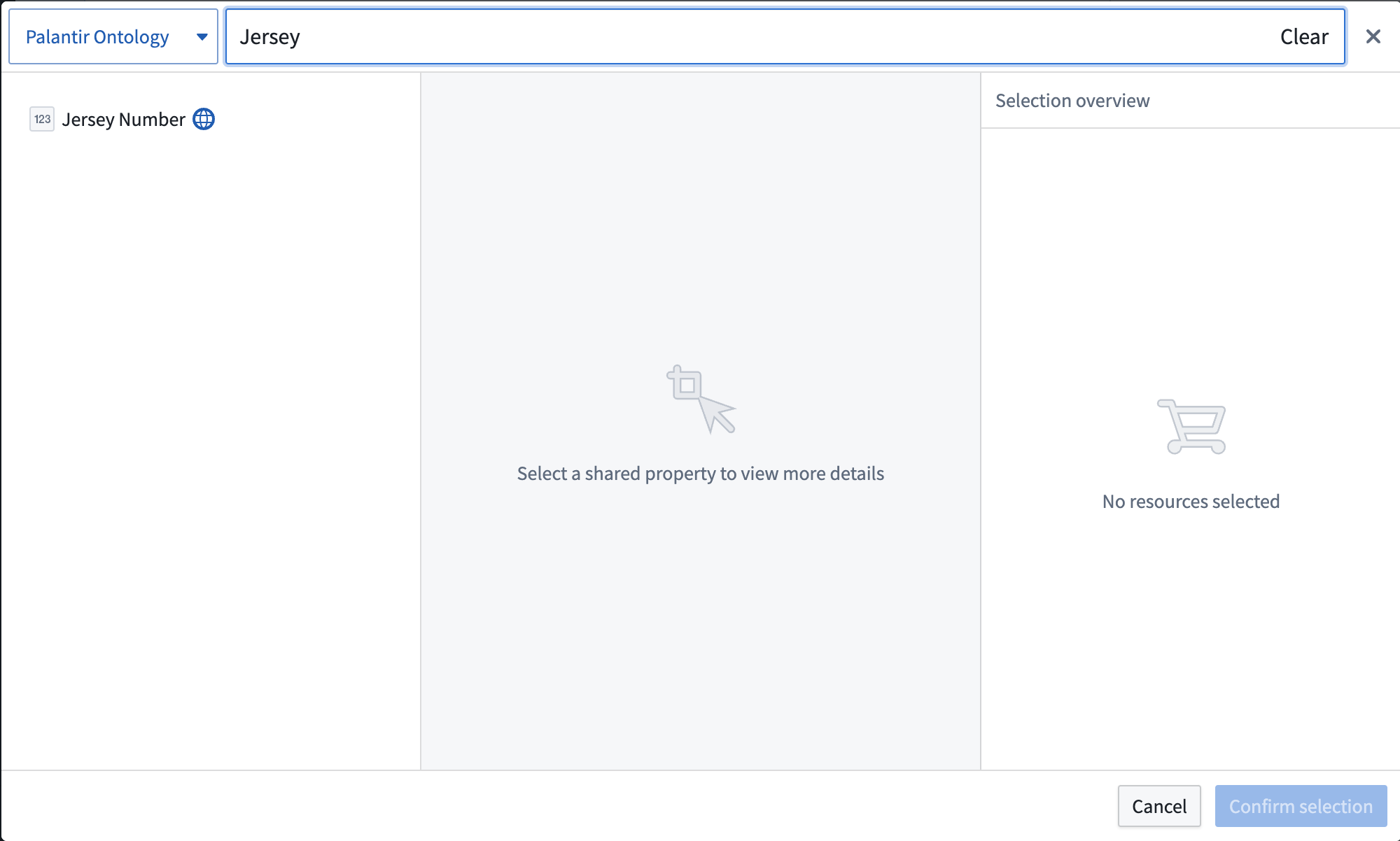
You will then be prompted to choose a shared property.
Add interface types to products
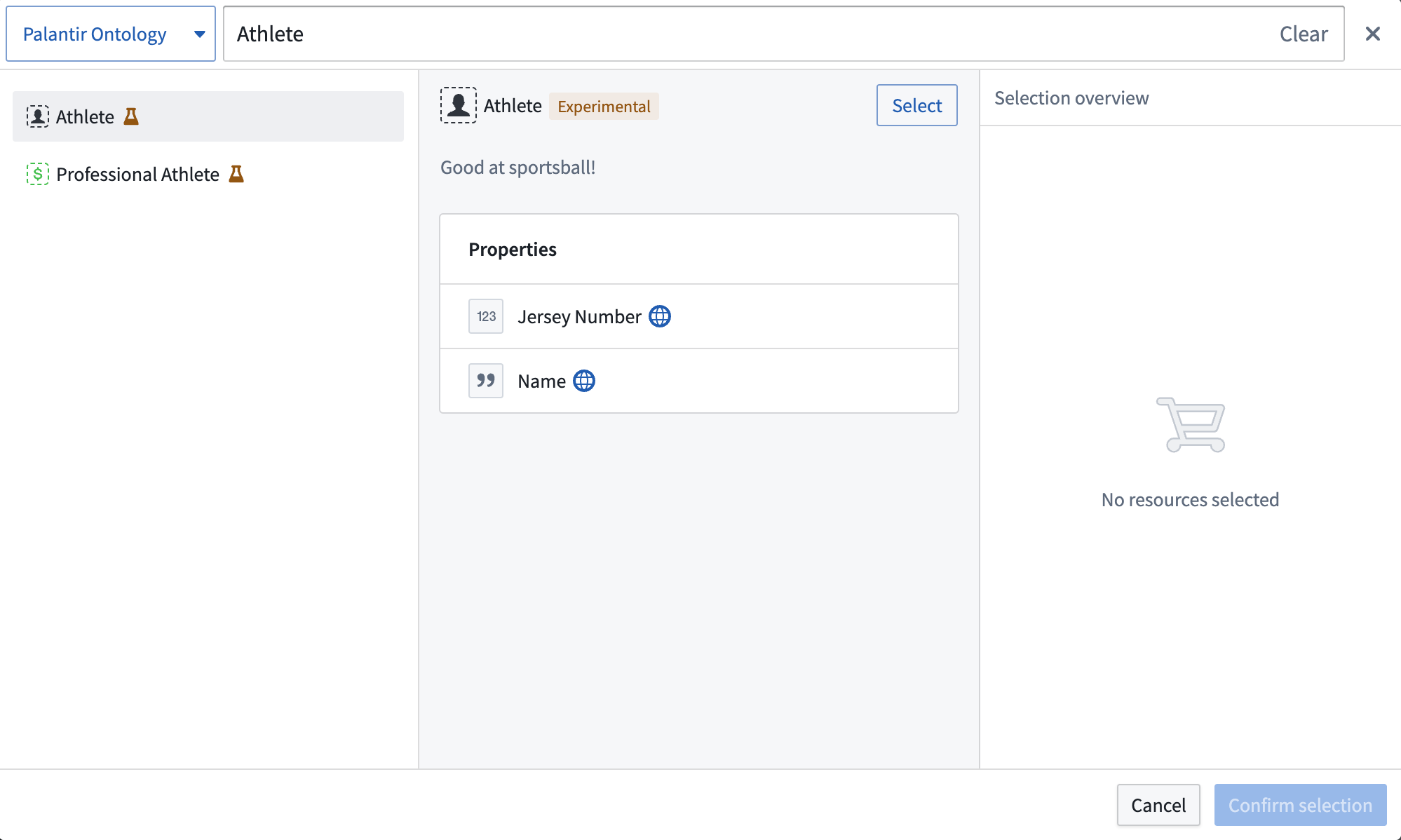
To add an interface type to a product, first create a product. Then, select the Interface content type as shown below.
You will then be prompted to choose an interface.
中文翻译
向 Marketplace 产品添加对象类型和链接类型
使用 Foundry DevOps 将您的对象类型(object type)和链接类型(link type)纳入 Marketplace 产品中,供其他用户安装和复用。了解如何创建您的第一个产品。
不支持的功能
Marketplace 产品支持大多数对象属性类型,但以下类型尚不可用:
- Cipher
- 地理时间(Geo time)
- 向量(Vector)
Marketplace 产品目前不支持以下内容:
- 带有流式数据源(streaming datasource)的对象类型
- 无数据源的对象类型
请注意,对象本身无法通过 Marketplace 打包。这意味着,例如,通过操作(Actions)进行的对象编辑无法打包到 Marketplace 产品中。但数据集(dataset)和对象类型可以打包,以便在安装 Marketplace 产品后创建新对象。
如果您需要上述任何功能支持,请联系您的 Palantir 代表。
向产品添加对象类型
要向产品添加对象类型,首先创建一个产品。然后添加输出,并选择 添加本体实体(Add ontology entities) 选项。
系统将提示您选择一个对象类型。选择对象类型后,您将看到可能希望添加到产品中的关联对象类型推荐。
向产品添加链接类型
要向产品添加链接类型,首先创建一个产品,然后选择 链接类型(Link type) 内容类型。
系统将提示您选择一个链接类型,如下所示。
虽然您可以直接选择链接类型,但我们建议先添加对象类型,然后通过信息面板选择相关链接,如下所示。
向产品添加共享属性
要向产品添加共享属性类型(shared property type),首先创建一个产品。然后选择 共享属性(Shared property) 内容类型,如下所示。
系统将提示您选择一个共享属性。
向产品添加接口类型
要向产品添加接口类型(interface type),首先创建一个产品。然后选择 接口(Interface) 内容类型,如下所示。
系统将提示您选择一个接口。