Object type groups(对象类型组(Object type groups))
Object type groups are a classification primitive that help users better search and explore their ontology. Groups are created and managed using Ontology Manager, generally by ontology owners and editors.
Group configuration
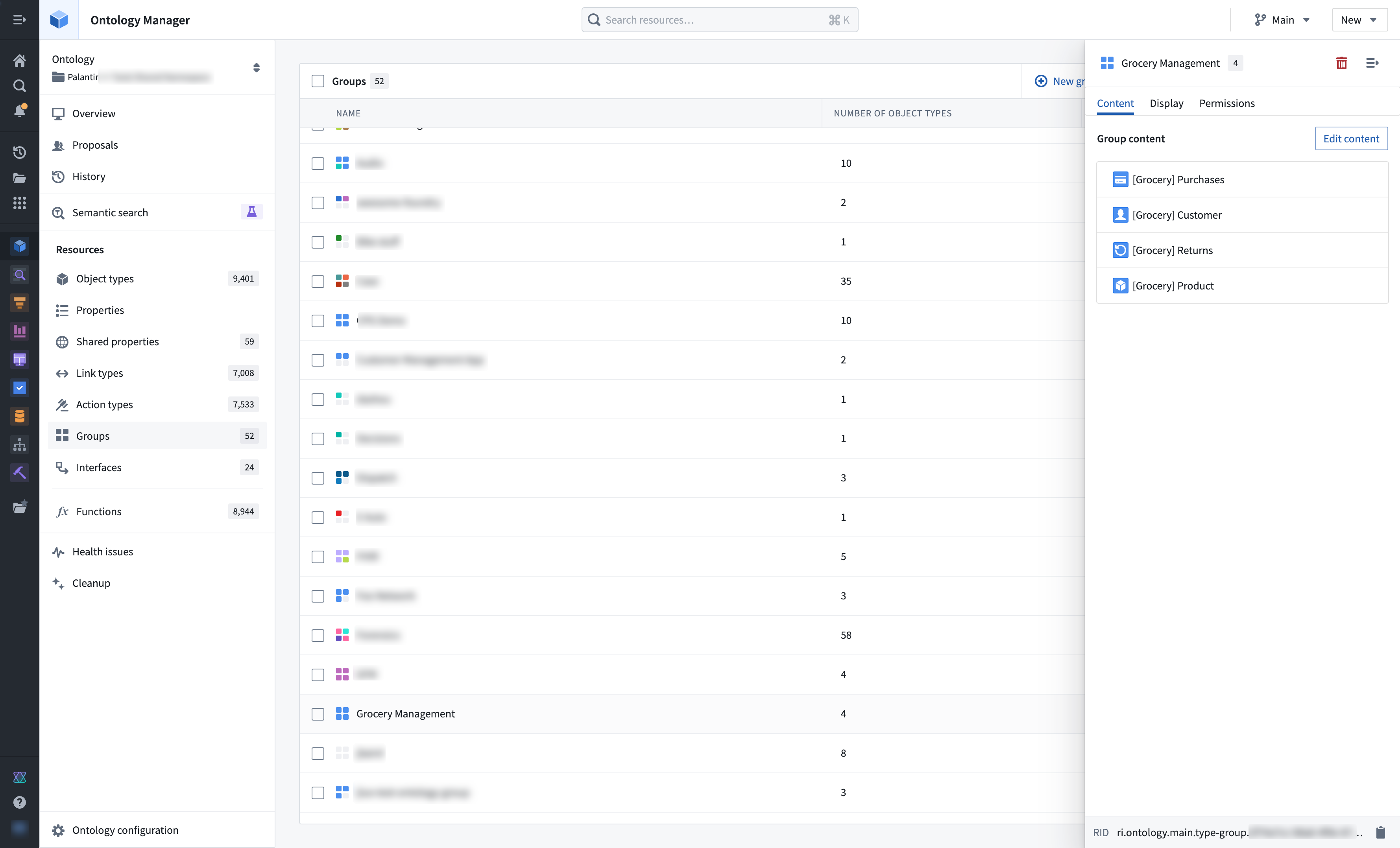
Groups are created and managed via the groups menu, accessible in the Ontology Manager sidebar.
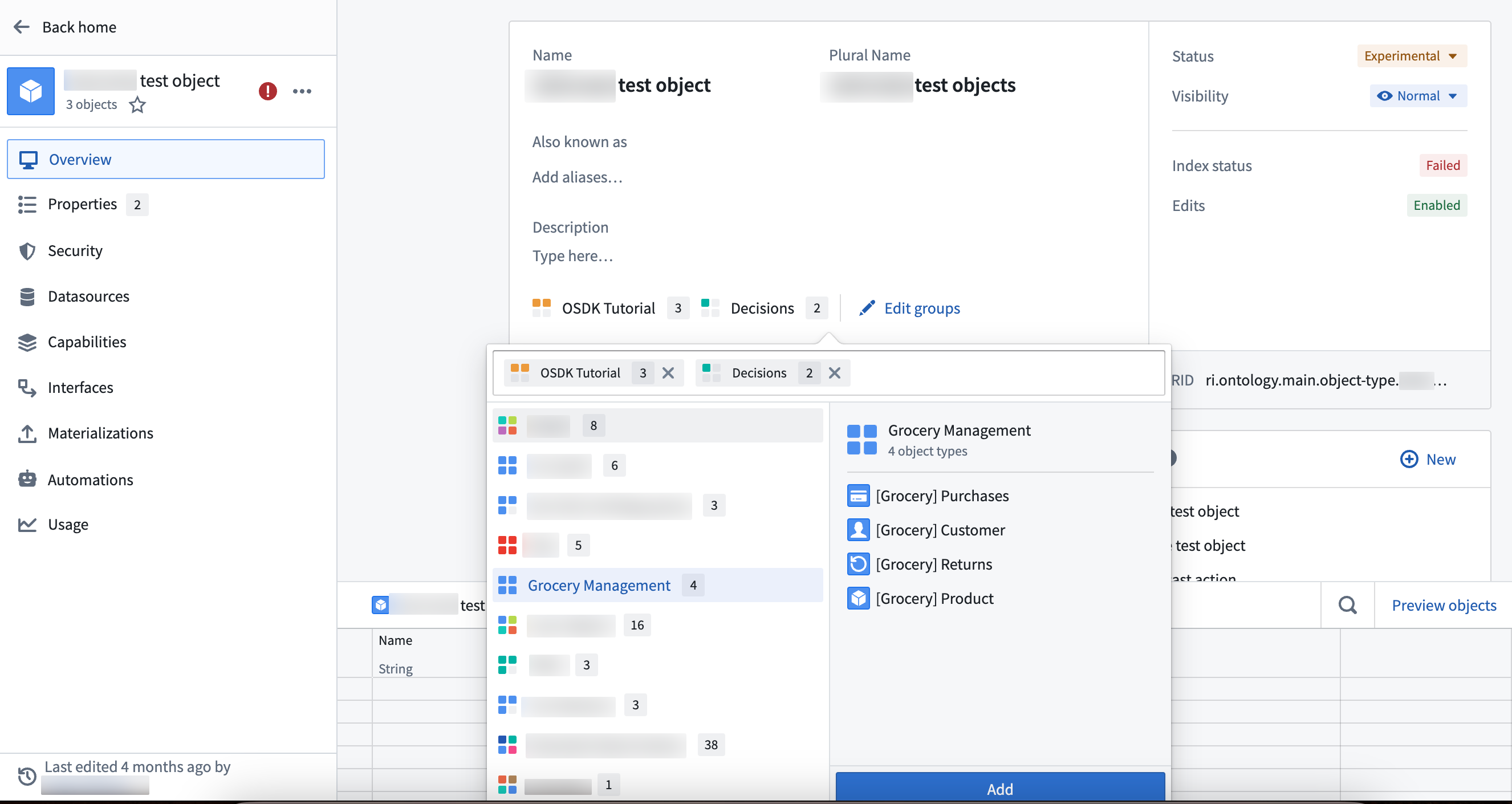
Groups can also be added directly to object types by selecting Edit groups in the object type overview page.
Group search and discovery
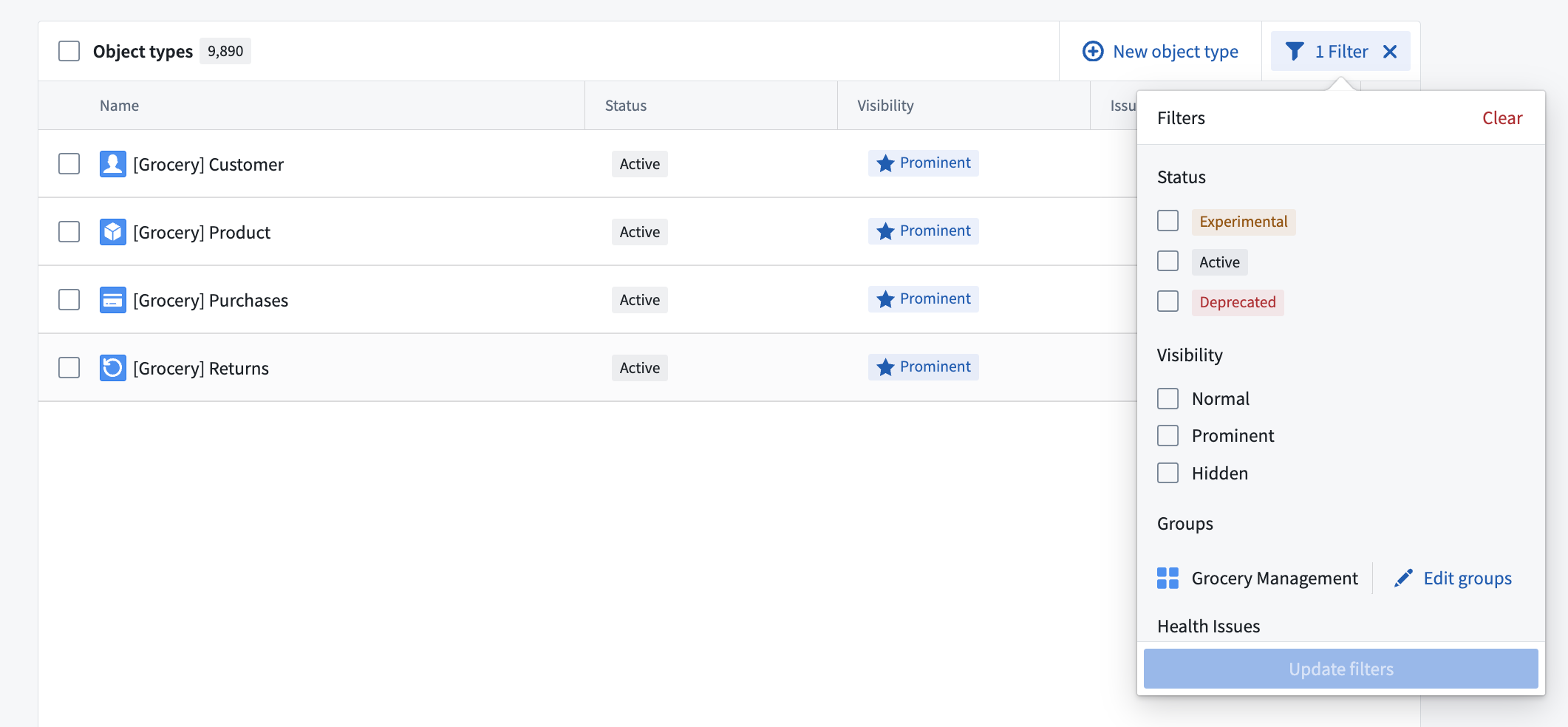
Groups are searchable in Ontology Manager's Search bar and Search bar dialog. The table of object types in Ontology Manager supports displaying and filtering by group. Groups are also displayed on the Object Explorer home page.
Group permissions
To view object type groups, users must have viewer permission on the project that the object type group is in.
Legacy group migration
As of May 22, 2024, the group primitive described on this page has replaced the tag-based system of legacy groups.
In most cases, legacy groups were automatically migrated to object type groups at this time. Ontology owners were notified via an Upgrade Assistant intervention if manual action was necessary.
Group name visibility
Previously, if all object types inside a group were non-discoverable to a certain user (for example, due to access controls on backing datasets), the group was also non-discoverable to the user. As mentioned in the section above on group permissions, all groups will now be discoverable to any user that can view the ontology. This change aligns group visibility with other ontology primitives to increase clarity and transparency in governance.
Migration of partially visible groups
Legacy groups that were not discoverable to one or more users were not eligible for automatic migration. In these cases, ontology owners were notified via an Upgrade Assistant intervention that manual action was necessary.
On May 22 2024, legacy groups that could not be safely migrated were hidden from operational users across all applications such as Workshop and Object Explorer. To provide backward compatibility, the names of legacy groups remain stored as type class metadata on object types.
Ontology owners may continue to manually migrate these hidden, legacy groups using Ontology Manager. To do this, navigate to the Ontology Configuration menu in the bottom left corner and select Approve all Groups for migration.
中文翻译
对象类型组(Object type groups)
对象类型组是一种分类原语,帮助用户更好地搜索和探索其本体(ontology)。组通常由本体所有者与编辑者通过 Ontology Manager 创建和管理。
组配置(Group configuration)
组通过 Ontology Manager 侧边栏中的组菜单进行创建和管理。
组也可以直接在对象类型概览页面中选择 编辑组(Edit groups) 来添加到对象类型中。
组搜索与发现(Group search and discovery)
组可在 Ontology Manager 的搜索栏和搜索栏对话框中进行搜索。Ontology Manager 中的对象类型表格支持按组显示和筛选。组也会显示在 Object Explorer 首页上。
组权限(Group permissions)
要查看对象类型组,用户必须对对象类型组所在的项目拥有查看者(viewer)权限。
旧版组迁移(Legacy group migration)
自 2024 年 5 月 22 日起,本页面描述的组原语已取代基于标签的旧版组系统。
在大多数情况下,旧版组已在此时间点自动迁移为对象类型组。如需手动操作,本体所有者将通过升级助手(Upgrade Assistant)干预收到通知。
组名称可见性(Group name visibility)
此前,如果组内的所有对象类型对特定用户不可发现(例如,由于底层数据集(backing datasets)的访问控制),则该组对该用户也不可发现。如上述组权限部分所述,现在所有组将对任何可以查看本体的用户可见。此变更使组可见性与其他本体原语(ontology primitives)保持一致,以提高治理的清晰度和透明度。
部分可见组的迁移(Migration of partially visible groups)
对一名或多名用户不可发现的旧版组不符合自动迁移条件。在此类情况下,本体所有者将通过升级助手干预收到通知,告知需要手动操作。
2024 年 5 月 22 日,无法安全迁移的旧版组已在所有应用程序(如 Workshop 和 Object Explorer)中对操作用户隐藏。为提供向后兼容性,旧版组的名称仍作为类型类元数据(type class metadata)存储在对象类型中。
本体所有者可继续使用 Ontology Manager 手动迁移这些隐藏的旧版组。为此,请导航至左下角的 本体配置(Ontology Configuration) 菜单,并选择 批准所有组进行迁移(Approve all Groups for migration)。