Condition(条件)
:::callout{theme="warning"} Object Monitors are superseded by Automate. Automate is a fully backward-compatible product that offers a single entry point for all business automation in the platform. :::
Object monitor conditions define when new monitored activity will be detected and recorded. Threshold conditions result in a continuous true or false status, while event conditions produce discrete events. Conditions may include several sub-conditions and may reference multiple input object sets. Object monitors support the following condition types:
Event
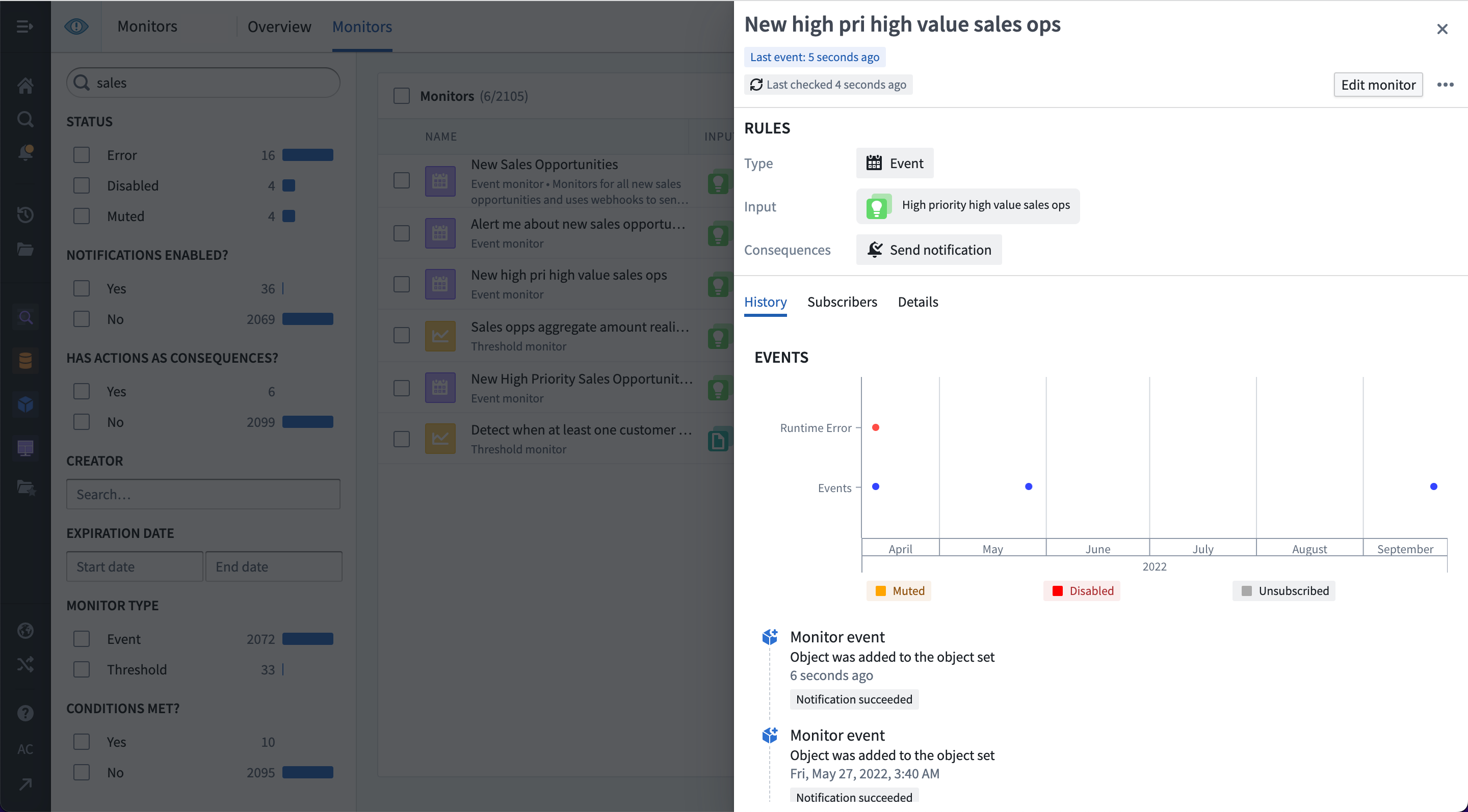
Event conditions are the most common condition type. Event conditions include objects added or removed from the input and metric increase or decrease conditions. Each event takes place at a specific time and is a discrete event. As such, they display as dots in the activity graph:
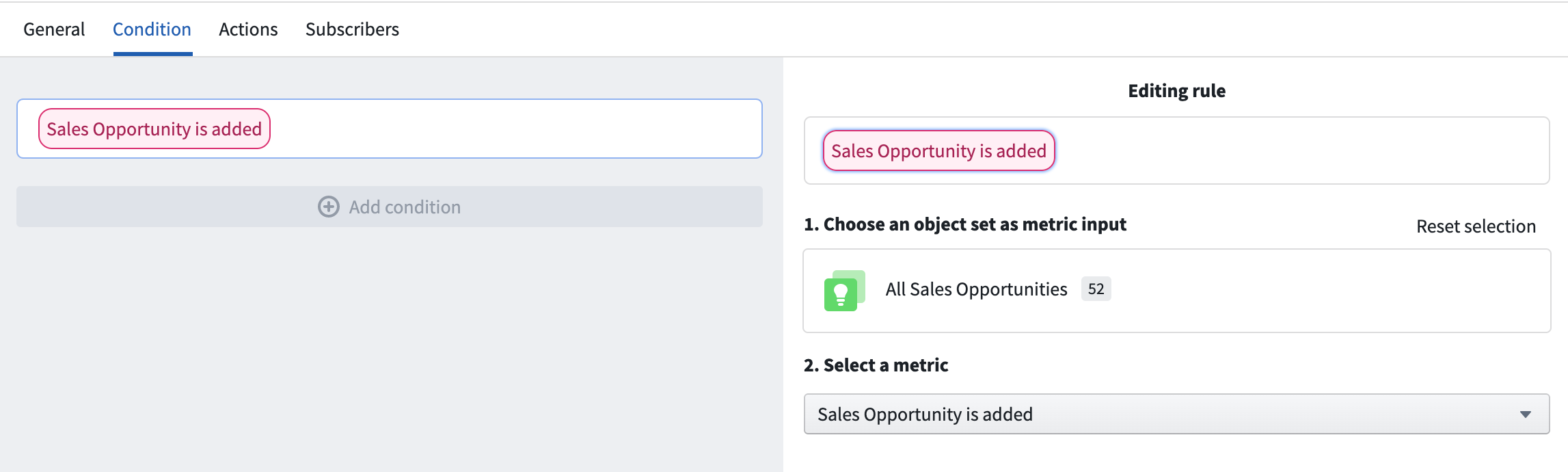
In the example below, the event condition uses a single input exploration and checks for when new objects are used in that exploration. Objects may be added because they were newly created or changed to match the filters used to define the input.
Some event conditions may require a threshold sub-condition. In these cases, both the primary condition and sub-condition must be true for an event to be detected. For example, a threshold sub-condition may be used to detect when the count of input objects increases, but only if the primary condition of having at least N objects already in the input set is met.
Threshold
Threshold conditions are run on the inputs to produce a status of true or false over time. Activity is recorded when the threshold is crossed in either direction. Conditions using a threshold may include any number of nested sub-conditions.
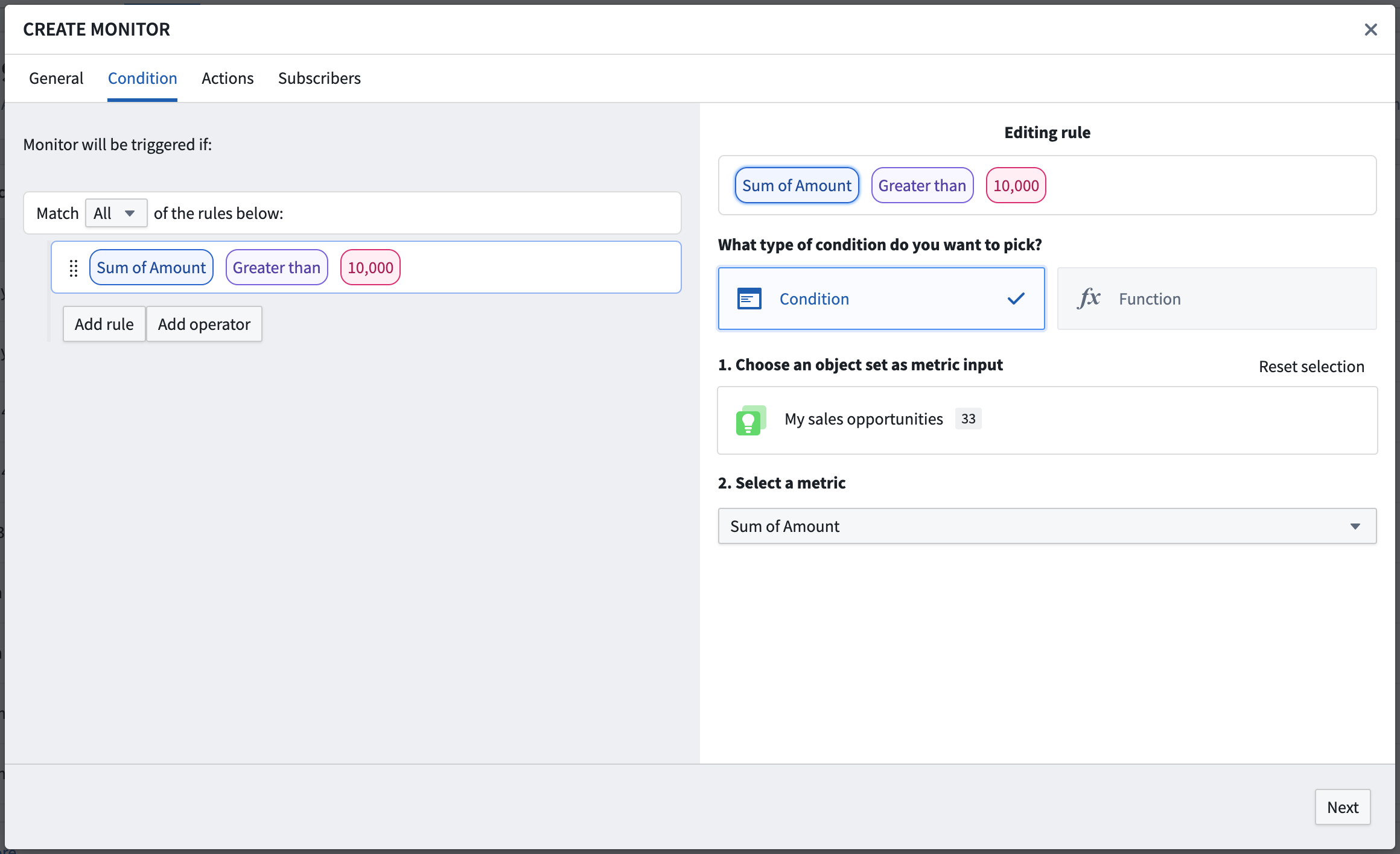
An example threshold condition in the Object Monitors application is shown below. In this example, the condition checks for when the sum of amount across a custom cohort of Sales Opportunities is greater than 10,000.
:::callout{theme="neutral"} Threshold conditions do not support realtime evaluation. :::
Function-backed
Function-backed conditions are designed to allow more complex condition definitions, including anything not supported by the event or threshold rule options. Function-backed conditions work by defining and publishing a function that returns a Boolean value of true or false. The function will be called when the monitor is evaluated, and the response must indicate the result for that execution. If the status has changed, an event will be recorded.
The Function should take an ObjectSet<> of the object type being monitored and return a Boolean value indicating if the condition is met. Learn more about authoring a Function to use with Object Monitors.
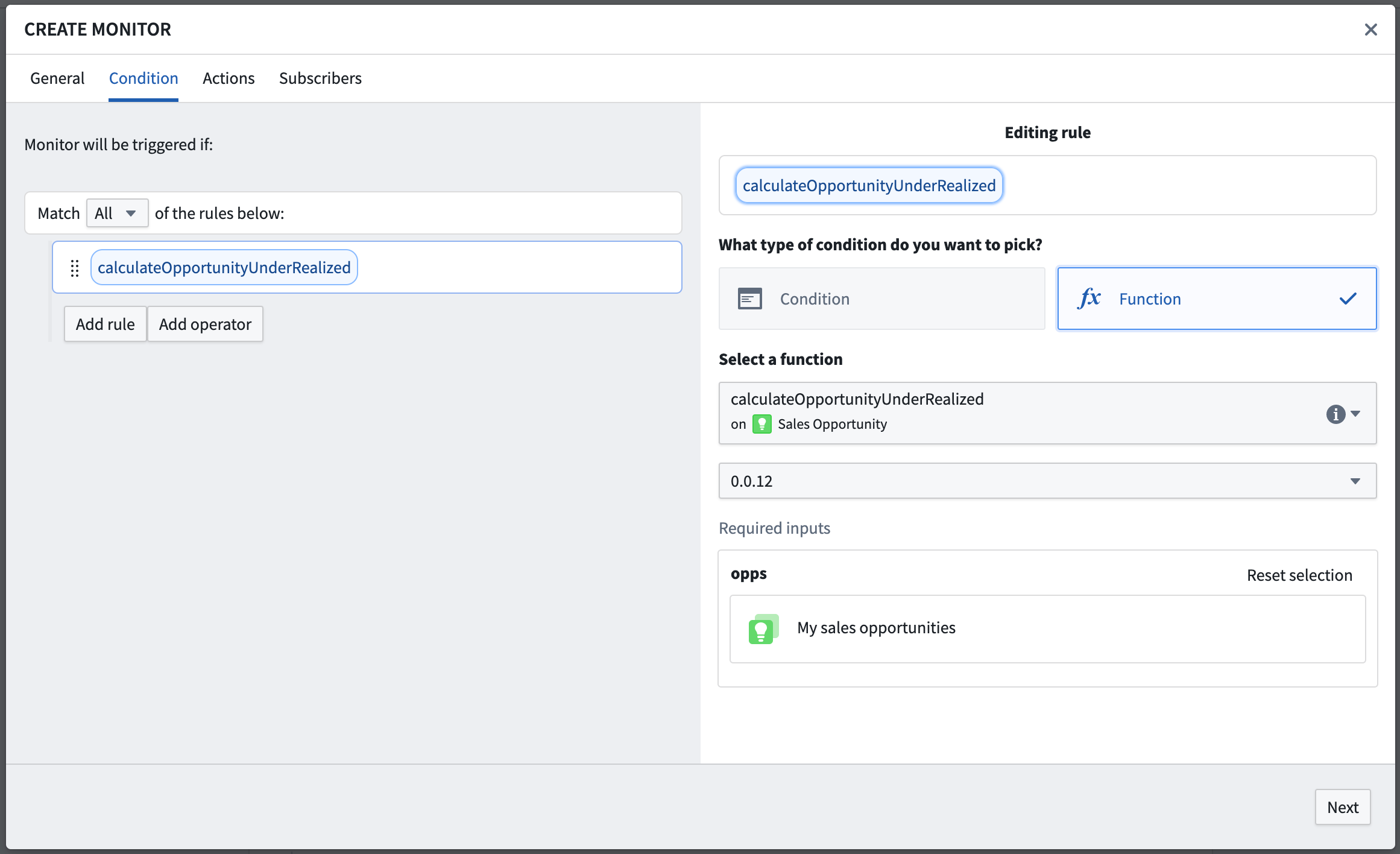
The example below uses a Function to compute when the sum of realized_amount is less than the sum of expected_amount for an input set of Sales Opportunity objects.
@Function()
/**
 * This function calculates if the realized amount for a set of sales opportunities is smaller than
 * the sum of all the opportunity amounts.
 */
public async calculateOpportunityUnderRealized(opportunities: ObjectSet<SalesOpportunity>): Promise<boolean> {
    let amount = await opportunities.sum(o => o.amount)
    let amountRealized = await opportunities.sum(o => o.amountRealized)
    if (amount !== null && amountRealized !== null && amountRealized < amount) {
        return true
    } else {
        return false
    }
}
:::callout{theme="neutral"} Function-backed conditions do not support realtime evaluation. Additionally, Function-backed conditions may only be used with threshold conditions and only by outputting a single Boolean value. :::
中文翻译
条件
:::callout{theme="warning"} 对象监控器(Object Monitors)已被 Automate 取代。Automate 是一款完全向后兼容的产品,为平台中所有业务自动化提供单一入口点。 :::
对象监控器条件(Object monitor conditions)定义了何时检测和记录新的监控活动。阈值(Threshold)条件会产生持续的真或假状态,而事件(Event)条件则产生离散事件。条件可以包含多个子条件,并且可以引用多个输入对象集。对象监控器支持以下条件类型:
事件(Event)
事件条件是最常见的条件类型。事件条件包括输入中添加或移除的对象,以及指标增加或减少的条件。每个事件在特定时间发生,是一个离散事件。因此,它们在活动图中显示为点状:
在下面的示例中,事件条件使用单个输入探索(input exploration),并检查该探索中何时使用了新对象。对象可能因为新创建或变为匹配用于定义输入的筛选条件而被添加。
某些事件条件可能需要阈值子条件。在这种情况下,必须同时满足主条件和子条件才能检测到事件。例如,阈值子条件可用于检测输入对象数量何时增加,但前提是满足输入集中已有至少 N 个对象的主条件。
阈值(Threshold)
阈值条件对输入进行运行,随时间产生 true 或 false 的状态。当阈值向任一方向被突破时,会记录活动。使用阈值的条件可以包含任意数量的嵌套子条件。
下面显示了对象监控器应用中的阈值条件示例。在此示例中,条件检查销售机会(Sales Opportunities)自定义队列中 amount 的总和是否大于 10,000。
:::callout{theme="neutral"} 阈值条件不支持实时评估。 :::
函数支持(Function-backed)
函数支持的条件旨在允许更复杂的条件定义,包括事件或阈值规则选项不支持的任何内容。函数支持的条件通过定义和发布一个返回布尔值 true 或 false 的函数来工作。该函数将在监控器评估时被调用,响应必须指示该执行的结果。如果状态发生变化,将记录一个事件。
该函数应接受被监控对象类型的 ObjectSet<>,并返回一个布尔值,指示条件是否满足。了解更多关于编写函数以用于对象监控器的信息。
下面的示例使用一个函数来计算销售机会对象输入集中 realized_amount 的总和是否小于 expected_amount 的总和。
@Function()
/**
 * 此函数计算一组销售机会的已实现金额是否小于
 * 所有机会金额的总和。
 */
public async calculateOpportunityUnderRealized(opportunities: ObjectSet<SalesOpportunity>): Promise<boolean> {
    let amount = await opportunities.sum(o => o.amount)
    let amountRealized = await opportunities.sum(o => o.amountRealized)
    if (amount !== null && amountRealized !== null && amountRealized < amount) {
        return true
    } else {
        return false
    }
}
:::callout{theme="neutral"} 函数支持的条件不支持实时评估。此外,函数支持的条件只能与阈值条件一起使用,并且只能输出单个布尔值。 :::