Input(输入)
:::callout{theme="warning"} Object Monitors are superseded by Automate. Automate is a fully backward-compatible product that offers a single entry point for all business automation in the platform. :::
Monitor inputs are defined using object sets. The monitor condition may then reference attributes of the inputs. An input may be used to calculate a metric such as an aggregate, or to monitor when objects are added or removed from that input.
Input object sets are created by building a saved exploration in Object Explorer. You can add saved explorations as monitor inputs directly in Object Explorer, or when configuring a new monitor in the Object Monitors application.
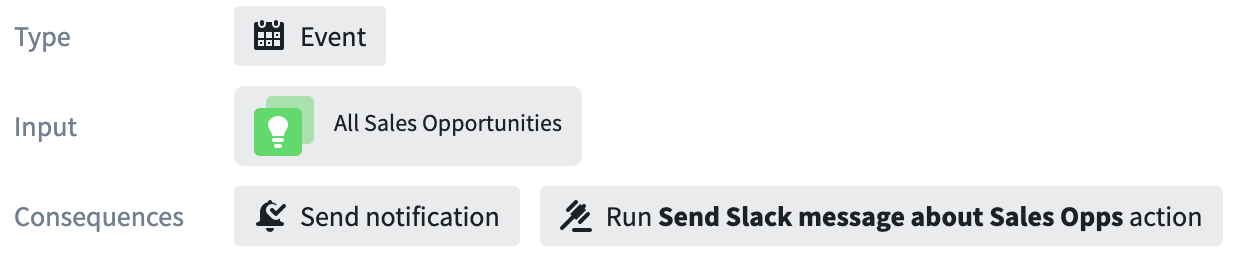
The monitor input is displayed in the overview section when viewing an object monitor in the Object Monitors application. Click on a monitor to open the overview panel.
When viewing a particular saved exploration in Object Explorer, object monitors that use this exploration as input are displayed in the Monitor popover in the upper right of your screen.

中文翻译
输入
:::callout{theme="warning"} 对象监控器(Object Monitors)已被自动化(Automate)取代。自动化(Automate)是一个完全向后兼容的产品,为平台中的所有业务自动化提供单一入口点。 :::
监控器输入使用对象集(Object Sets)定义。监控器的条件(Condition)随后可以引用输入的属性。输入可用于计算指标(如聚合值),或监控对象何时被添加或从该输入中移除。
输入对象集通过在对象浏览器(Object Explorer)中构建已保存探索(Saved Exploration)来创建。您可以直接在对象浏览器(Object Explorer)中将已保存探索添加为监控器输入,也可以在对象监控器应用程序(Object Monitors application)中配置新监控器时进行添加。
在对象监控器应用程序(Object Monitors application)中查看对象监控器时,监控器输入会显示在概览部分。点击监控器即可打开概览面板。
在对象浏览器(Object Explorer)中查看特定已保存探索时,使用该探索作为输入的监控器会显示在屏幕右上角的监控器(Monitor)弹出窗口中。