Notifications(通知(Notifications))
Subscribers to an object monitor may choose to receive notifications when there is new activity for a monitor.
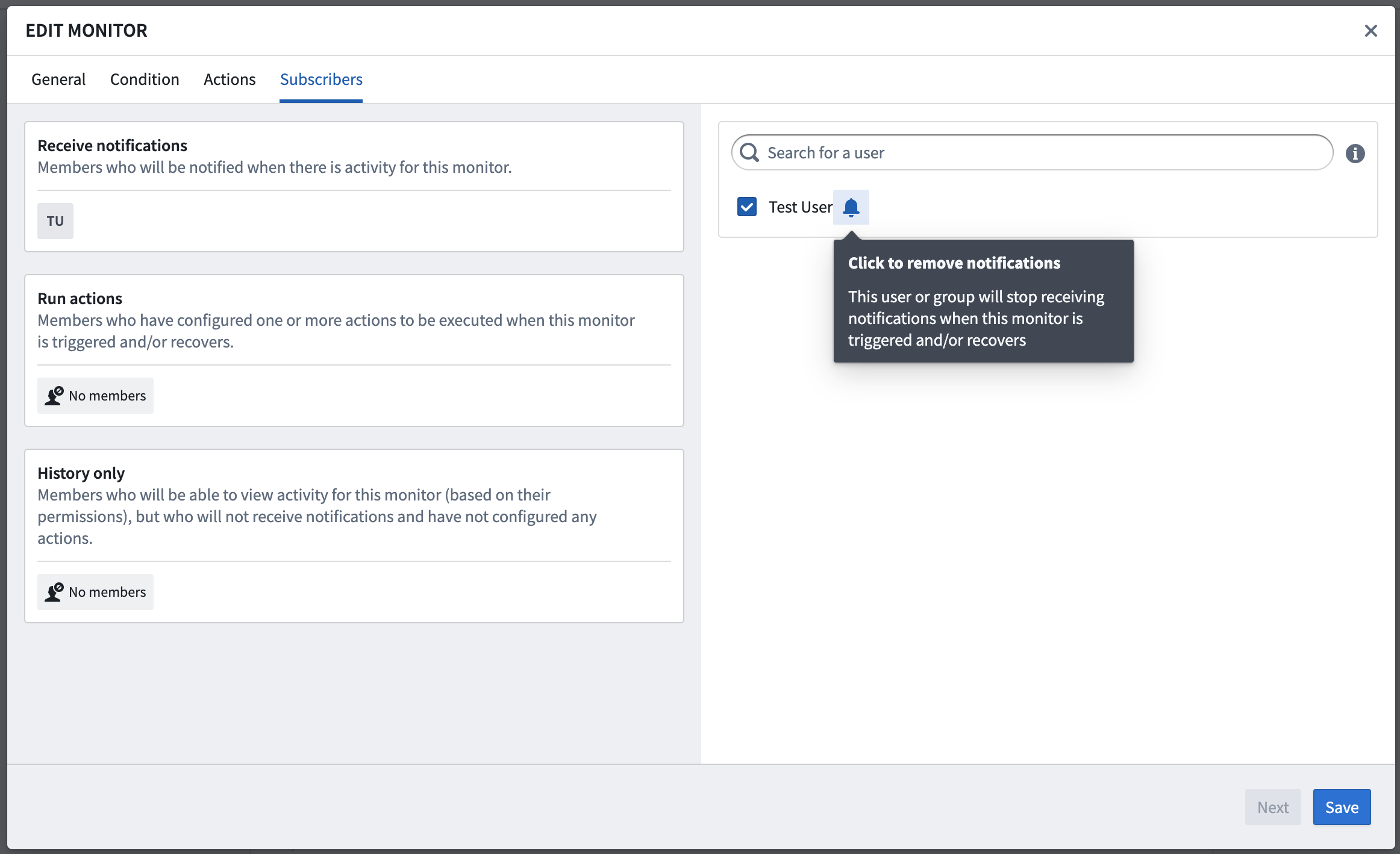
Notifications are enabled by default for all subscribers but may be disabled for individual subscribers. To disable notifications, click the bell icon in the Subscribers tab when configuring or editing a monitor in the Object Monitors application.
Individual users may also configure how they wish to receive notifications from Object Monitors. You can configure notifications in the Notification tab of the monitor configuration modal, and preferences apply globally for any monitors to which that user is subscribed.
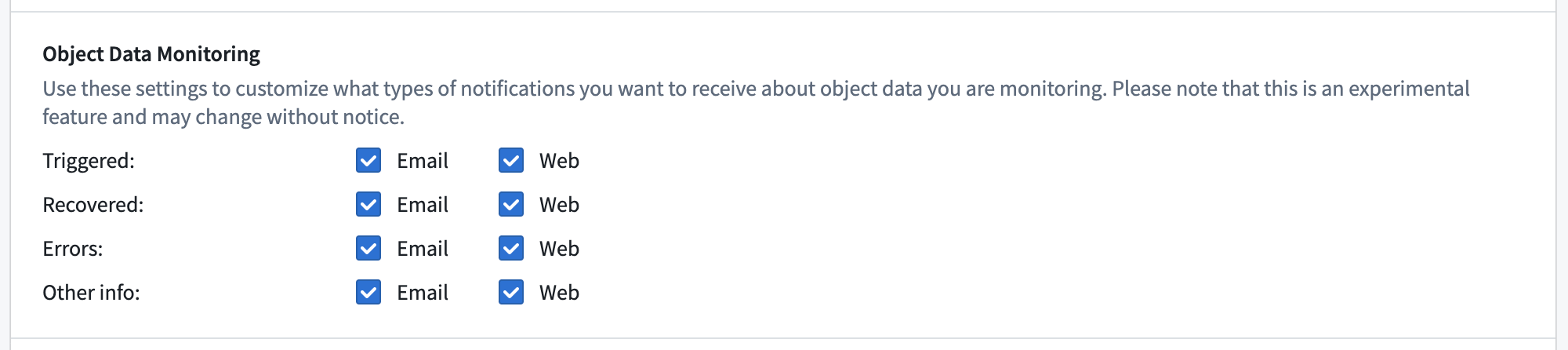
| Category | Activity types |
|---|---|
Triggered |
Monitor triggered |
Recovered |
Monitor recovered |
Errors |
Evaluation failed |
Other info |
Condition edited, Subscribed, Unsubscribed, Muted, Unmuted, Disabled, or Enabled |
Custom notification content
The notifications emitted for monitor triggered and monitor recovered activity may be customized. You can provide a custom notification configuration in the Notifications tab when configuring or editing a monitor in the Object Monitors application.
Templated rendering
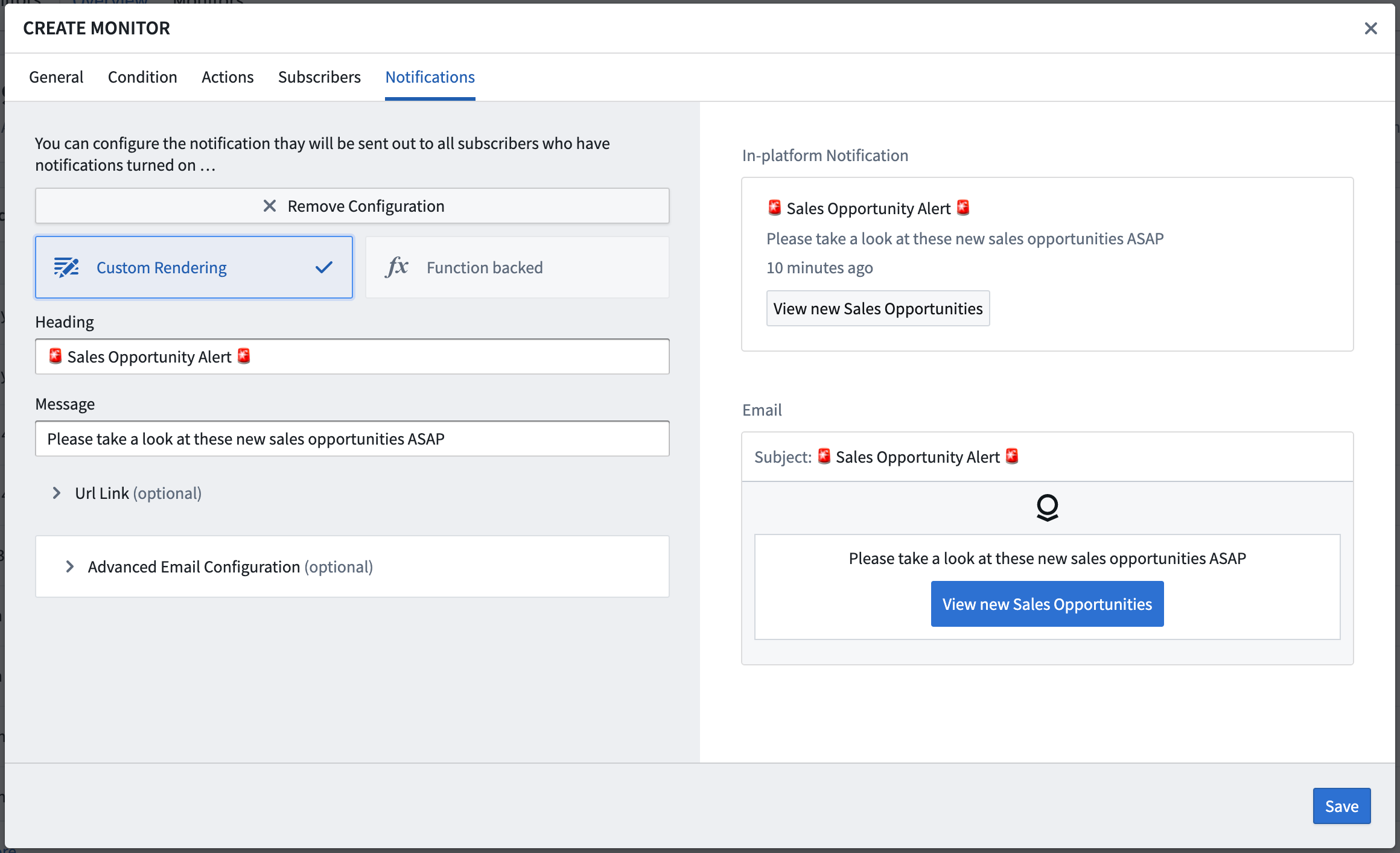
When using templated rendering, the custom content (including subject, body, link label, and link destination) is shown directly in the provided form. HTML can also be used in the advanced email configuration if desired. A preview of the in-platform and email notifications can be seen on the right side of the form.
Function-backed rendering
When using Function-backed rendering, the custom content is returned from a Function using the provided notification return type. For monitors with event conditions, the Function may accept an ObjectSet<> of the object type being monitored, making it possible to extract and render data about the objects that were detected by the monitor directly into the notification content.
中文翻译
通知(Notifications)
对象监控器(Object Monitor)的订阅者可以选择在有新活动时接收通知。
默认情况下,所有订阅者都会启用通知,但可以为个别订阅者禁用。要在对象监控器应用中配置或编辑监控器时禁用通知,请点击订阅者(Subscribers)选项卡中的铃铛图标。
个人用户也可以配置他们希望如何接收来自对象监控器的通知。您可以在监控器配置弹窗的通知(Notification)选项卡中配置通知,偏好设置将全局应用于该用户订阅的所有监控器。
| 类别(Category) | 活动类型(Activity types) |
|---|---|
已触发(Triggered) |
监控器已触发 |
已恢复(Recovered) |
监控器已恢复 |
错误(Errors) |
评估失败 |
其他信息(Other info) |
条件已编辑、已订阅、已取消订阅、已静音、已取消静音、已禁用 或 已启用 |
自定义通知内容(Custom notification content)
针对监控器已触发和监控器已恢复活动发出的通知可以进行自定义。您可以在对象监控器应用中配置或编辑监控器时,在通知(Notifications)选项卡中提供自定义通知配置。
模板化渲染(Templated rendering)
使用模板化渲染时,自定义内容(包括主题、正文、链接标签和链接目标)会直接显示在提供的表单中。如果需要,也可以在高级电子邮件配置中使用HTML。平台内通知和电子邮件通知的预览可以在表单右侧看到。
函数支持渲染(Function-backed rendering)
使用函数支持渲染时,自定义内容通过使用提供的通知返回类型(notification return type)从函数(Function)返回。对于具有事件条件(event conditions)的监控器,函数可以接受被监控对象类型的ObjectSet<>,从而能够提取并渲染监控器检测到的对象数据,直接嵌入到通知内容中。