Batched execution(批量执行(Batched execution))
When an action is triggered in batches, such as in Workshop inline edits or in Automate, the backing function is usually called once per request in sequence, and all edits are applied atomically at the end of the action call.
Alternatively, to improve performance or resolve edit conflicts, you may wish to configure a function to receive the whole batch of action calls in a single execution.
To enable batched execution, the function must receive a single input parameter containing a list of structs (also known as a "map" or "dictionary"). You will then be able to enable batched execution and pass data into the fields of this struct in the same way you would usually pass data to a function's top-level inputs.
When using batched execution:
- A single action call will invoke a single function execution with a single entry in the list input parameter.
- A batched action call will invoke a single function execution with several entries in the list input parameter.
Example
Instead of a function-backed action with the following signature:
@OntologyEditFunction()
  public updateDestination(flight: Flight, destination: Airport): void {
    // update flight object
}
A function can instead receive a "batch" of requests and process them all in a single execution:
@OntologyEditFunction()
public updateDestinationBatch(batch: {flight: Flight, destination: Airport}[]): void {
    batch.forEach(({flight, destination}) => {
      // update flight object
    });
}
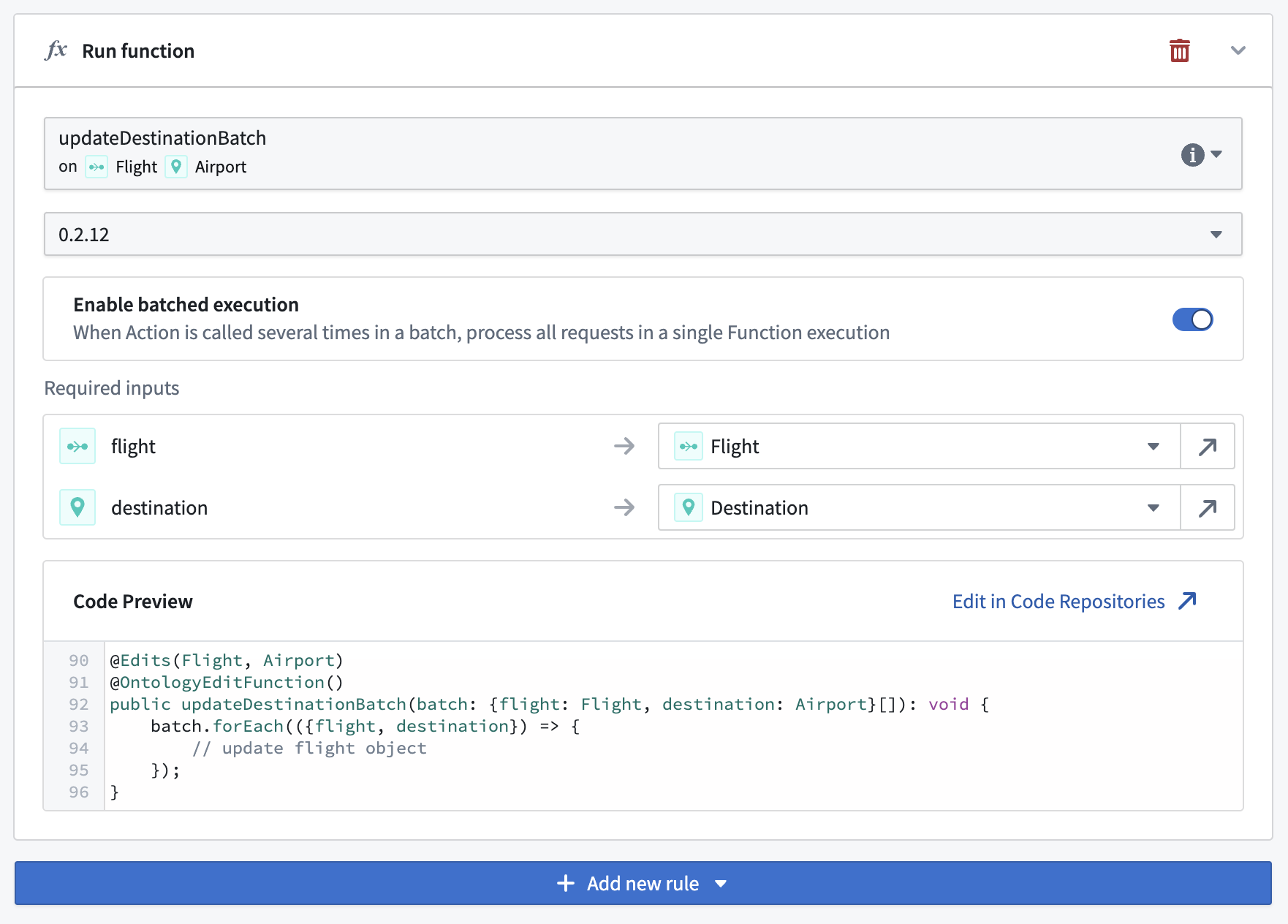
You can then enable batched execution for this function when configuring the action type:
中文翻译
批量执行(Batched execution)
当操作以批量方式触发时(例如在 Workshop 内联编辑 或 自动化(Automate) 中),后台函数通常按顺序为每个请求调用一次,所有编辑操作在操作调用结束时原子性地应用。
或者,为了提升性能或解决编辑冲突,您可能希望配置一个函数,使其在单次执行中接收整个批量的操作调用。
要启用批量执行,函数必须接收一个包含结构体列表(structs)的单一输入参数(也称为"映射"或"字典")。随后您即可启用批量执行,并通过该结构体的字段传入数据,其方式与通常向函数顶层输入参数传递数据相同。
使用批量执行时:
- 单次操作调用将触发一次函数执行,并在列表输入参数中包含单个条目。
- 批量操作调用将触发一次函数执行,并在列表输入参数中包含多个条目。
示例
假设原先的函数支持操作具有以下签名:
@OntologyEditFunction()
  public updateDestination(flight: Flight, destination: Airport): void {
    // 更新航班对象
}
现在该函数可以接收"批量"请求并在单次执行中统一处理:
@OntologyEditFunction()
public updateDestinationBatch(batch: {flight: Flight, destination: Airport}[]): void {
    batch.forEach(({flight, destination}) => {
      // 更新航班对象
    });
}
随后,您可以在配置操作类型时为此函数启用批量执行: