Set parameter default value(设置参数默认值)
Default values for action type parameters are used to prefill parameters in the action form. Default values are configured at the parameter level and are supported in Workshop, Object Explorer, Object Views, Quiver, and Slate. They can be deployed to standardize action logic across multiple consuming applications, eliminating the need to add default values in each application individually.
Parameters can be set to default values to display either a fixed value or a property of the selected object.
Default value interaction with local variables
Local default values (for example, Workshop variables) always take precedence over global default values. When passing any Workshop variable to an action with a default value, the action form will prefill with the values from the Workshop variables. The same pattern applies with environment variables from Object Views and defaults from Slate. Defaults provided in each instance of an action take precedence. Any migration to default values will therefore require removing local overrides.
Configuring default values
Selecting any parameter opens the parameter configuration view for that parameter. Select whether the parameter should default to a fixed value or with a value from the property of an object parameter.
Static default value
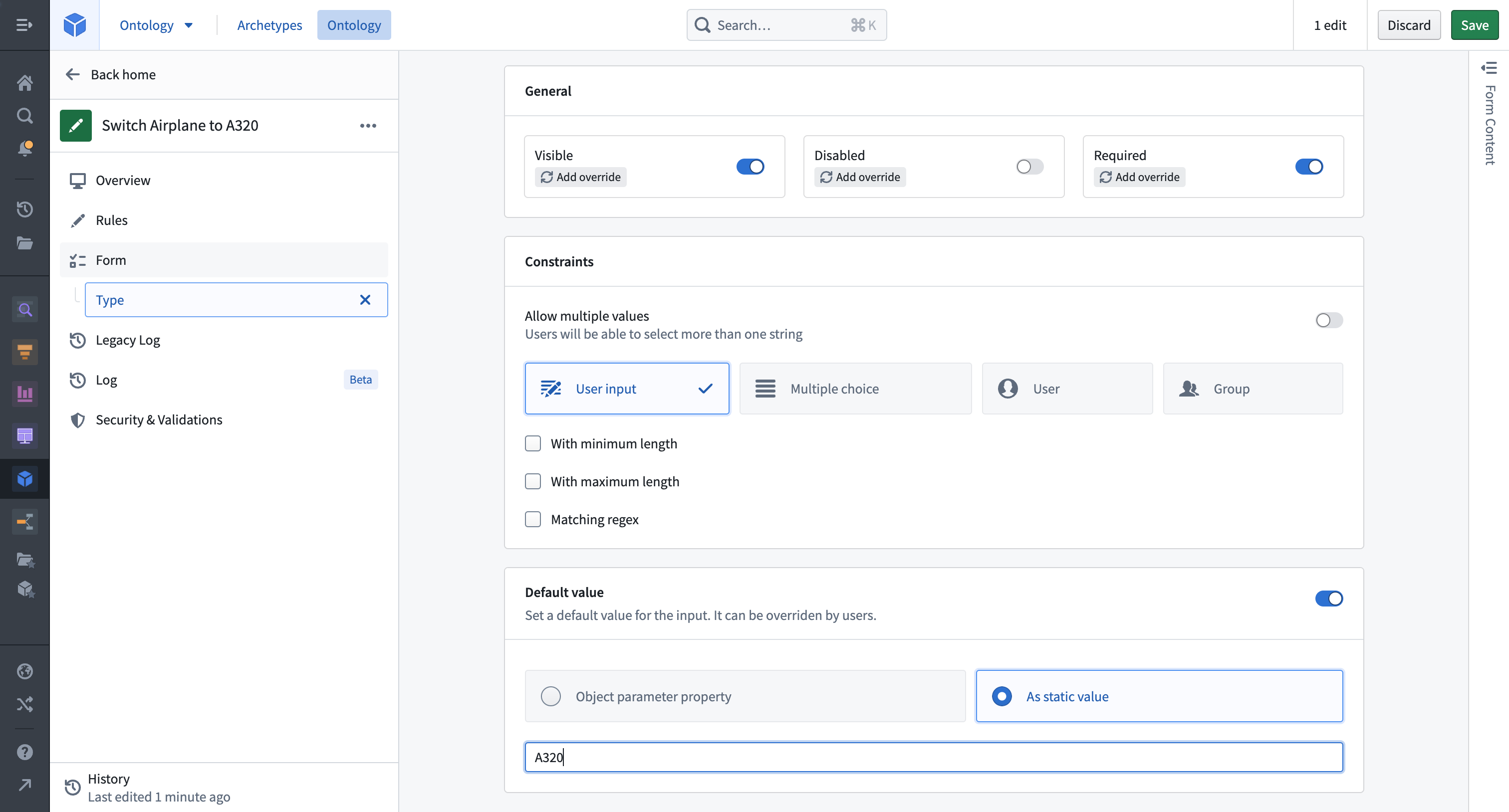
Imagine an example action type that modifies the Type property of a selected Aircraft object to become A320. To configure, click into the Type parameter and add a static default value.
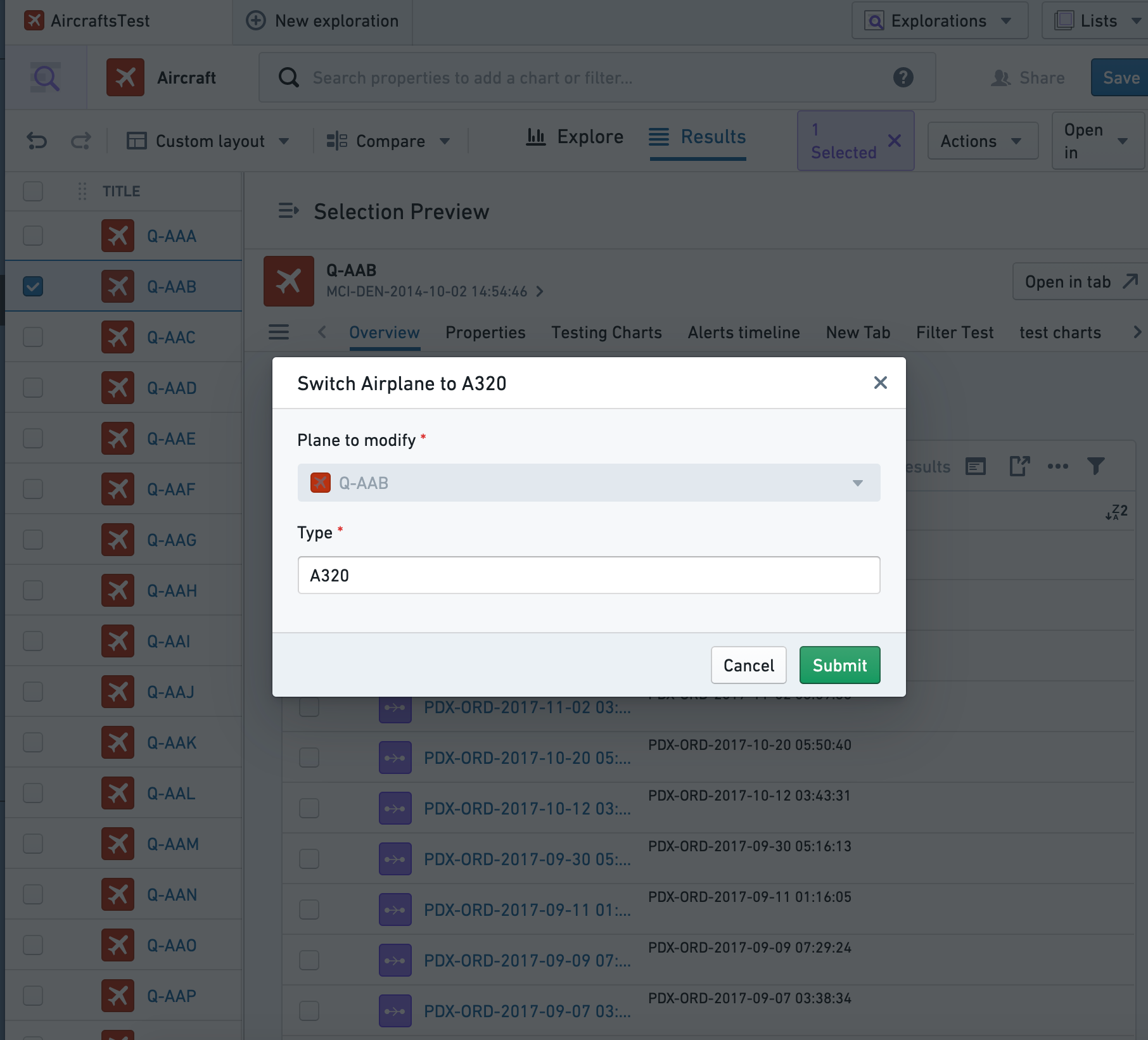
To achieve a similar user experience without default values, input values would need to be configured in each application that uses the parameter. Updating this behavior (for instance, to A380) would require manually modifying the behavior, possibly across multiple applications.
Object property default values
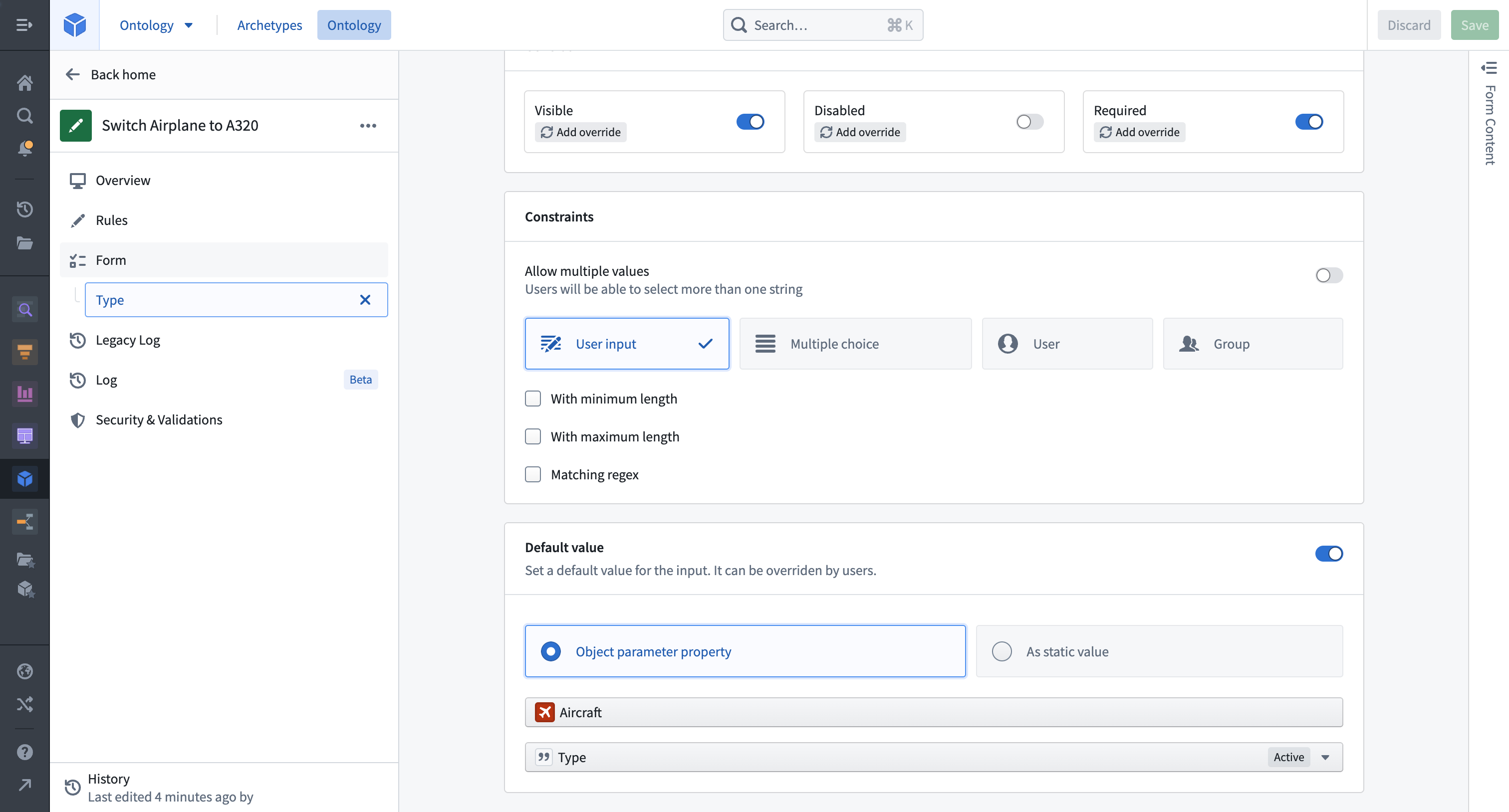
To set an object property as the default value for a parameter, begin by selecting an object parameter to configure. Let's assume a more generic action type called Change Airplane Details where, for example, users need to know the current value of a property before making edits. This can be achieved by configuring the value of each parameter to be prefilled from the currently selected object (in our case, the Plane object to modify). Only object reference parameters that are placed above the parameter in the input list are available to be used as a default value.
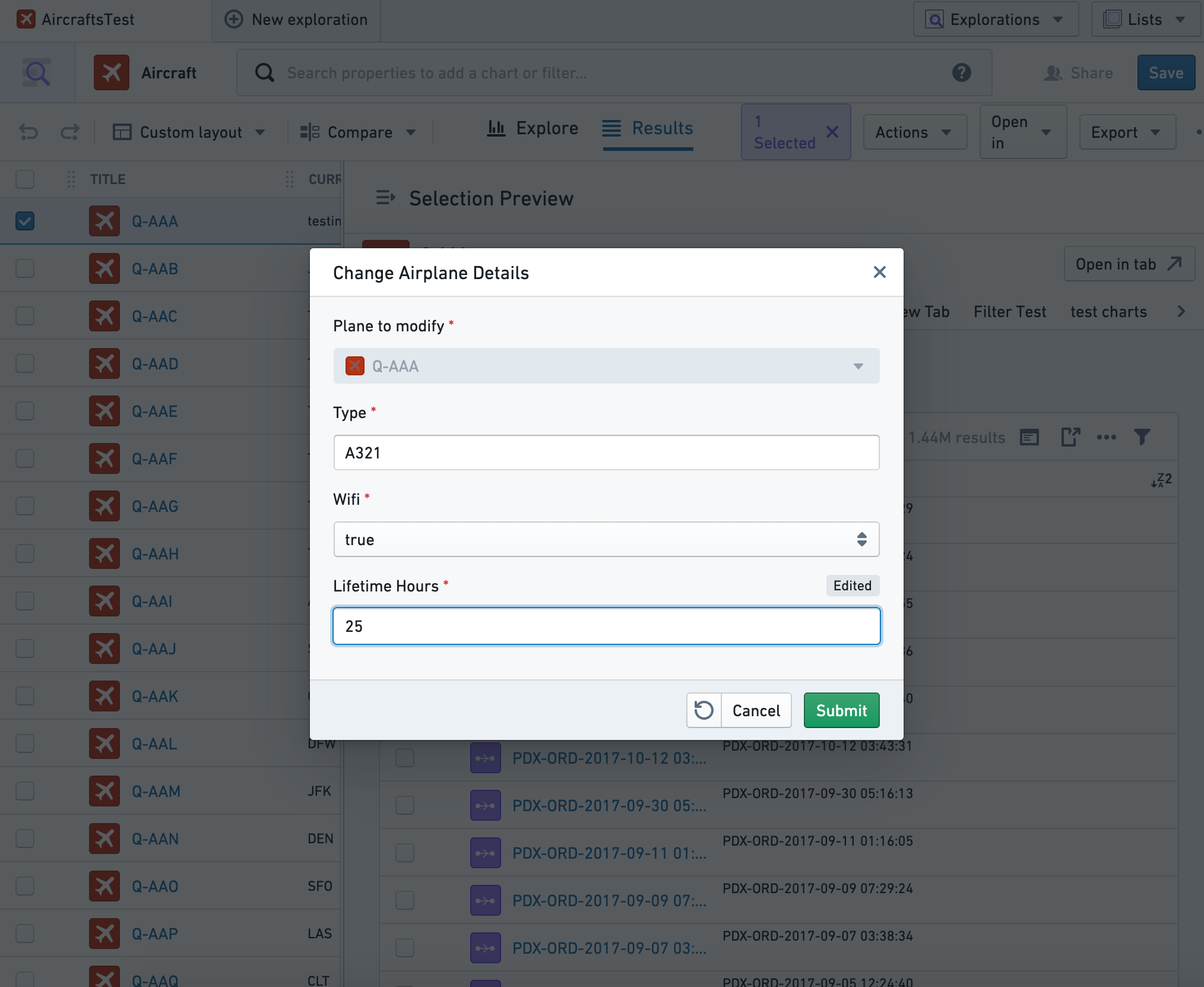
In Object Explorer, the Change Airplane Details action will be prefilled with current values. In this case, users could choose to modify just one property and keep the rest the same. This same default logic will be present anywhere the action is submitted. Note that the Lifetime Hours value shows as edited once this default value is updated by the action user.
Type class prefills
Action parameters can be prefilled with special values (such as automatically-generated UUIDs or the current user's ID) by annotating them with type classes. The Ontology documentation has a complete list of the available type classes.
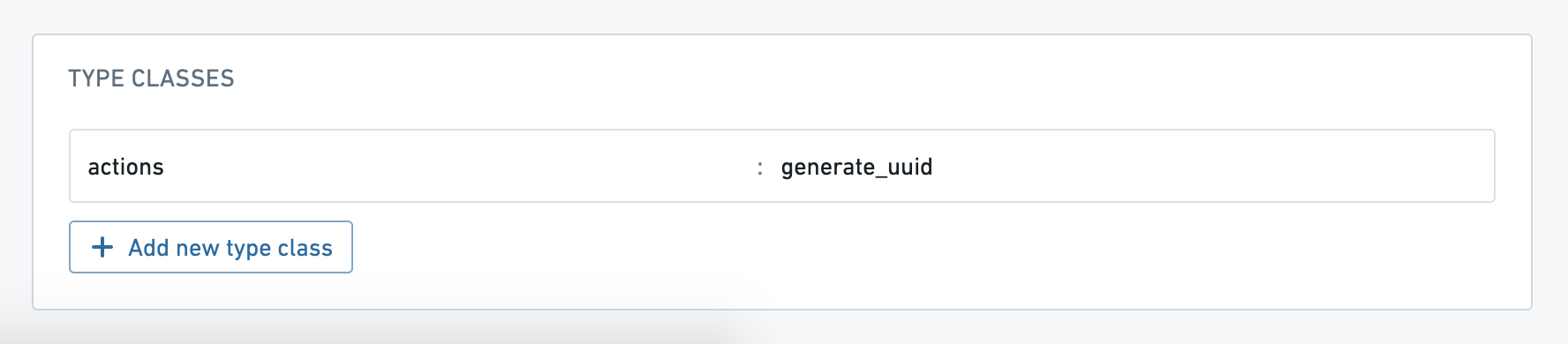
In most cases, you should set the parameter visibility to hidden, so that users do not manually change these special prefilled values.
中文翻译
设置参数默认值
操作类型参数的默认值用于预填操作表单中的参数。默认值在参数级别配置,并支持在 Workshop、Object Explorer、Object Views、Quiver 和 Slate 中使用。通过部署默认值,可以在多个消费应用中标准化操作逻辑,无需在每个应用中单独添加默认值。
参数可以设置为显示固定值或所选对象的属性作为默认值。
默认值与局部变量的交互
局部默认值(例如 Workshop 变量)始终优先于全局默认值。当将任何 Workshop 变量传递给具有默认值的操作时,操作表单将使用 Workshop 变量中的值进行预填。同样的模式也适用于 Object Views 中的环境变量和 Slate 中的默认值。每个操作实例中提供的默认值具有更高优先级。因此,迁移到默认值需要移除局部覆盖。
配置默认值
选择任意参数将打开该参数的配置视图。选择参数应默认使用固定值,还是使用对象参数的属性值。
静态默认值
假设有一个操作类型,用于将所选 Aircraft 对象的 Type 属性修改为 A320。配置时,点击 Type 参数并添加一个静态默认值。
如果没有默认值,要实现类似的用户体验,需要在每个使用该参数的应用中配置输入值。更新此行为(例如改为 A380)则需要手动修改行为,可能涉及多个应用。
对象属性默认值
要将对象属性设置为参数的默认值,首先选择一个对象参数进行配置。假设有一个更通用的操作类型,名为 Change Airplane Details,例如用户需要在编辑前了解某个属性的当前值。这可以通过将每个参数的值配置为从当前所选对象(本例中为要修改的 Plane 对象)预填来实现。只有位于输入列表中该参数上方的对象引用参数才可用作默认值。
在 Object Explorer 中,Change Airplane Details 操作将使用当前值预填。在这种情况下,用户可以选择只修改一个属性,而保持其他属性不变。此默认逻辑将在任何提交该操作的地方生效。请注意,一旦操作用户更新了默认值,Lifetime Hours 值将显示为已编辑状态。
类型类预填
操作参数可以通过添加类型类(Type class)注解来预填特殊值(例如自动生成的 UUID 或当前用户的 ID)。本体论(Ontology)文档中提供了完整的可用类型类列表。
在大多数情况下,应将参数可见性设置为 hidden,以防止用户手动更改这些特殊的预填值。